Create a spine network
Learn how to create a spine network for your tenant or projects.
Create a spine network
-
In the CubeCMP cloud admin management console, go to the Spine Networks page.
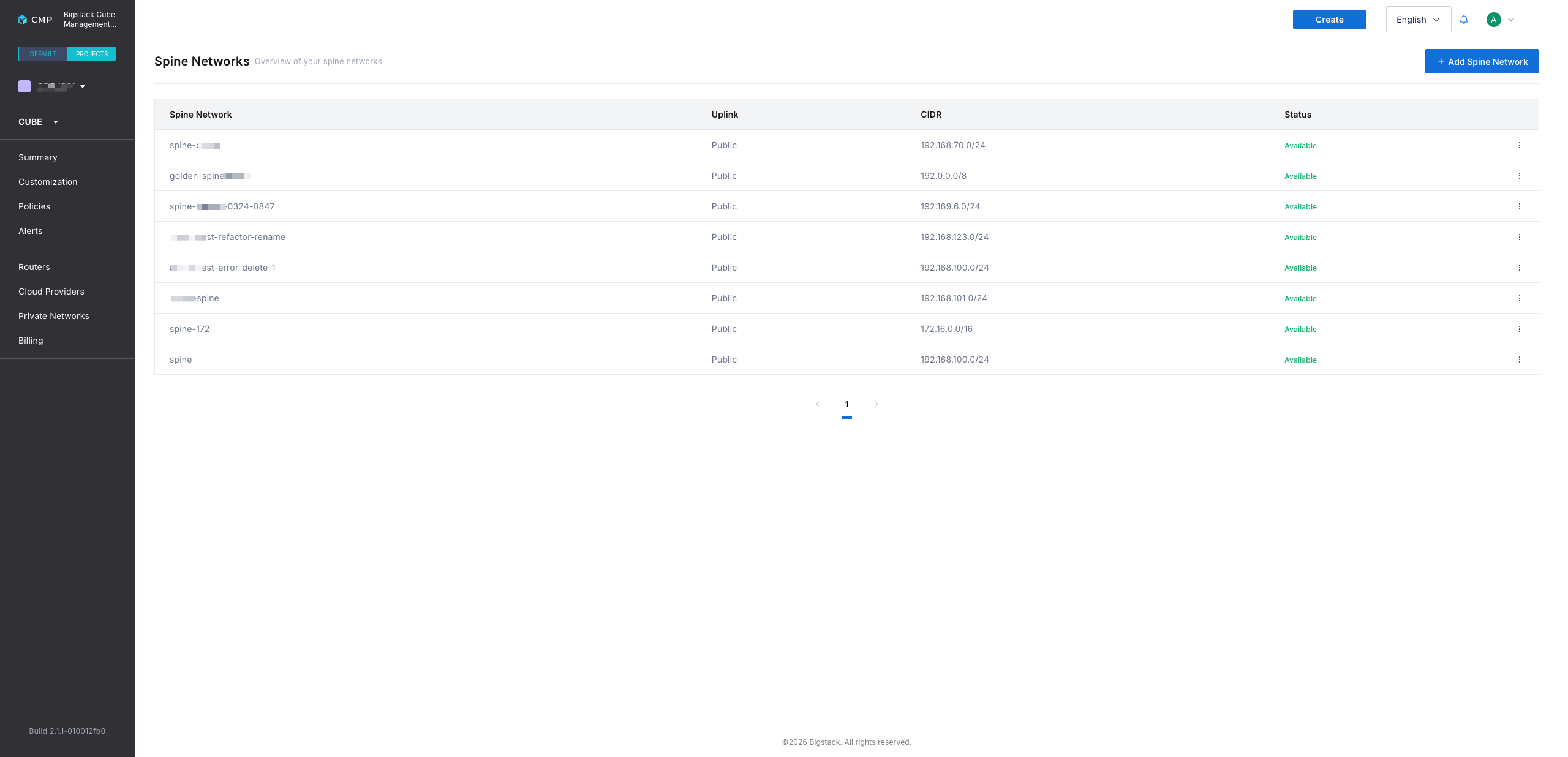
-
Click + Add Spine Network to start the spine network creation flow.
-
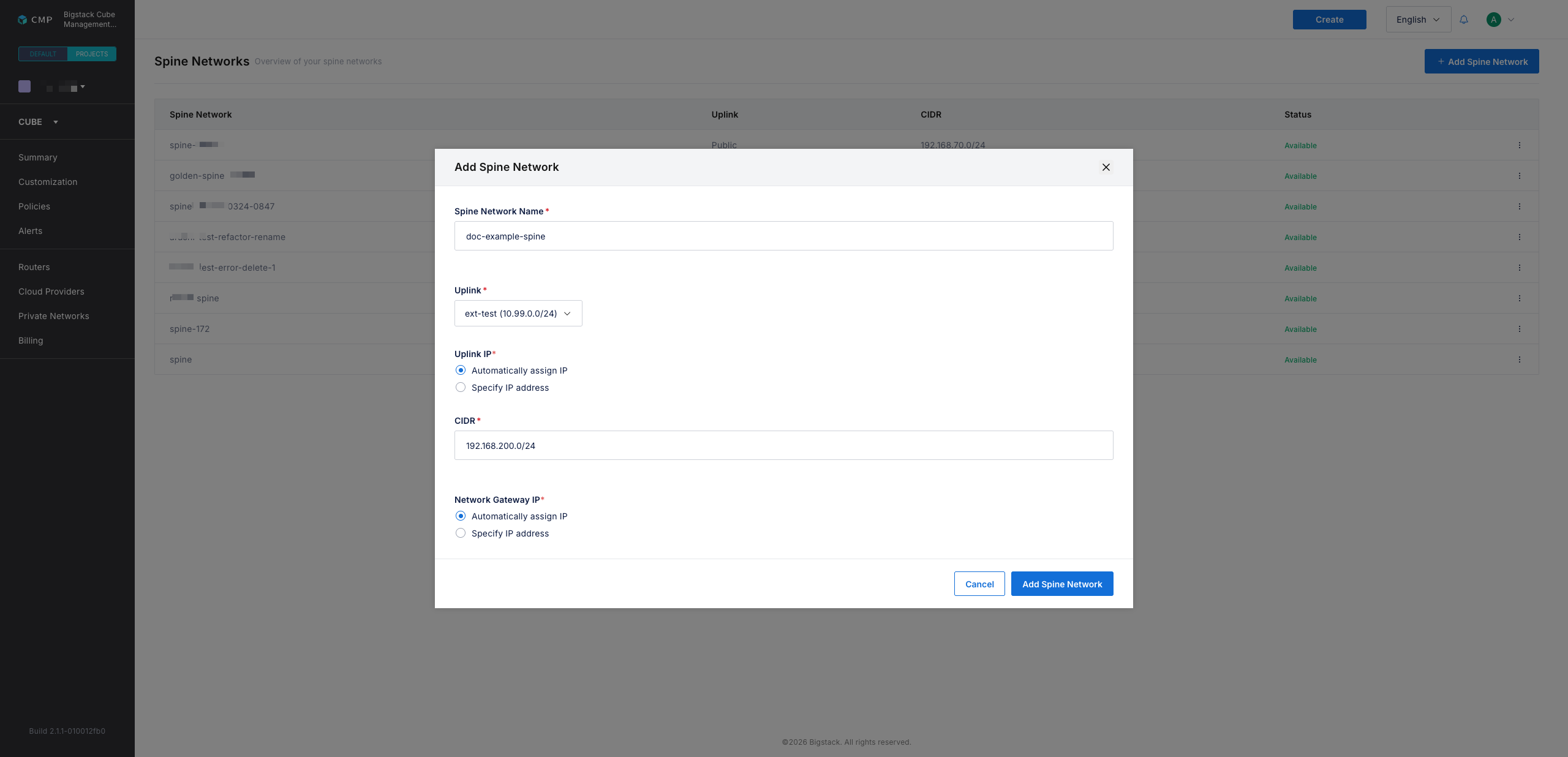
In the Spine Network Name field, enter a name for the spine network.
-
Select an Uplink for the spine network.
infoThe uplink is the physical overlay network interface that connects the spine network to other networks.
-
In the CIDR field, specify the spine network's subnet CIDR.
-
Configure a gateway IP using one of the following options:
- Automatically assign IP: Automatically assigns a gateway IP address.
- Specify IP address: Enter a custom gateway IP address.
-
Click Add Spine Network to create the spine network.