Reserve and assign a floating IP
A floating IP address is one that you reserve from a public network and assign to a resource, such as an instance or a load balancer, in order to make it externally reachable. This page describes how to reserve and assign a floating IP address to a resource.
You can assign a resource at the same time you reserve the floating IP, or reserve the address first and assign it later. See Assign a floating IP address.
Reserve a floating IP address
-
In the CubeCMP management console, go to Networking.
-
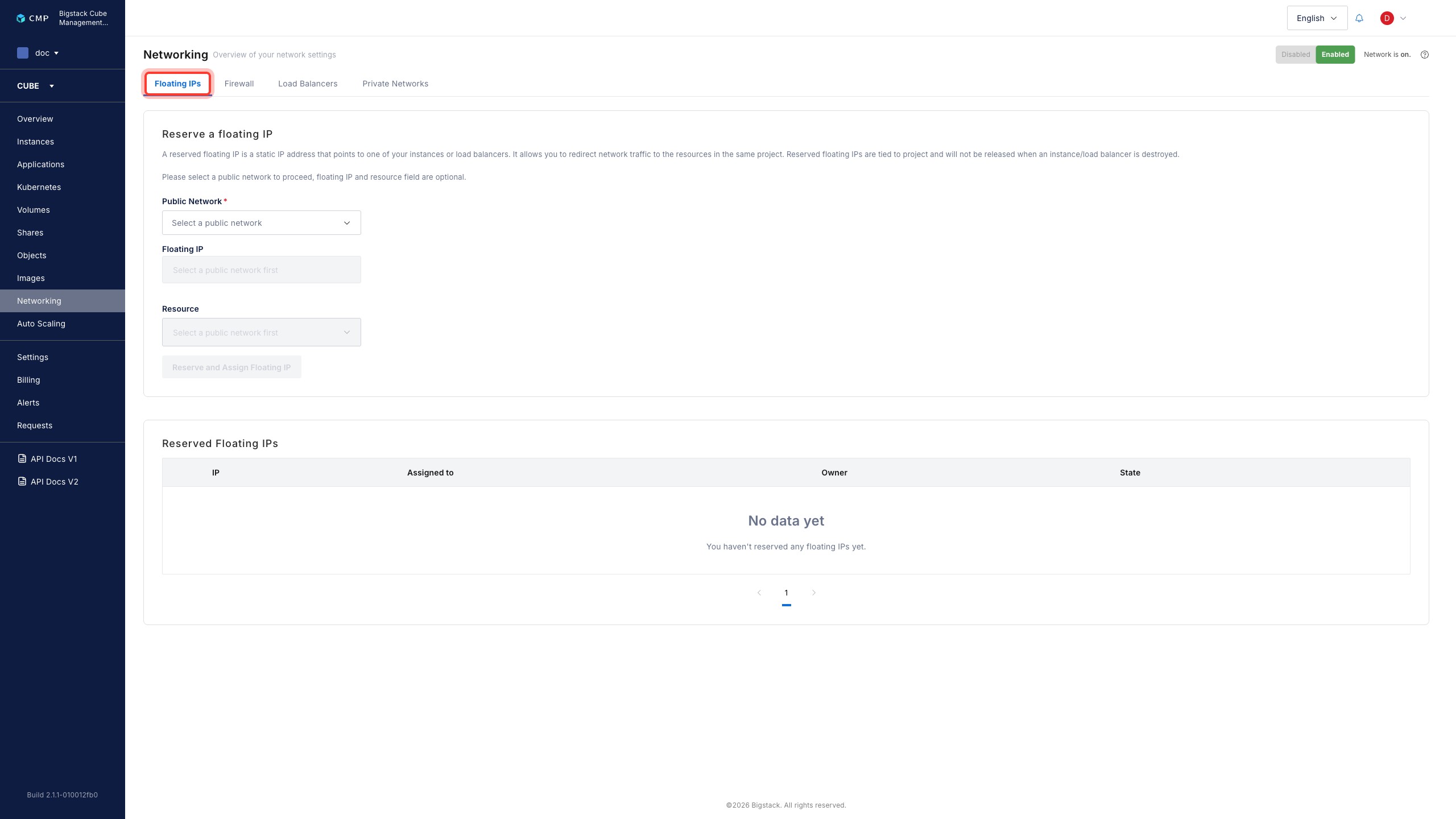
Click the Floating IPs tab.
-
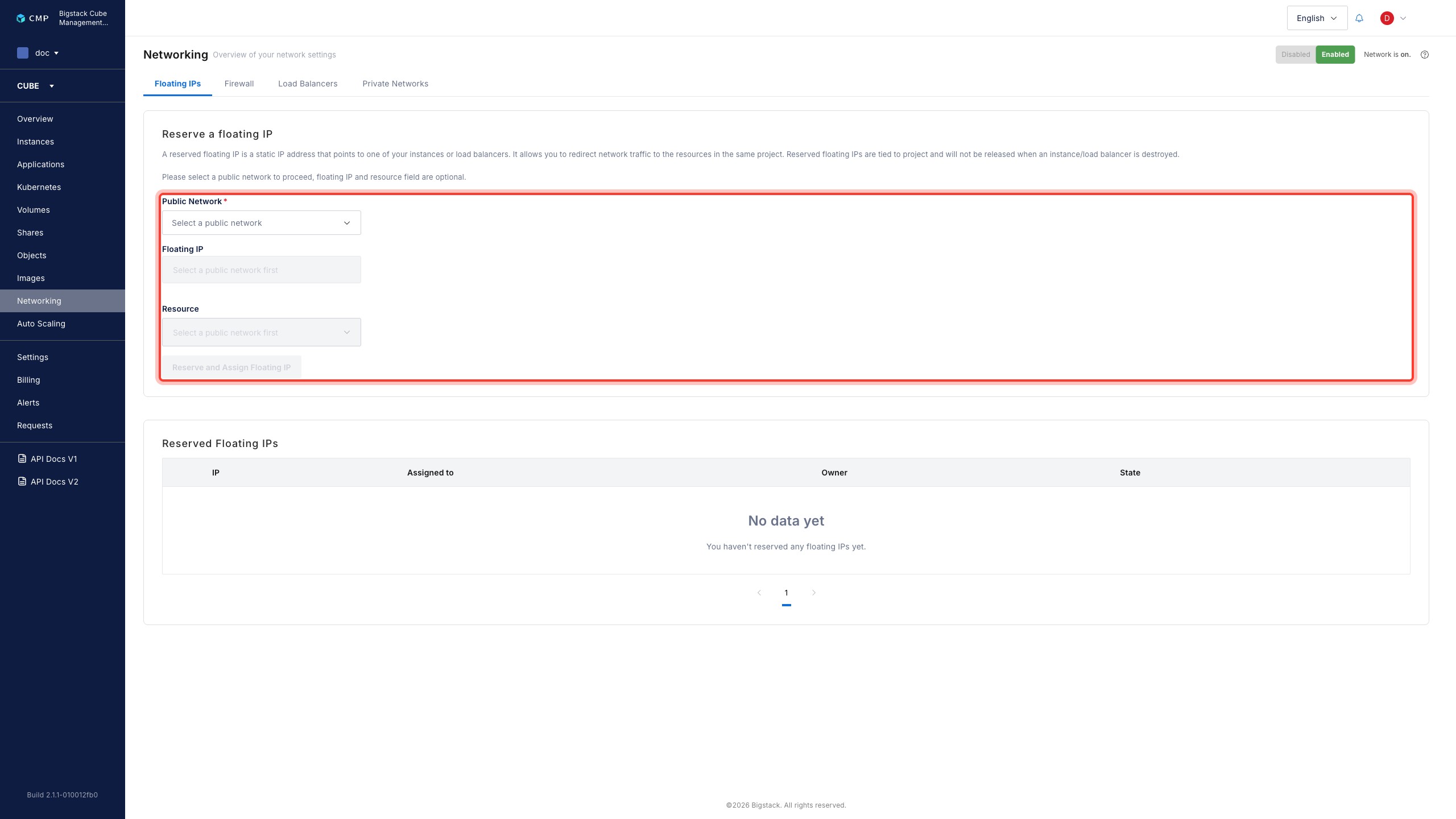
Configure the following parameters:
- Public Network: Select the public network to allocate the floating IP address from.
- Floating IP (Optional): Enter a specific floating IP address from the network you selected. If you leave this field blank, CubeCMP automatically allocates an address from the network.
- Resource (Optional): Select a load balancer or instance to assign to the floating IP address. If you leave this field blank, CubeCMP reserves the address for later use.
-
Click Reserve and Assign Floating IP.
Assign a floating IP address
Use this procedure to assign a floating IP address that you reserved without assigning it to a resource.
-
In the CubeCMP management console, go to Networking.
-
Click the Floating IPs tab.
-
Click the Reserved Floating IPs tab.
-
Find the floating IP address that you want to assign, and click Assign to a resource.
-
Select a resource: an instance or a load balancer.
CubeCMP immediately assigns the floating IP address to the resource you select.