Create a Common Internet File System (CIFS) storage share service
This page explains how to create a Common Internet File System (CIFS) file share service for use in virtual machine storage.
CIFS file shares provide an effective, and scalable network share service for client and virtual machine workloads.
Create a CIFS file share
-
In the CubeCMP management console, go to the
Sharespage.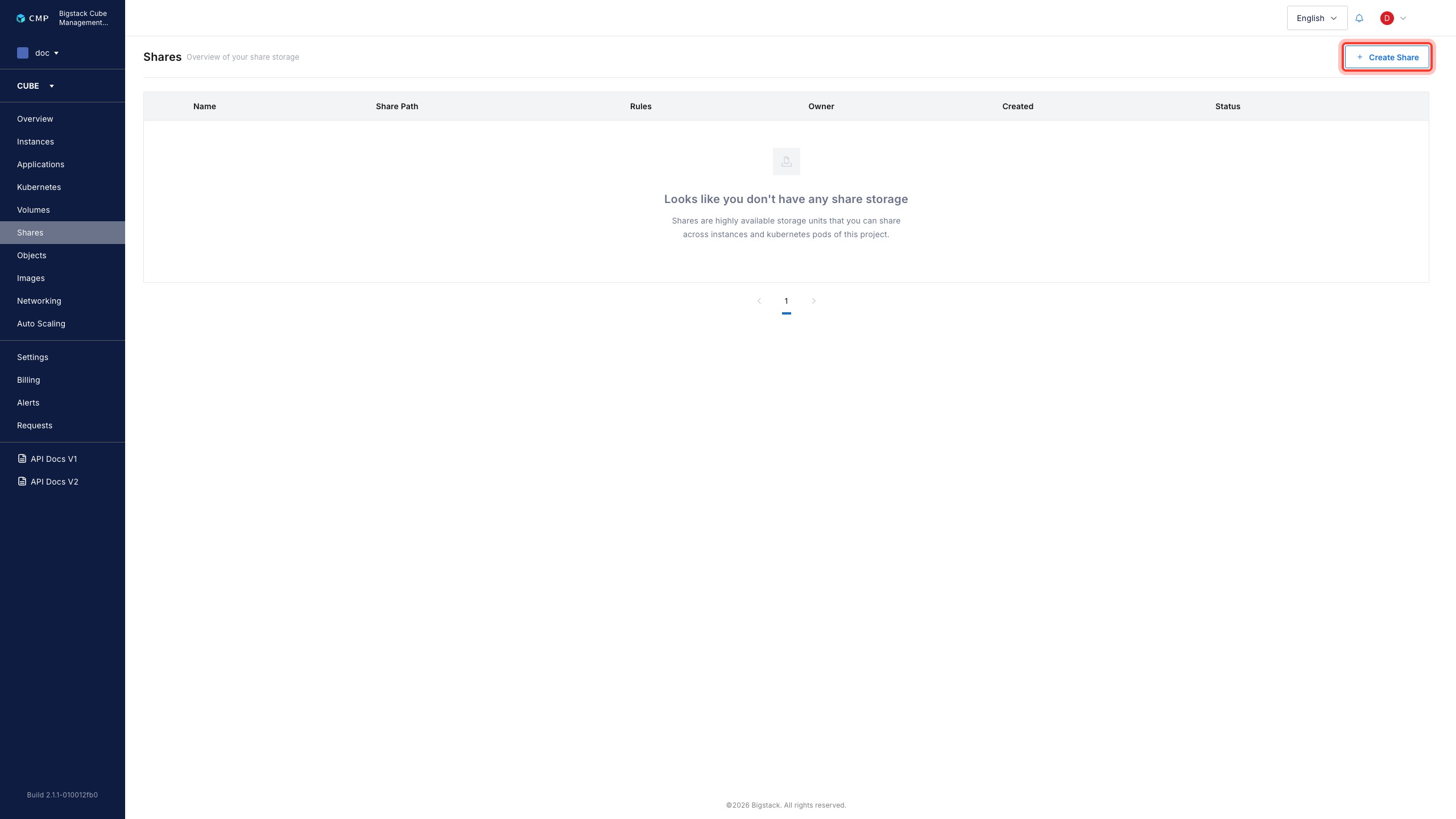
-
To start the file service creation flow, click
+ Create Share. -
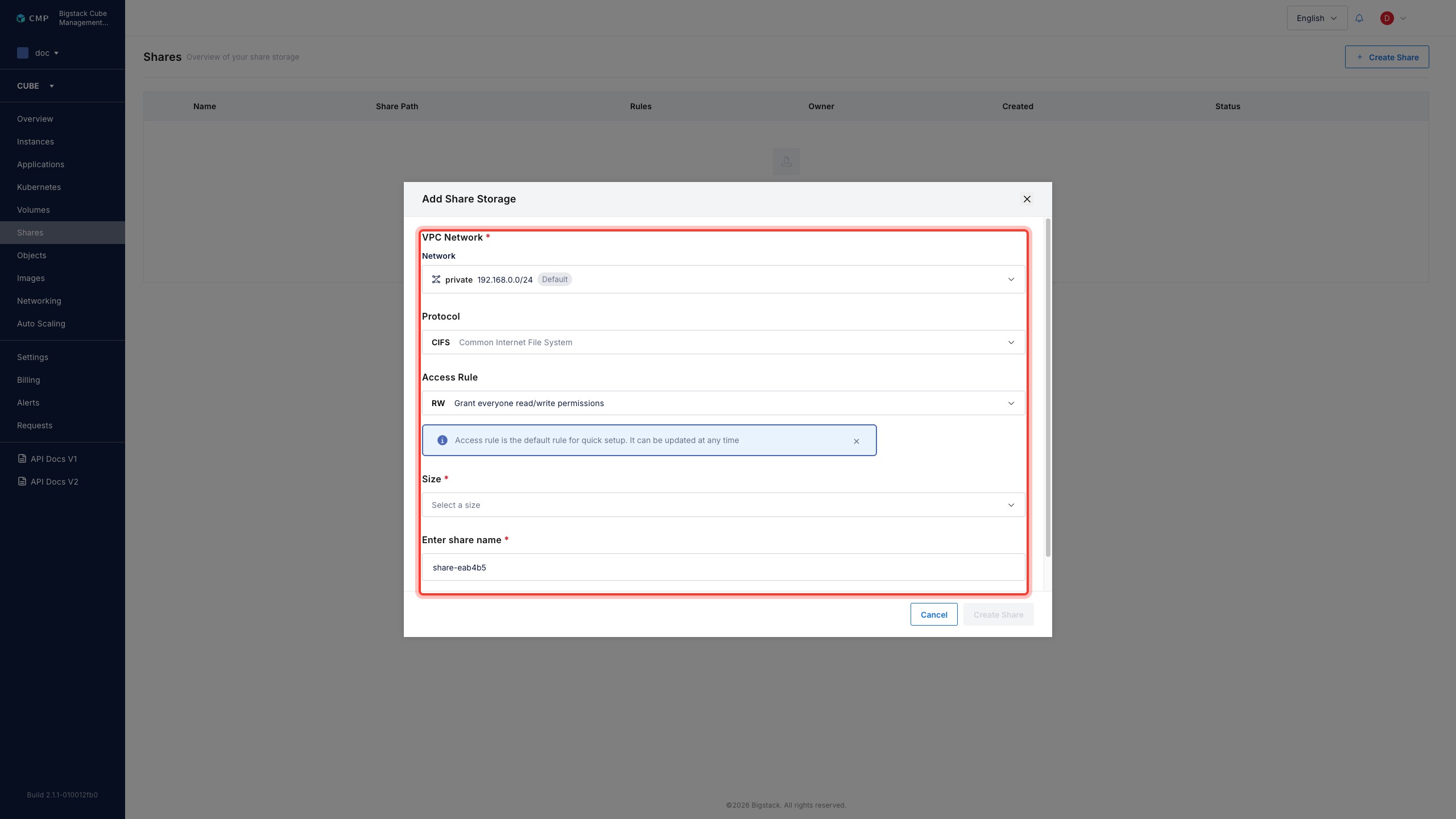
Configure the file share parameters:
- To configure the share network, choose a VPC Network from the dropdown menu.
- Select CIFS Common Internet File System as the file share protocol.
- Set an Access Rule.
- Select a share Size.
- To configure the file share name, set Enter share name field.
-
To create the file share, click Create Share.
After creation, the CIFS share appears on the Share page with its current status and share path for consumption.