How to create an A record using DNSaaS
Setting the DNS of Network
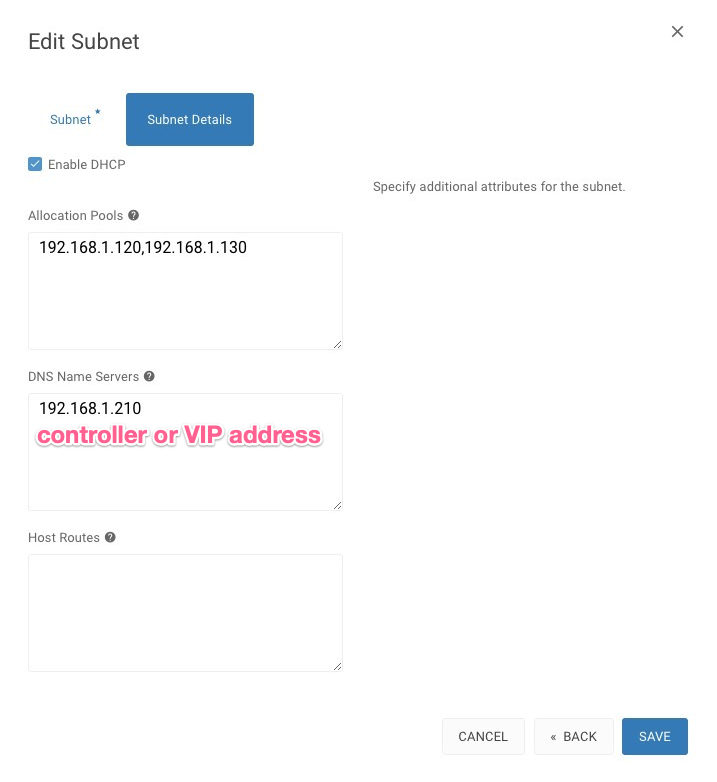
Goto Admin > Network > Networks, click on the Network Name from the list of your Networks then hit the action button EDIT SUBNET, go to Subnet Details and type in your DNS Name Servers, it should be your controller IP address or VIP and SAVE
Create DNS Zone
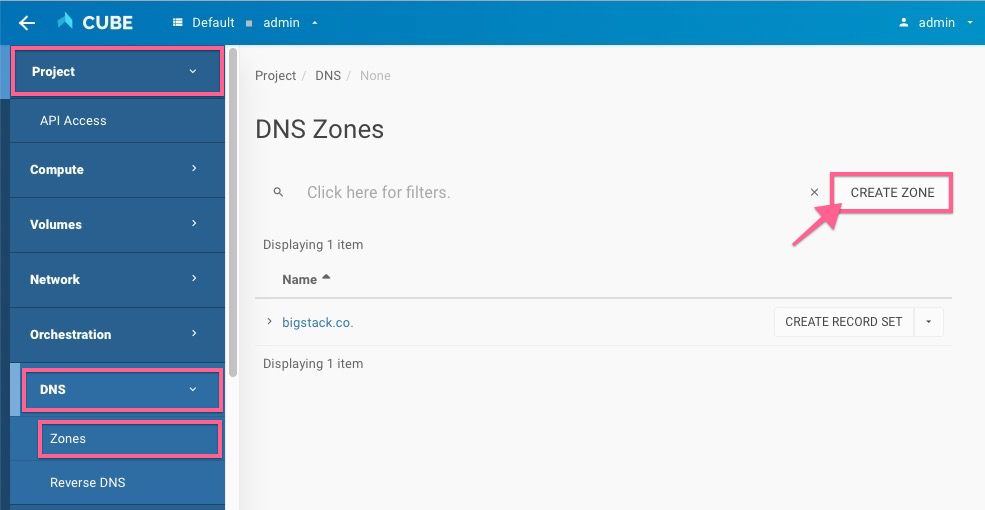
Goto Project > DNS > Zones, click on the CREATE ZONE
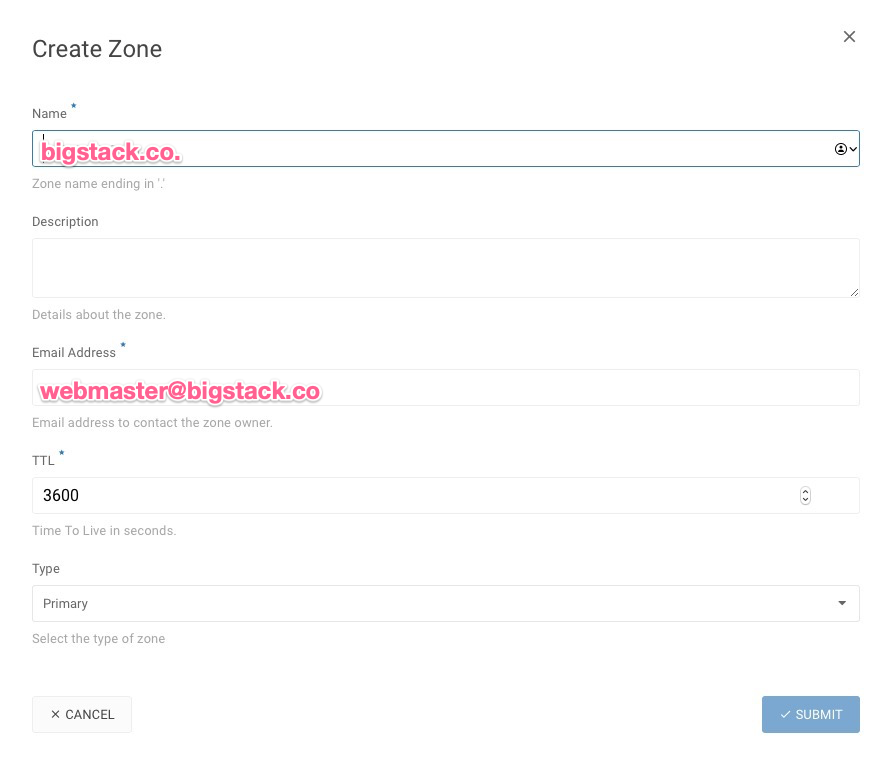
- create zone with a preferred/registered domain name
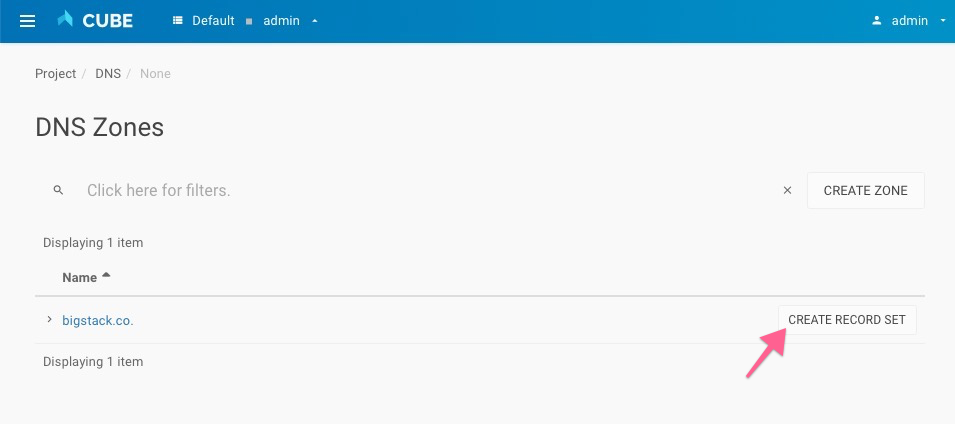
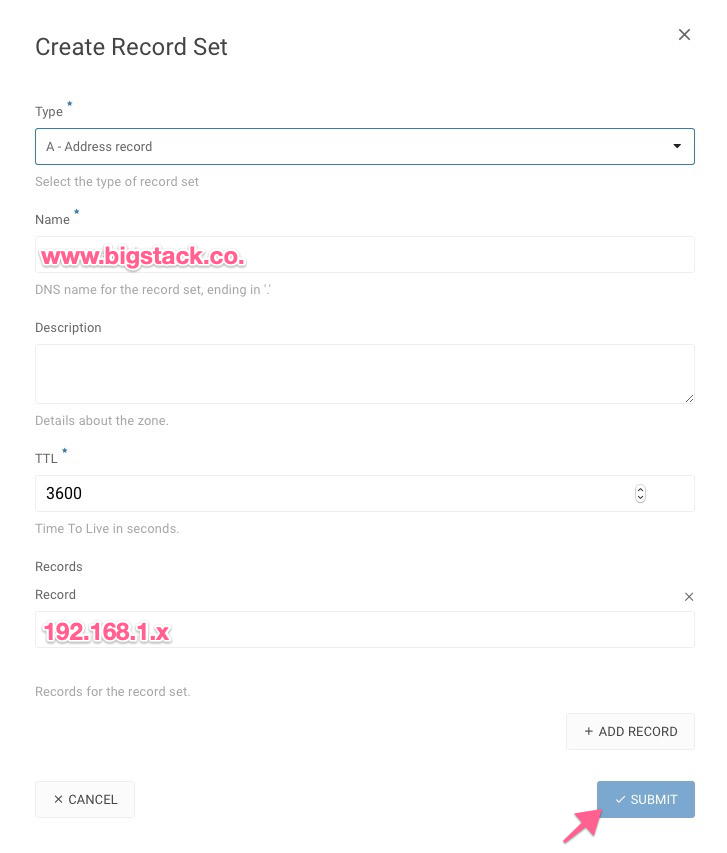
Create Record Set
Create an A Record with your Virtual Machine IP address
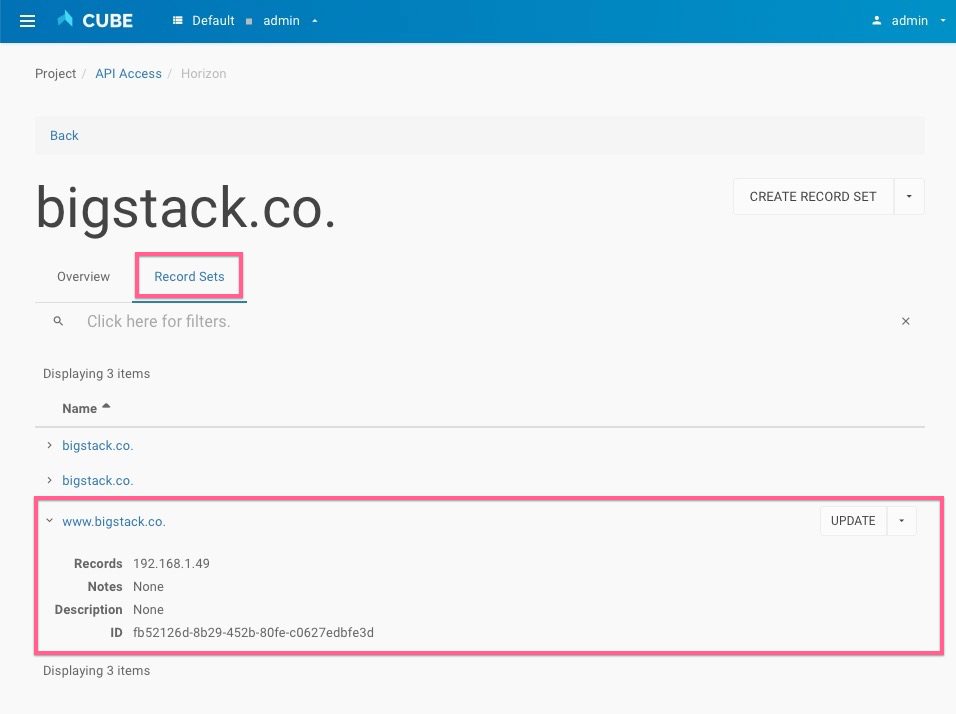
Check the Record Set
Test the DNS
-
connect your virtual machine and
ping www.bigstack.co -
Alternatively, you can change your compute DNS and try it out
Warning: Permanently added '192.168.1.49' (ECDSA) to the list of known hosts.$ ping www.bigstack.coPING www.bigstack.co (192.168.1.49): 56 data bytes64 bytes from 192.168.1.49: seq=0 ttl=64 time=0.019 ms64 bytes from 192.168.1.49: seq=1 ttl=64 time=0.062 ms64 bytes from 192.168.1.49: seq=2 ttl=64 time=0.040 ms64 bytes from 192.168.1.49: seq=3 ttl=64 time=0.067 ms64 bytes from 192.168.1.49: seq=4 ttl=64 time=0.035 ms