Fixed IP
-
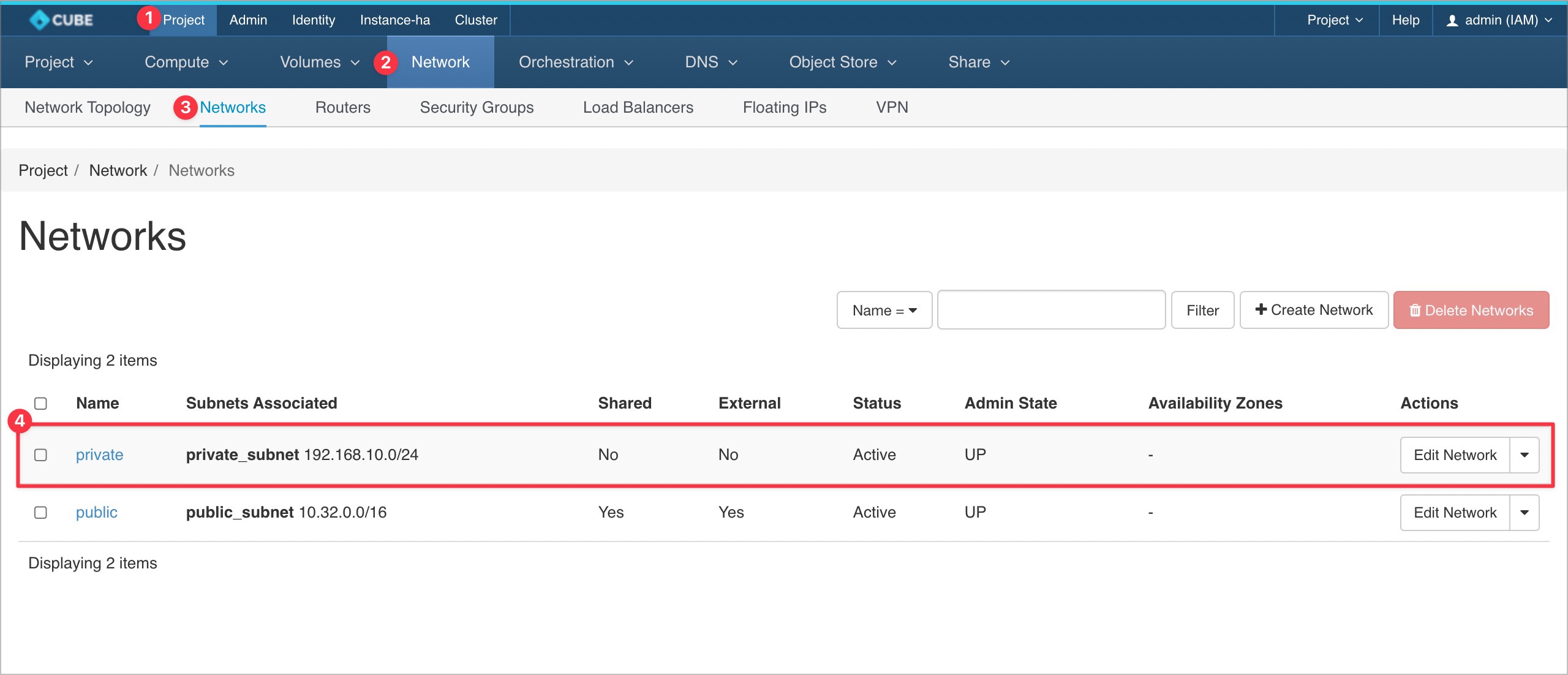
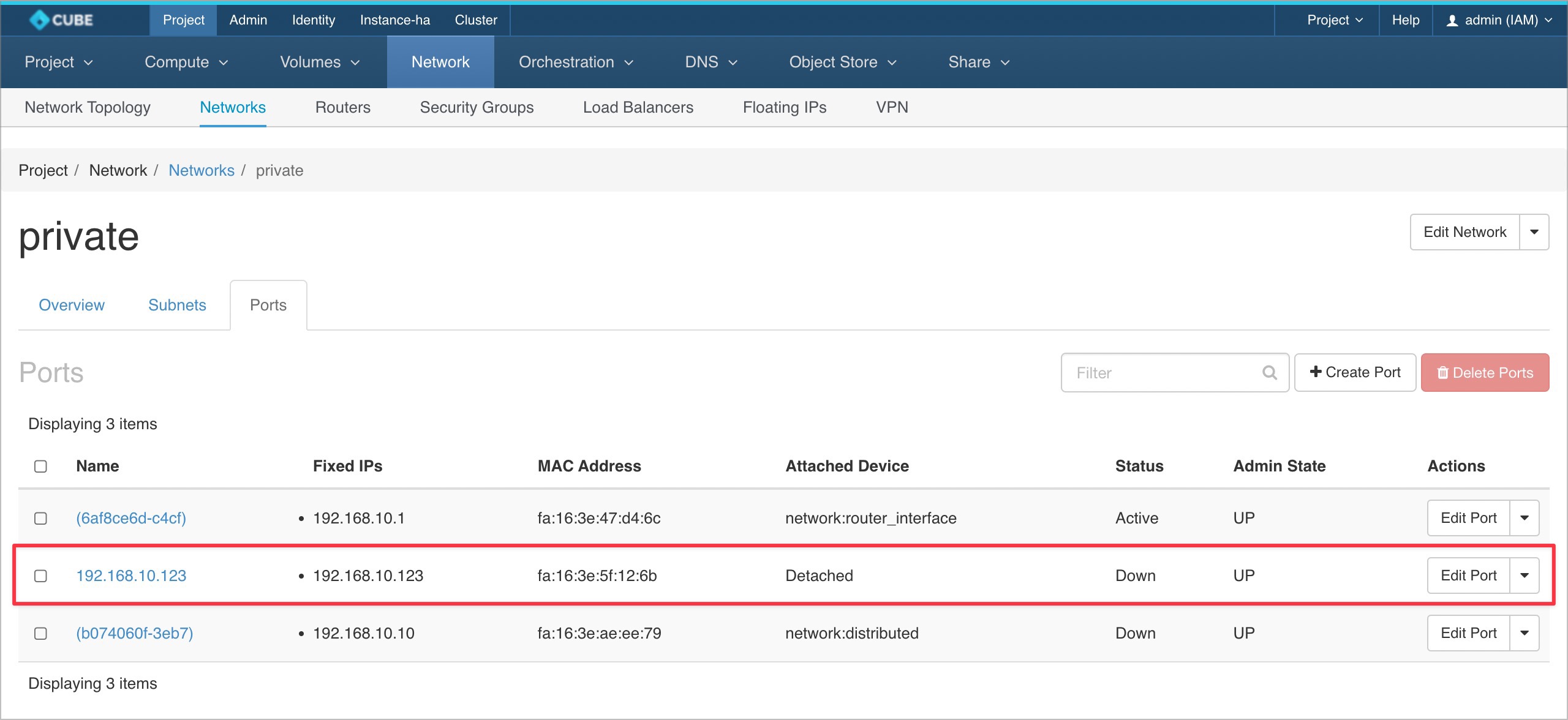
Please navigate to Project > Network > Networks and select a network.
-
Navigate to
Portsand click on+ Create Port.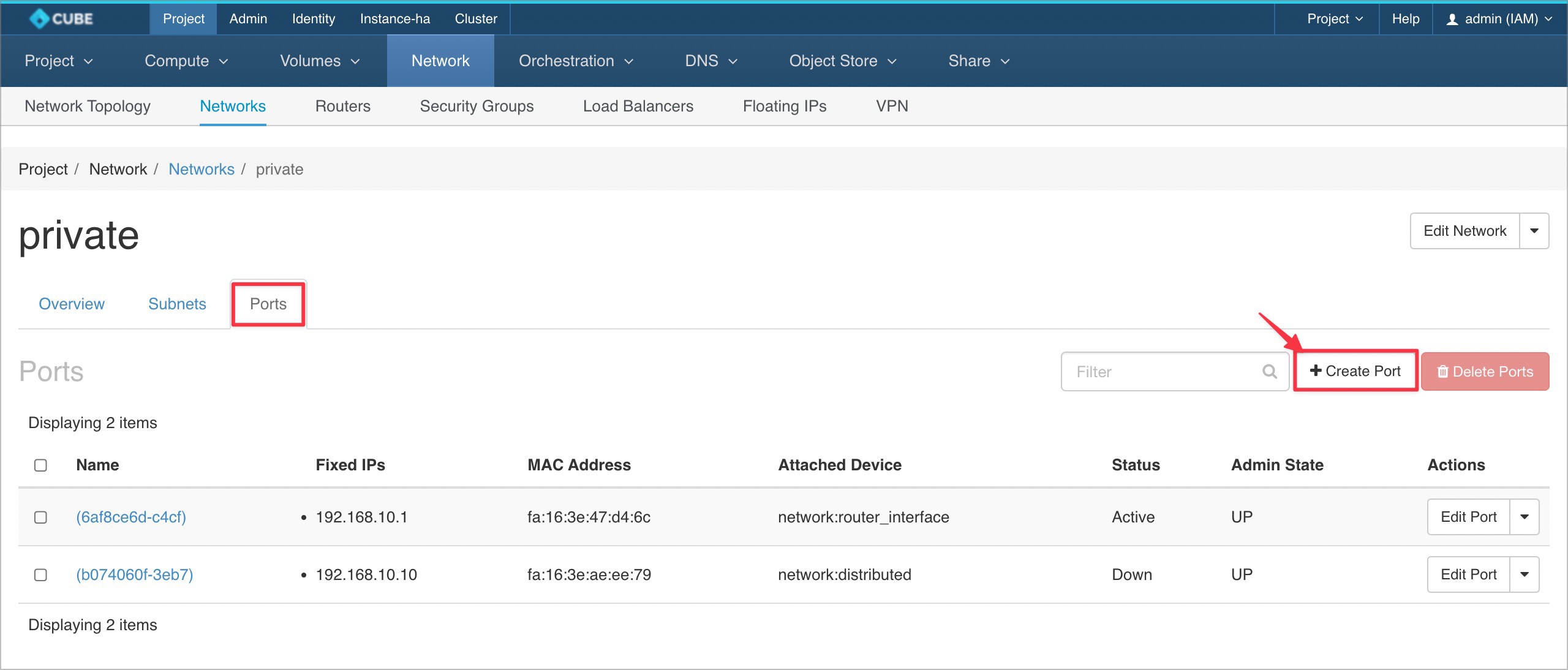
-
Complete the required fields, select
Fixed IP Addressfrom the dropdown menu, and click Create. Make sure the fixed IP address is available within your subnet range.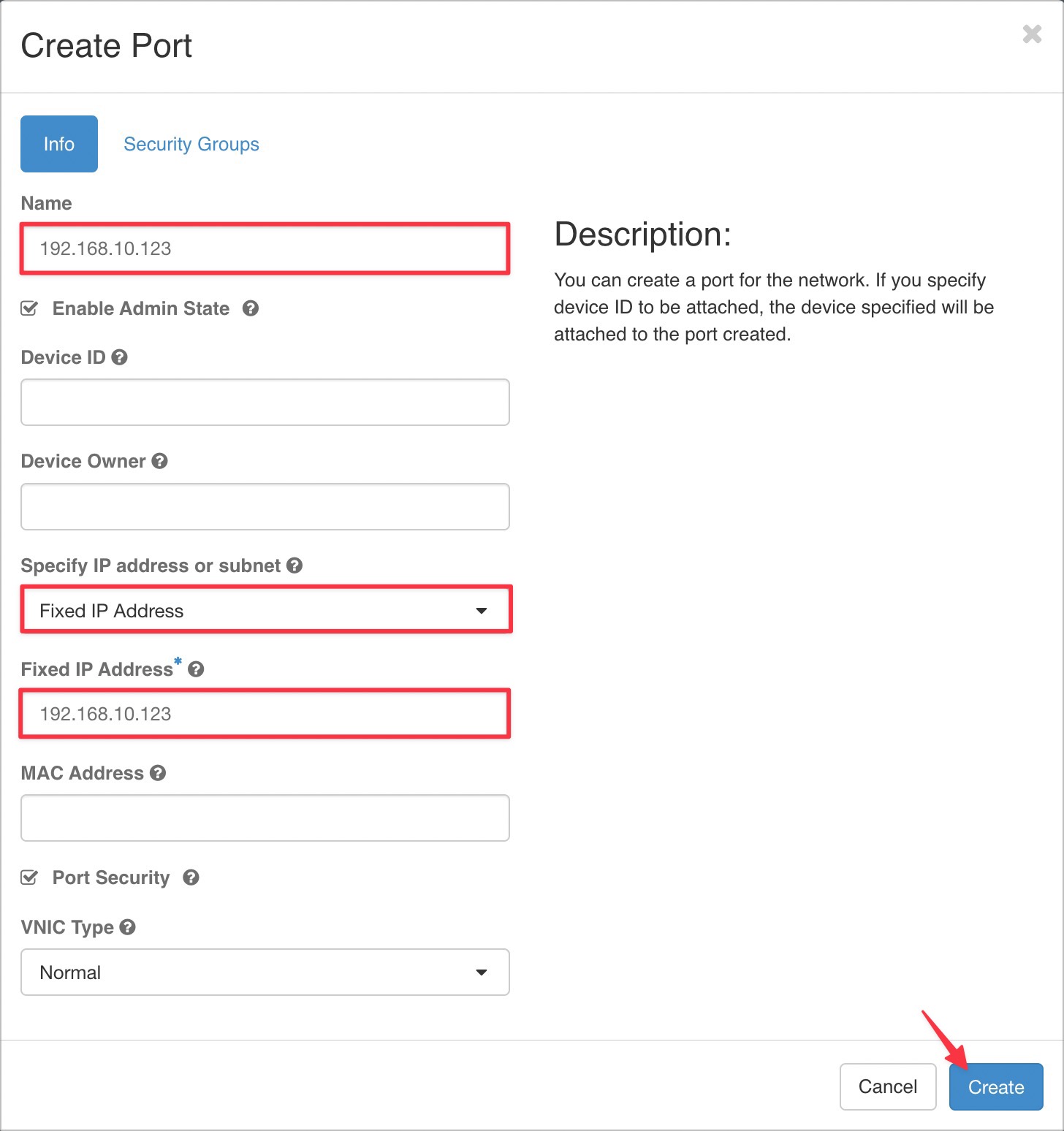
-
A new Fixed IP address will be generated.
-
Proceed to create an instance, skip the
Networkssection, and select the Fixed IP fromNetwork Ports.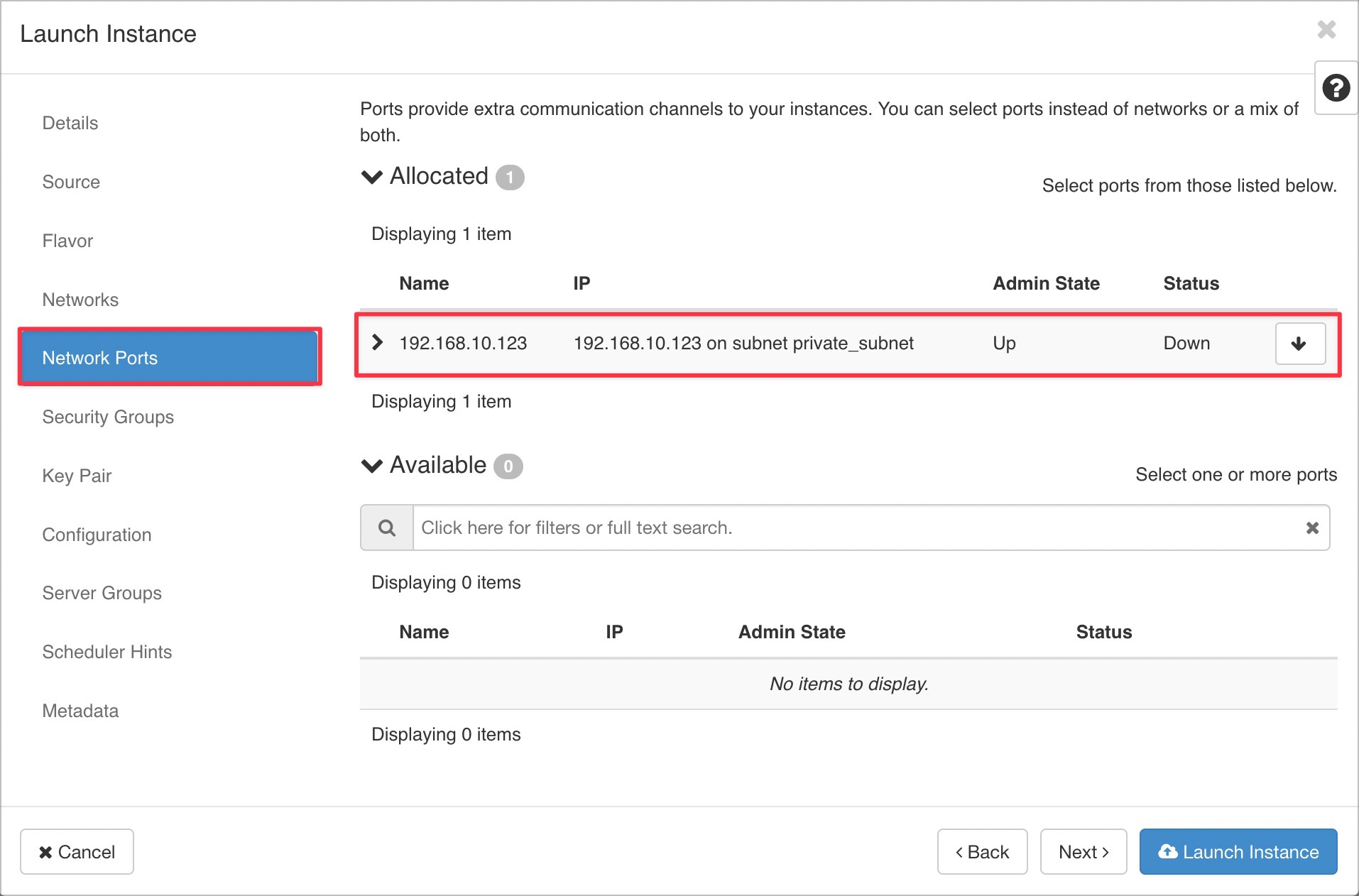
-
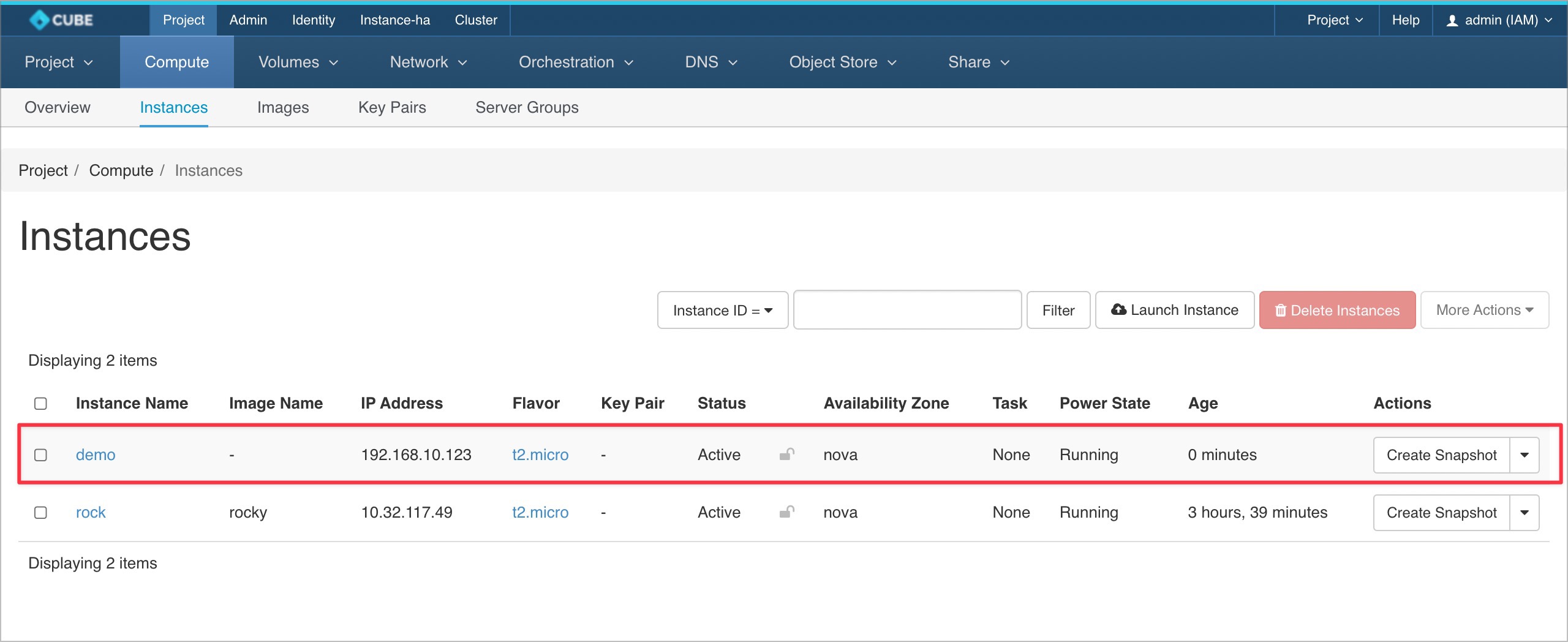
The instance will be created with the assigned Fixed IP address.