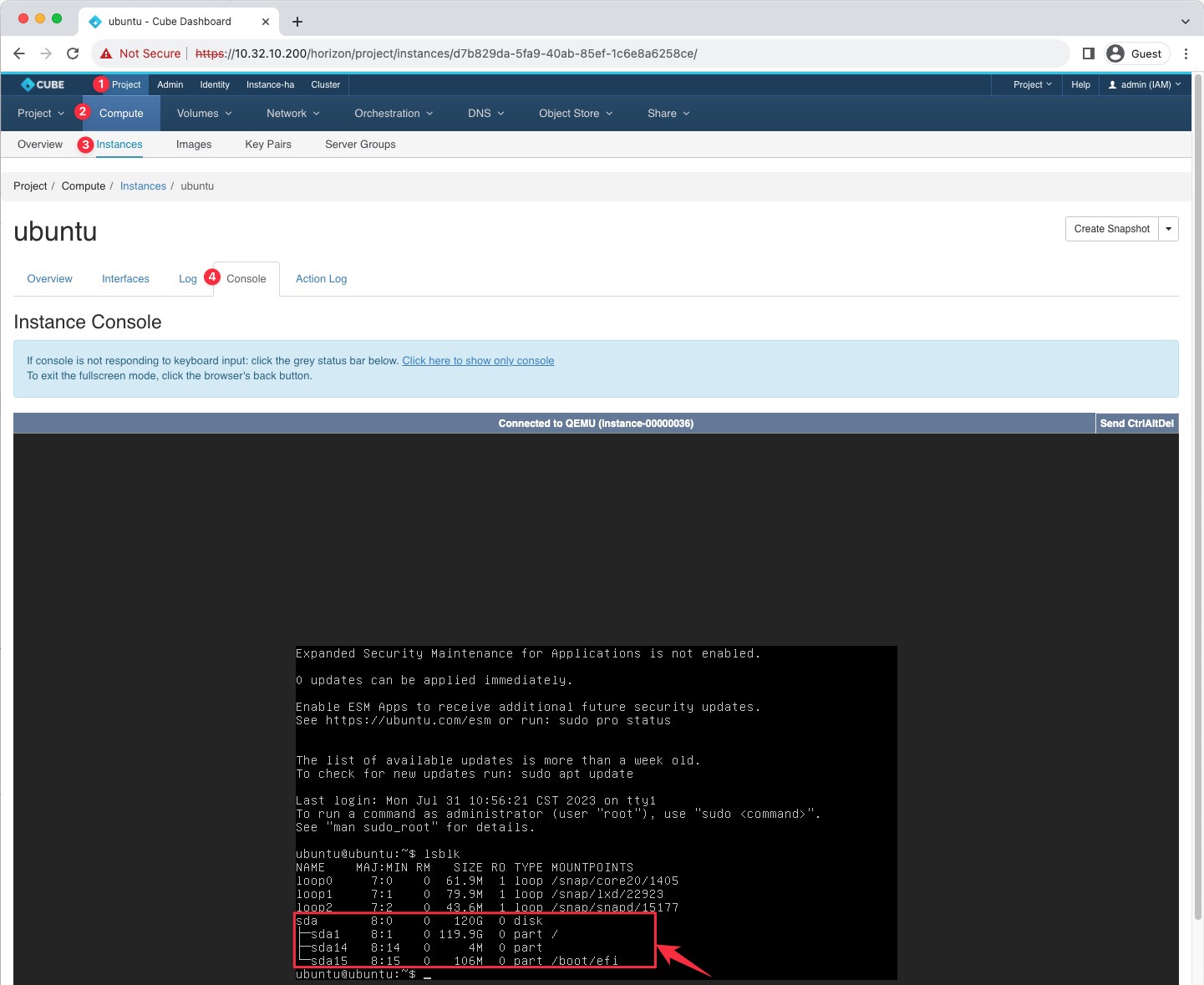
OS Volume Resize
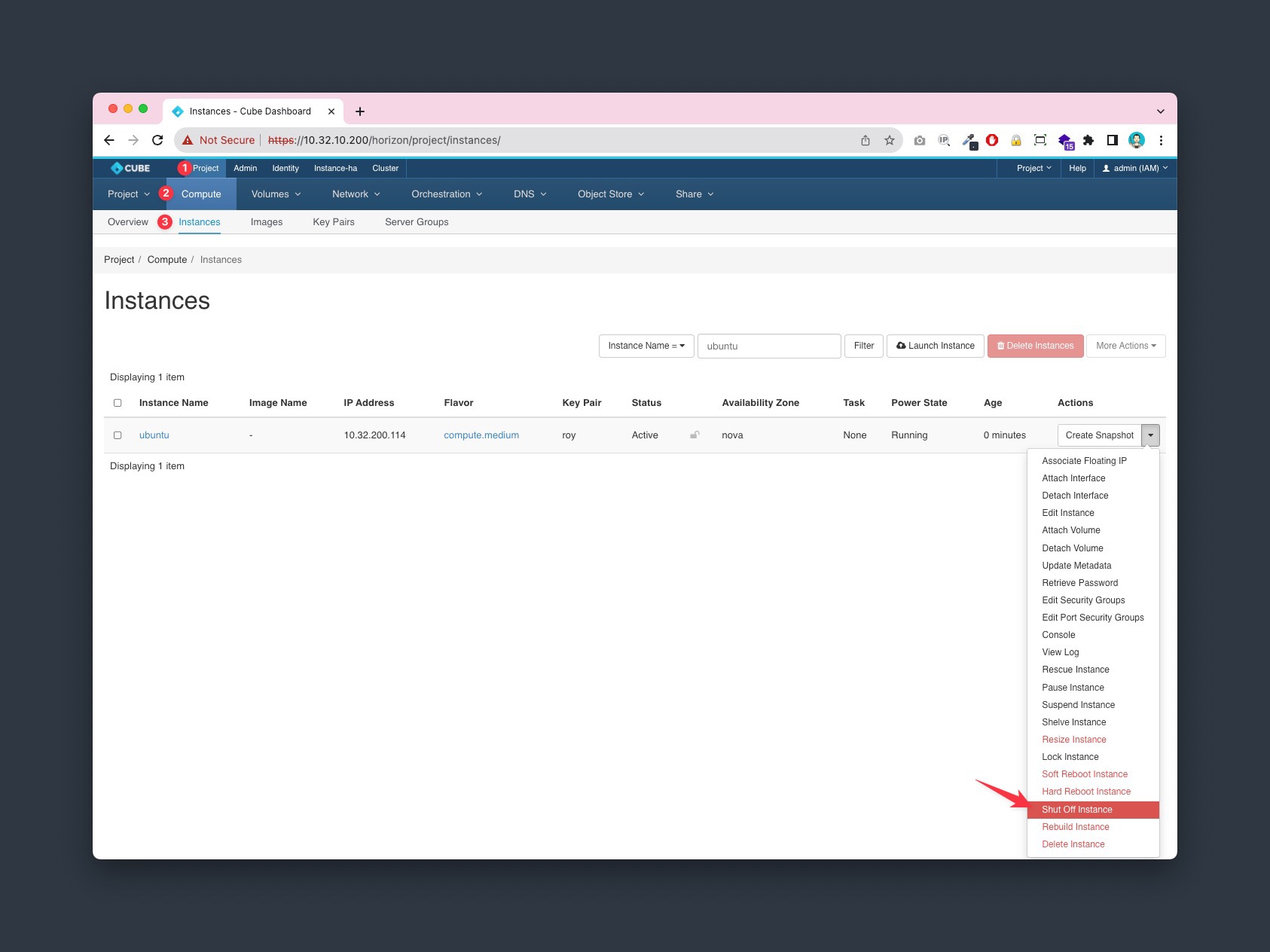
1. Shutoff VM
Goto Project > Compute > Instance, select the Shut Off Instance from the Actions column and turn off the instance.
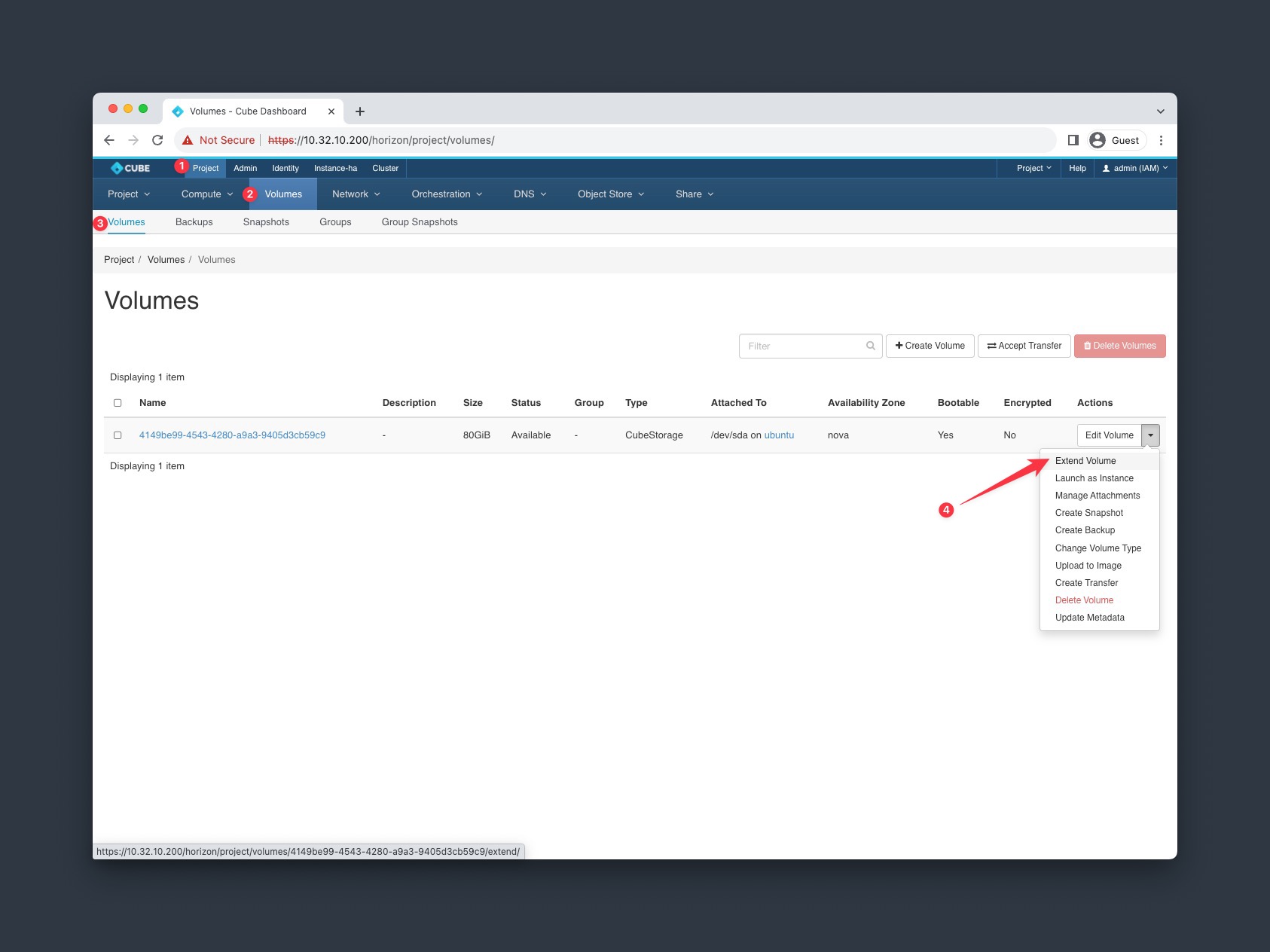
2. Extend volume
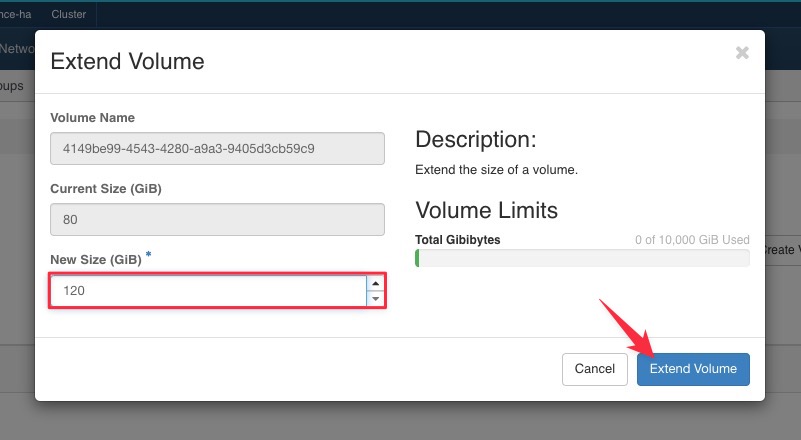
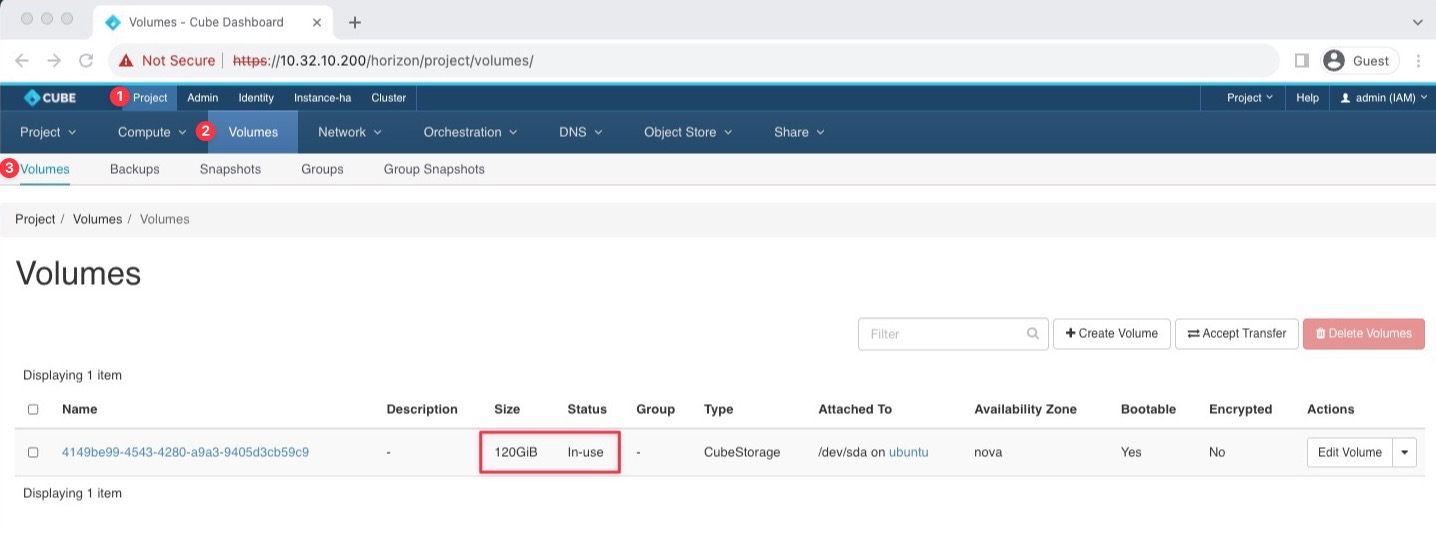
Goto Project > Volumes > Volumes, select the Extend Volume from the Actions column and set the new size.
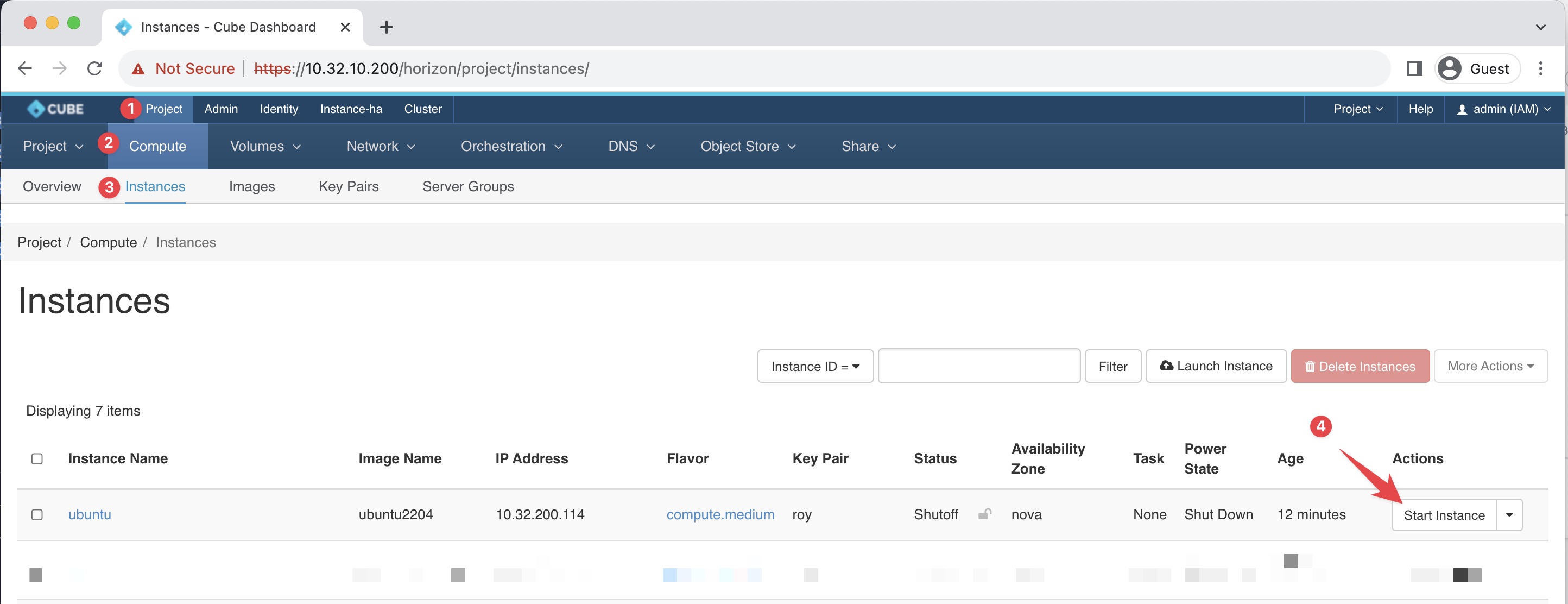
3. Start the Instance
Goto Project > Compute > Instance, Click the Start Instance from the Actions column.