Create a Schedule to run the actions
Create a Jobs
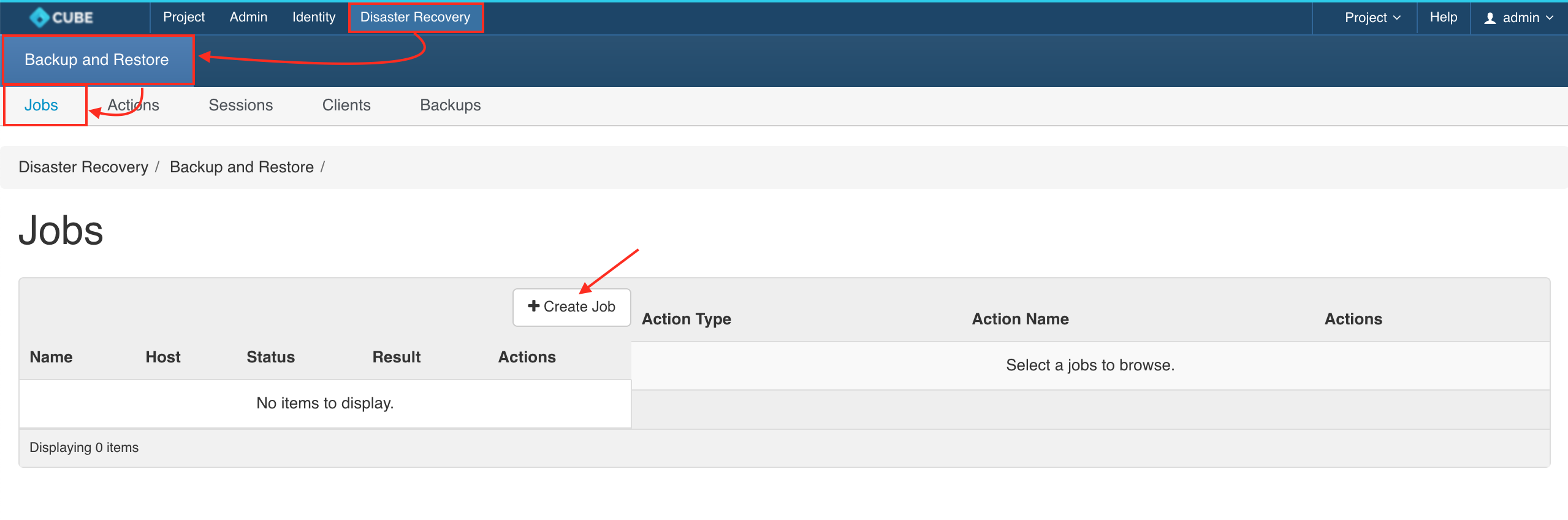
Please navigate to Disaster Recovery > Backup & Restore > Jobs > + CREATE JOB
Job Configuration
- Job Name:
$PROJECT_$INSTACE_$TYPE_$ACTION - Interval Unit:
Hours - Interval Value:
1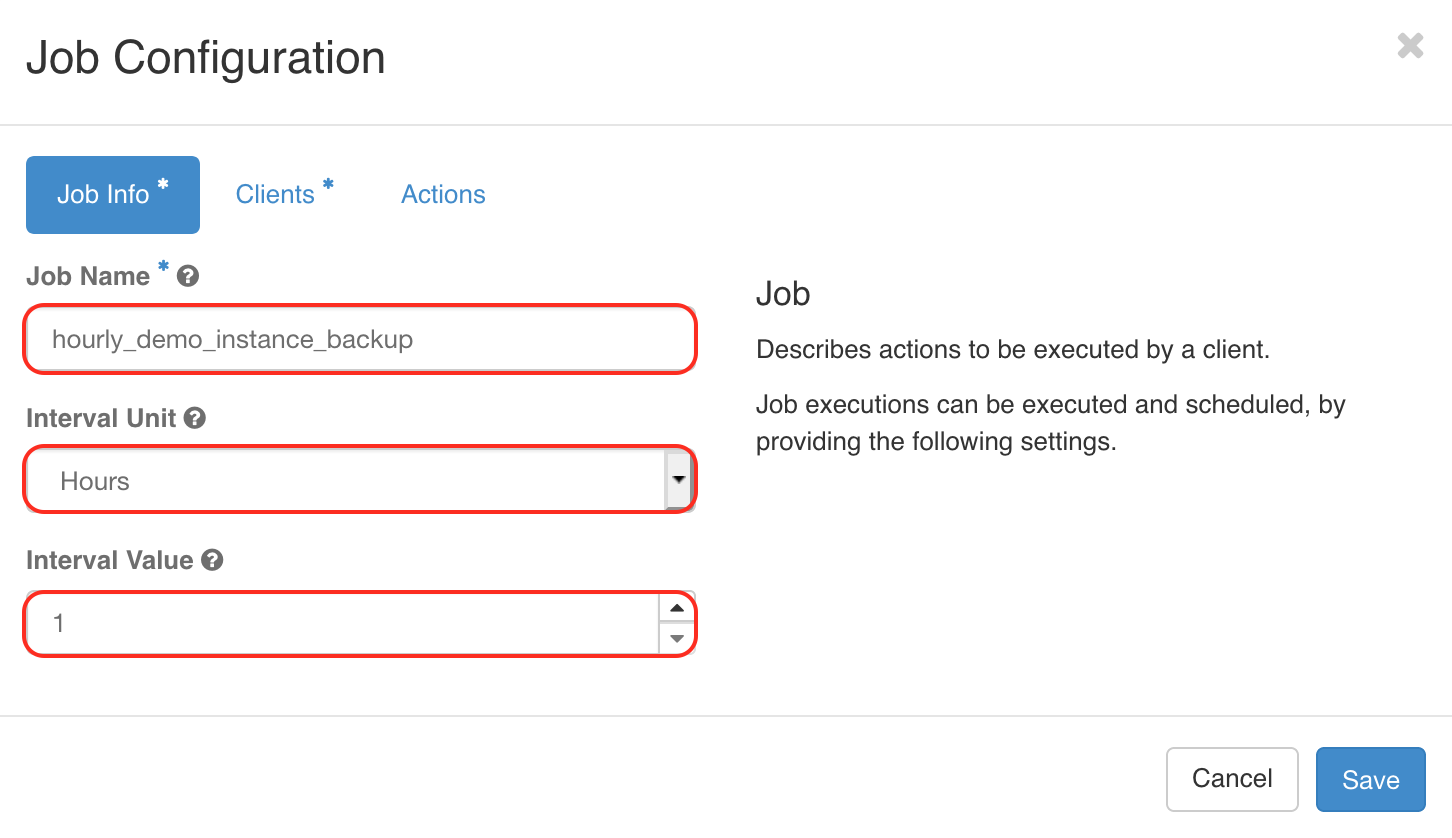
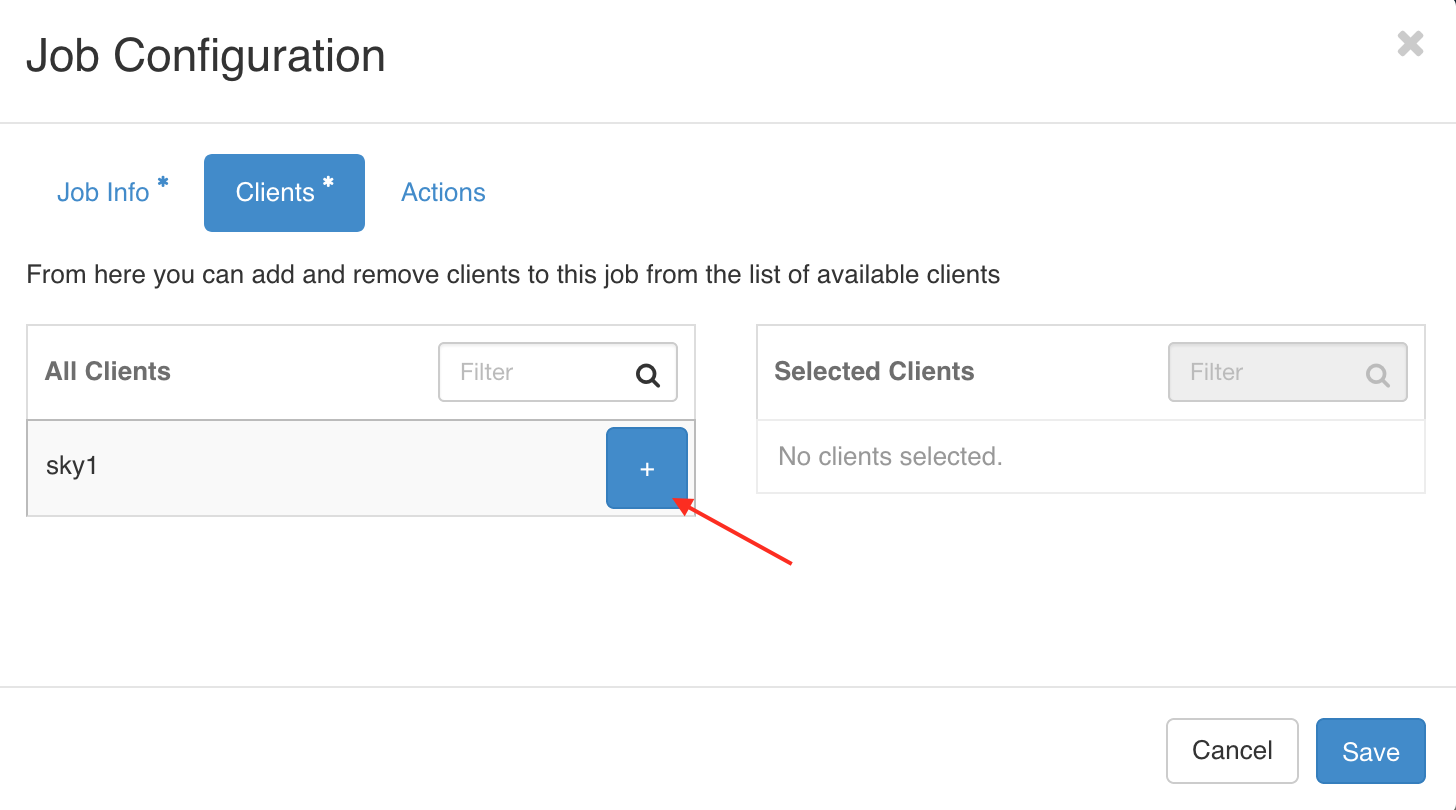
Clients(Scheduler)
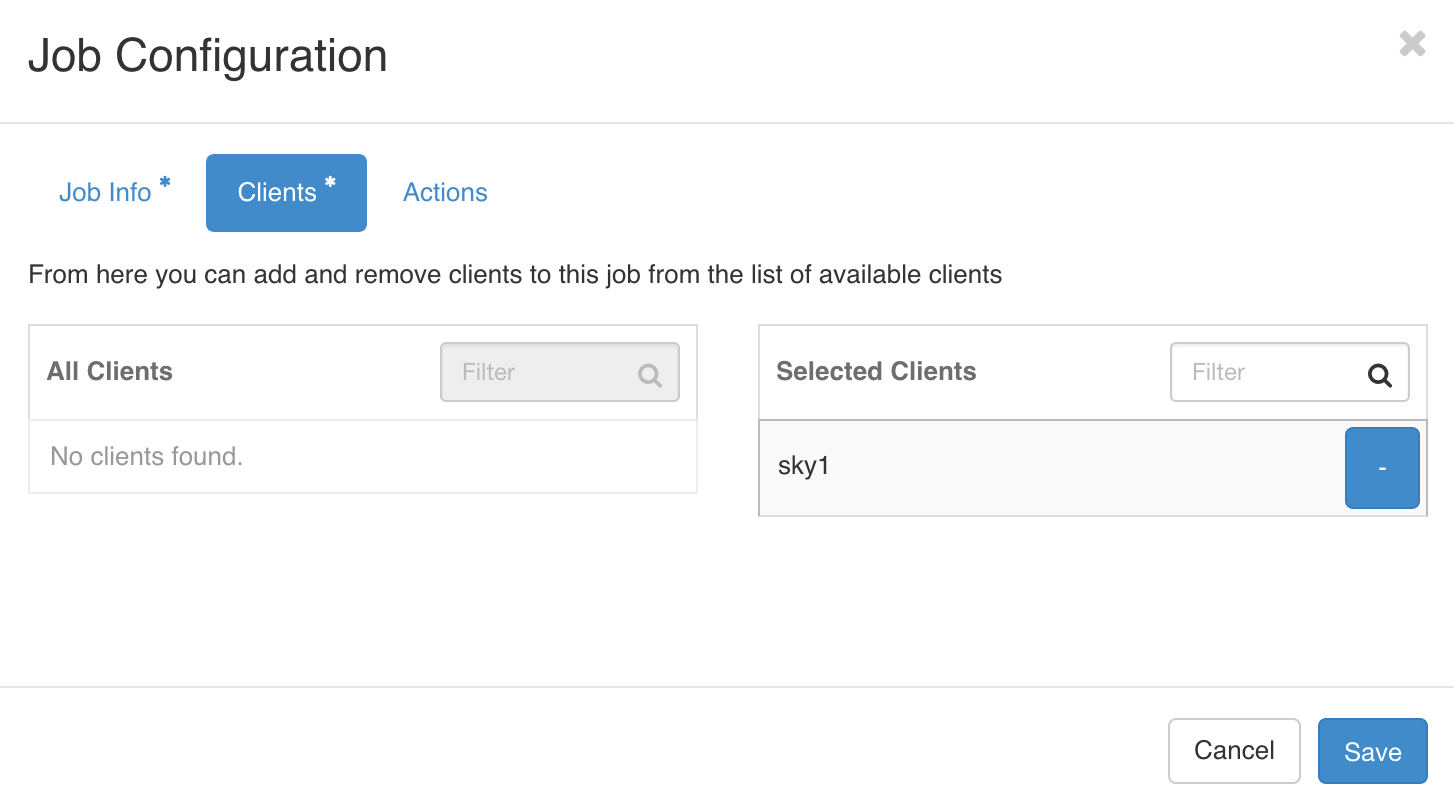
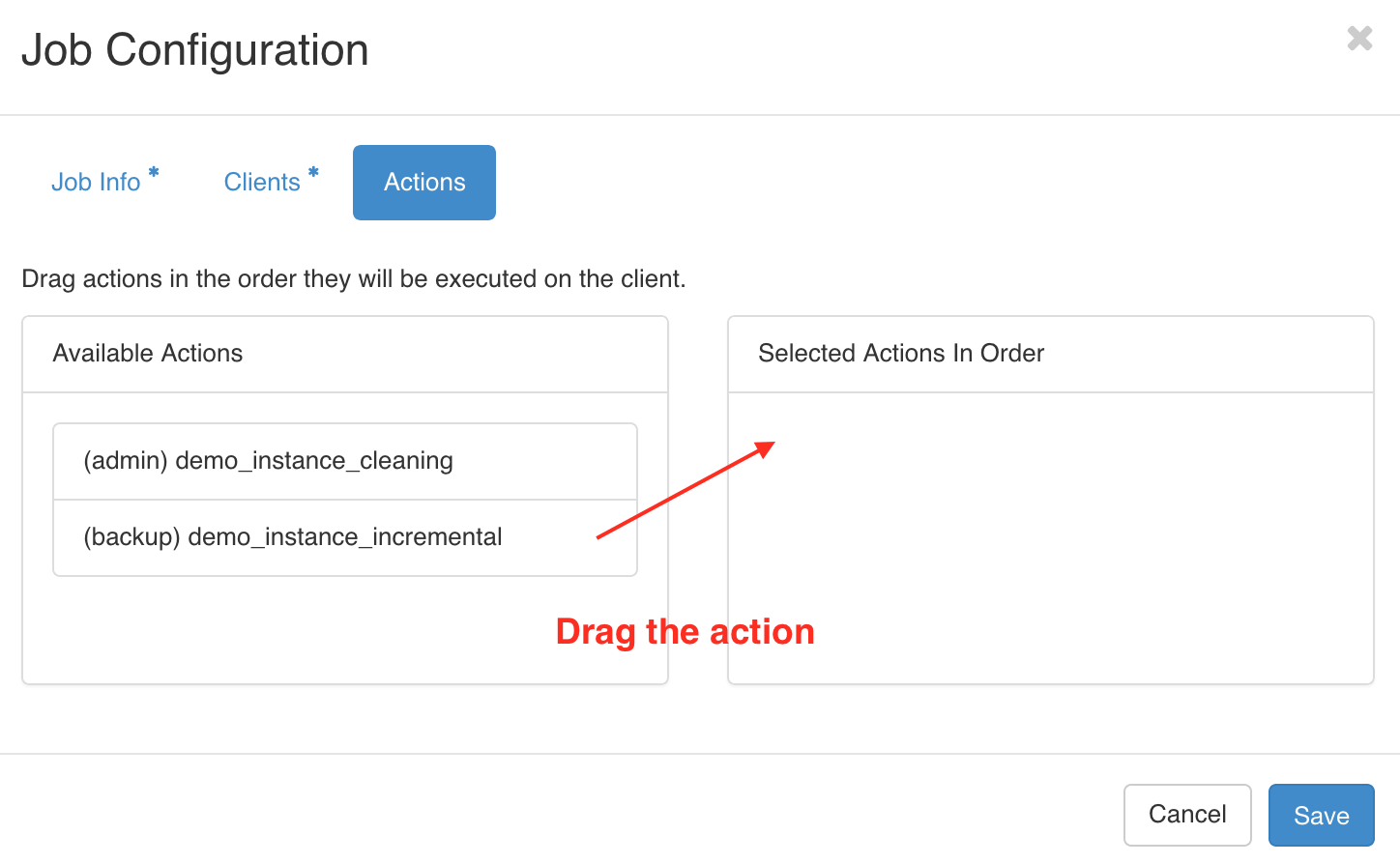
Choose Actions to be scheduled
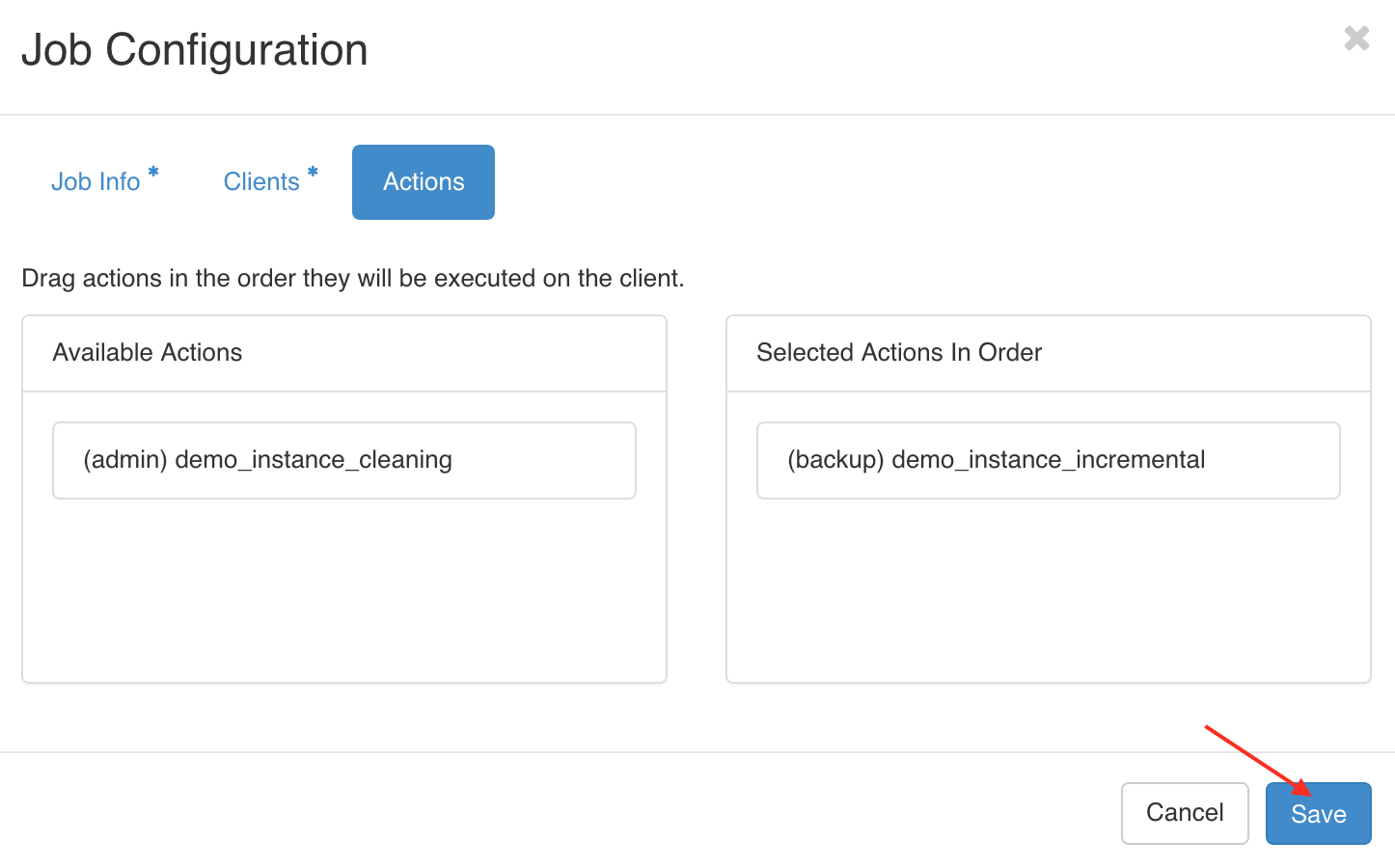
Save the action
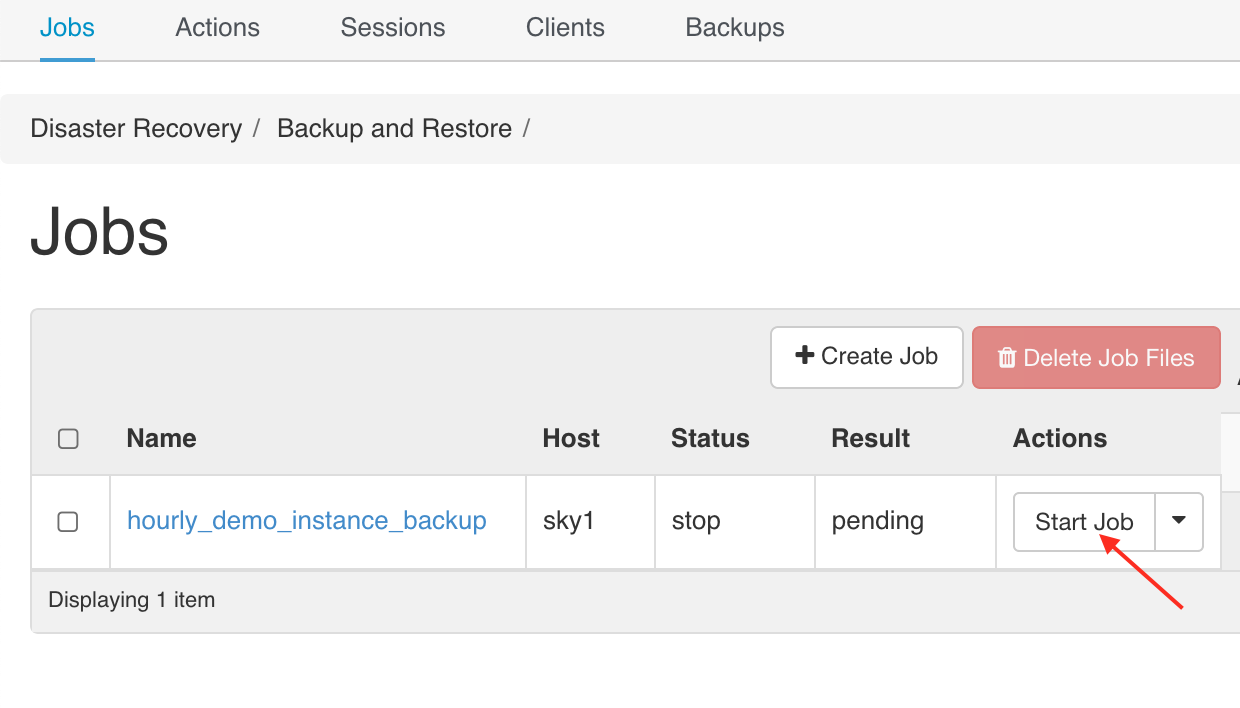
Start the jobs
Summary
- Once the jobs is schduled, it will auto create full backup, incremental backup or running a cleanup unless it's stopped
- All Backup will be created under Object storage