Install the QEMU agent
The Install QEMU Agent function involves setting up a guest-side service that enables enhanced communication between the virtual machine and the host, providing features like IP reporting, shutdown control, and file system freeze for backups.
Install QEMU package during instance creation for Linux
To install the QEMU agent during instance creation, navigate to Base Config > Network Config > System Config. Click Expand Advanced Options, then copy the following code block into the user data field.
#cloud-config
packages:
 - qemu-guest-agent
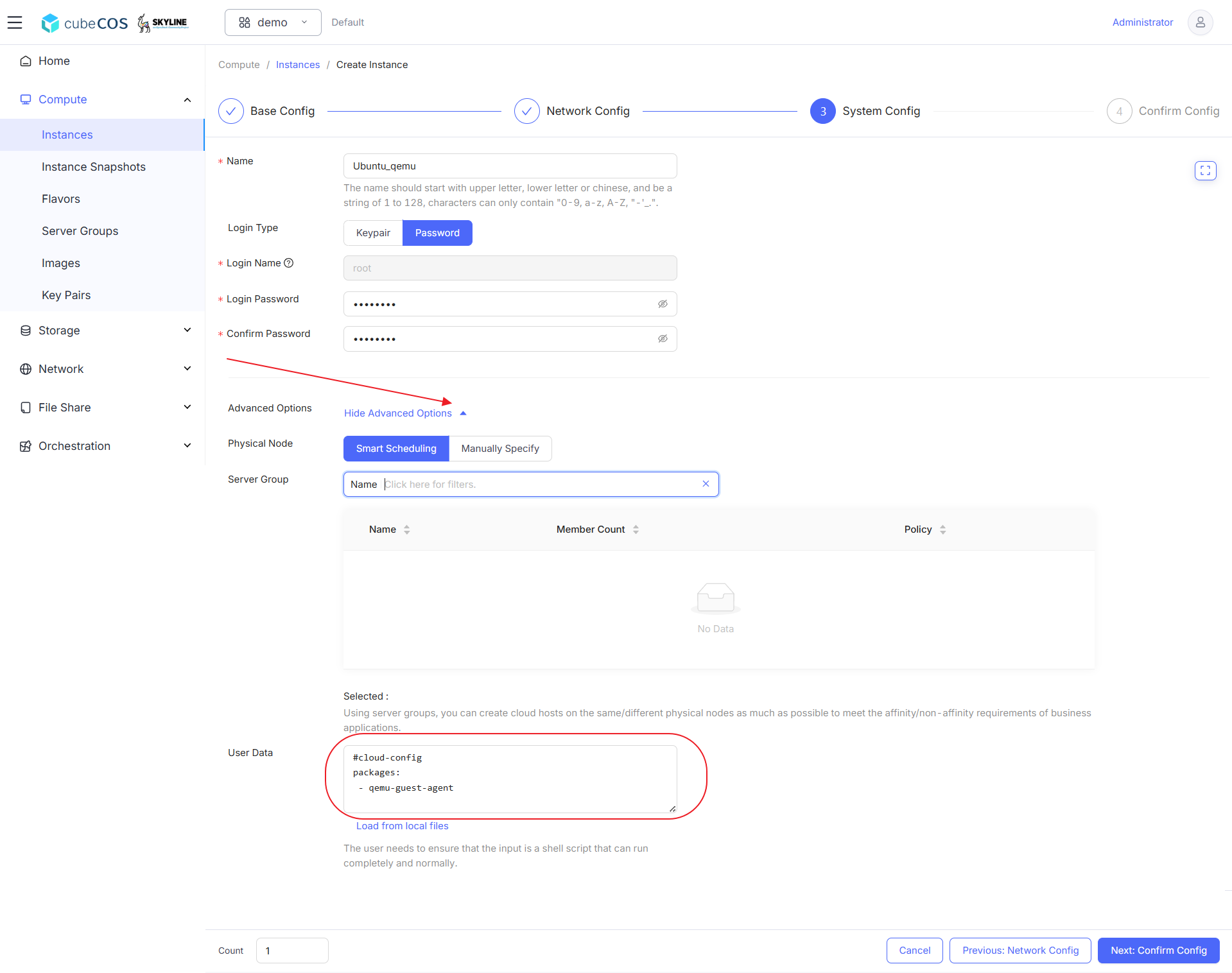
See Create Instances for more info.
Connect to the VM and verify the QEMU service status
sudo systemctl status qemu-guest-agent
ubuntu@ubuntu-qemu:~$ sudo systemctl status qemu-guest-agent
● qemu-guest-agent.service - QEMU Guest Agent
     Loaded: loaded (/usr/lib/systemd/system/qemu-guest-agent.service; static)
     Active: active (running) since Tue 2025-04-29 06:48:44 UTC; 5min ago
   Main PID: 1682 (qemu-ga)
      Tasks: 2 (limit: 4658)
     Memory: 416.0K (peak: 780.0K)
        CPU: 7ms
     CGroup: /system.slice/qemu-guest-agent.service
             └─1682 /usr/sbin/qemu-ga

Apr 29 06:48:44 ubuntu-qemu systemd[1]: Started qemu-guest-agent.service - QEMU Guest Agent.
Install QEMU package for Windows
- Download the QEMU installer
- After the download is completed, double-click on the downloaded ISO file to mount it
- Navigate to
guest-agentin the mounted directory - Execute the
qemu-ga-x86_64installer to being installation
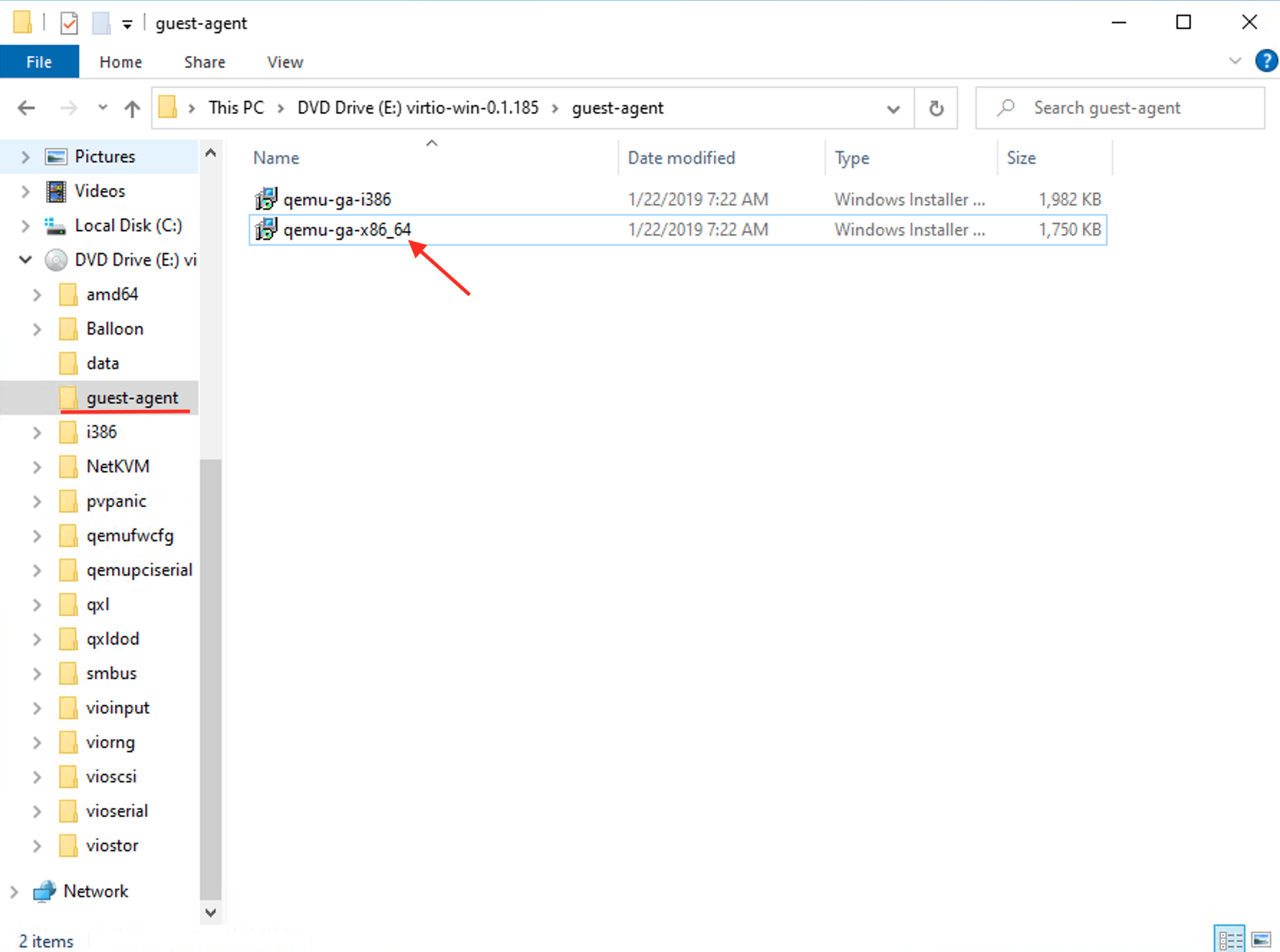
See Connect to Instance by noVNC for more info.