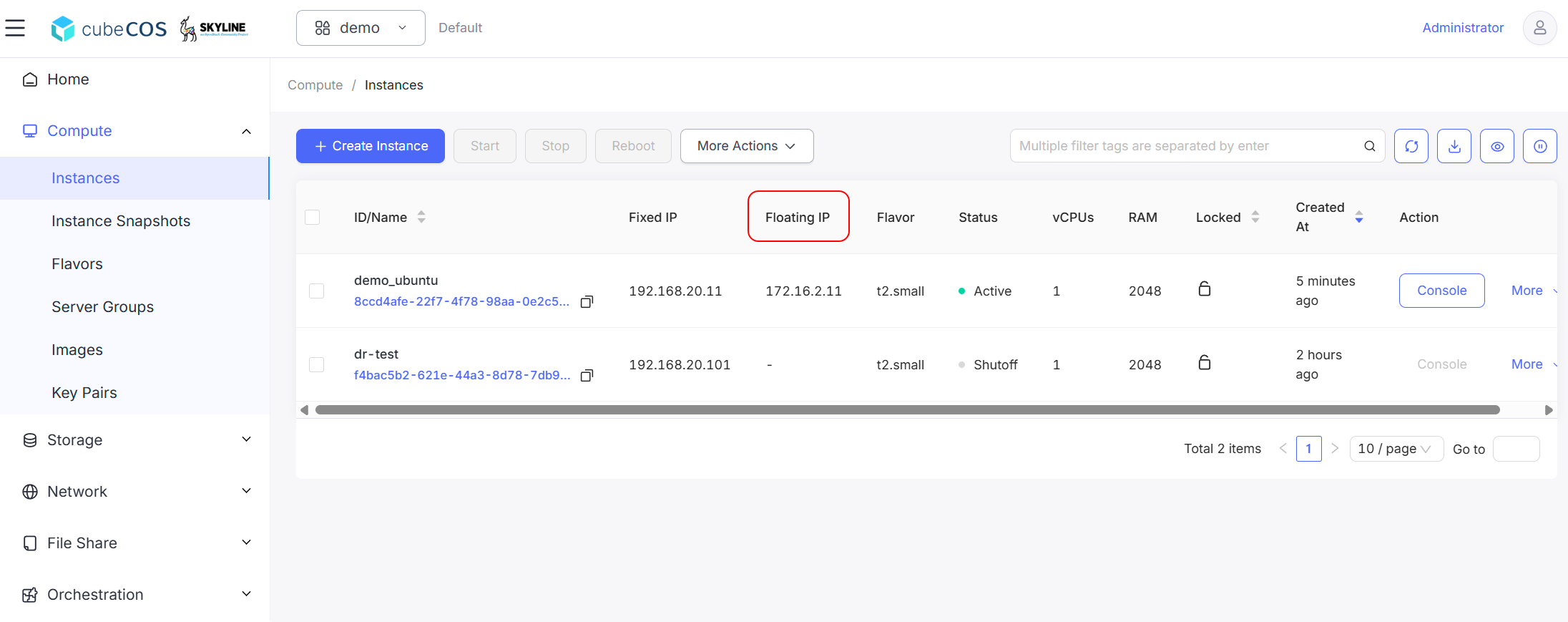
Associate a floating IP to an instance
The Associate Floating IP to Instance function assigns a public IP address to a virtual machine, enabling access from external networks
Associate a floating IP to an instance
-
Navigate to
Project > Compute > Instances, then choose the desired project. Hover over toMoreto access additional actions.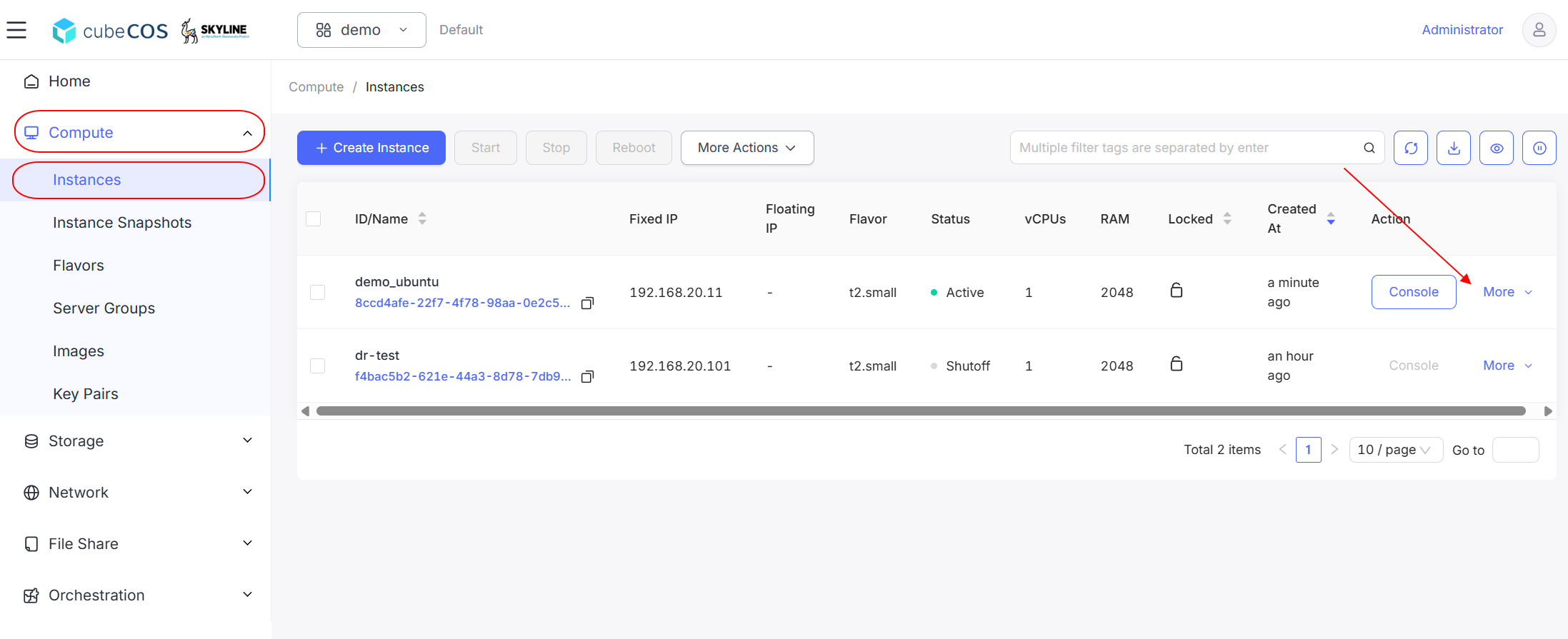
-
Hover over
Related Resourcesin the drop-down menu, then clickAssociate Floating IP.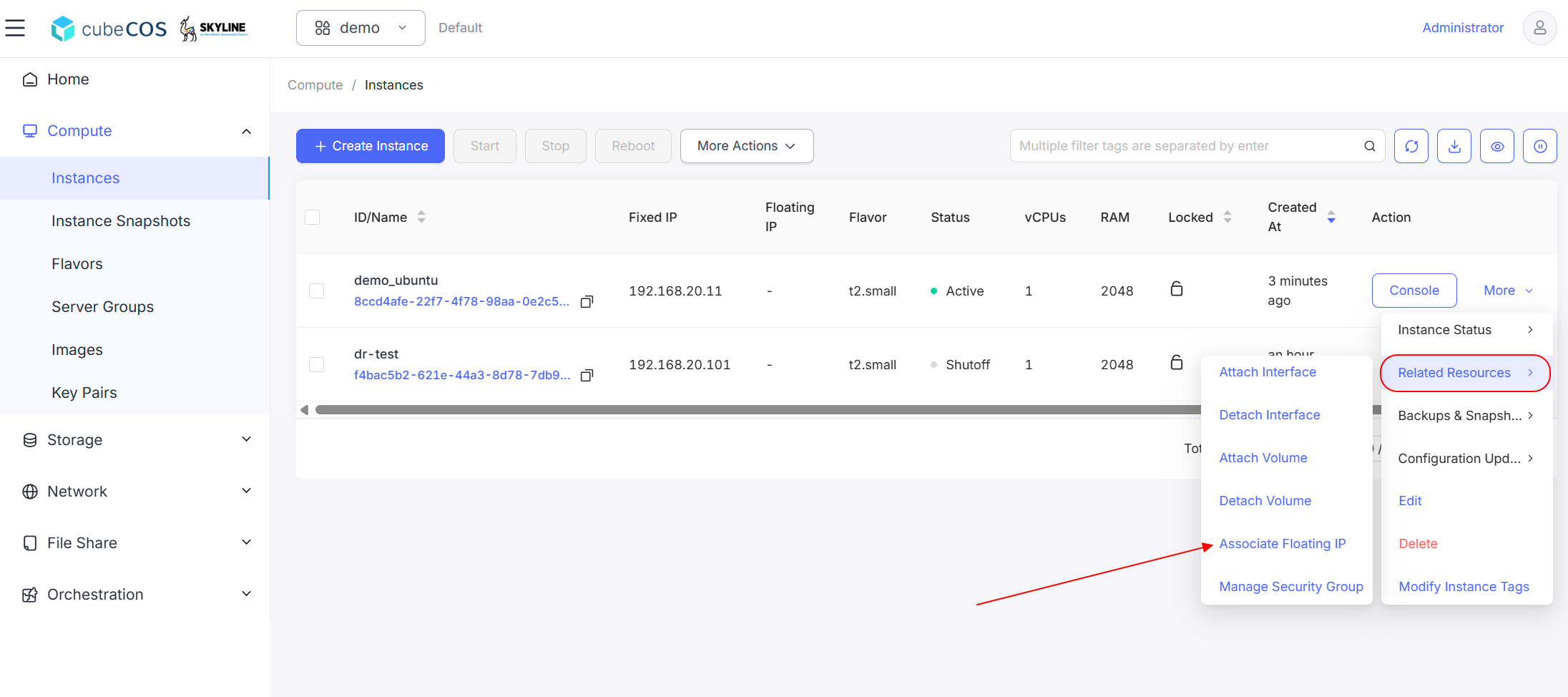
-
Select
Instance IPand theFloating IP Addressto associate. ClickOKbutton to proceed.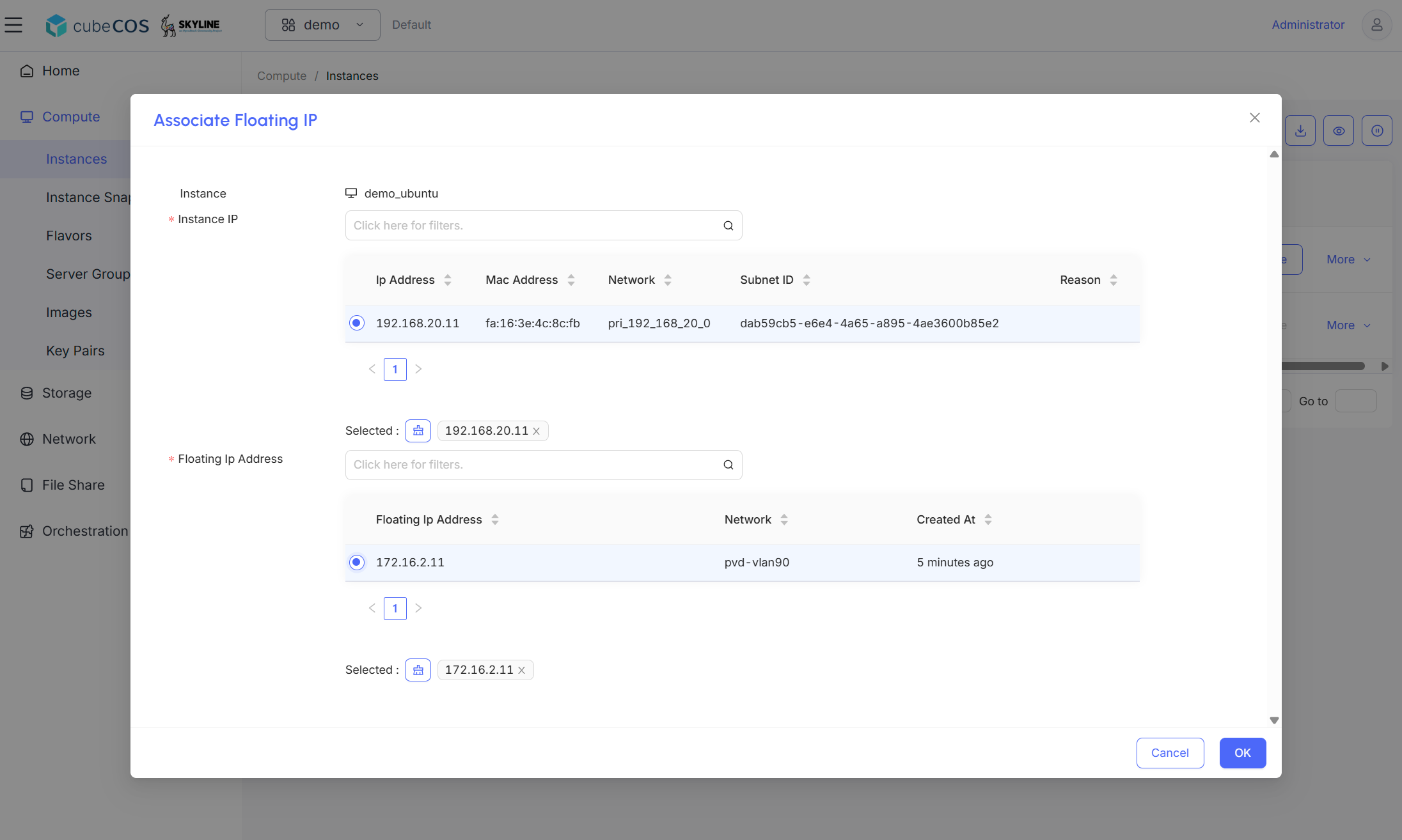
-
Check the
Floating IPcolumn of the target instance to confirm the association is successful.