Live migrate an instance from one host to another
The Live Migrate Instance function moves a running virtual machine from one physical host to another without shutting it down, ensuring minimal disruption to service.
Live migrate an instance
-
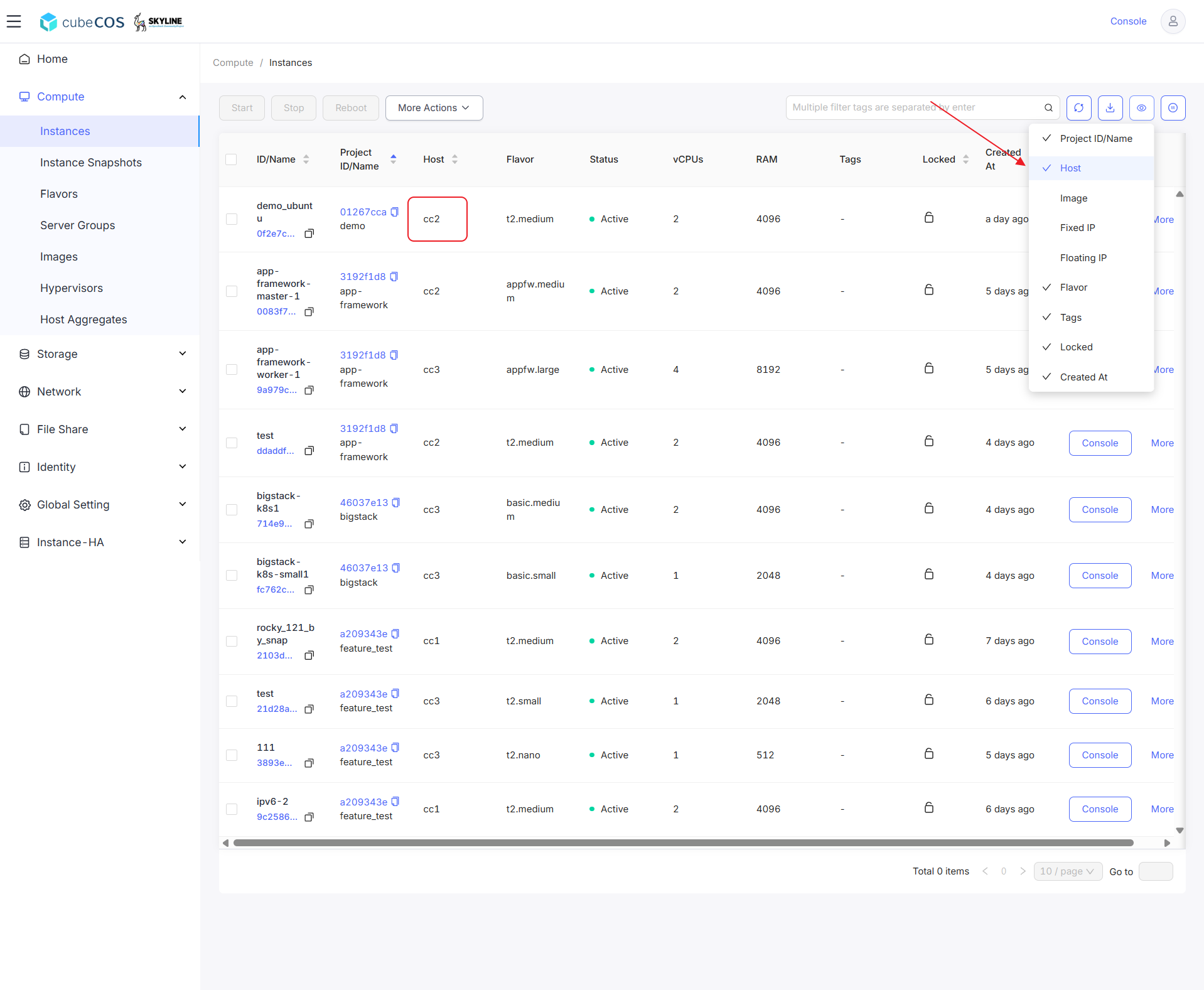
Navigate to
Administrator > Compute > Instances, choose the desired project, then hover overMore.To adjust visible elements, hover over the eye icon. Selecting
Hostwill reveal the instance’s current host.
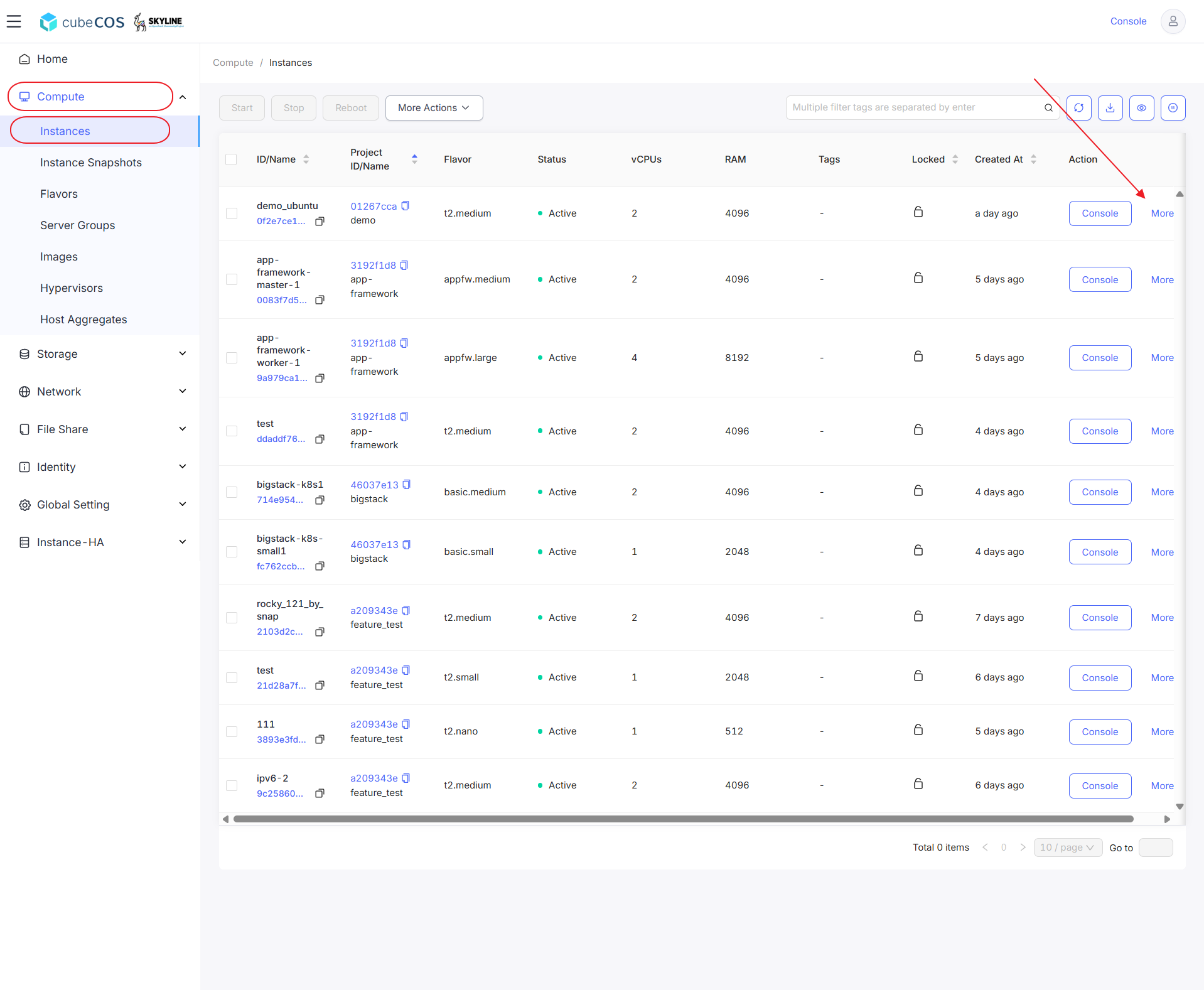
- Click
Live Migrateto proceed.
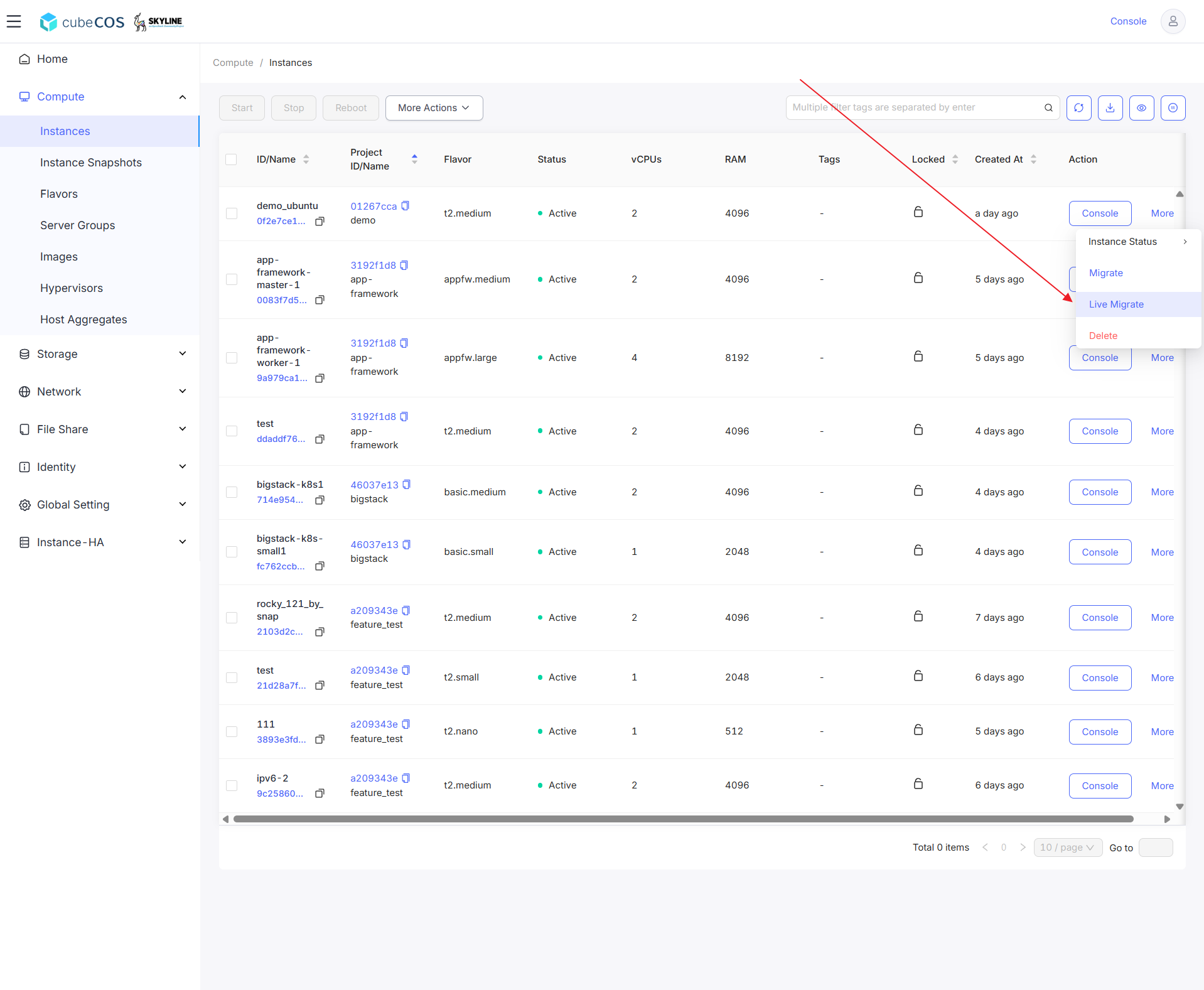
-
Select the destination host for live migration, then Click
OK. If a host cannot be selected, it is the current host of the instance.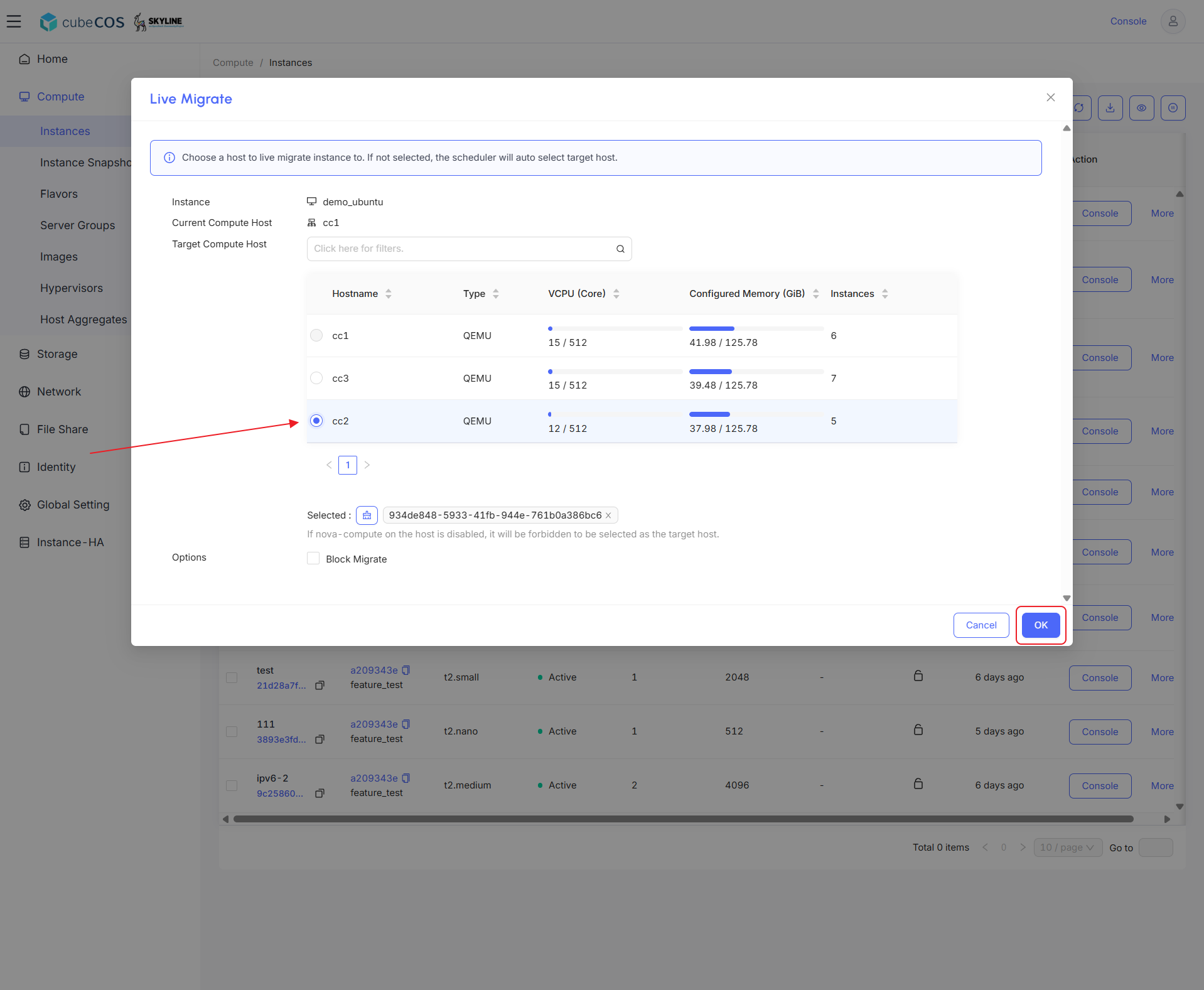
-
During migration, the instance status will display
Migrating. The instance status will change toActiveonce migration is completed.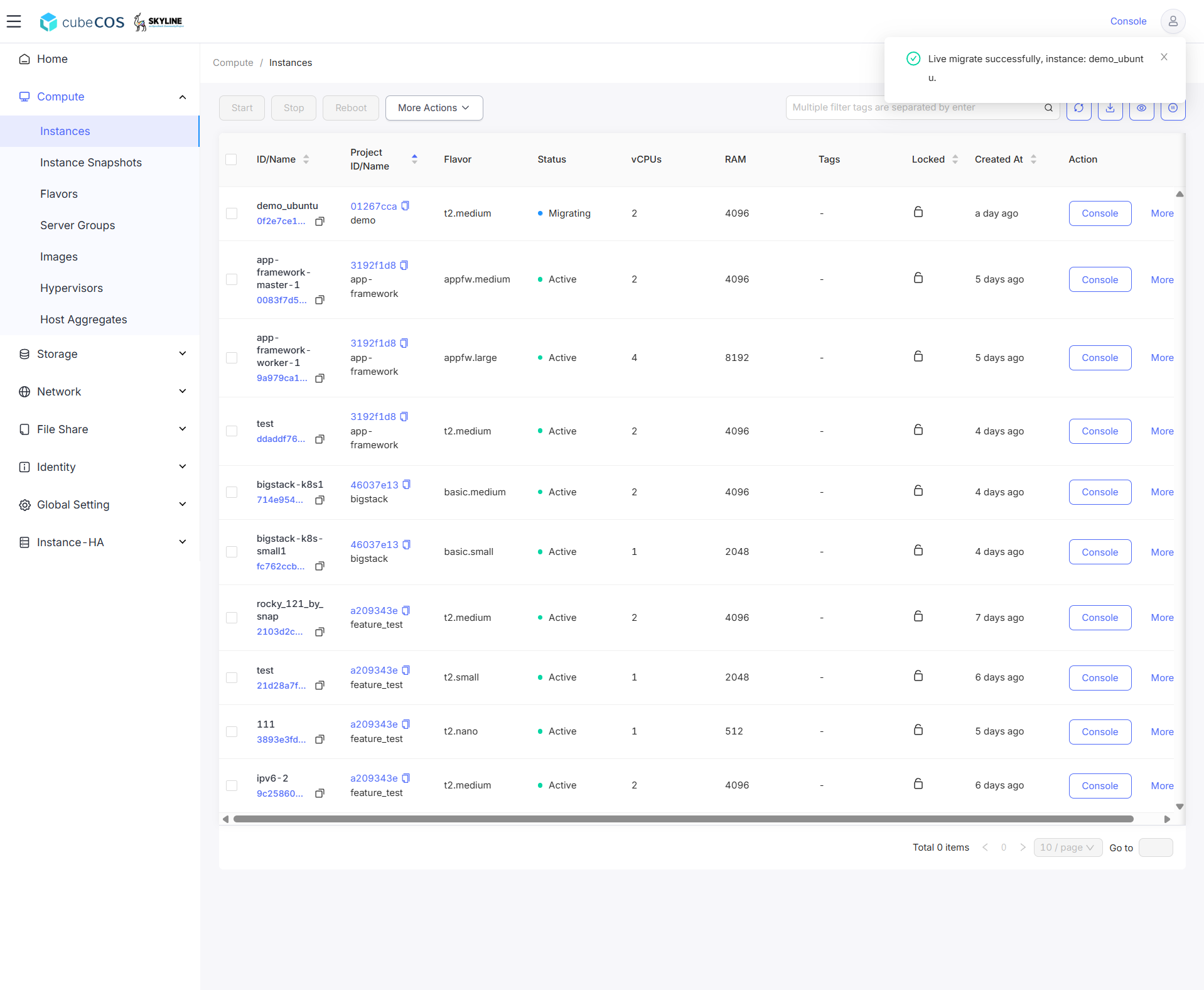
-
Verify that the instance has successfully migrated by customizing the visible columns. Hover over the
Eye iconon the right, then selectHostto display the current host of the instance.