Attach security groups to an instance
The Attach Security Groups to Instance function allows you to define inbound and outbound traffic rules applied to a virtual machine. It acts as a virtual firewall to control network access at the instance level.
Attach security groups to an instance
-
Navigate to
Project > Identity > Projects, choose desired project, then hover toMore.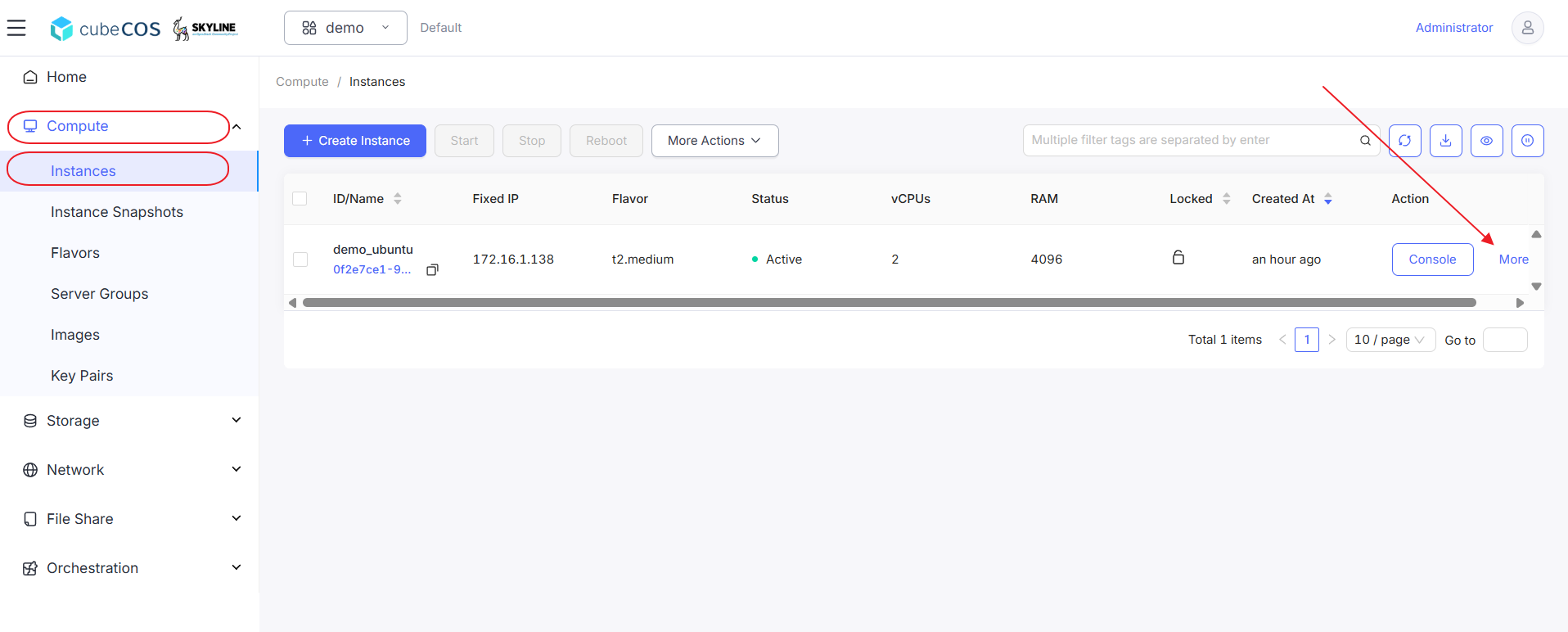
-
Hover over
Related Resourcesin the drop-down menu, then clickManage Security Group.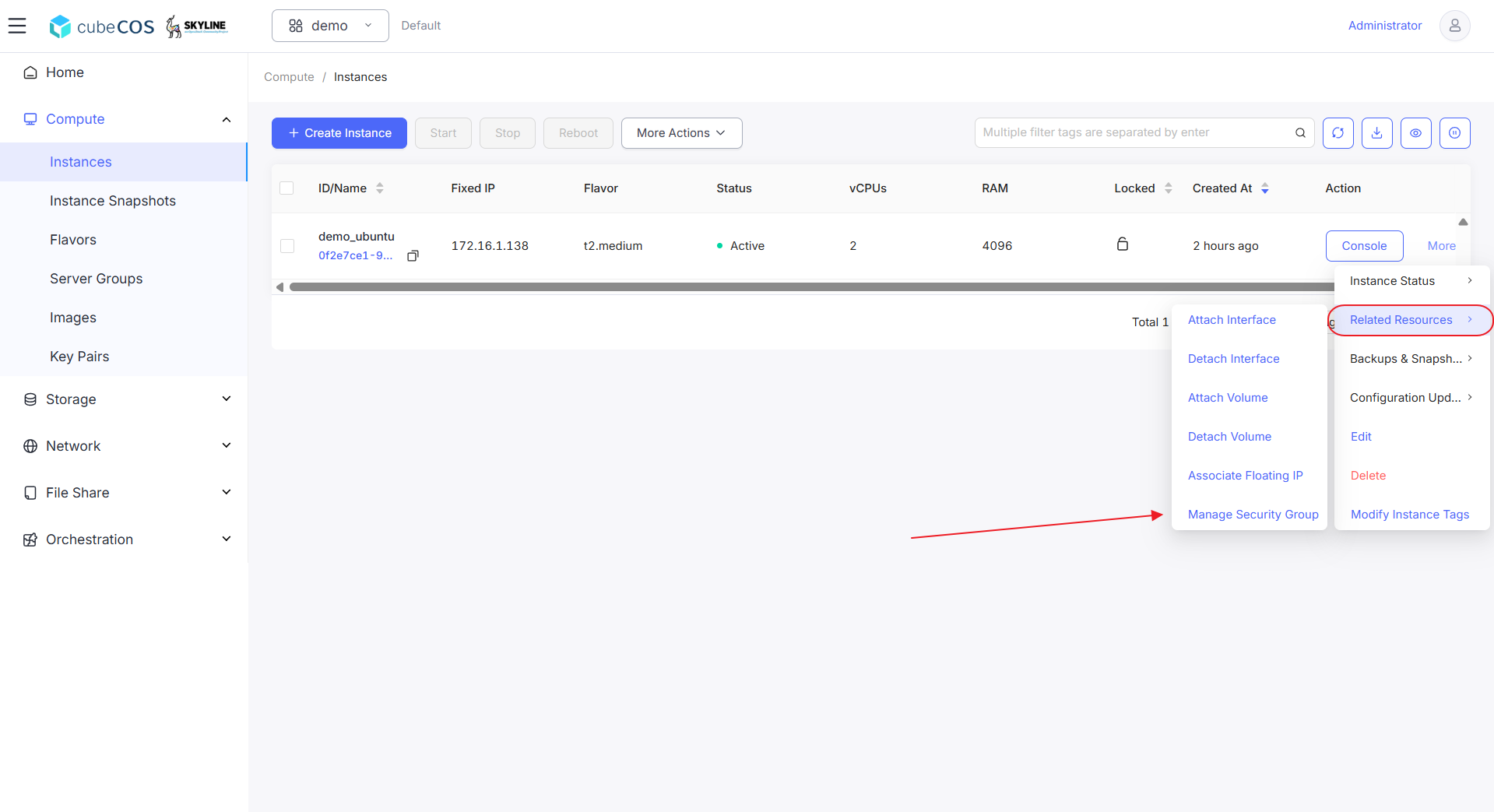
-
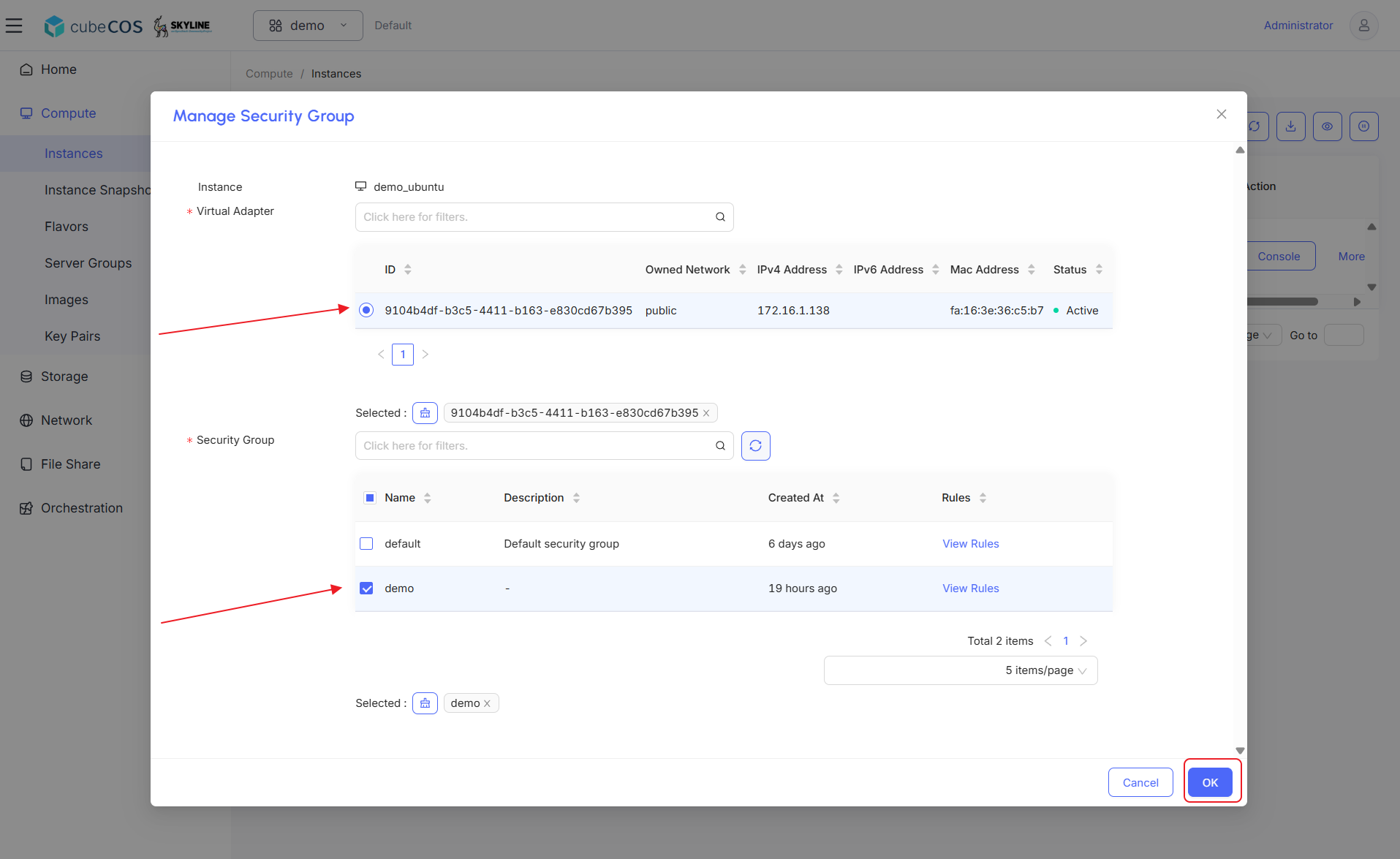
Choose Virtual Adapters and Security Groups. Click
OKbutton to proceed.