Create a project in CubeCOS
Projects in CubeCOS serve as a logical grouping of resources and users, facilitating organized management and allocation of resources.
Create CubeCOS projects
-
Follow 1-Access the administration panel to enter the administrator view.
-
Navigate to
Identity > Projects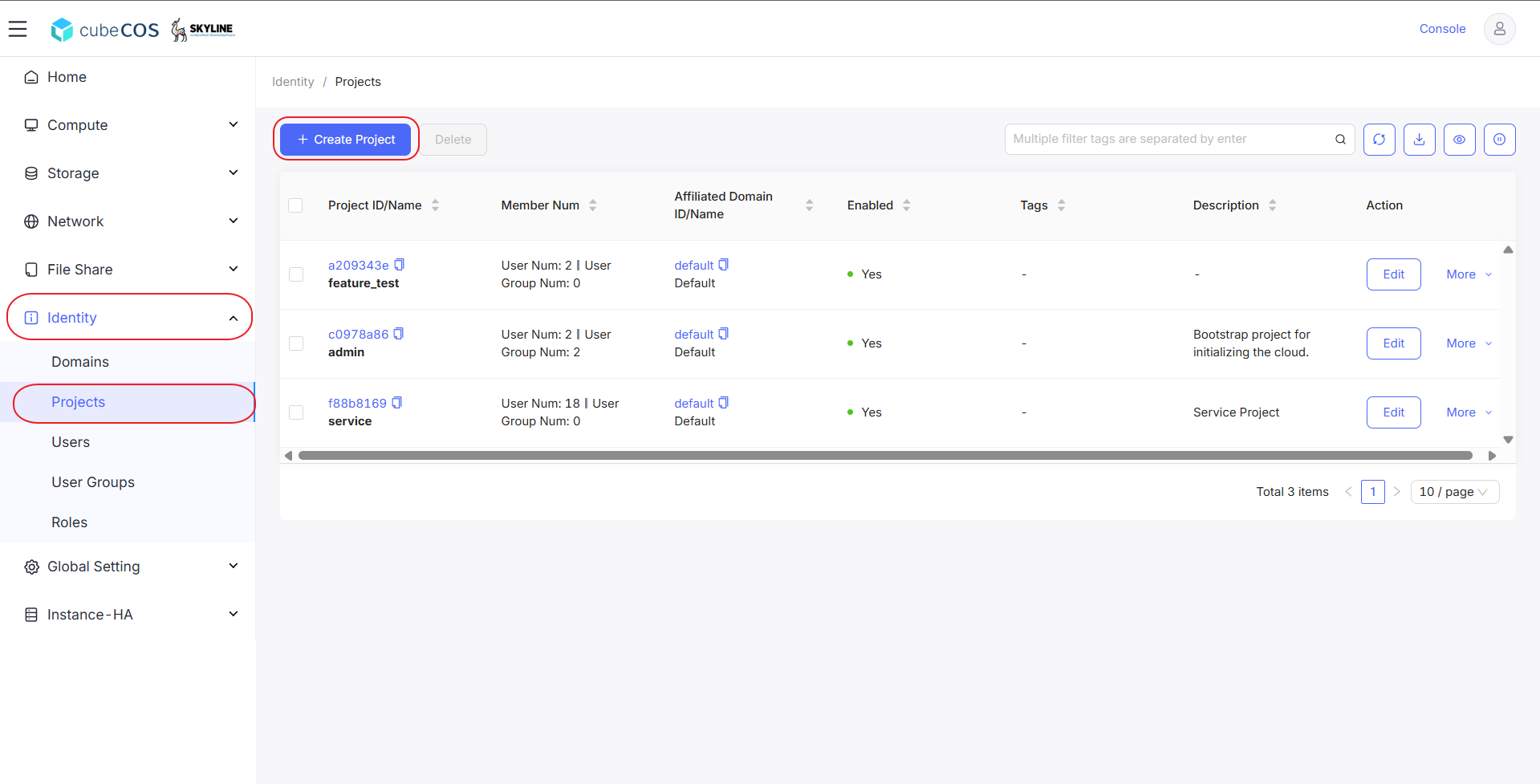
-
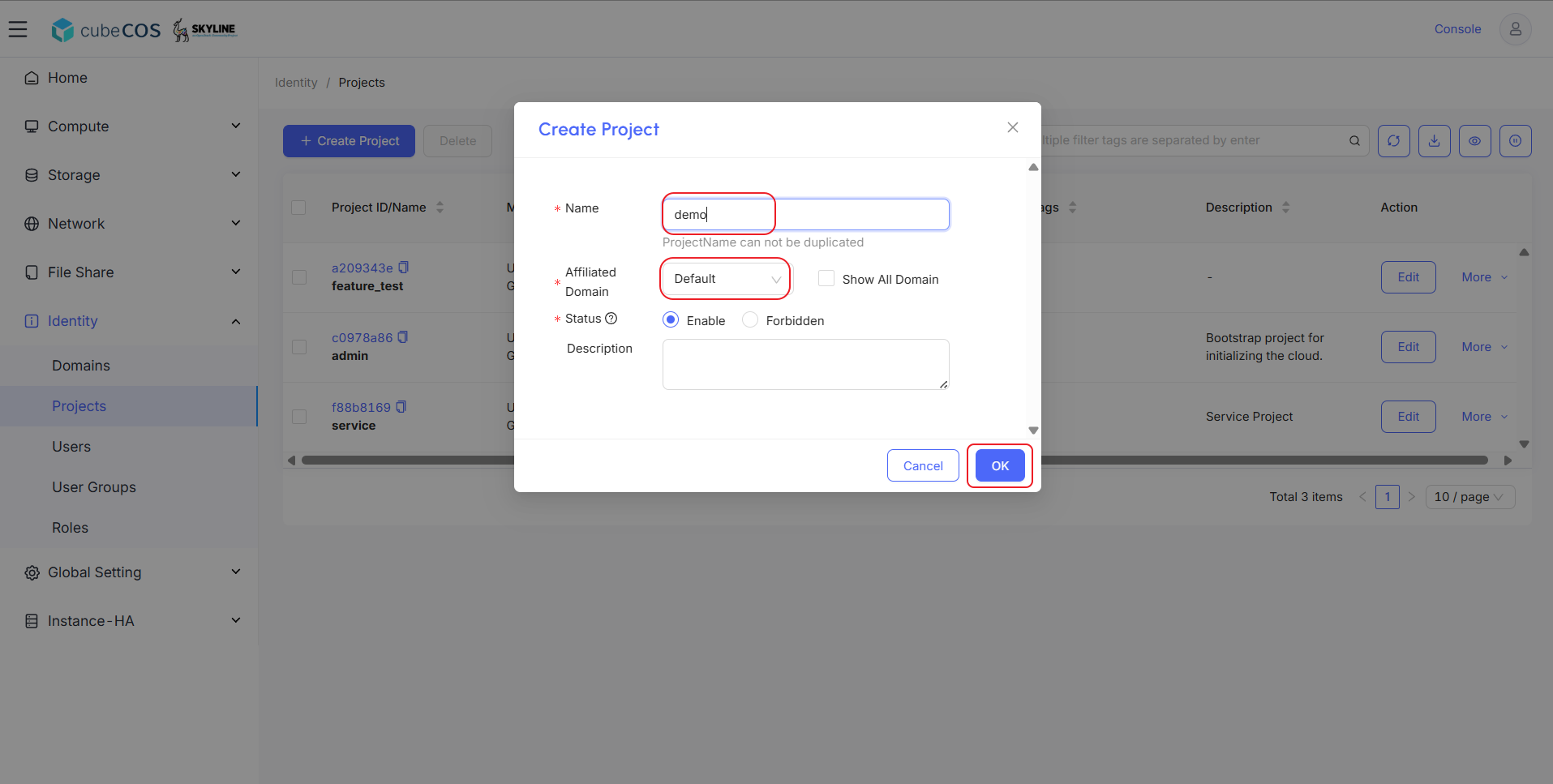
Name the project, assign Domain and Status, then press
OK