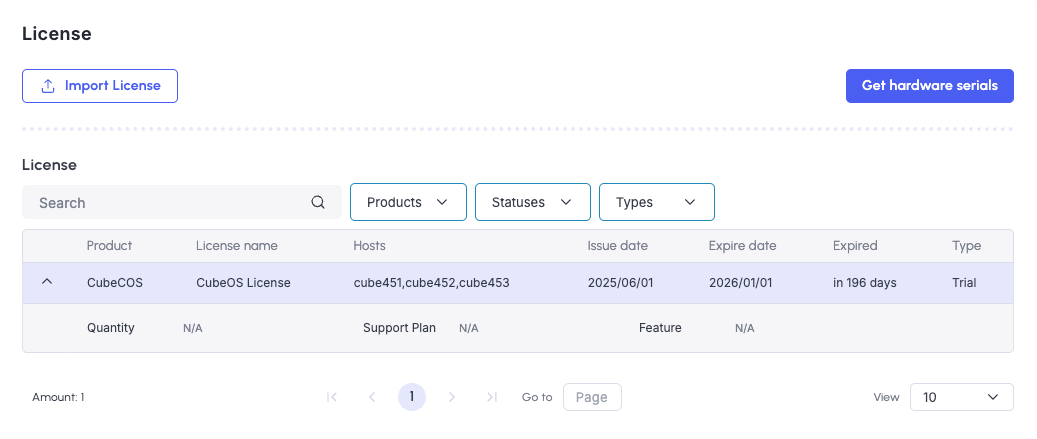
License management
CubeCOS licenses are required only for clusters that require production support entitlement. Licenses are issued post-installation and are bound to the hardware serial number of the host machine.
Only commercial customers who need enterprise support for their CubeCOS installations are required to obtain a license. Community users can continue using CubeCOS without one.
Request a CubeCOS license file
-
Login to the CubeCOS management interface.
-
Navigate to
Maintenance > Licensesand click onGet Hardware Serials.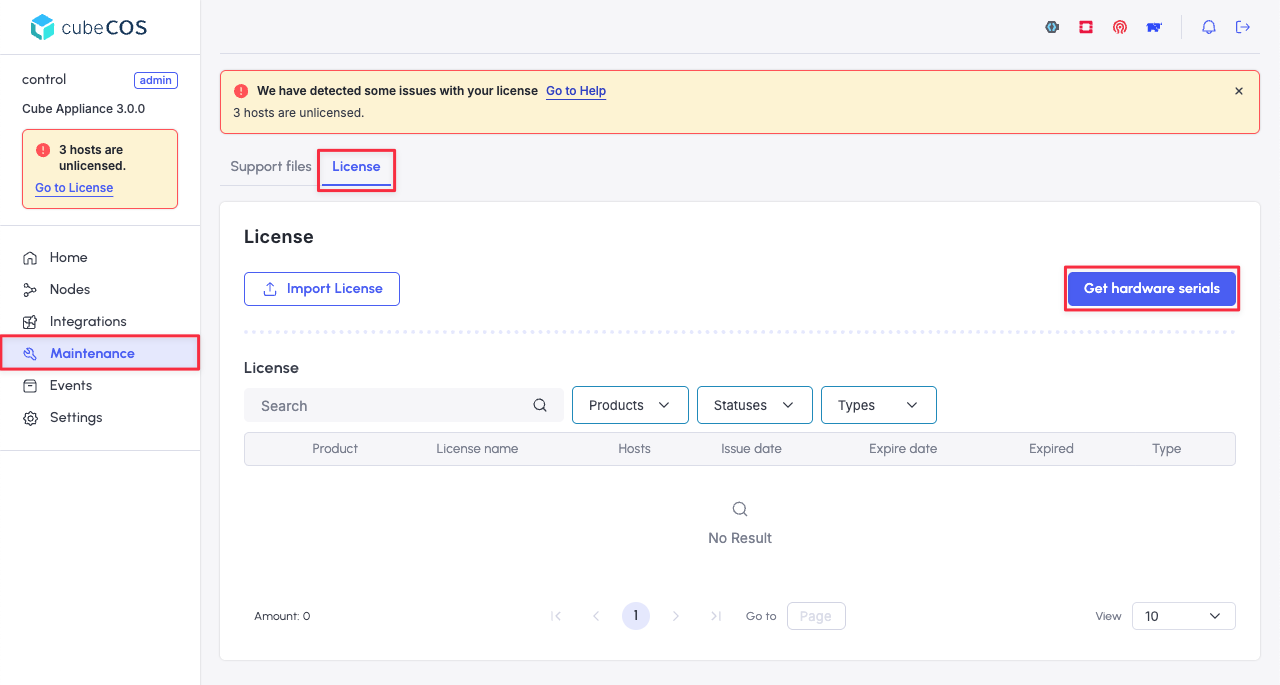
-
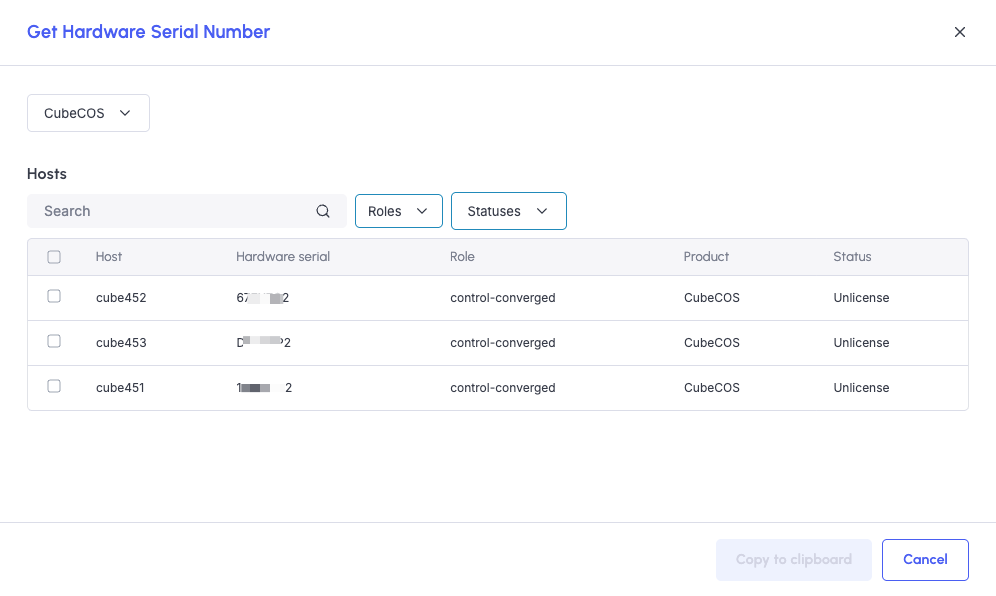
Select the hosts that require a license and click
Copy to clipaboard.- For initial setup, select all hosts.
- For cluster expansion or node replacement, select only the nodes showing
Unlicensestatus.
-
Submit the serials via contact us.
Install a CubeCOS license file
-
Obtain the license file from Bigstack after verification and issuance. Do not modify the license name or contents.
-
Return to the license page, and click
Import license.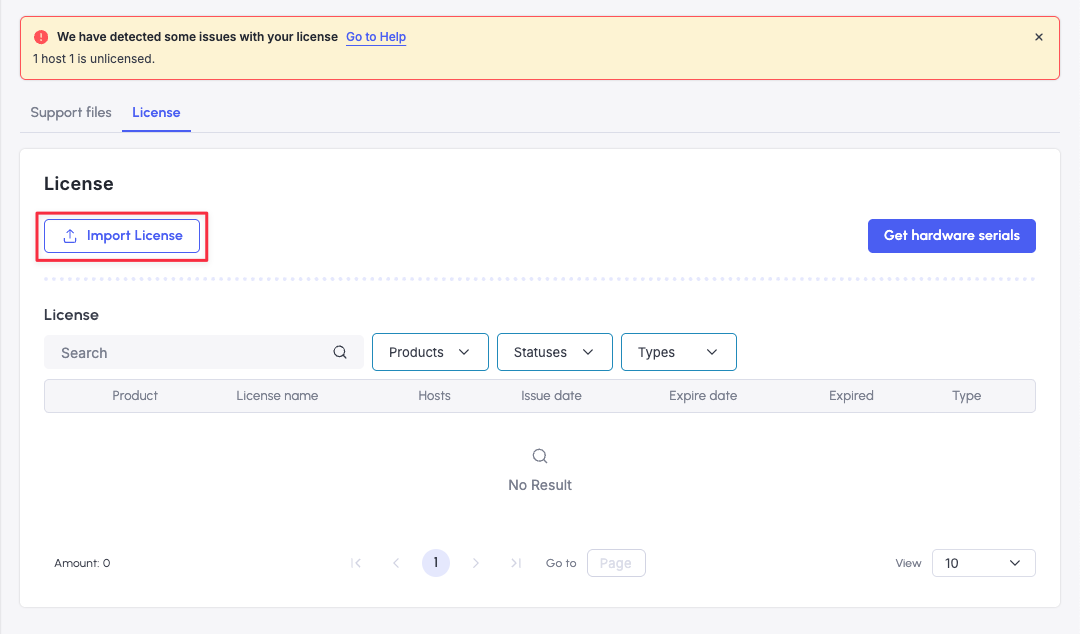
-
In the
Import Licensedialog, review the license information. Ensure all details are correct, then clickYes, import license.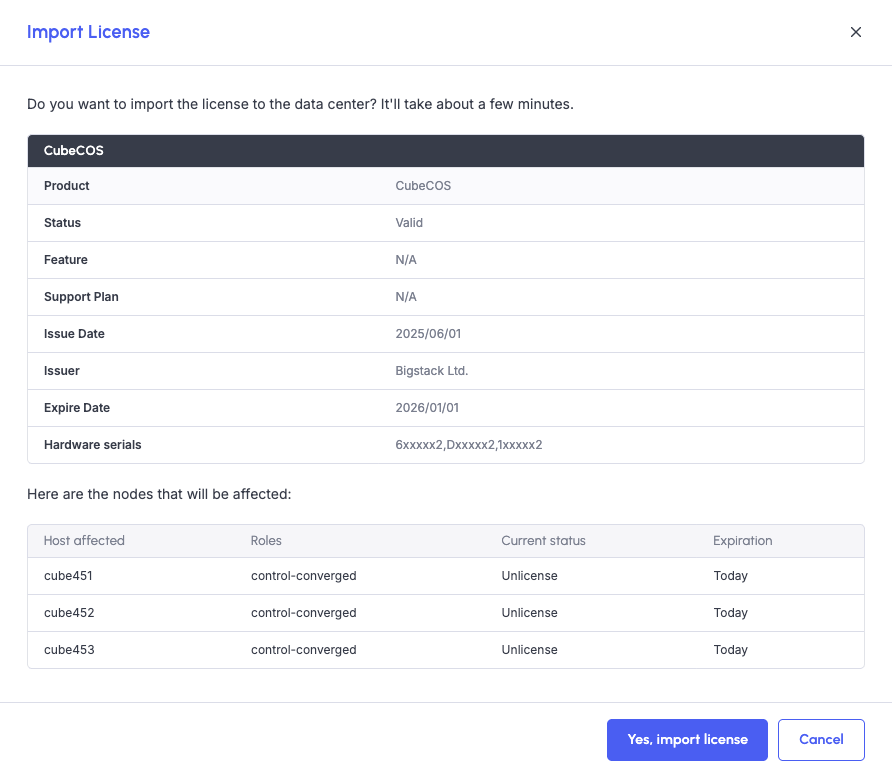
-
After successful import, the license will appear in the Licenses tab.