Fixed IP
In CubeCOS, a Fixed IP is a private IP address assigned to a virtual machine (VM) for internal network communication.
Create a VM using a manually assigned fixed IP
Create a virtual adapter with a fixed IP
-
Navigate to
Project > Network > Ports>+ Create Virtual Adapter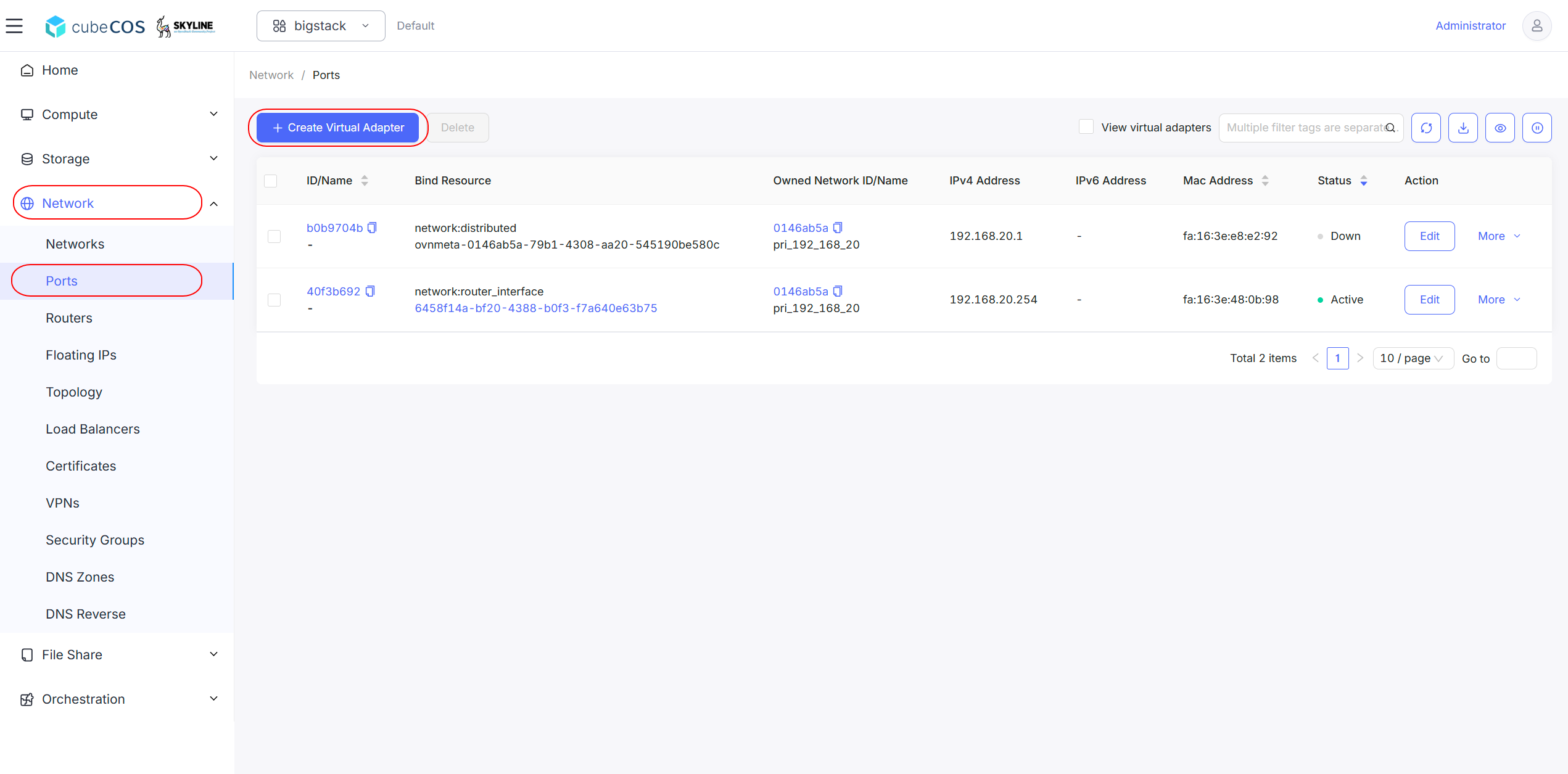
-
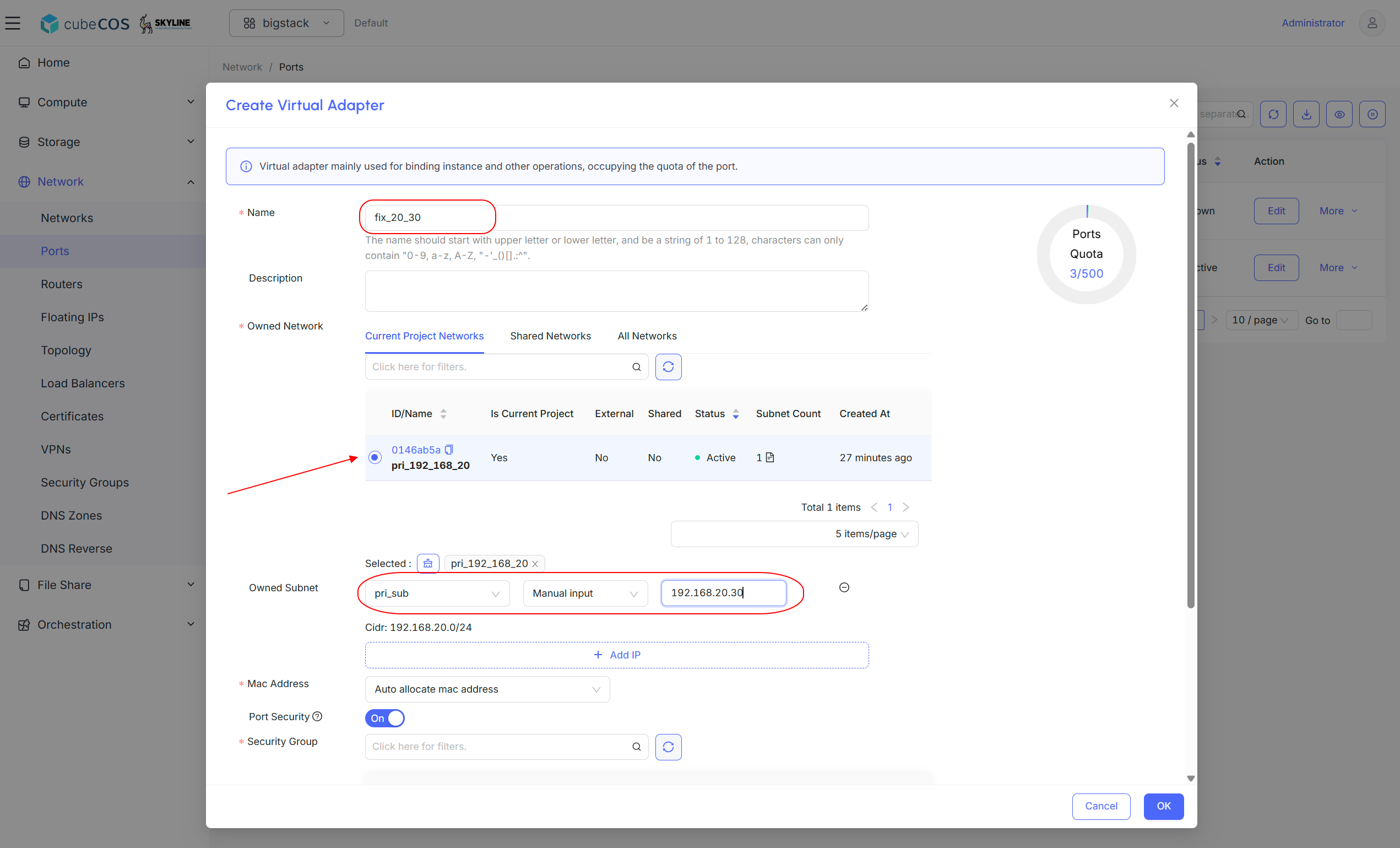
Perform the following:
- Name the network interface: Enter a custom name for the network interface.
- Select network: Choose the desired network from the list.
- Select subnet: Select the appropriate subnet associated with the chosen network.
- Assign fixed IP: Enter the desired fixed IP address in the Fixed IP field.
-
Scroll down and select desired security group. Click
OKto proceed.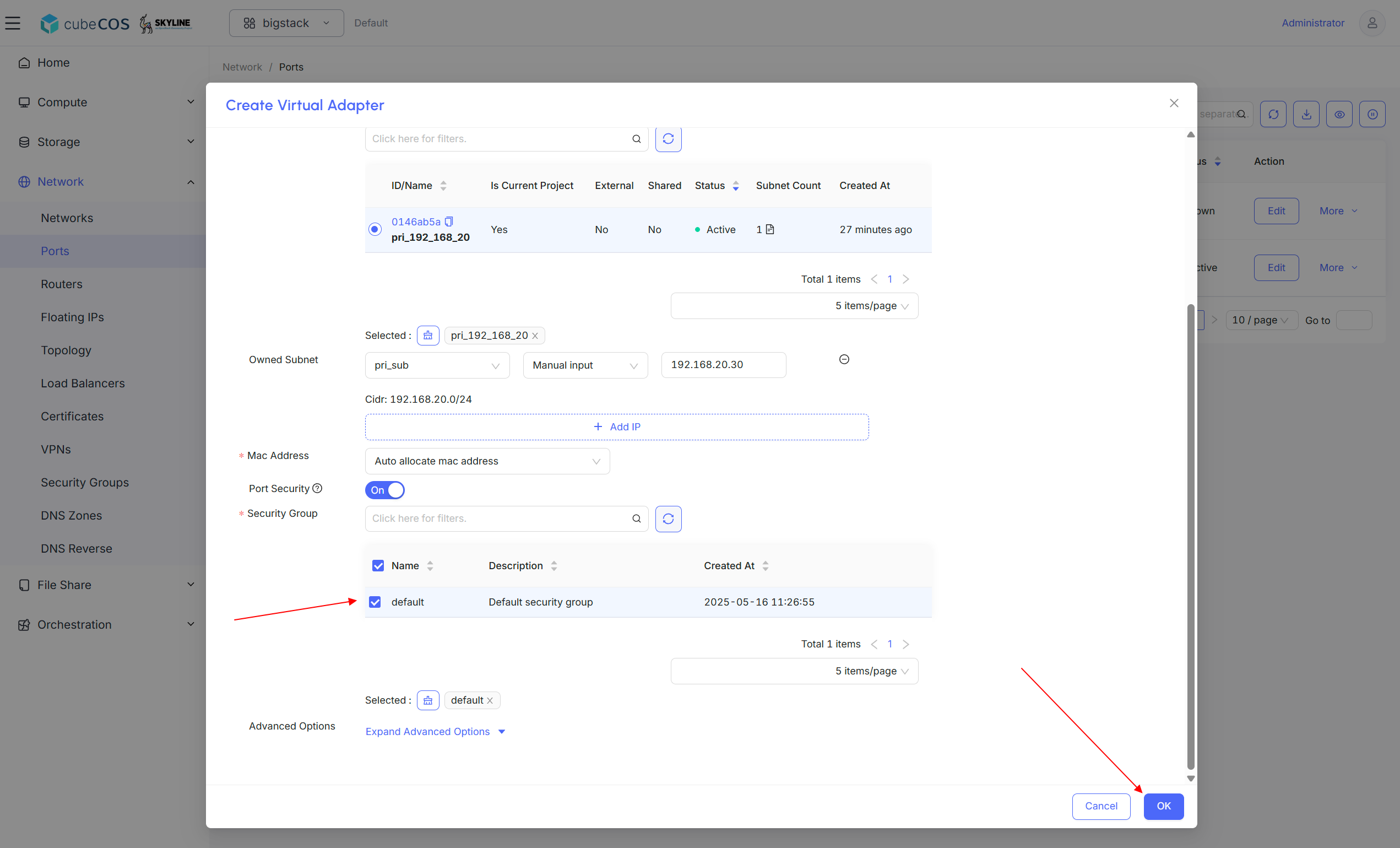
-
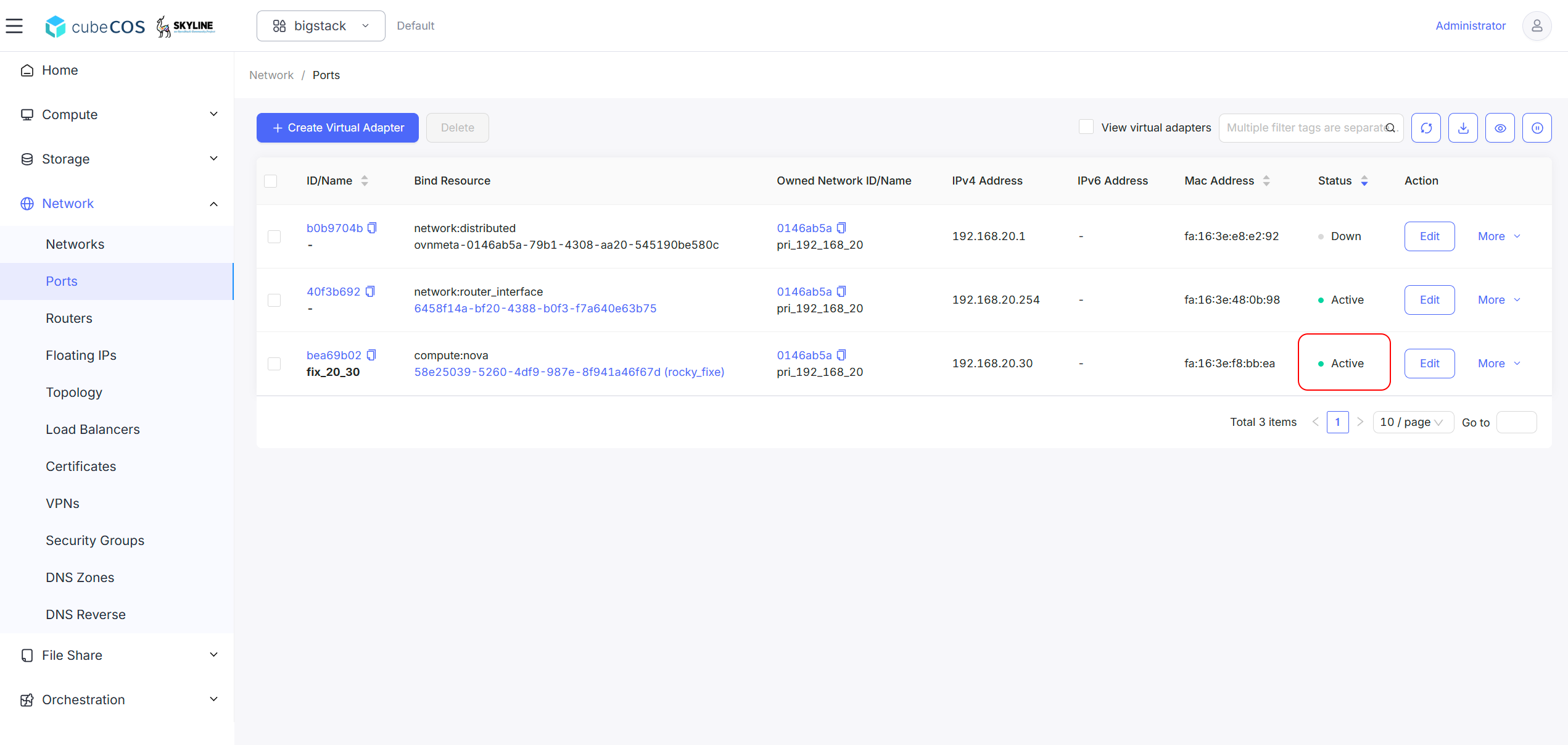
Confirm the virtual adapter appears in the list with the specified
IPv4 Address. The adapter status will show asDownsince it has not yet been attached to an active interface.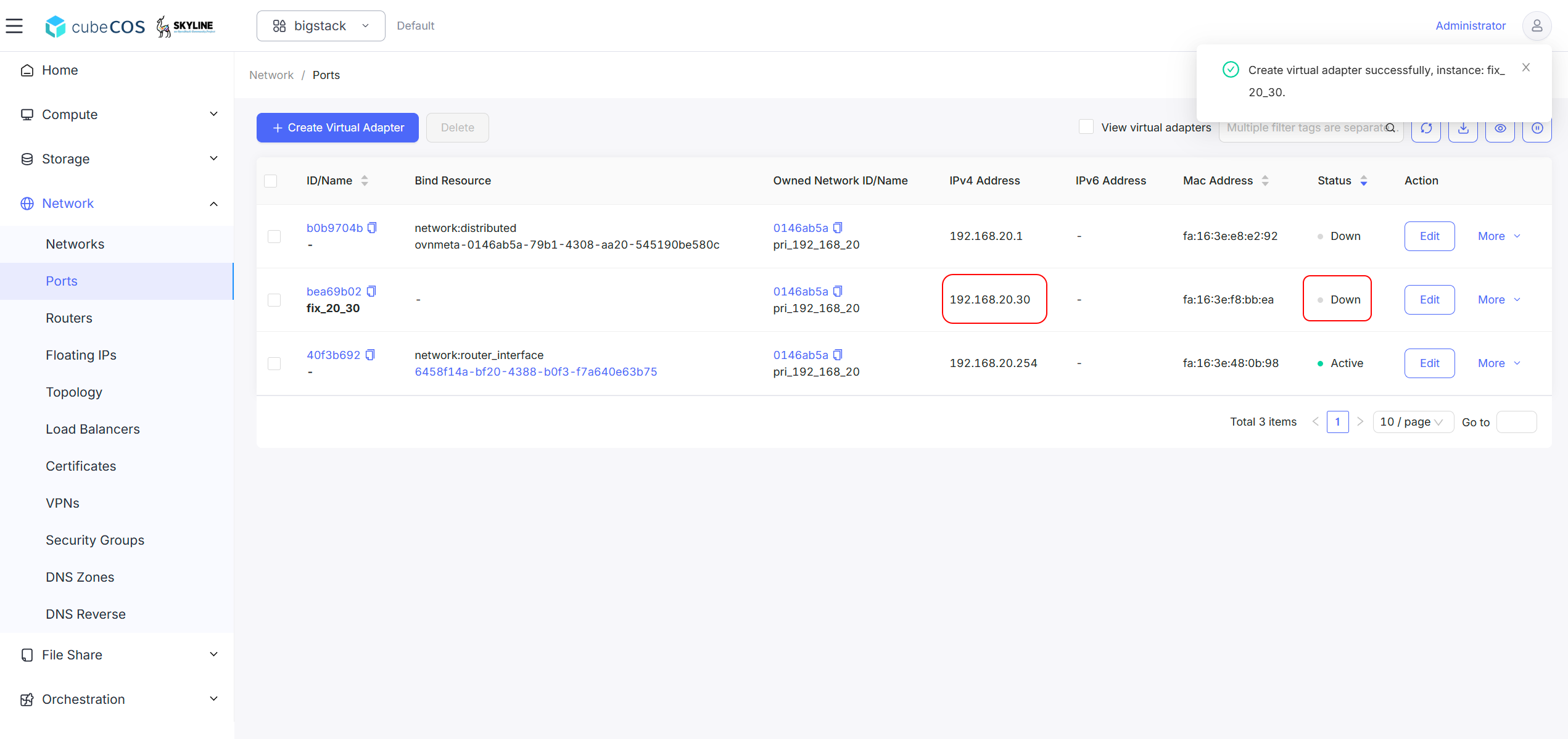
Create a VM with a fixed IP
-
Create a instance, during step
Network Config, assignPortsinstead ofNetworks. SelectVirtual Adaptercreated above. See Create Instances for more.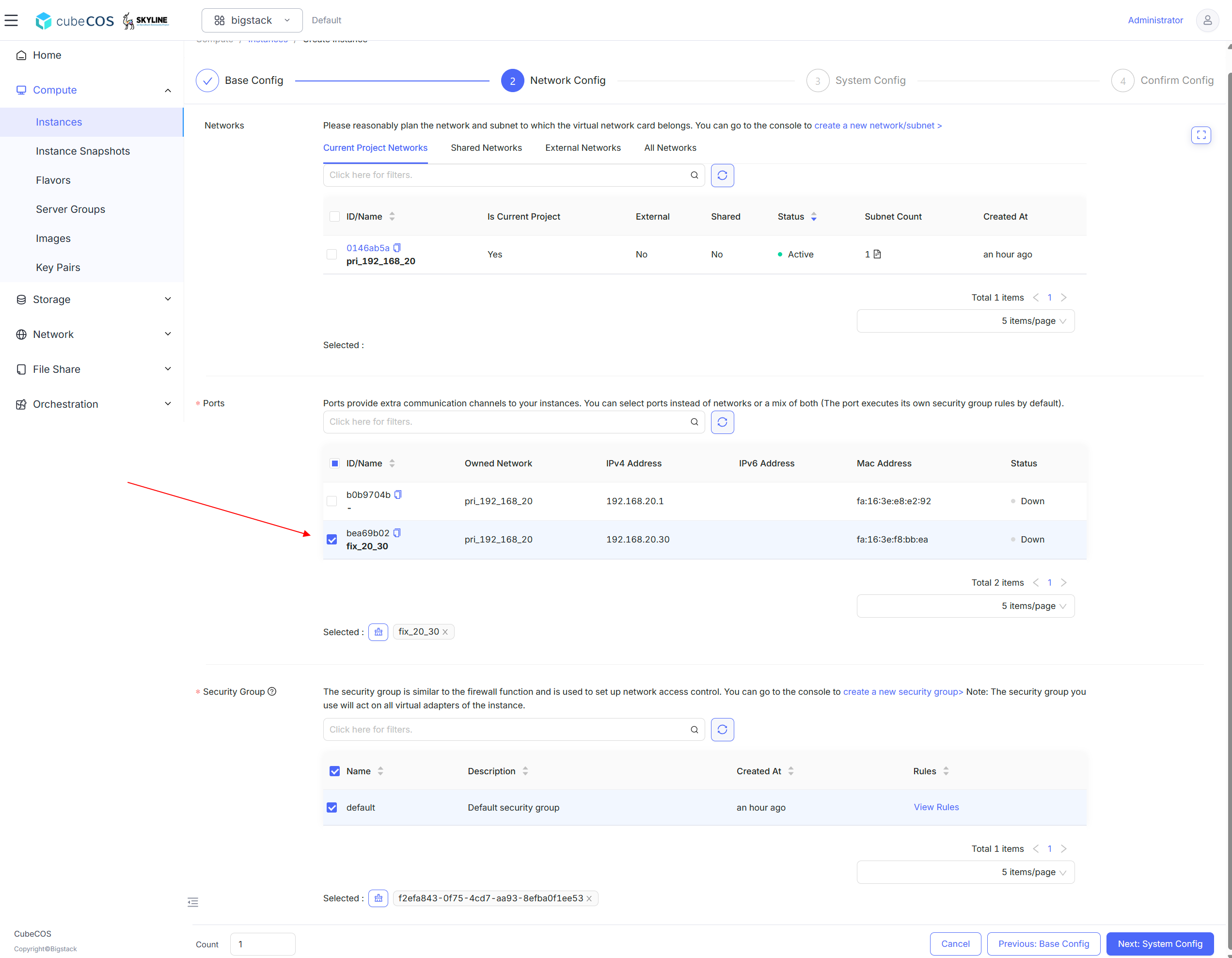
-
Verify fixed IP attached to instance by its
Fixed IP.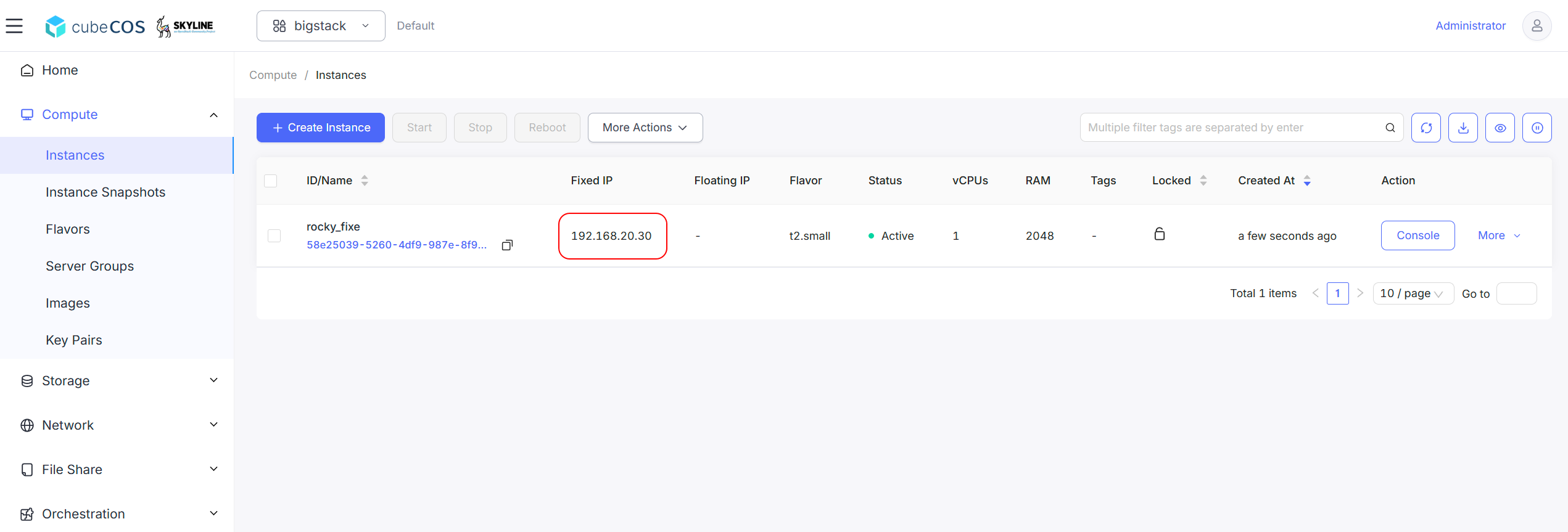
-
Navigate to
Project > Network > Ports. Confirm that the status has changed toActive.