Create a security group
A security group acts as a virtual firewall for servers and other resources on a network. It is a container for security group rules which specify the network access rules.
Create a security group that allows SSH from any IP
-
Navigate to
Project > Network > Security Groups>+ Create Security Group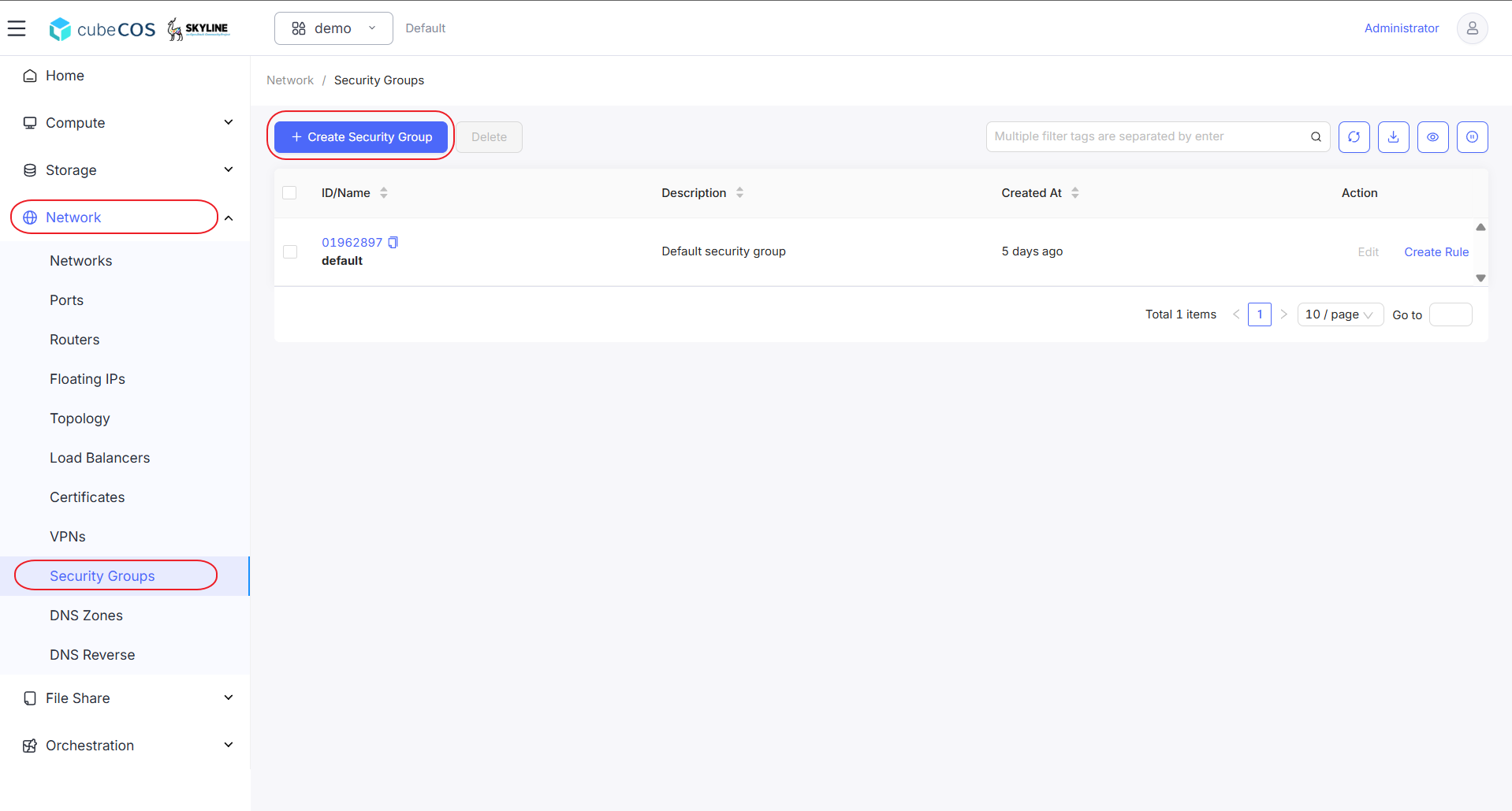
-
Input name of the security group and click
OK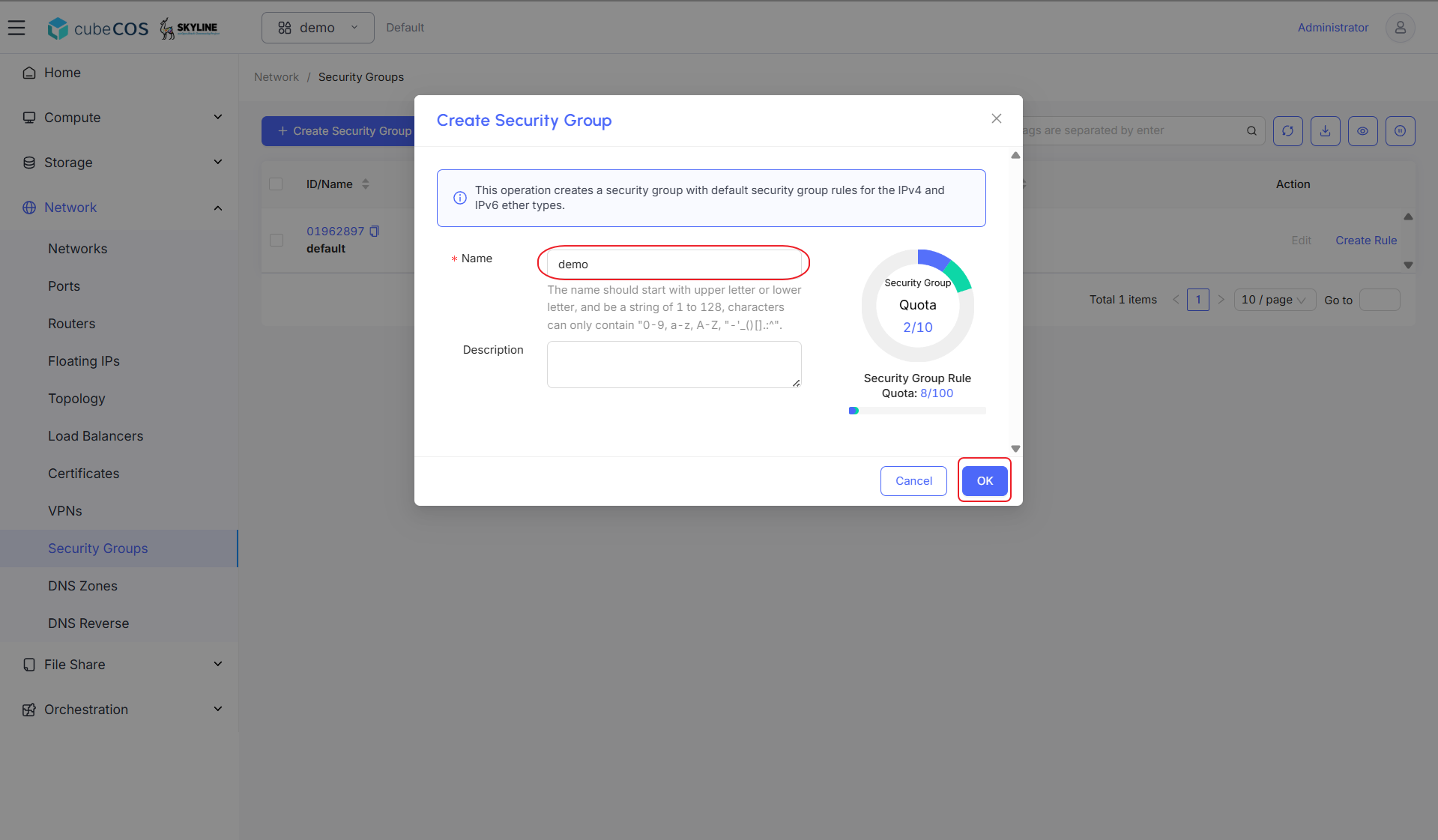
-
Select the newly created security group, hover over
More, and clickCreate Rulefrom the dropdown menu.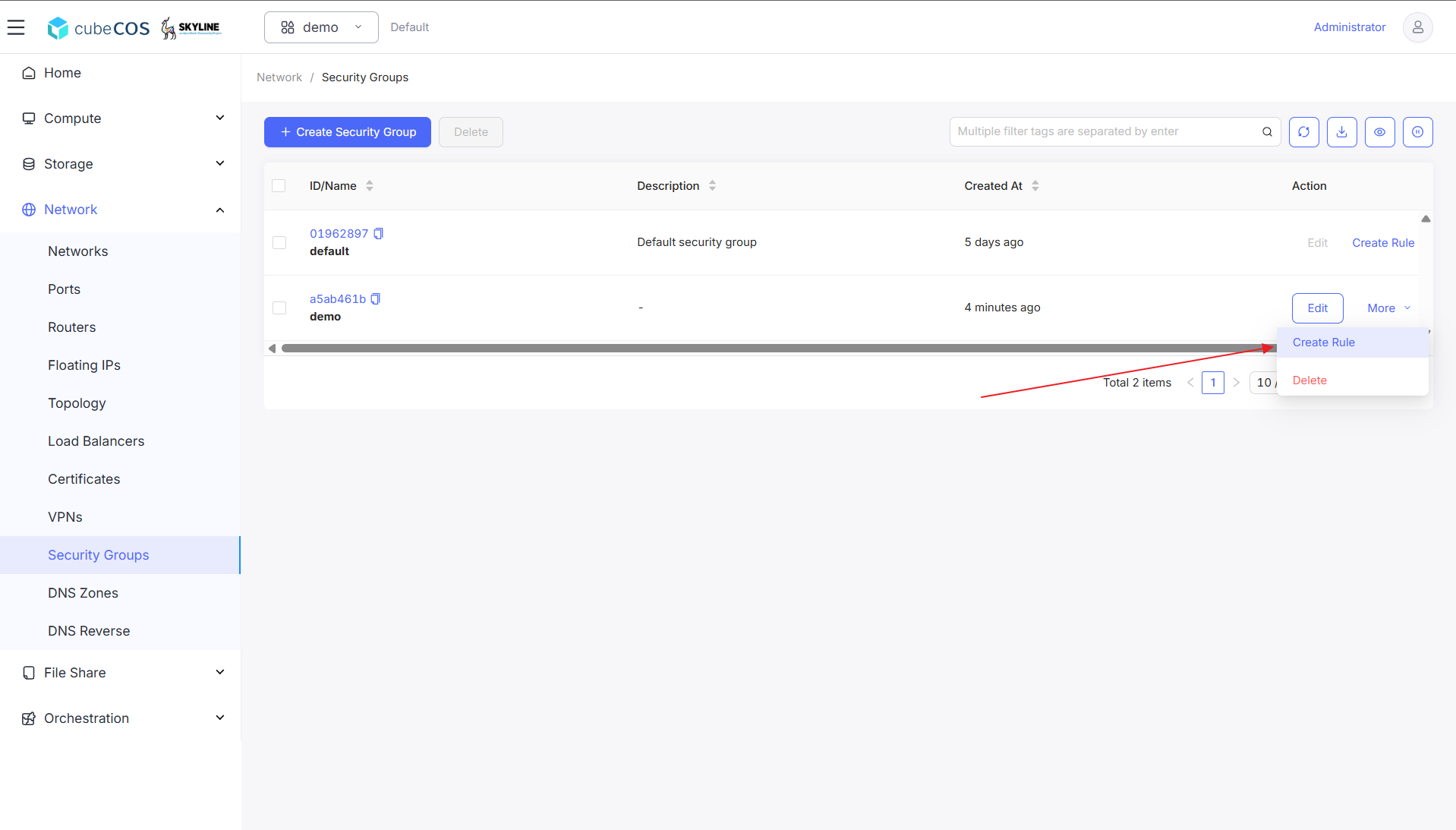
-
For this creation, fill in folllowing fields:
- *Protocol : protocol selection including combination with TCP / UDP / ICMP, ALL / CUSTOM and Others.
- *Direction : Ingress / Egress.
- *Ether Type : IPv4 / IPv6.
- *Port Type : All / Custom.
- *Source Port/Port Range : input source port or port range(port:port)
- *Romote Type :
- *CIDR : *Romote IP Prefix : support both IPv4 and IPv6.
- *Security Group : *Remote Security Group : Use to inherit policies from existing Security Group for extention.
After filling all fields above, click
OKto apply user creation.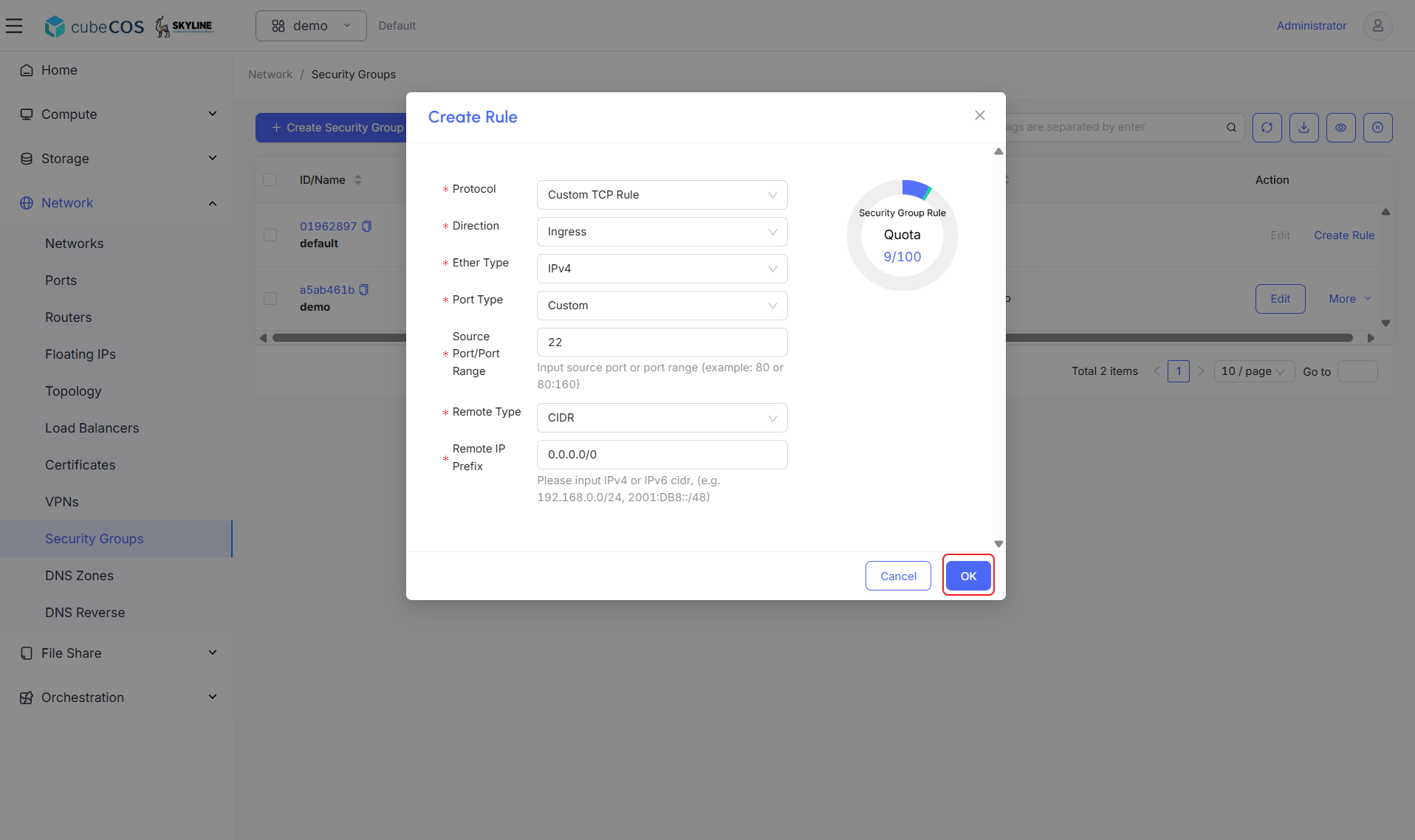
-
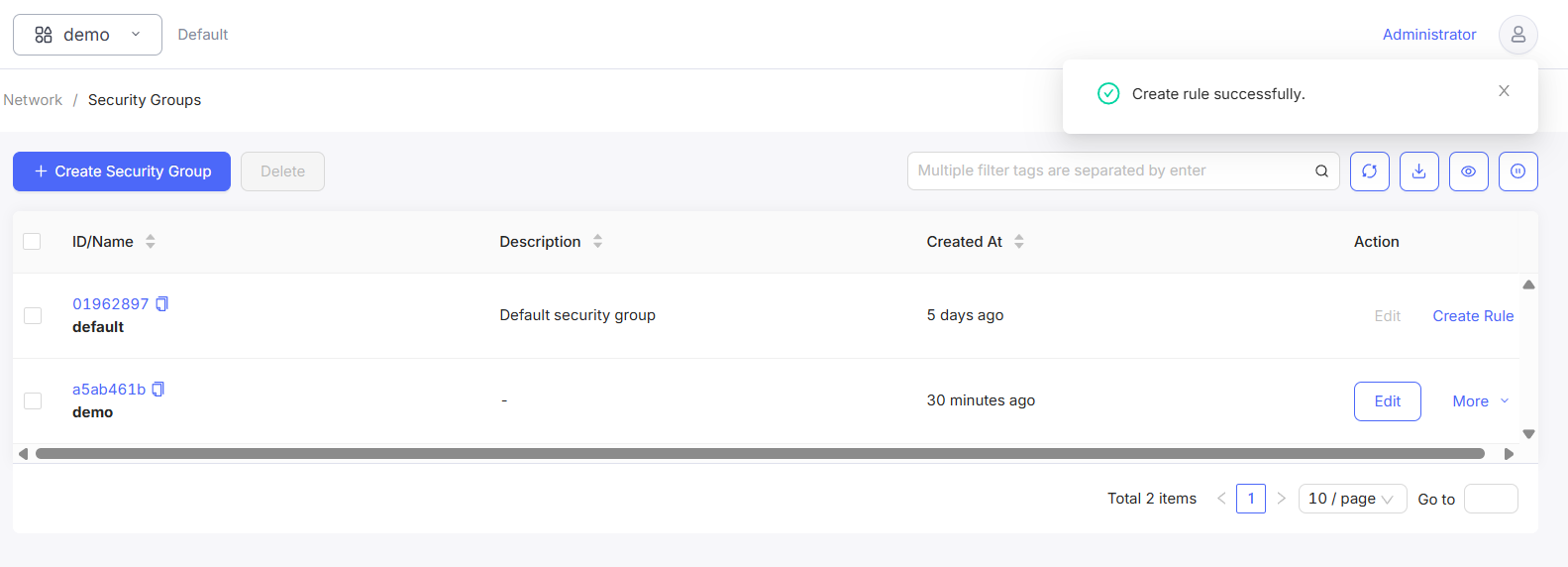
Notification of rule creation result will appear on top right.