Enable communication between two private networks by configuring a static route
In CubeCOS, a static route is a manually defined routing rule used to direct traffic from one network to another through a specified next-hop IP address.
The network topology
The sample network topology includes two distinct subnets:
- Subnet 10
- Subnet address:
192.168.10.0/24 - Subnet router:
pri_10_to_pvd - Subnet gateway (IP of external network):
172.16.3.201
- Subnet address:
- Subnet 20
- Subnet address:
192.168.20.0/24 - Subnet router:
pri_20_to_pvd - Subnet gateway (IP of external network):
172.16.3.123
- Subnet address:
Topology of the current environment
   VM[192.168.10.30]──Network[192.168.10.0/24]──Router[pri_10_to_pvd]
                                 |
                                 |  GW: 172.16.3.201
                                 |
                              (External Link)
                                 |
                                 |  GW: 172.16.3.123
                                 |
   VM[192.168.20.30]──Network[192.168.20.0/24]──Router[pri_20_to_pvd]
Configure static routes to connect two subnets
-
Navigate to
Project > Network > Topology.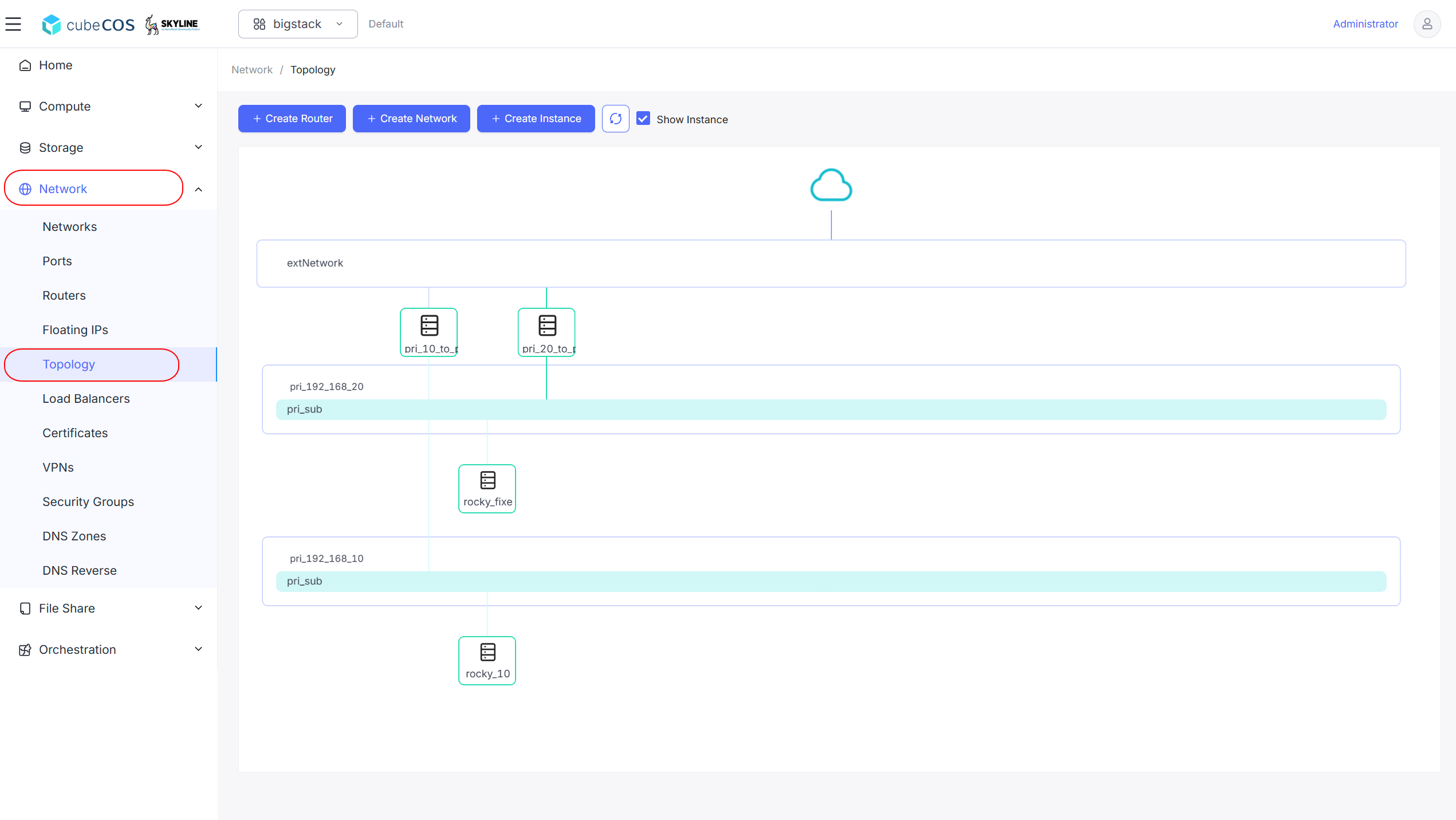
-
Click the name of the router.
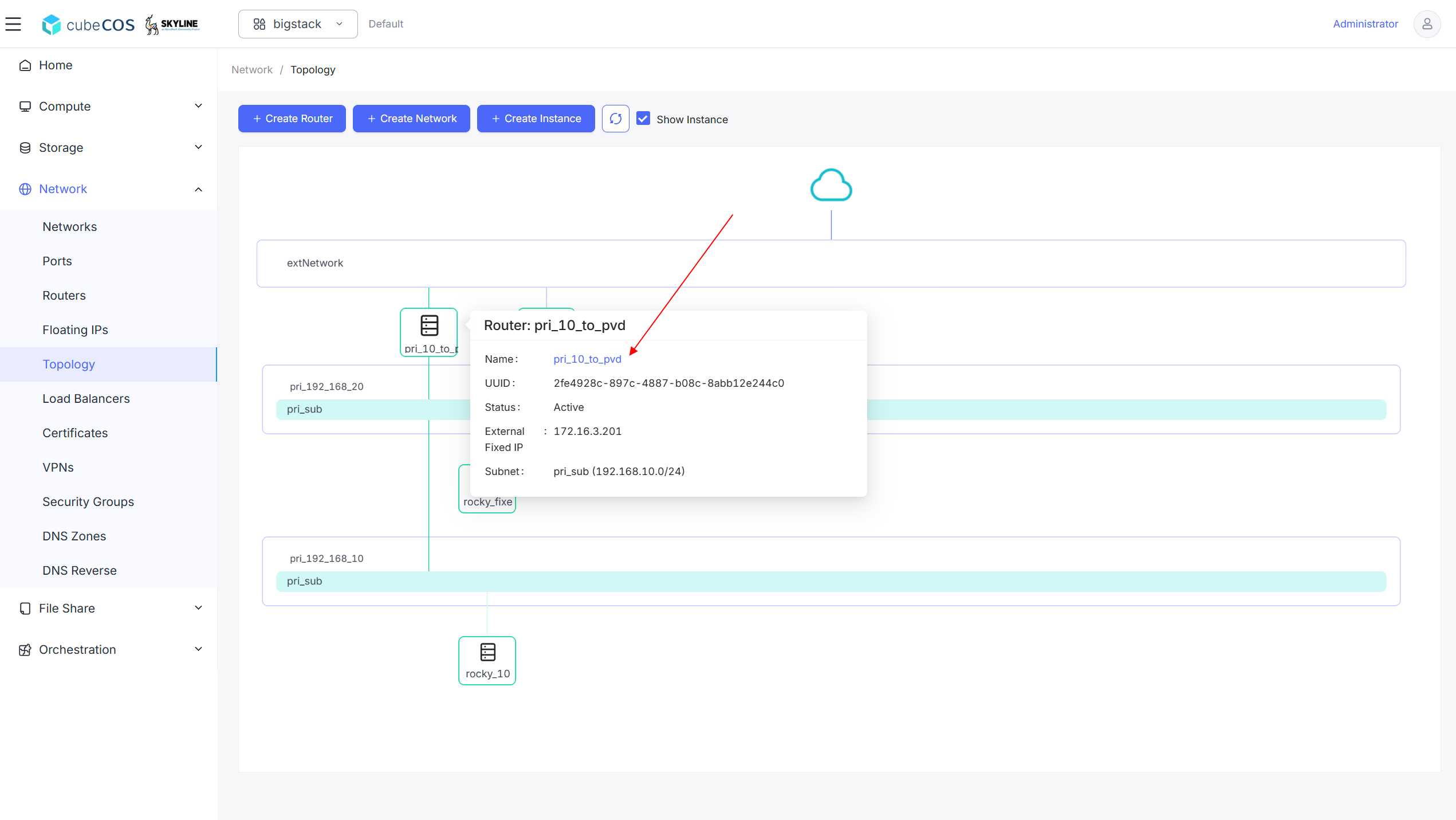
-
Click
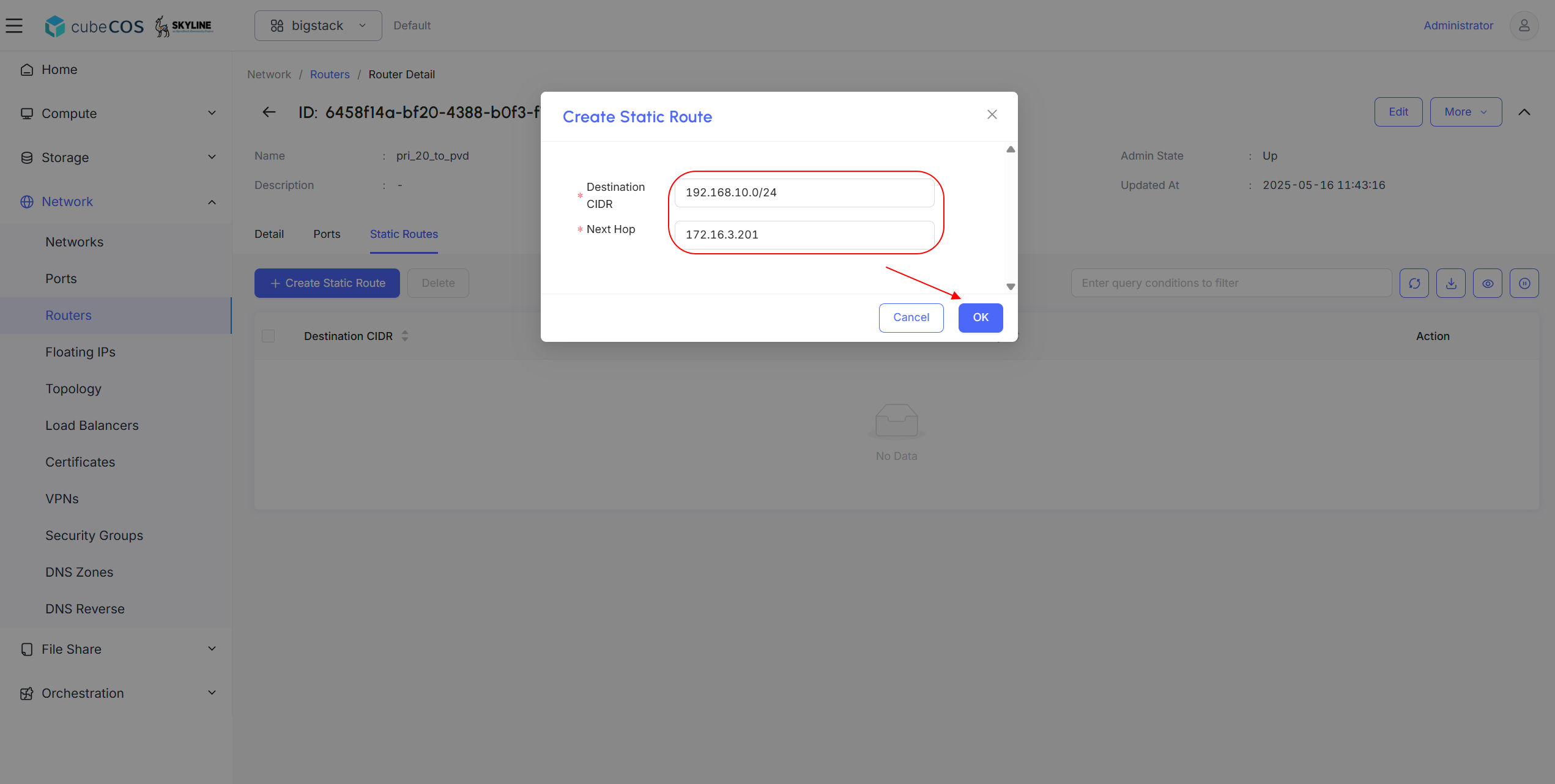
Static Routeson the banner, then click+ Create Static Route.
-
Assign
Destination CIDRandNext Hop, then clickOK.Configure the
pri_10_to_pvdrouter inSubnet 1to reachSubnet 2by adding a static route to192.168.20.0/24with the next hop set to172.16.3.123.

-
Repeats steps 3 and 4 to the other router.
Configure the
pri_20_to_pvdrouter inSubnet 2to reachSubnet 1by adding a static route to192.168.10.0/24with the next hop set to172.16.3.201.

-
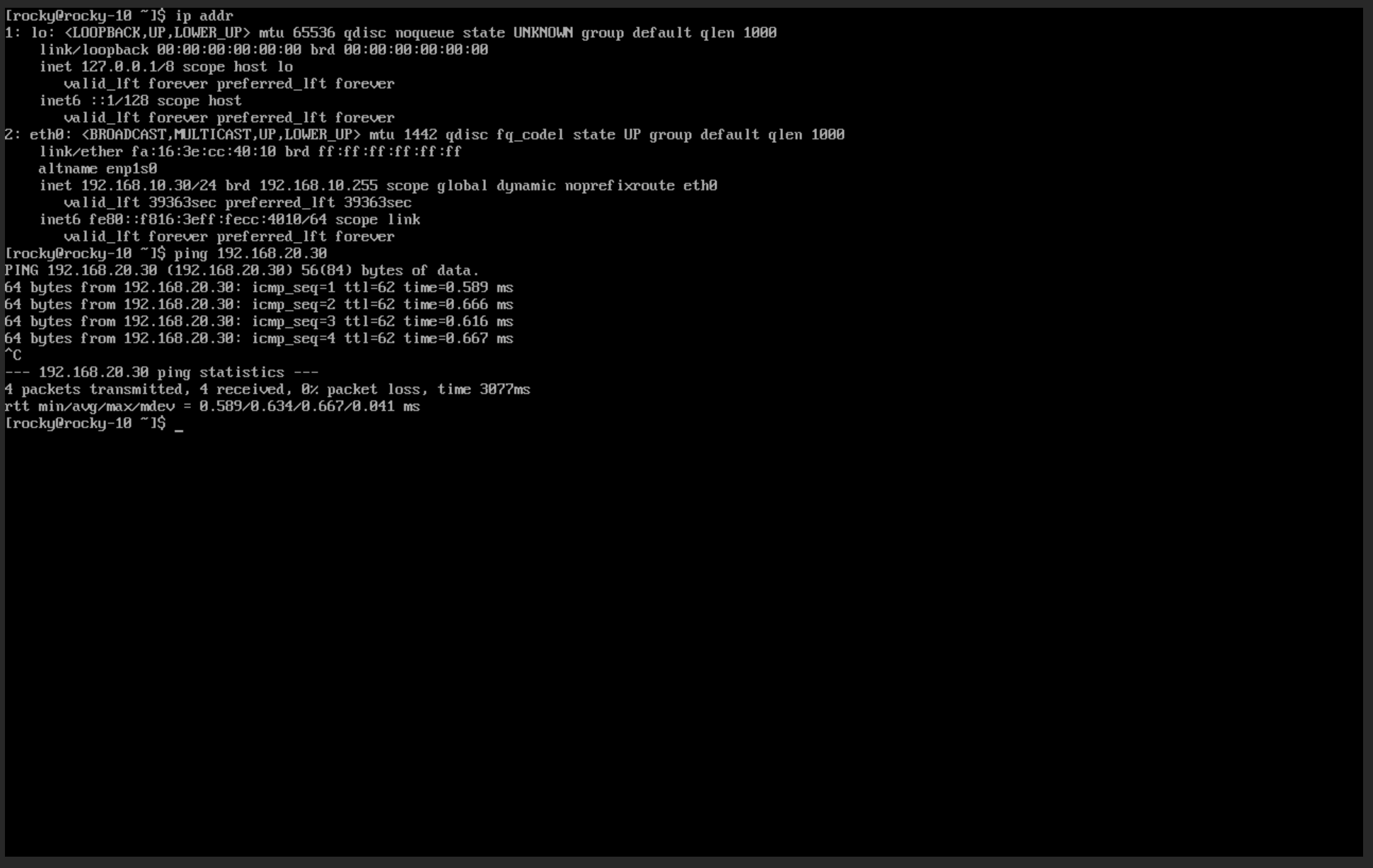
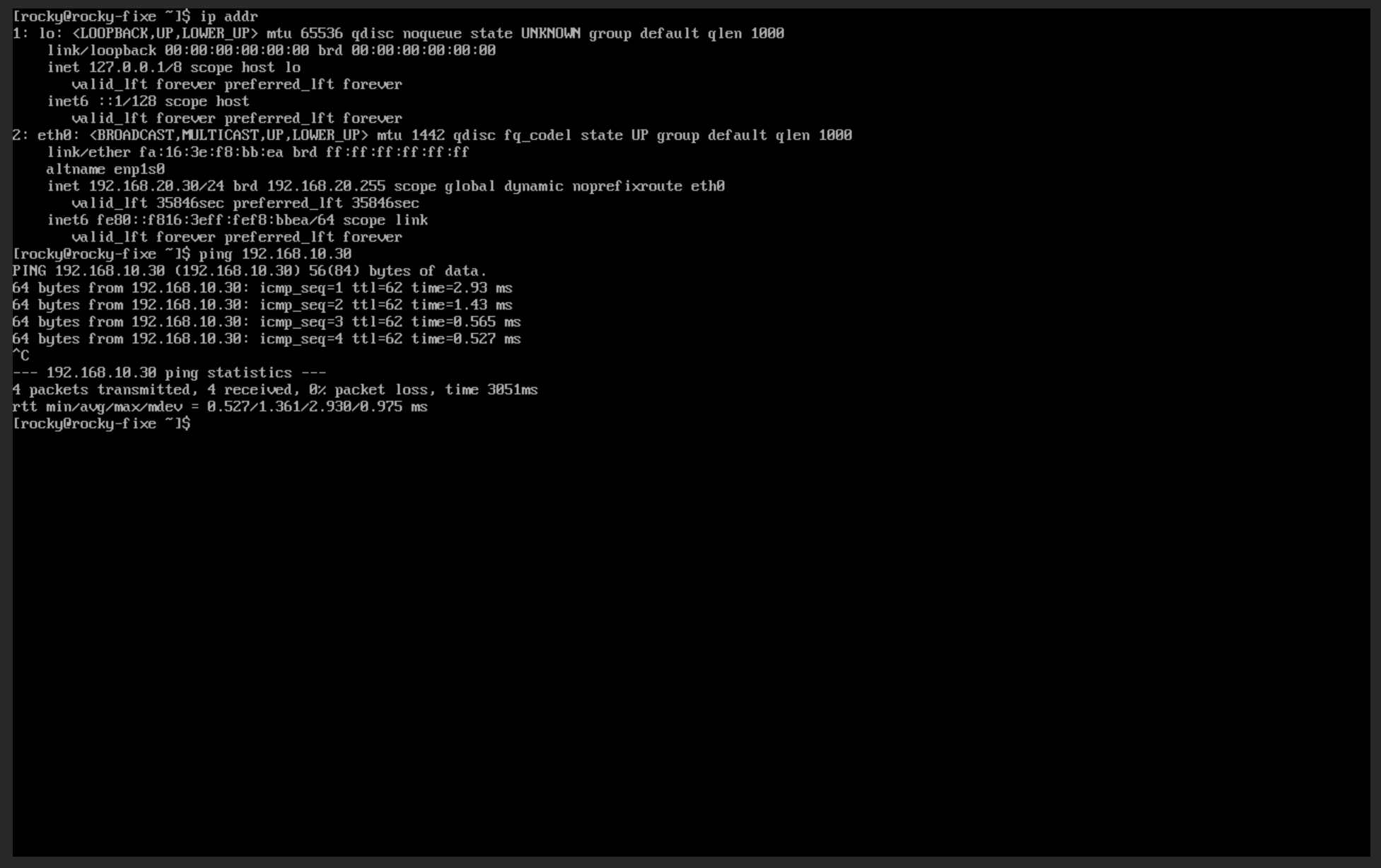
Verify the attachment through console. See Connect to Instance by noVNC for more info.
The demonstration confirms that VM 192.168.10.30 and VM 192.168.20.30 can successfully communicate with each other using ICMP.