Create a volume backup
Use this procedure to create a full backup of a volume for long-term protection and disaster recovery.
Prerequisites
The QEMU Guest Agent enables communication between CubeCOS and the guest operating system (OS). It obtains relevant information from the guest OS and syncs and freezes the filesystem. The agent also suspends the guest, reconfigures the guest, and allows for the proper shutdown of guest machines. The agent enables CubeCOS to ensure snapshot and backup consistency by syncing and freezing the filesystem with the guest-fsfreeze-freeze and guest-fsfreeze-thaw operations.
Install the QEMU guest agent
-
Install the qemu-guest-agent through your chosen distribution's package manager.
Installation for qemu-guest-agent# Ubuntu / Debian / Mintsudo apt install -y qemu-guest-agent# RHEL / CentOS / AlmaLinux / Rocky / Fedorasudo dnf install qemu-guest-agent -y# SUSE/ openSUSEsudo zypper install qemu-guest-agent -
Enable and start the service.
sudo systemctl enable --now qemu-guest-agent -
Verify the status of the
qemu-guest-agentCheck that the agent is active without errors.
sudo systemctl status qemu-guest-agentA sample status outputubuntu@demo-ubuntu:~$ systemctl status qemu-guest-agent.service● qemu-guest-agent.service - QEMU Guest AgentLoaded: loaded (/usr/lib/systemd/system/qemu-guest-agent.service; static)Active: active (running) since Wed 2025-04-30 03:59:55 UTC; 2h 45min agoMain PID: 709 (qemu-ga)Tasks: 2 (limit: 4658)Memory: 1.4M (peak: 1.6M)CPU: 10msCGroup: /system.slice/qemu-guest-agent.service└─709 /usr/sbin/qemu-gaApr 30 03:59:55 demo-ubuntu systemd[1]: Started qemu-guest-agent.service - QEMU Guest Agent.
Create a volume backup
To ensure the volume snapshot feature works properly, install the QEMU Guest Agent.
-
Navigate to
Project > Storage > Volumes, choose desired volume, than hover toMore.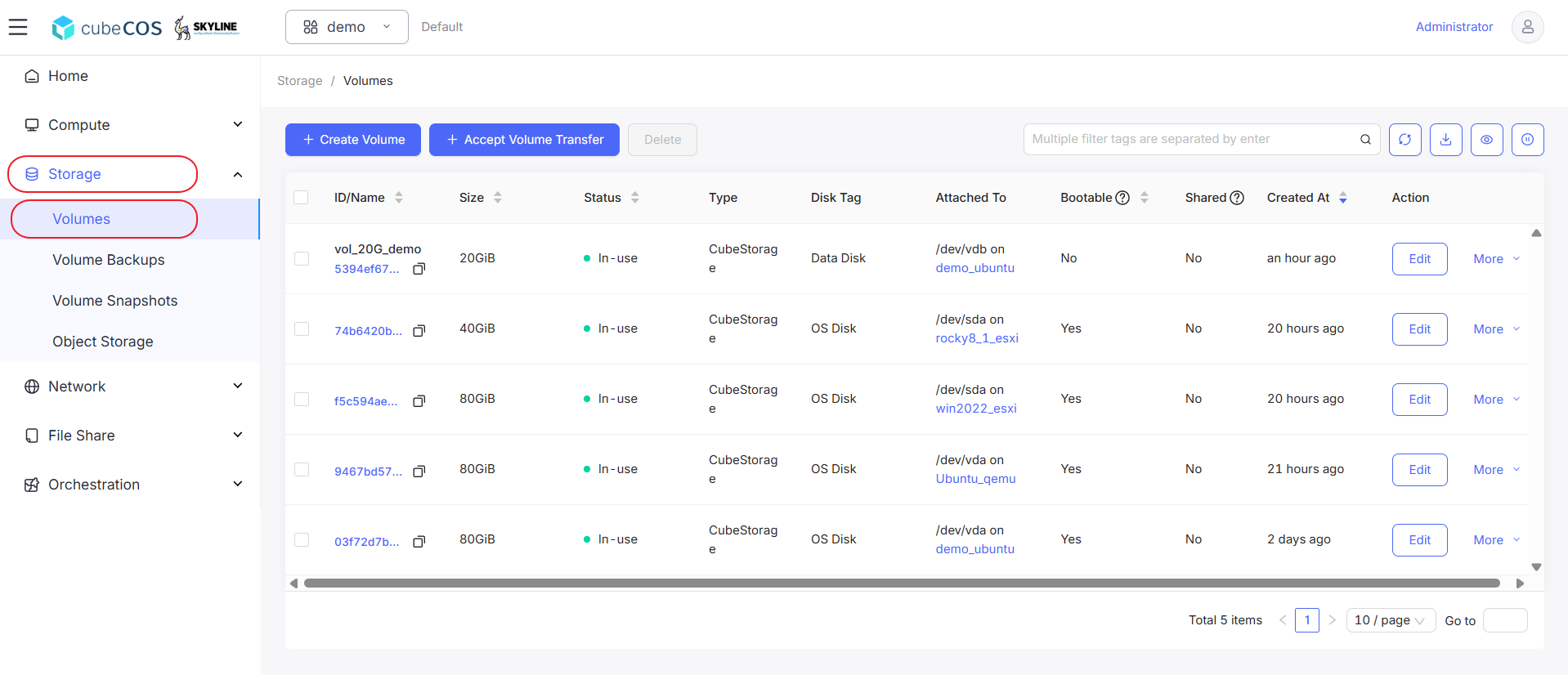
-
Hover to
Data Protectionat the drop down menu, than clickCreate Backupfrom drop down expended.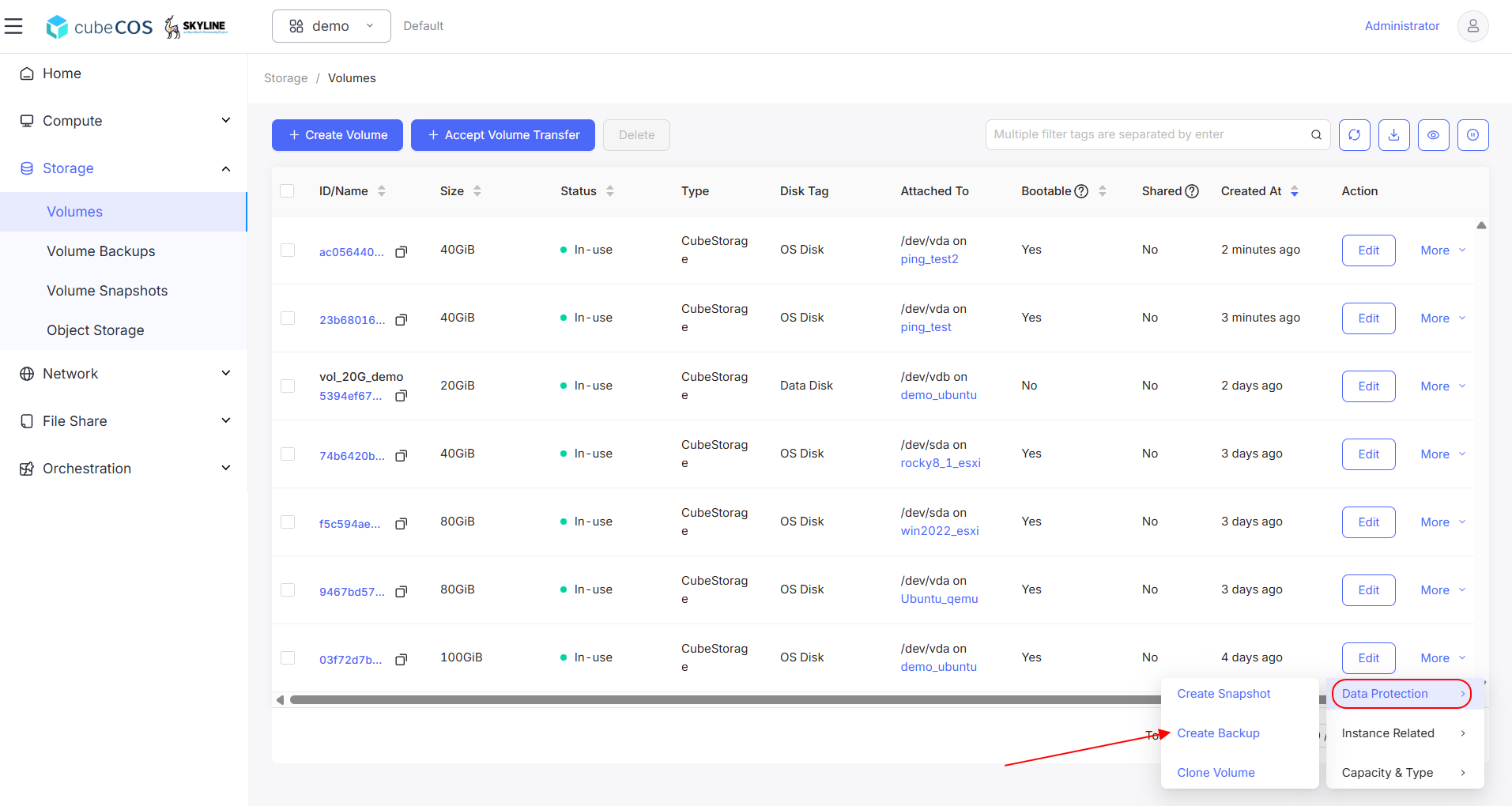
-
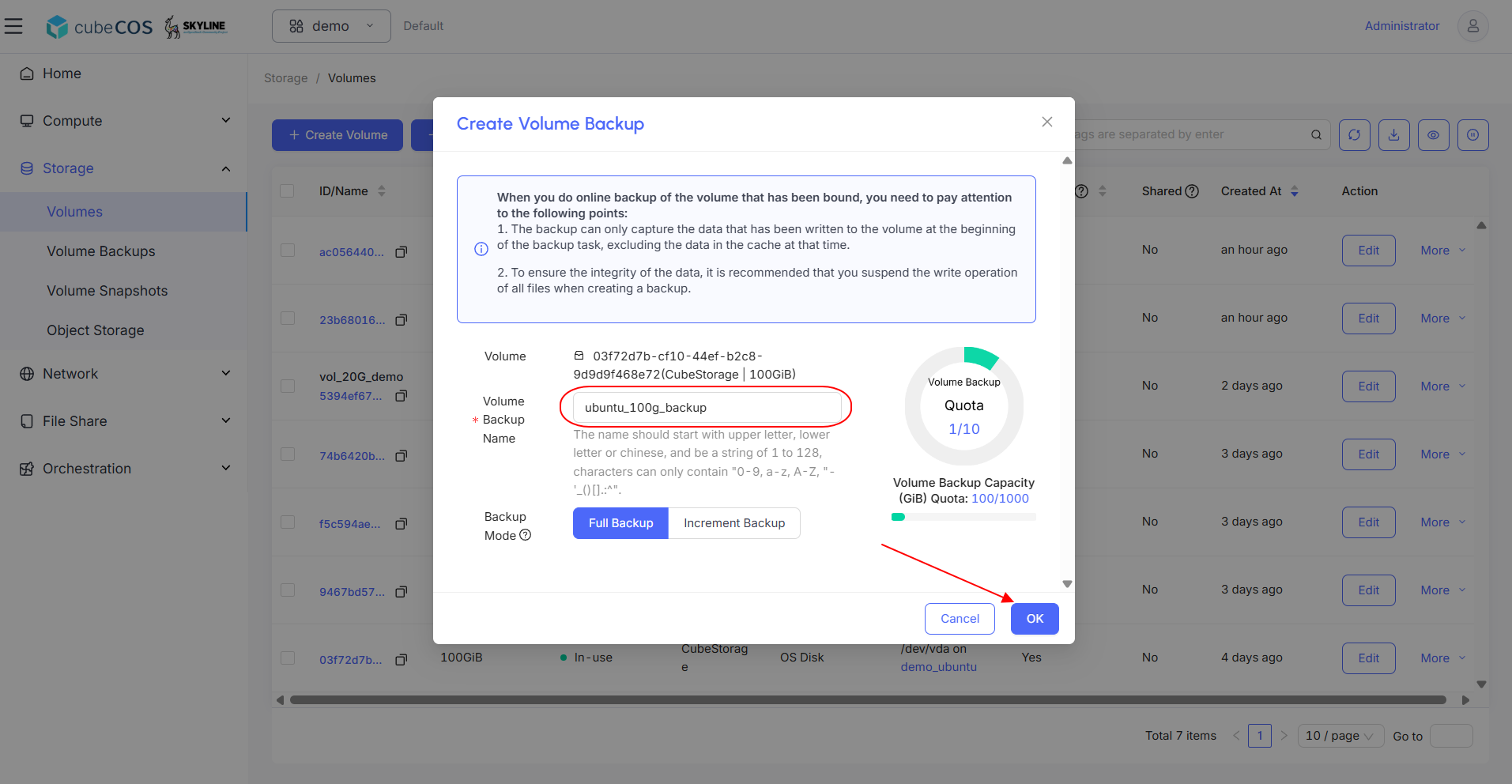
Name the backup and click
OKto proceed.There are two types of backup available:
- Full Backup: The system automatically creates a new backup chain. The full backup's name is the same as the backup chain's name.
- Incremental Backup: The system will automatically create an incremental backup under the newly created backup chain.
-
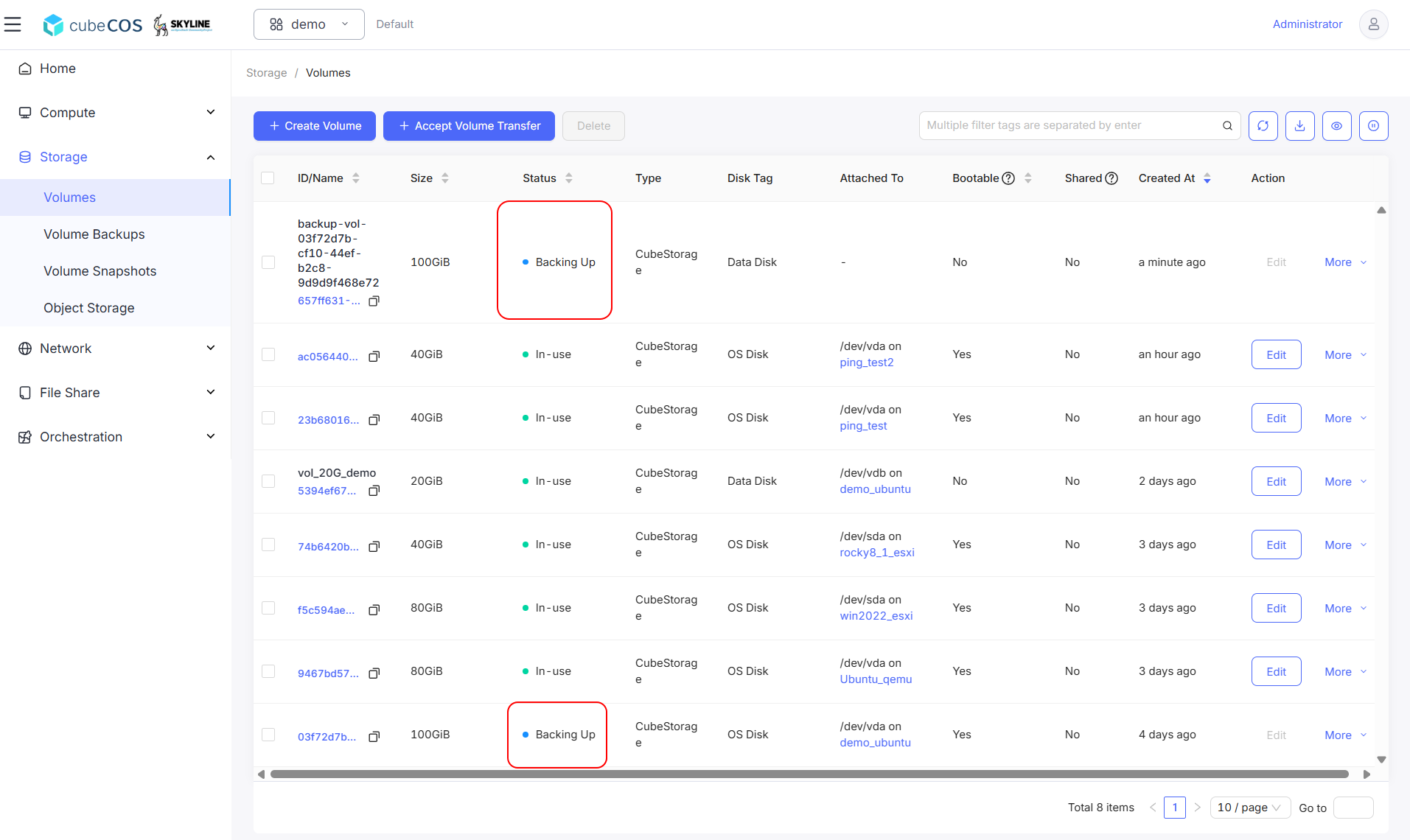
Verify that a temporary volume is created and that both it and the backup target volume display the
Backing Upstatus.infoThe temporary volume will disappear once the backup is complete.
-
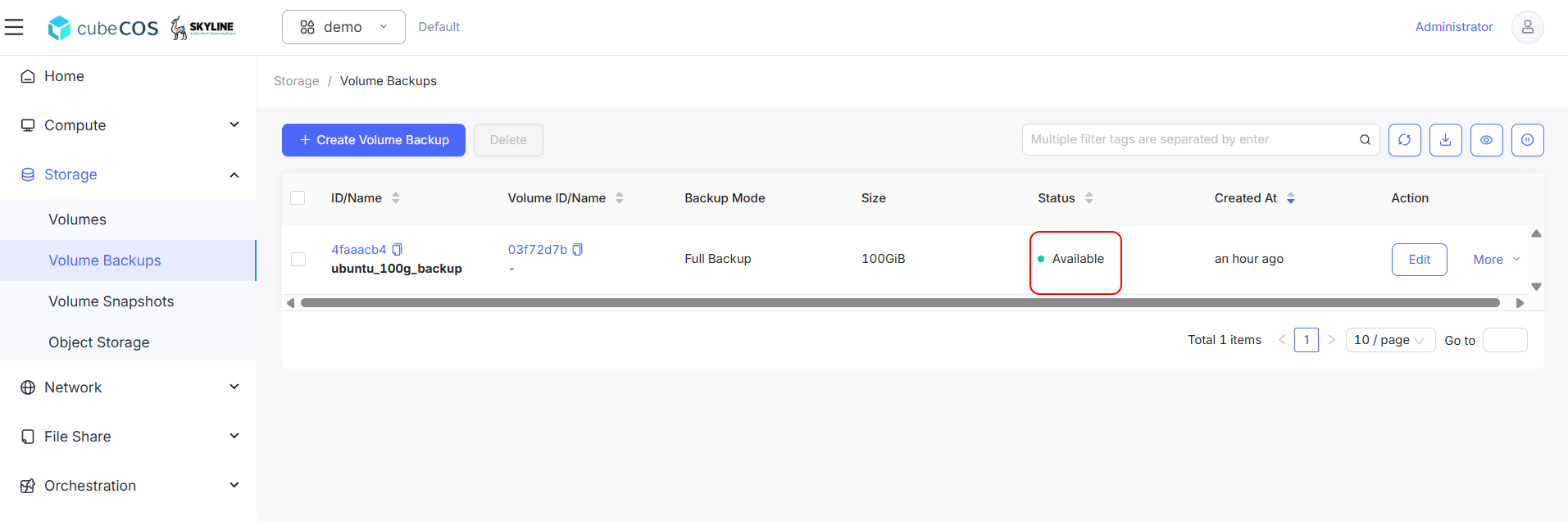
Verify volume backup creation by navigating to
Project > Storage > Volume Backups.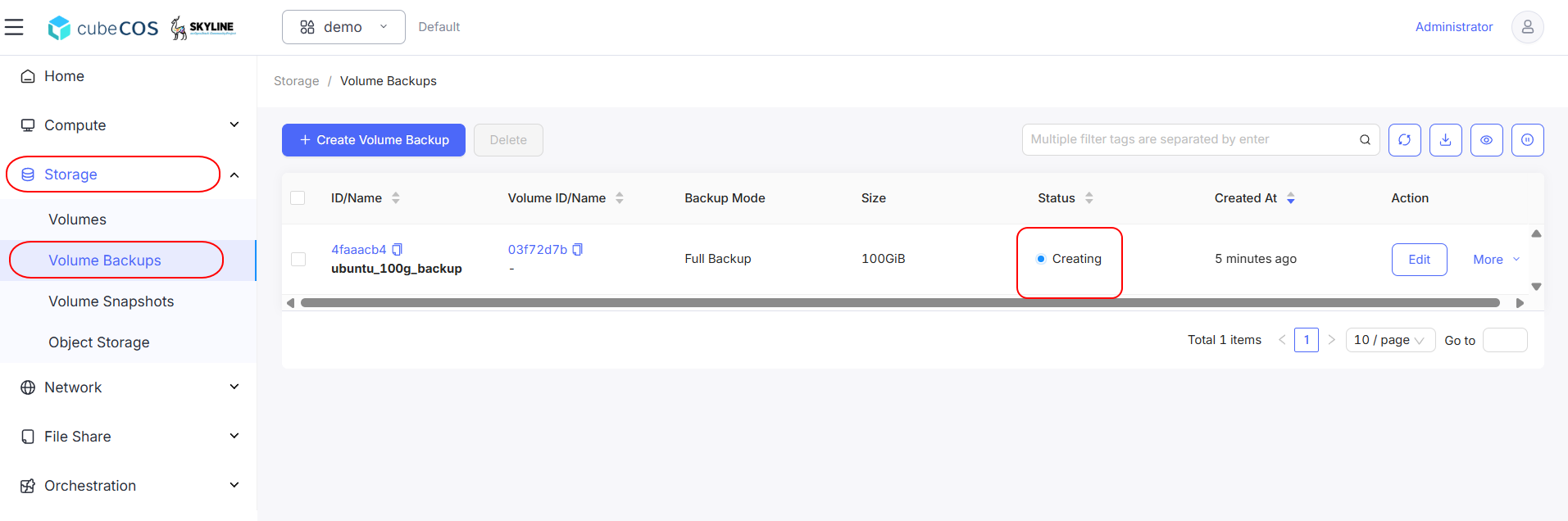
-
The backup is complete once the status changes to
Avialable.