Create a volume snapshot
Use this procedure to create a snapshot of an existing volume. Snapshots capture the current state of a volume for fast rollback, testing, or short-term recovery.
Prerequisites
Install the package qemu-guest-agent on your instance before using the volume snapshot feature.
   ubuntu@demo-ubuntu:~$ sudo apt install -y qemu-guest-agent

   ubuntu@demo-ubuntu:~$ systemctl status qemu-guest-agent.service
   ● qemu-guest-agent.service - QEMU Guest Agent
      Loaded: loaded (/usr/lib/systemd/system/qemu-guest-agent.service; static)
      Active: active (running) since Wed 2025-04-30 03:59:55 UTC; 2h 45min ago
      Main PID: 709 (qemu-ga)
         Tasks: 2 (limit: 4658)
      Memory: 1.4M (peak: 1.6M)
         CPU: 10ms
      CGroup: /system.slice/qemu-guest-agent.service
               └─709 /usr/sbin/qemu-ga

   Apr 30 03:59:55 demo-ubuntu systemd[1]: Started qemu-guest-agent.service - QEMU Guest Agent.
-
Navigate to
Project > Storage > Volumes, select the desired volume, than hover toMore.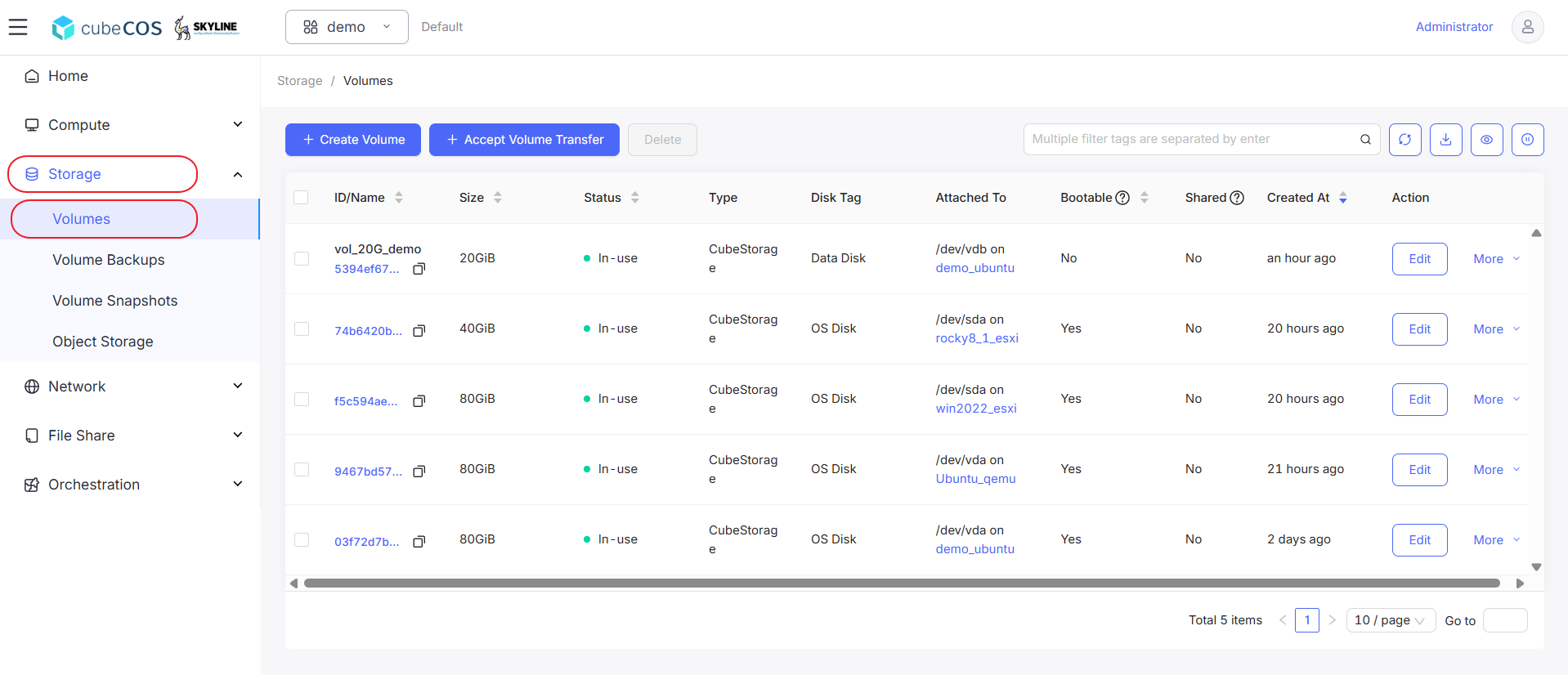
-
Hover to
Data Protectionat the drop down menu, than clickCreate Snapshotfrom drop down expended.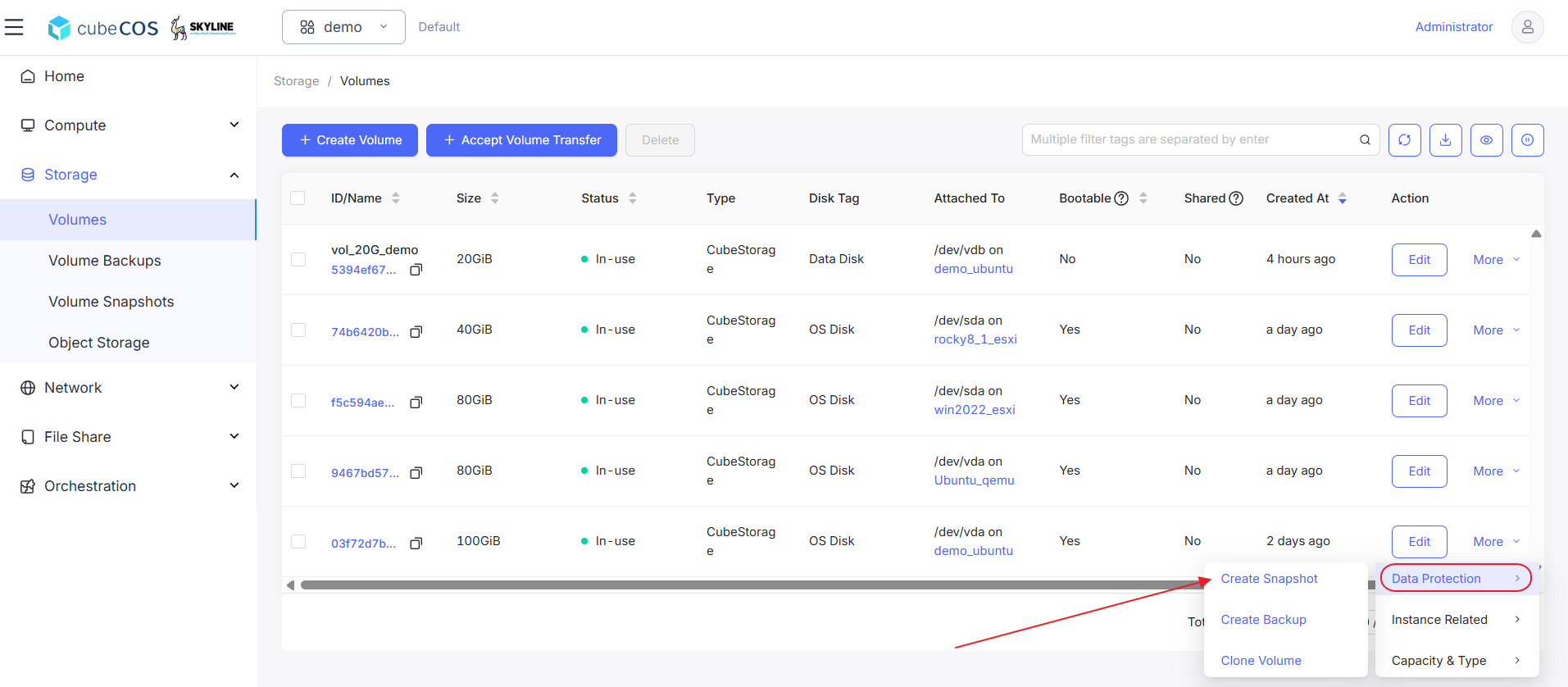
-
Name the snapshot and click
OKto proceed.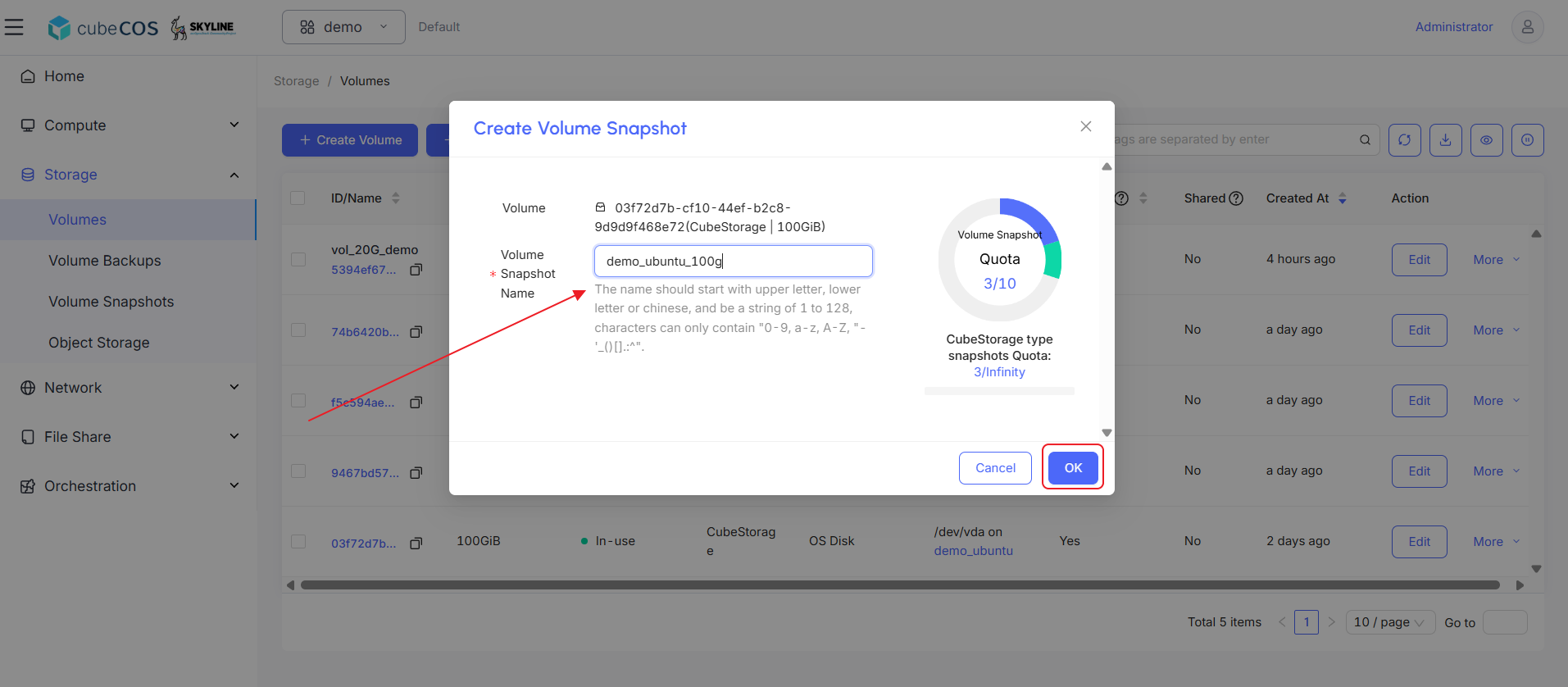
-
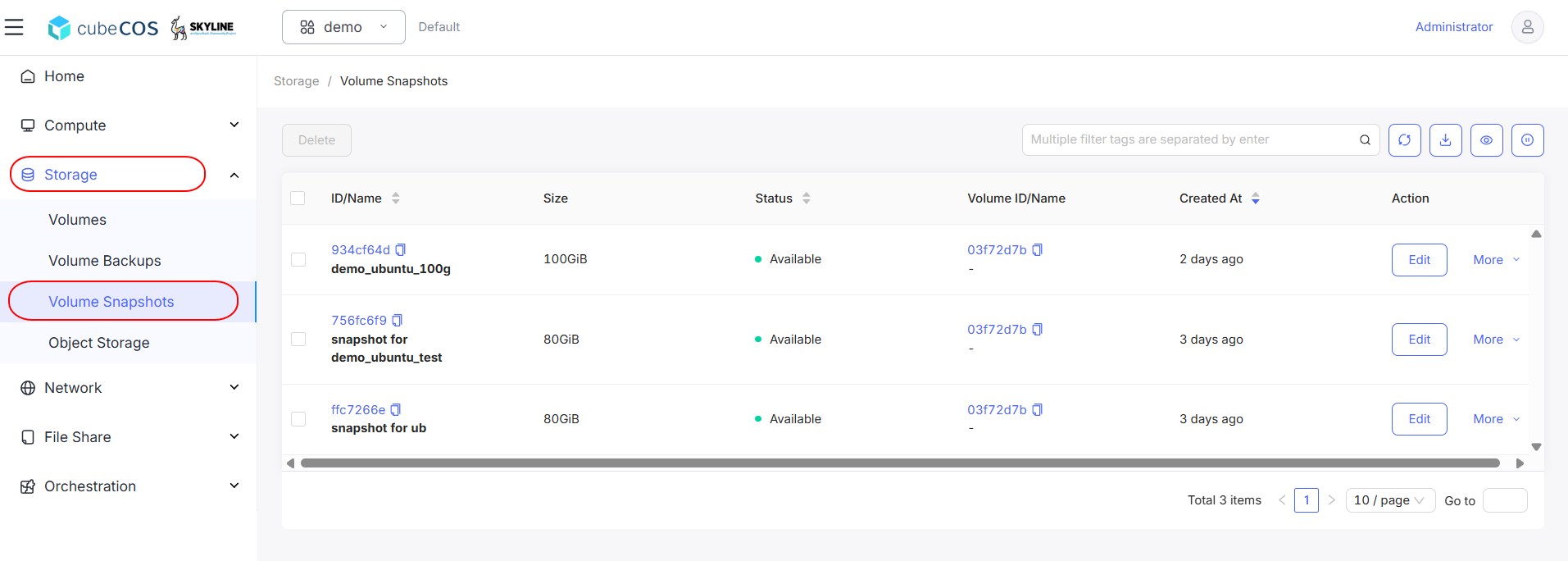
Verify snapshot creation by navigating to
Project > Storage > Volume Snapshots.