Extend a volume
Use this procedure to resize an existing block storage volume.
Verify volume status of instance
- Check volume status
- Execute command
lsblkto check volume status. - Execute command
df -hto check filesystem status.
ubuntu@demo-ubuntu:~$ lsblk
NAME    MAJ:MIN RM  SIZE RO TYPE MOUNTPOINTS
vda     253:0    0   80G  0 disk
├─vda1  253:1    0   79G  0 part /
├─vda14 253:14   0    4M  0 part
├─vda15 253:15   0  106M  0 part /boot/efi
└─vda16 259:0    0  913M  0 part /boot
vdb     253:16   0   20G  0 disk /mnt/disk20g

ubuntu@demo-ubuntu:~$ df -h
Filesystem      Size  Used Avail Use% Mounted on
tmpfs           392M  1.1M  391M   1% /run
/dev/vda1        77G  1.9G   75G   3% /
tmpfs           2.0G     0  2.0G   0% /dev/shm
tmpfs           5.0M     0  5.0M   0% /run/lock
/dev/vdb         20G   24K   19G   1% /mnt/disk20g
/dev/vda16      881M   61M  758M   8% /boot
/dev/vda15      105M  6.1M   99M   6% /boot/efi
tmpfs           392M   12K  392M   1% /run/user/1000
Extend a volume
-
Navigate to
Project > Storage > Volumes, , choose desired volume, than hover toMore.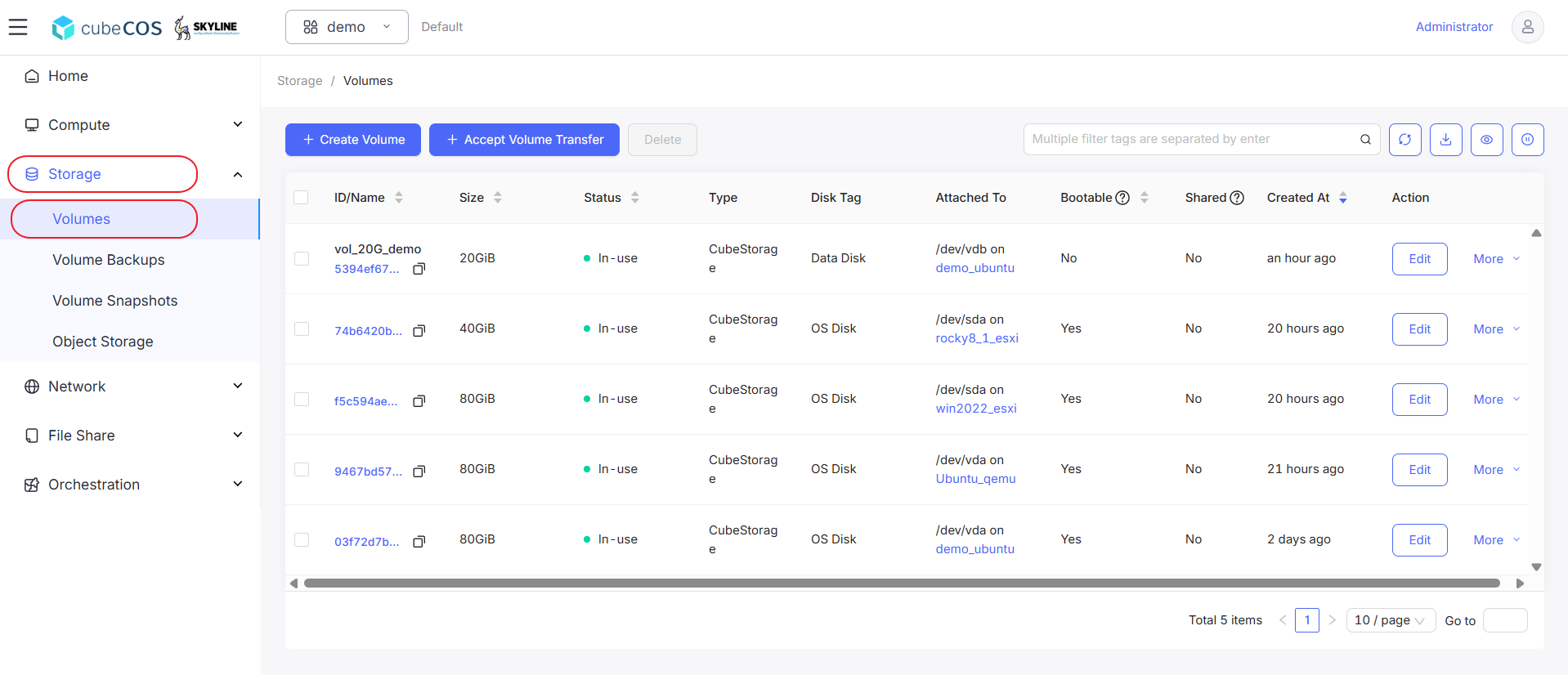
-
Hover to
Capacity & Typeat the drop down menu, than clickExtend Volumefrom drop down expended.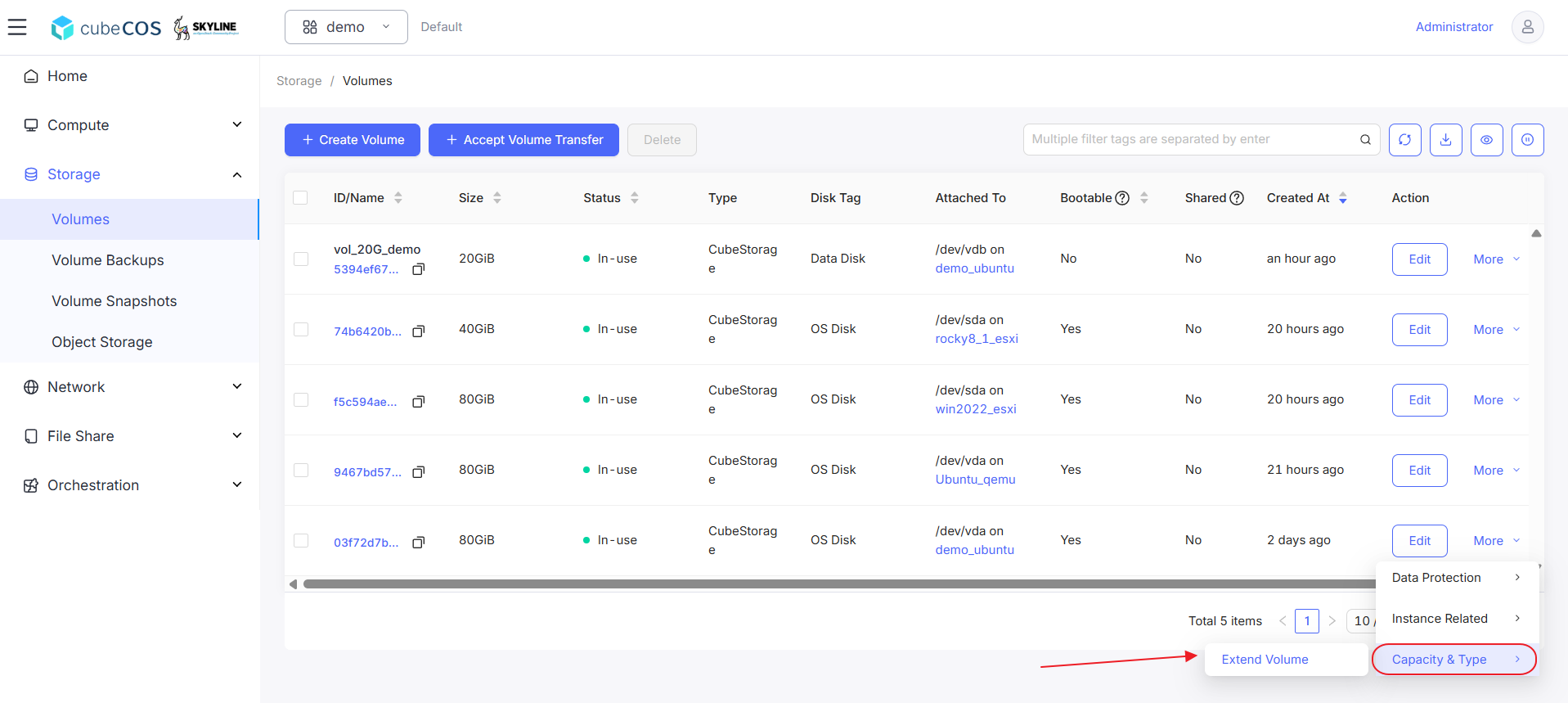
-
Input volume size desired to extend to before click
OKto proceed.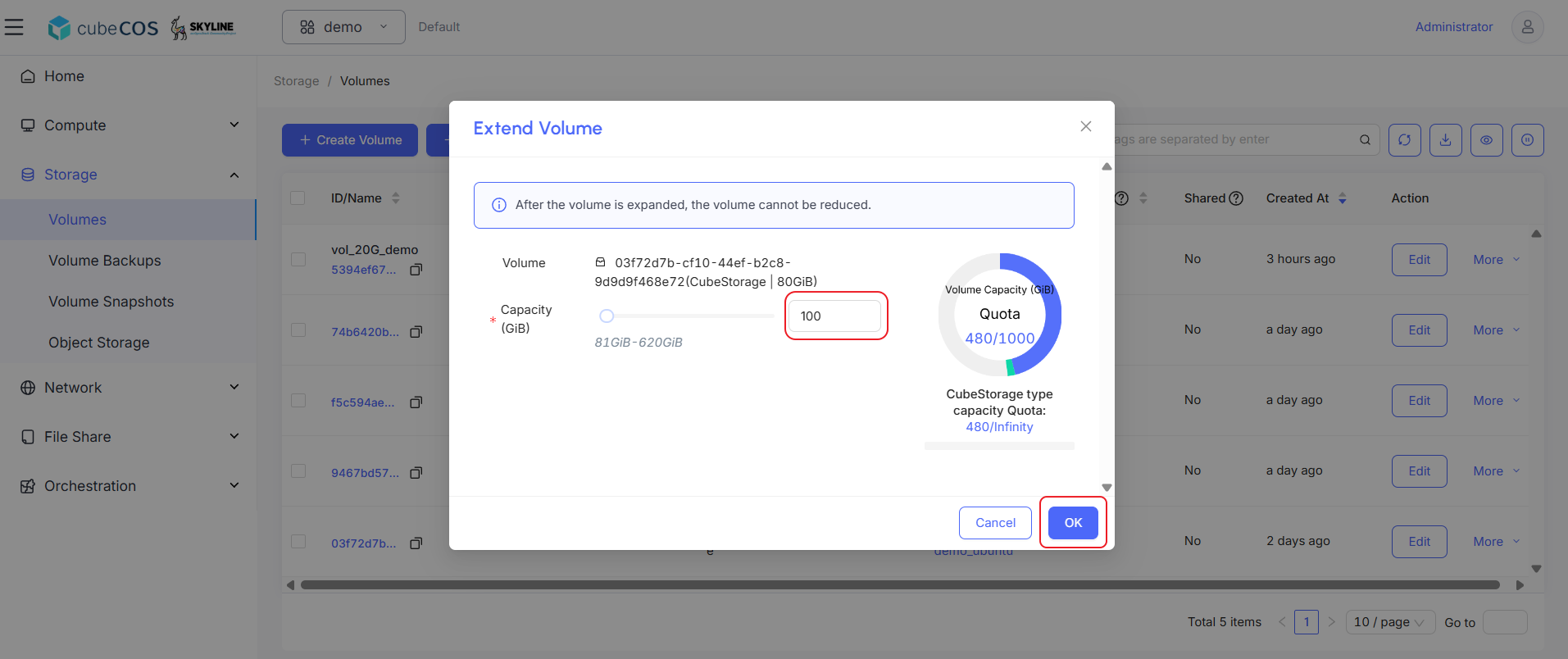
Verify and set the volume extend result
Linux
- Check new volume status.
- Execute command
sudo growpart /dev/vda 1to extend the volume size. - Execute command
sudo resize2fs /dev/vda1to extend the file system size. - Check new volume status again to verify the change.
ubuntu@demo-ubuntu:~$ sudo growpart /dev/vda 1
CHANGED: partition=1 start=2099200 old: size=165672927 end=167772126 new: size=207615967 end=209715166

ubuntu@demo-ubuntu:~$ lsblk
NAME    MAJ:MIN RM  SIZE RO TYPE MOUNTPOINTS
vda     253:0    0  100G  0 disk
├─vda1  253:1    0   99G  0 part /
├─vda14 253:14   0    4M  0 part
├─vda15 253:15   0  106M  0 part /boot/efi
└─vda16 259:0    0  913M  0 part /boot
vdb     253:16   0   20G  0 disk /mnt/disk20g

ubuntu@demo-ubuntu:~$ sudo resize2fs /dev/vda1
resize2fs 1.47.0 (5-Feb-2023)
Filesystem at /dev/vda1 is mounted on /; on-line resizing required
old_desc_blocks = 10, new_desc_blocks = 13
The filesystem on /dev/vda1 is now 25951995 (4k) blocks long.

ubuntu@demo-ubuntu:~$ df -h
Filesystem      Size  Used Avail Use% Mounted on
tmpfs           392M  1.1M  391M   1% /run
/dev/vda1        96G  1.9G   94G   2% /
tmpfs           2.0G     0  2.0G   0% /dev/shm
tmpfs           5.0M     0  5.0M   0% /run/lock
/dev/vdb         20G   24K   19G   1% /mnt/disk20g
/dev/vda16      881M   61M  758M   8% /boot
/dev/vda15      105M  6.1M   99M   6% /boot/efi
tmpfs           392M   12K  392M   1% /run/user/1000
Windows
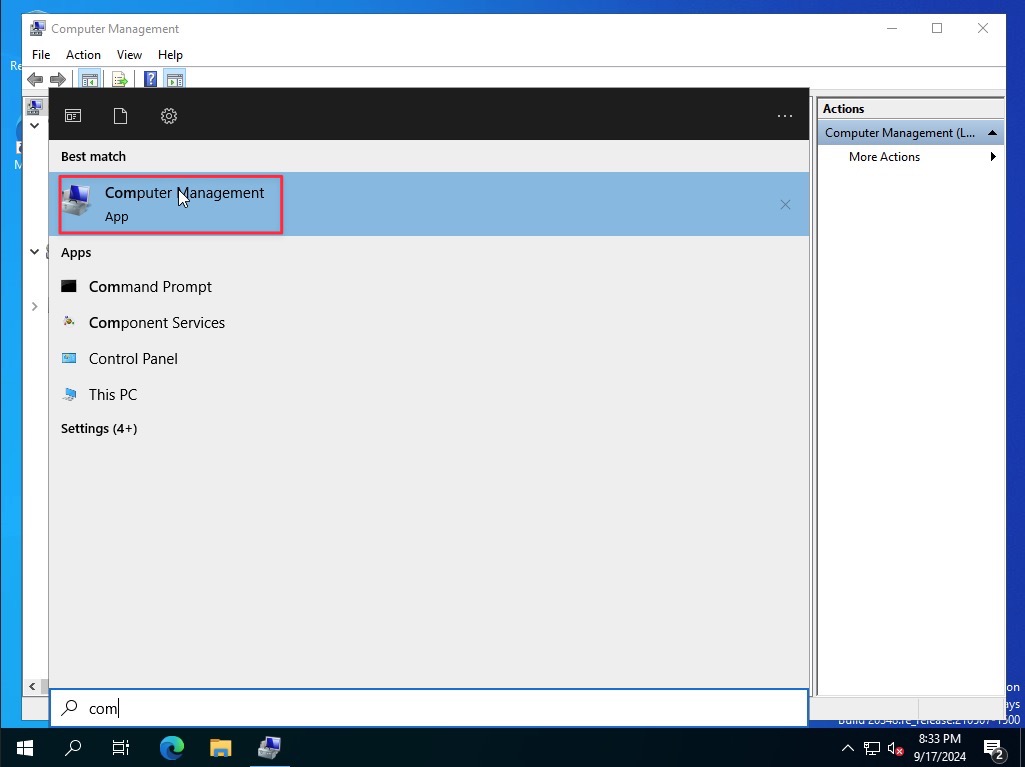
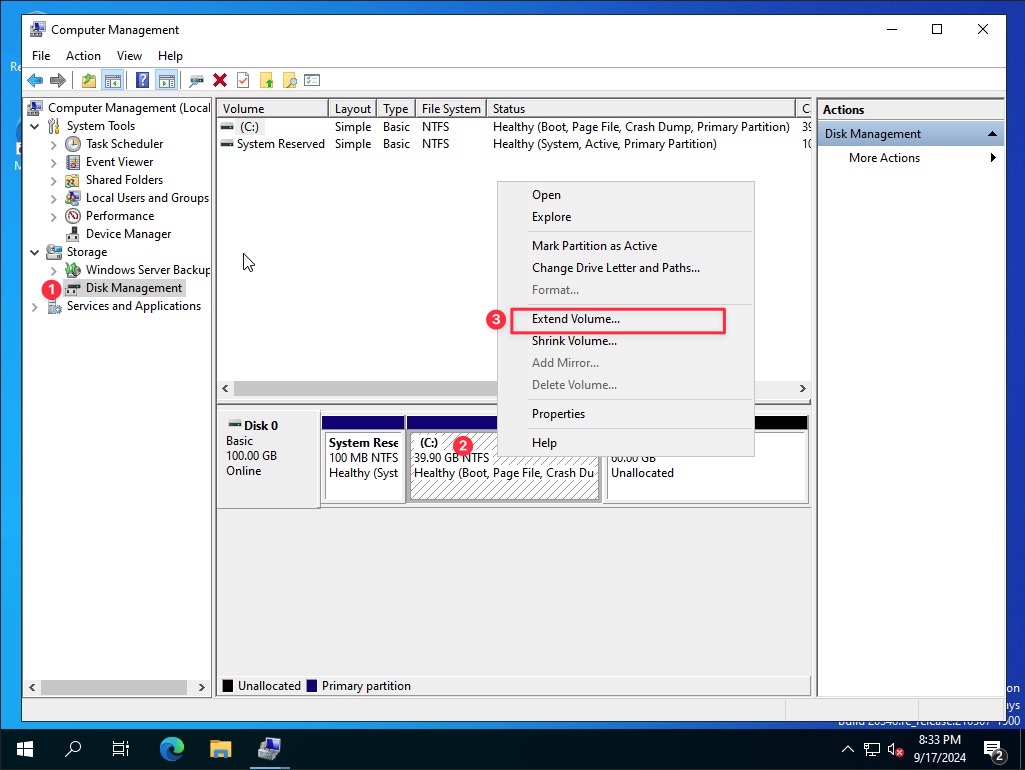
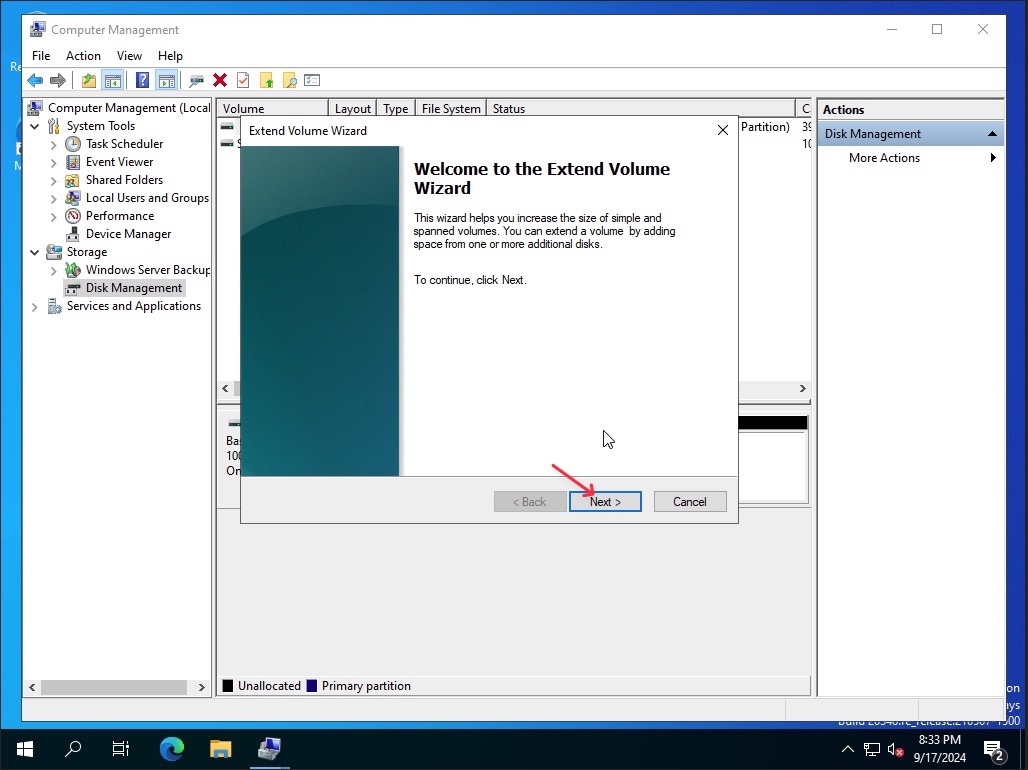
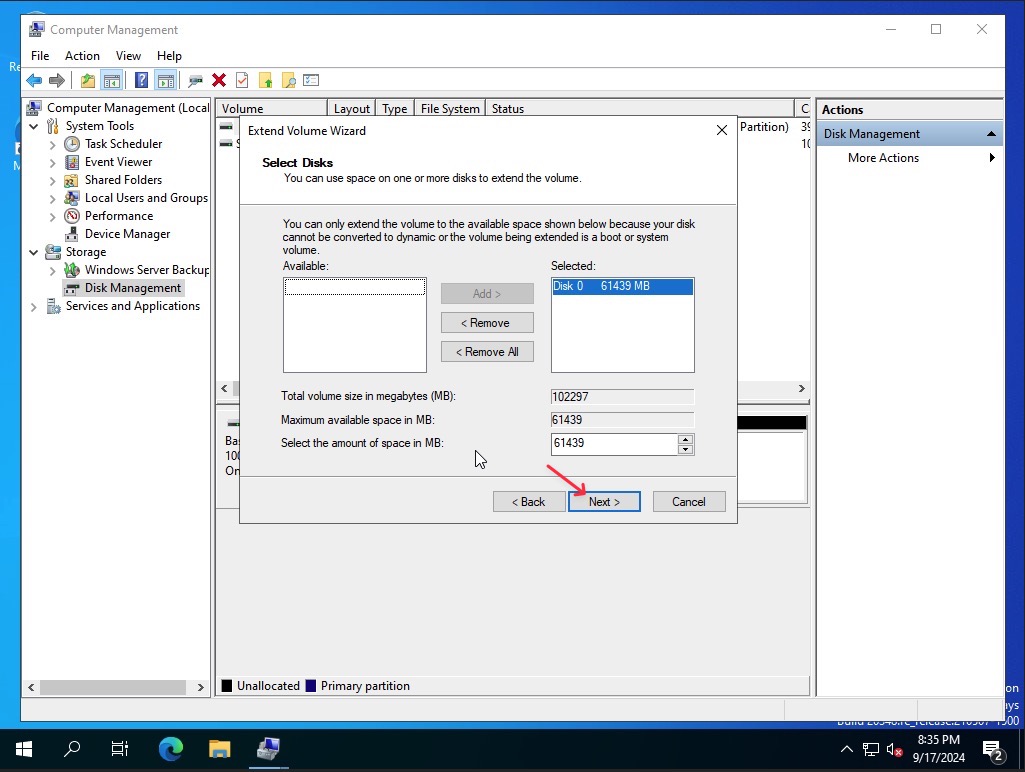
- Check the new size by execute command
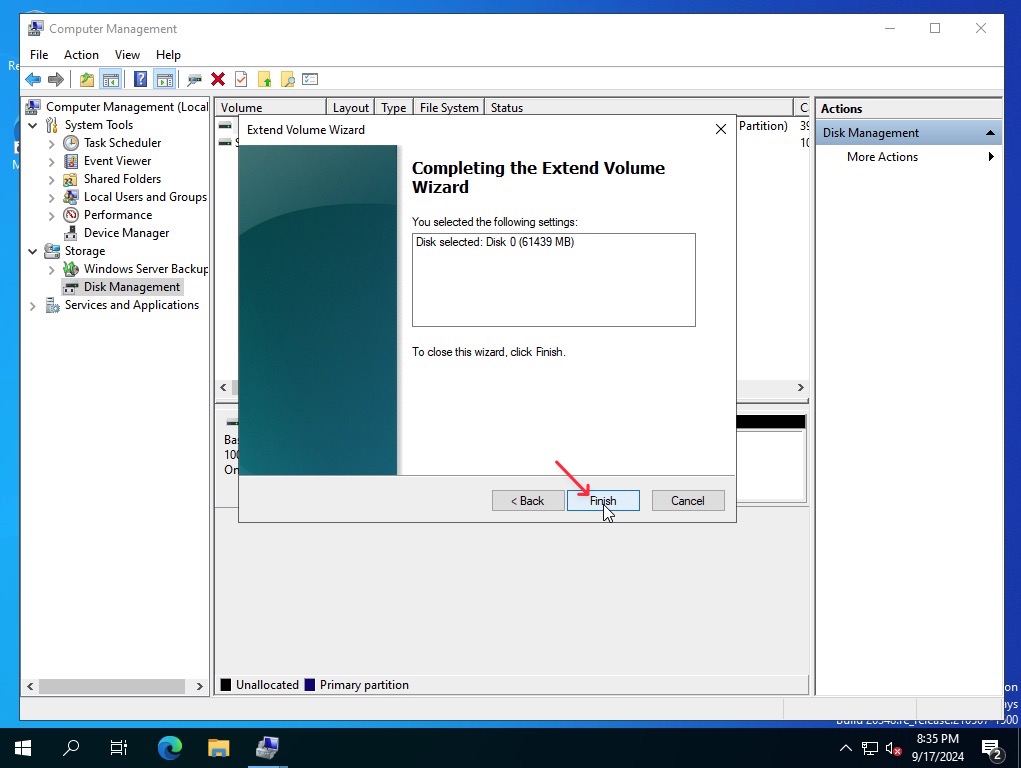
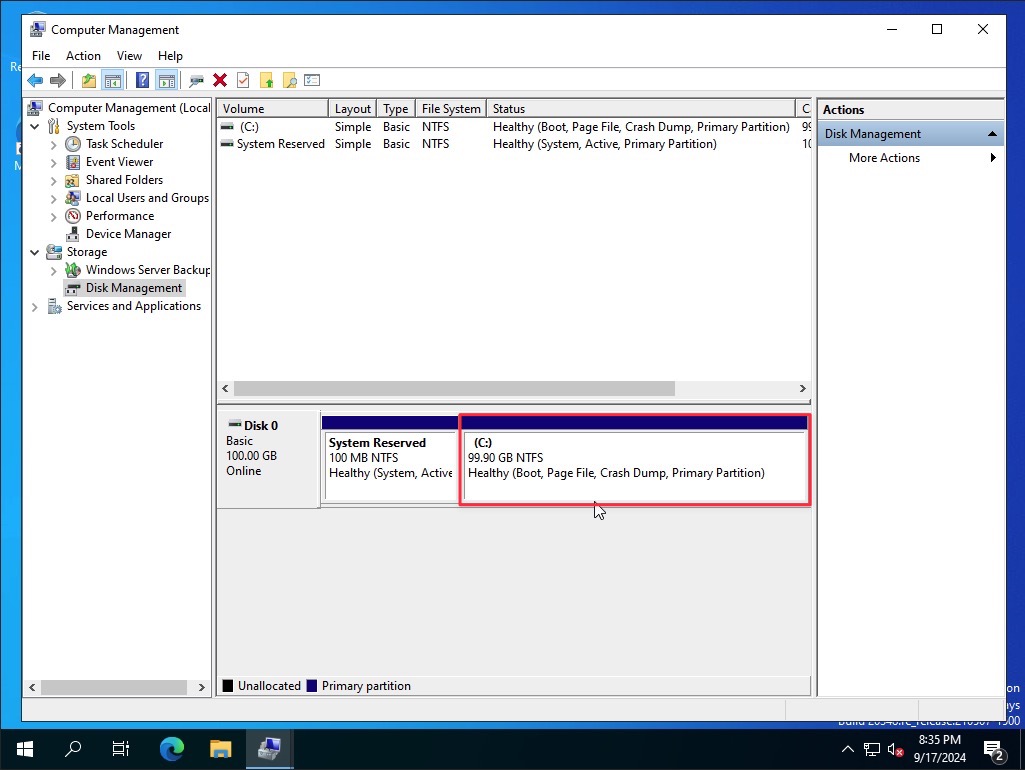
compmgmt.mscto open the Disk Management