Create a volume mirror
Prerequisites for CubeCOS volume mirroring
- Make sure both clusters have the same
user name. - Make sure both clusters have the same
project name. - Make sure both clusters' service status are all
ok. - Obtain the VIP of cluster1: e.g
10.32.31.10 - Obtain the VIP of cluster2: e.g
10.32.10.140
Configure volume mirroring between CubeCOS clusters
- cluster1:
CLI > cluster > check
   cluster1> cluster check
             Service  Status  Report
              IaasDb      ok  [ mysql(v) ]
           Baremetal      ok  [ ironic(v) ]
              K8SaaS      ok  [ rancher(v) ]
          ClusterSys      ok  [ bootstrap(v) license(v) ]
        SingleSignOn      ok  [ k3s(v) keycloak(v) ]
               Image      ok  [ glance(v) ]
            FileStor      ok  [ manila(v) ]
           BlockStor      ok  [ cinder(v) ]
          ObjectStor      ok  [ swift(v) ]
           VirtualIp      ok  [ vip(v) haproxy_ha(v) ]
       Orchestration      ok  [ heat(v) ]
            MsgQueue      ok  [ rabbitmq(v) ]
       Notifications      ok  [ influxdb(v) kapacitor(v) ]
         ClusterLink      ok  [ link(v) clock(v) dns(v) ]
           HaCluster      ok  [ hacluster(v) ]
     ClusterSettings      ok  [ etcd(v) nodelist(v) mongodb(v) ]
            DataPipe      ok  [ zookeeper(v) kafka(v) ]
          InstanceHa      ok  [ masakari(v) ]
               LBaaS      ok  [ octavia(v) ]
       BusinessLogic      ok  [ senlin(v) watcher(v) ]
             Compute      ok  [ nova(v) cyborg(v) ]
             Metrics      ok  [ monasca(v) telegraf(v) grafana(v) ]
              DNSaaS      ok  [ designate(v) ]
        LogAnalytics      ok  [ filebeat(v) auditbeat(v) logstash(v) opensearch(v) opensearch-dashboards(v) ]
             Network      ok  [ neutron(v) ]
             Storage      ok  [ ceph(v) ceph_mon(v) ceph_mgr(v) ceph_mds(v) ceph_osd(v) ceph_rgw(v) rbd_target(v) ]
          ApiService      ok  [ haproxy(v) httpd(v) nginx(v) api(v) lmi(v) skyline(v) memcache(v) ]
- cluster2:
CLI > cluster > check
   cluster2> cluster check
             Service  Status  Report
              IaasDb      ok  [ mysql(v) ]
           Baremetal      ok  [ ironic(v) ]
              K8SaaS      ok  [ rancher(v) ]
          ClusterSys      ok  [ bootstrap(v) license(v) ]
        SingleSignOn      ok  [ k3s(v) keycloak(v) ]
               Image      ok  [ glance(v) ]
            FileStor      ok  [ manila(v) ]
           BlockStor      ok  [ cinder(v) ]
          ObjectStor      ok  [ swift(v) ]
           VirtualIp      ok  [ vip(v) haproxy_ha(v) ]
       Orchestration      ok  [ heat(v) ]
            MsgQueue      ok  [ rabbitmq(v) ]
       Notifications      ok  [ influxdb(v) kapacitor(v) ]
         ClusterLink      ok  [ link(v) clock(v) dns(v) ]
           HaCluster      ok  [ hacluster(v) ]
     ClusterSettings      ok  [ etcd(v) nodelist(v) mongodb(v) ]
            DataPipe      ok  [ zookeeper(v) kafka(v) ]
          InstanceHa      ok  [ masakari(v) ]
               LBaaS      ok  [ octavia(v) ]
       BusinessLogic      ok  [ senlin(v) watcher(v) ]
             Compute      ok  [ nova(v) cyborg(v) ]
             Metrics      ok  [ monasca(v) telegraf(v) grafana(v) ]
              DNSaaS      ok  [ designate(v) ]
        LogAnalytics      ok  [ filebeat(v) auditbeat(v) logstash(v) opensearch(v) opensearch-dashboards(v) ]
             Network      ok  [ neutron(v) ]
             Storage      ok  [ ceph(v) ceph_mon(v) ceph_mgr(v) ceph_mds(v) ceph_osd(v) ceph_rgw(v) rbd_target(v) ]
          ApiService      ok  [ haproxy(v) httpd(v) nginx(v) api(v) lmi(v) skyline(v) memcache(v) ]
-
Launch VM on project admin of cluster1, in this example, use
test.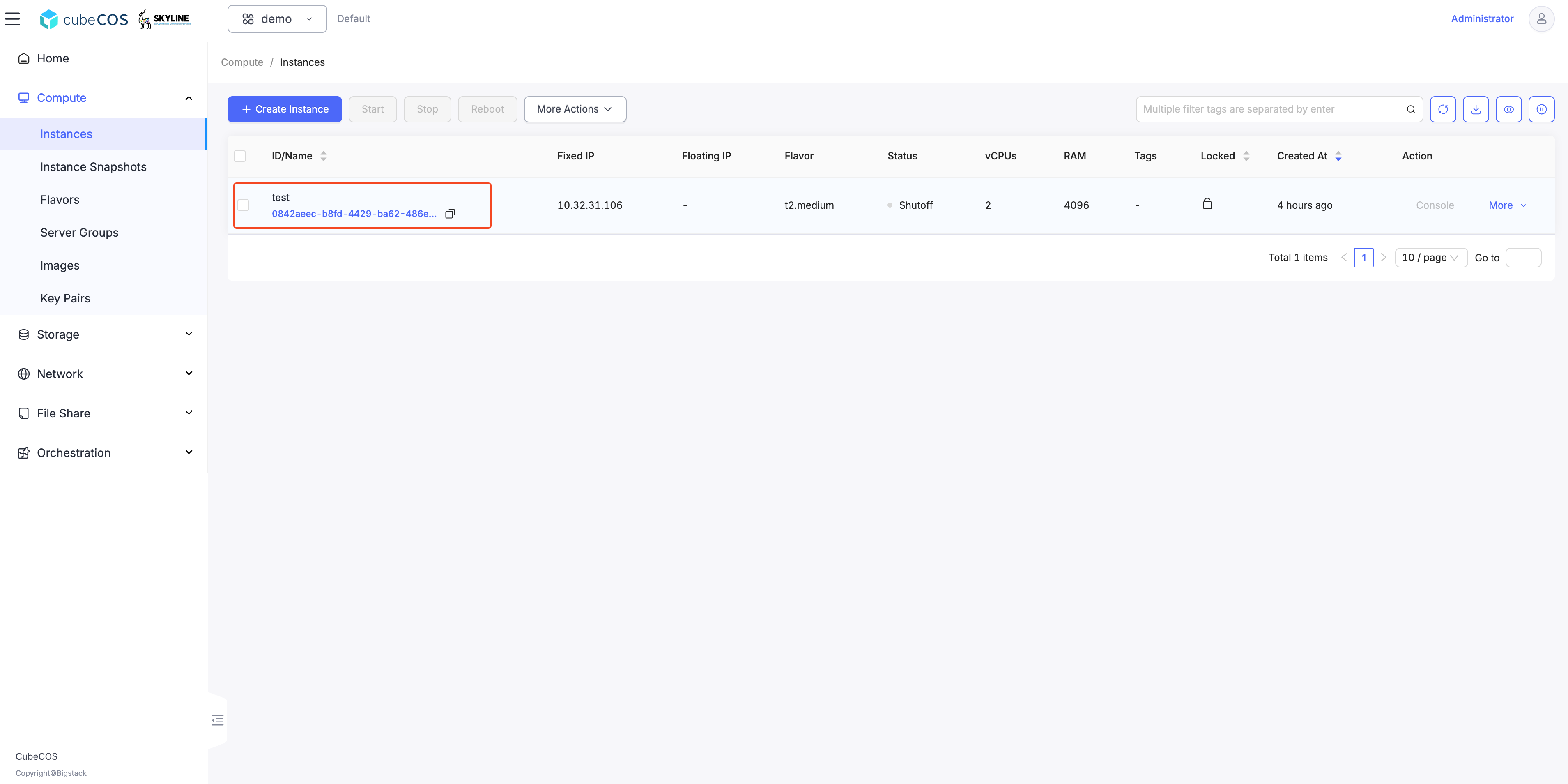
Configure the remote peer
cluster1(primary)
- Setting remote peer
CLI > storage > mirror > site > pair
   cluster1> storage mirror
   cluster1:mirror> site
   cluster1:site> pair
   Enter IP address (required): 10.32.10.140
   Enter remote secret (required): bigstack
   Warning: Permanently added '10.32.10.140' (ED25519) to the list of known hosts.
- Check link status
CLI > storage > mirror > status
   cluster1:mirror> status
   Local time: 2025-05-14 13:39:10
   +----------------------------------------------+----------------------------------------------+
   |         (local) control-10.32.31.10-site OK |         (remote) control-10.32.10.140-site OK |
   +----------------------------------------------+----------------------------------------------+
cluster2(secondary)
- Check link status
CLI > storage > mirror > status
   cluster2:mirror> status
   Local time: 2025-05-14 14:07:25
   +----------------------------------------------+----------------------------------------------+
   |         (local) control-10.32.10.140-site OK |         (remote) control-10.32.31.10-site OK |
   +----------------------------------------------+----------------------------------------------+
Select the instance volume on cluster1 to sync to all remote peers
   cluster1:mirror> rule
   cluster1:rule> enable
   cluster1:enable> journal
   Select volume:
   1: volume: 71922a77-03af-4563-936e-cb66f747d066, status: in-use, size: 40GB, attach: /dev/sda on test
   Enter index: 1
   cinder-volumes/volume-71922a77-03af-4563-936e-cb66f747d066 enabled in journal mode
-
Watch sync status until done on cluster1(primary)
CLI > storage > mirror > status
   cluster1:mirror> status
   Local time: 2025-05-14 14:29:07
   +----------------------------------------------+----------------------------------------------+
   |         (local) control-10.32.31.10-site OK  |        (remote) control-10.32.10.140-site OK |
   +----------------------------------------------+----------------------------------------------+
   | 71922a77-03af-4563-936e-cb66f747d066 (journal)                       (40G) /dev/sda on test |
   |        local image is primary     up+stopped |                        synced   up+replaying |
   +----------------------------------------------+----------------------------------------------+
-
Watch sync status until done on cluster2(secondary)
CLI > storage > mirror > status
   cluster2:mirror> status
   Local time: 2025-05-14 14:29:19
   +----------------------------------------------+----------------------------------------------+
   |         (local) control-10.32.10.140-site OK |         (remote) control-10.32.31.10-site OK |
   +----------------------------------------------+----------------------------------------------+
   | 71922a77-03af-4563-936e-cb66f747d066 (journal)                                       (40G)  |
   |                        synced   up+replaying |       remote image is primary     up+stopped |
   +----------------------------------------------+----------------------------------------------+
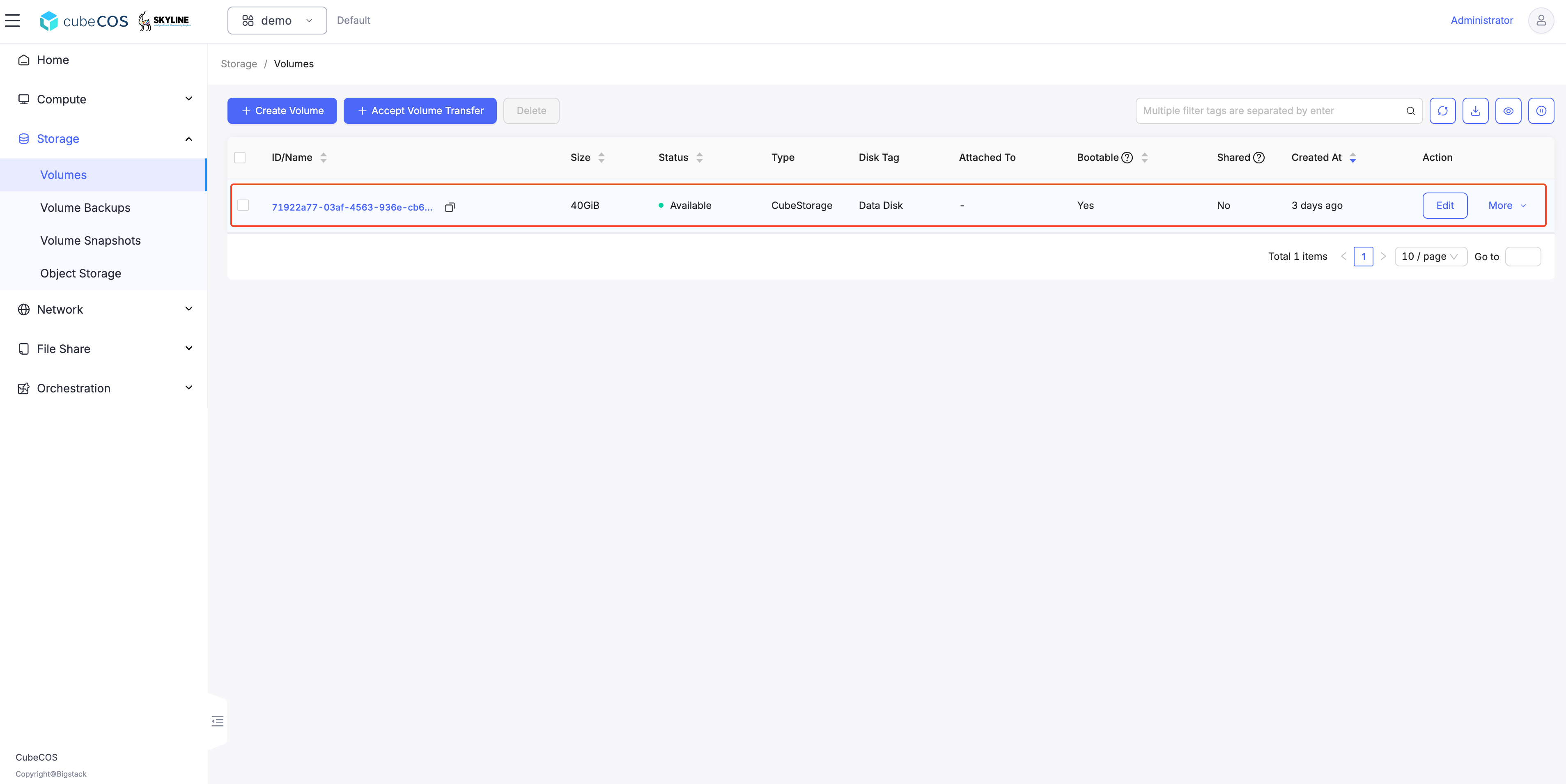
Verify a new volume entry is automatically created on cluster2
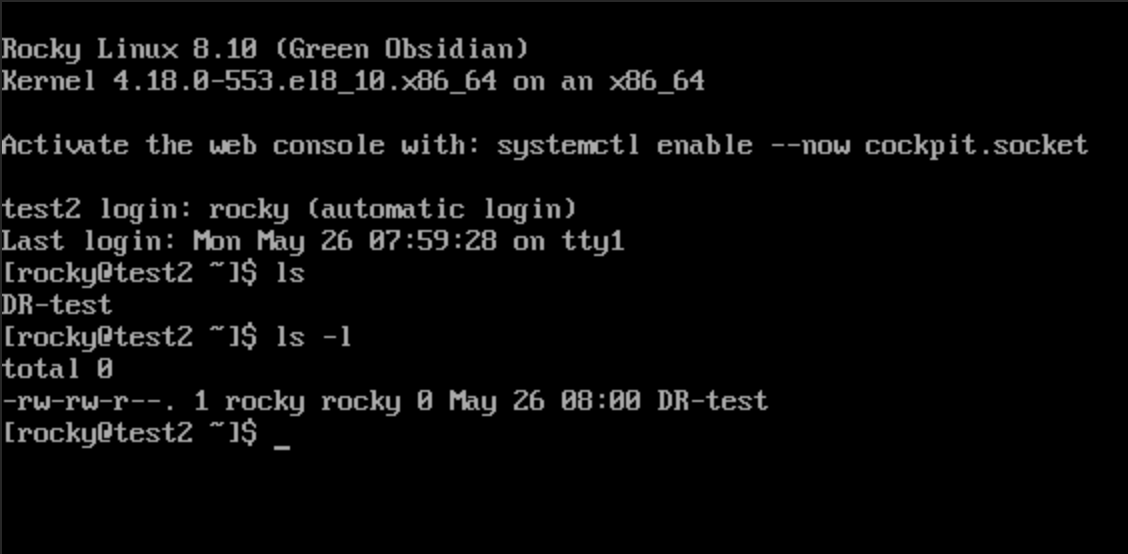
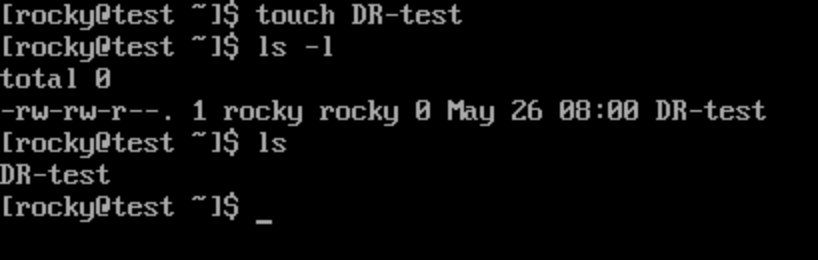
Make some changes on the mirroring volume on VM test of cluster1
Check cluster2(secondary) status for making sure the data has been synced
cluster2:mirror> status
Local time: 2025-05-14 14:32:25
+----------------------------------------------+----------------------------------------------+
|         (local) control-10.32.10.140-site OK |         (remote) control-10.32.31.10-site OK |
+----------------------------------------------+----------------------------------------------+
| 71922a77-03af-4563-936e-cb66f747d066 (journal)                                       (40G)  |
|                        synced   up+replaying |       remote image is primary     up+stopped |
+----------------------------------------------+----------------------------------------------+
Promote images on cluster2(secondary)
If a disaster occurs in the primary cluster, you need to promote the secondary cluster.
CLI > storage > mirror > promote
cluster2:mirror> promote
1: normal
2: force
Enter index: 1
1: site
2: volume
Enter index: 2
Select volume:
1: volume-71922a77-03af-4563-936e-cb66f747d066
Enter index: 1
normal promote cinder-volumes/volume-71922a77-03af-4563-936e-cb66f747d066 on local site
Check mirroring status on cluster1(primary)
Check if the mirror state has changed.
Cluster1 becomes secondary, and Cluster2 becomes primary.
CLI > storage > mirror > status
cluster1:mirror> status
Local time: 2025-05-14 14:38:09
+----------------------------------------------+----------------------------------------------+
|          (local) control-10.32.31.10-site OK |        (remote) control-10.32.10.140-site OK |
+----------------------------------------------+----------------------------------------------+
| 71922a77-03af-4563-936e-cb66f747d066 (journal)                       (40G) /dev/sda on test |
|                        synced   up+replaying |       remote image is primary     up+stopped |
+----------------------------------------------+----------------------------------------------+
Check mirroring status on cluster2(secondary)
CLI > storage > mirror > status
cc1:mirror> status
Local time: 2025-05-14 11:41:28
+----------------------------------------------+----------------------------------------------+
|         (local) control-10.32.10.140-site OK |         (remote) control-10.32.31.10-site OK |
+----------------------------------------------+----------------------------------------------+
| 71922a77-03af-4563-936e-cb66f747d066 (journal)                                       (40G)  |
|        local image is primary     up+stopped |                        synced   up+replaying |
+----------------------------------------------+----------------------------------------------+
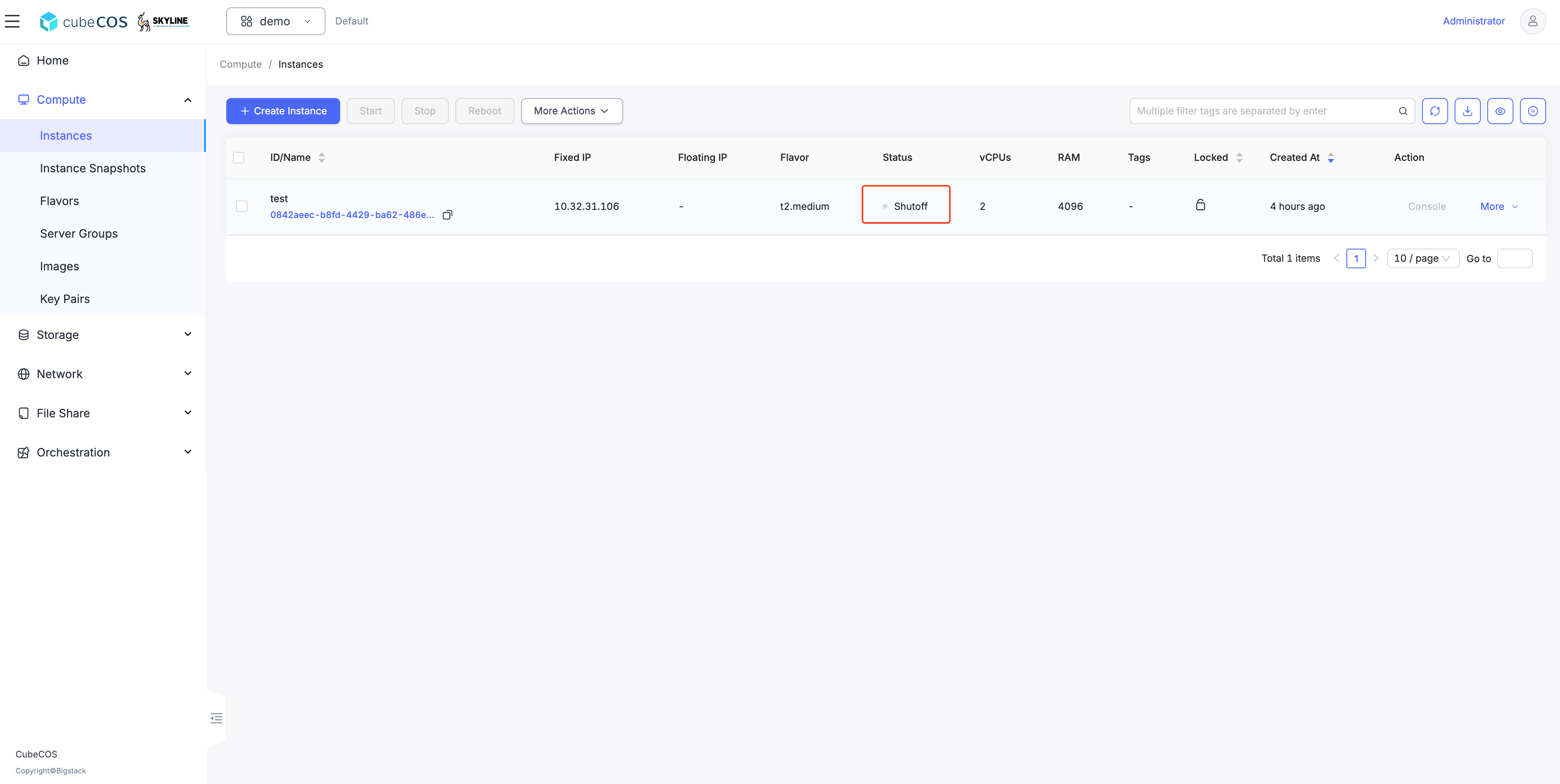
Verify the VM test is shut off on cluster1(switch to secondary)
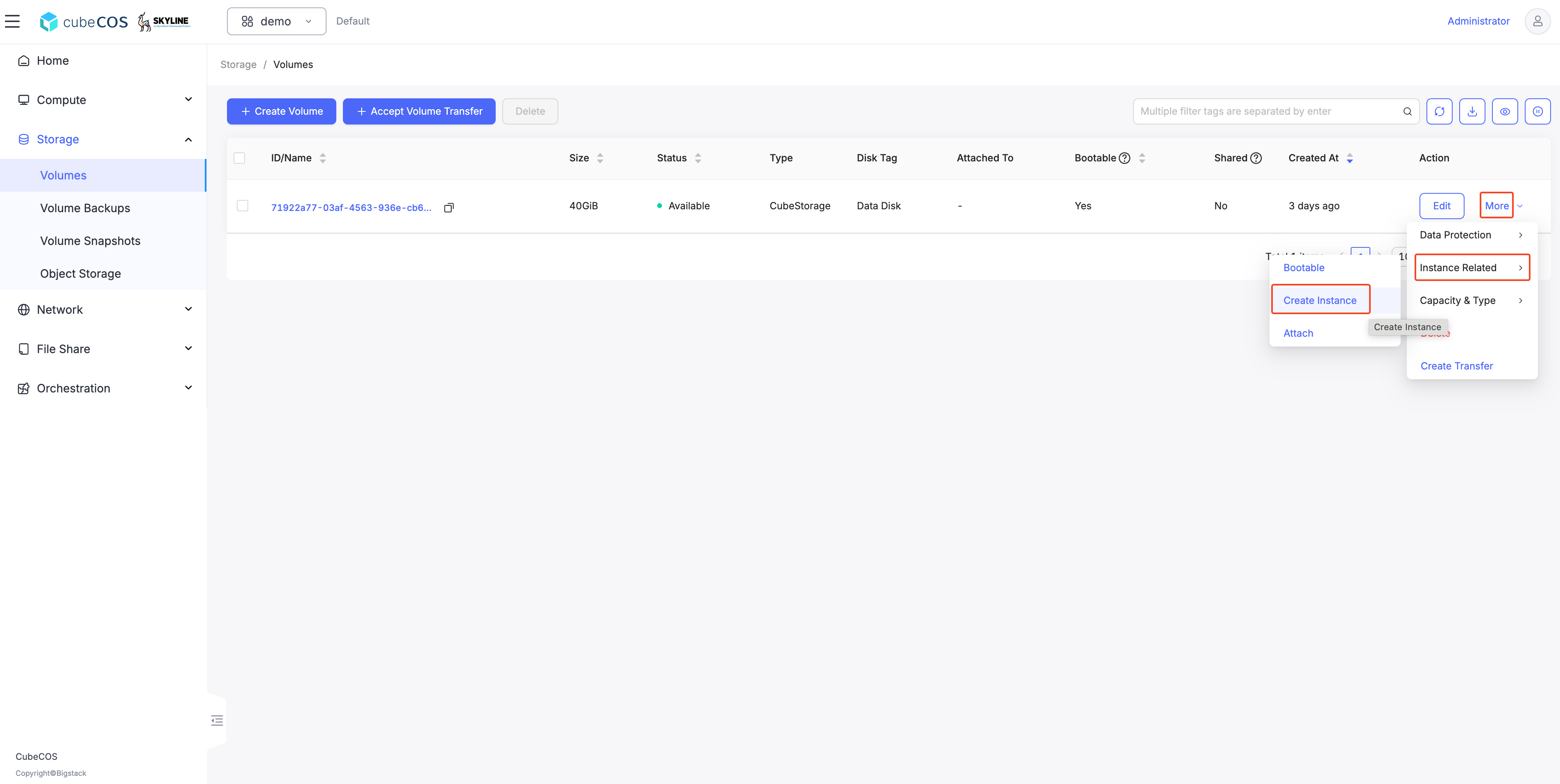
Call up a VM attached to the mirrored image on cluster2(switch to primary)
- Hover over
More, thenInstance Related, and clickCreate Instance.
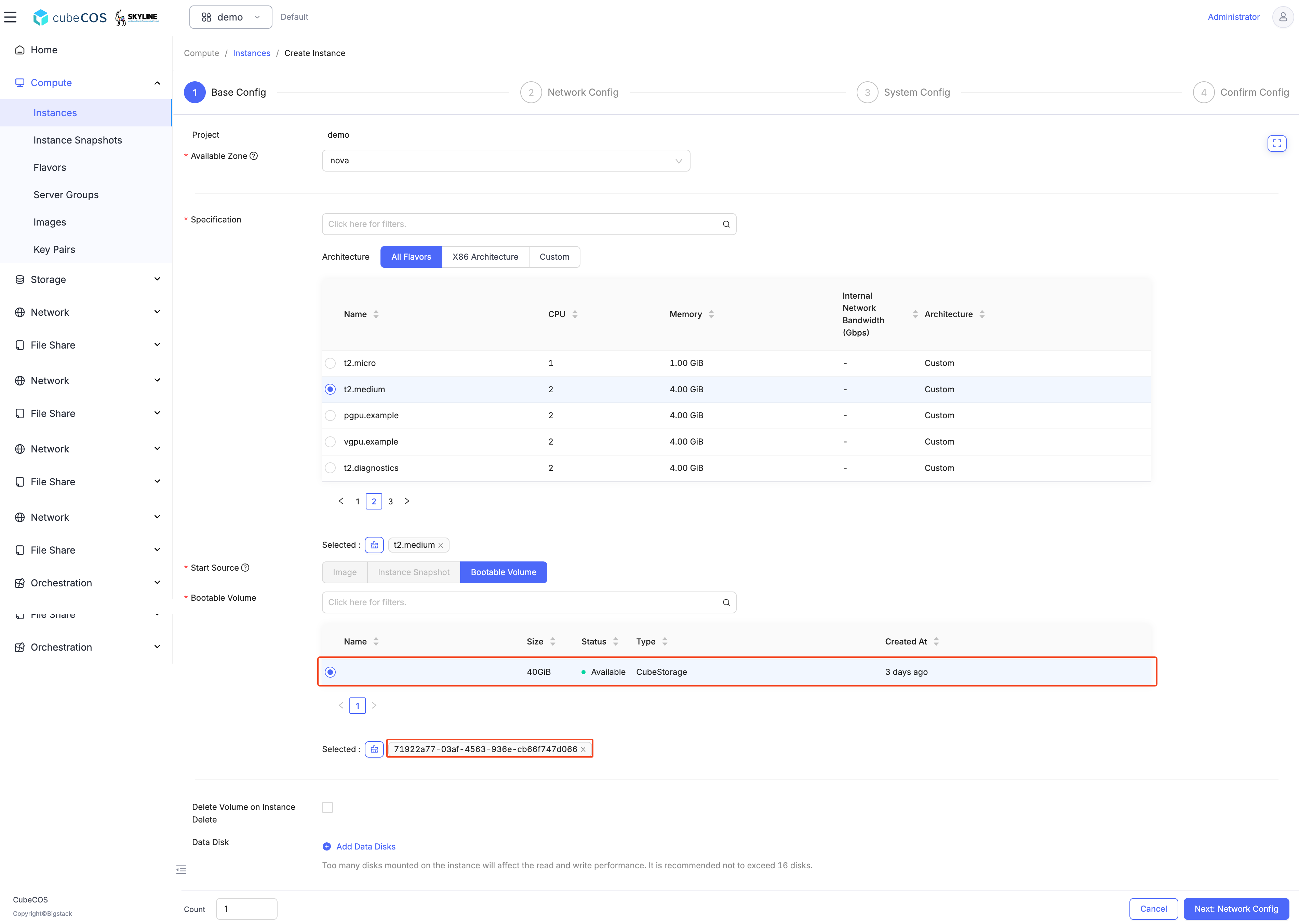
- During the Create Instance step, ensure that the
volumehas been selected.
Call up a VM attached to the mirrored image on cluster2(switch to primary)