Compute node (HCI) replacement guide
Remove a compute node from the cluster
Stop the compute host
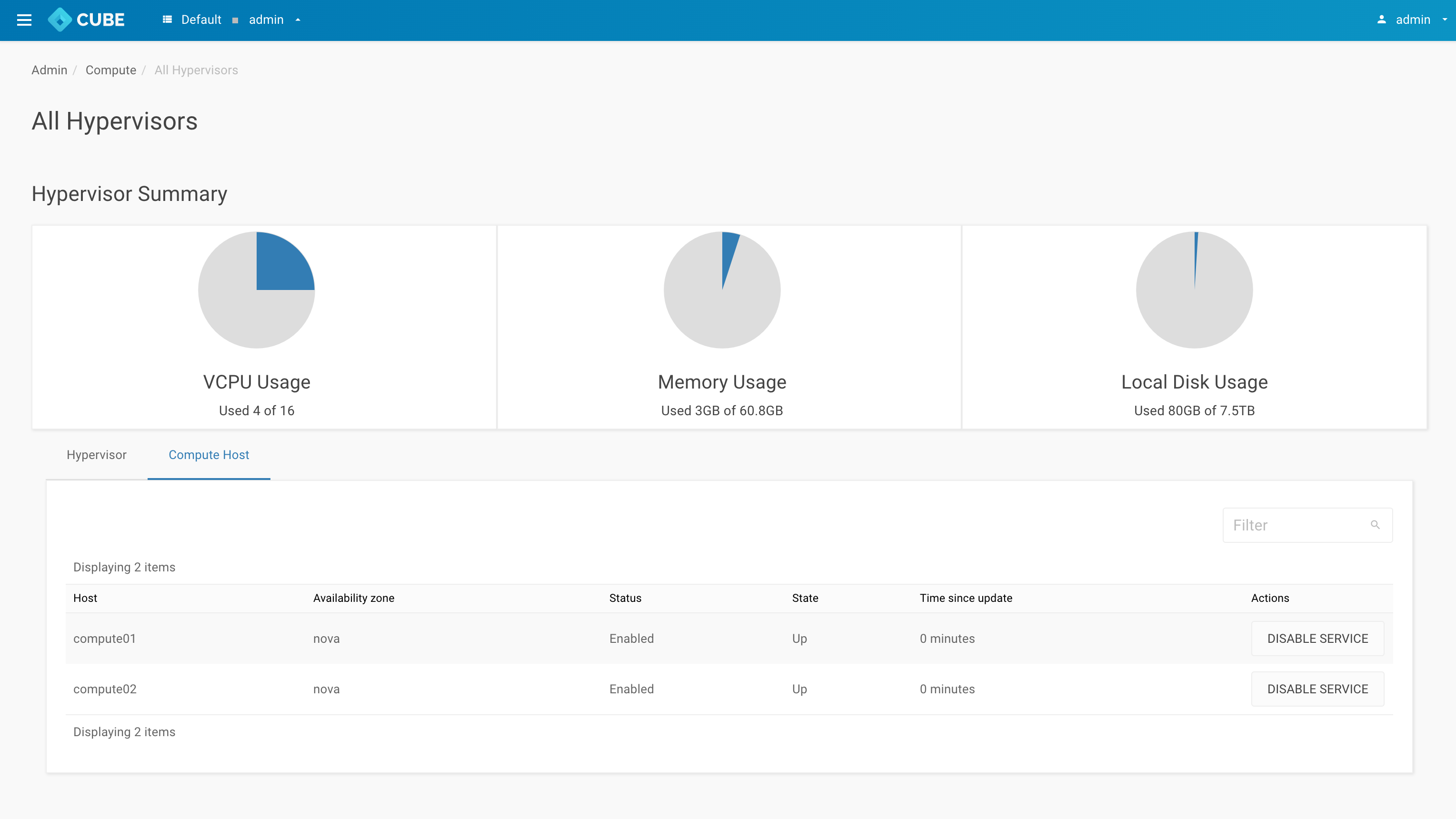
Goto Admin > Compute > All Hypervisors and click Compute host tab. Look for the hostname you wish to remove and click on button DISABLE SERVICE
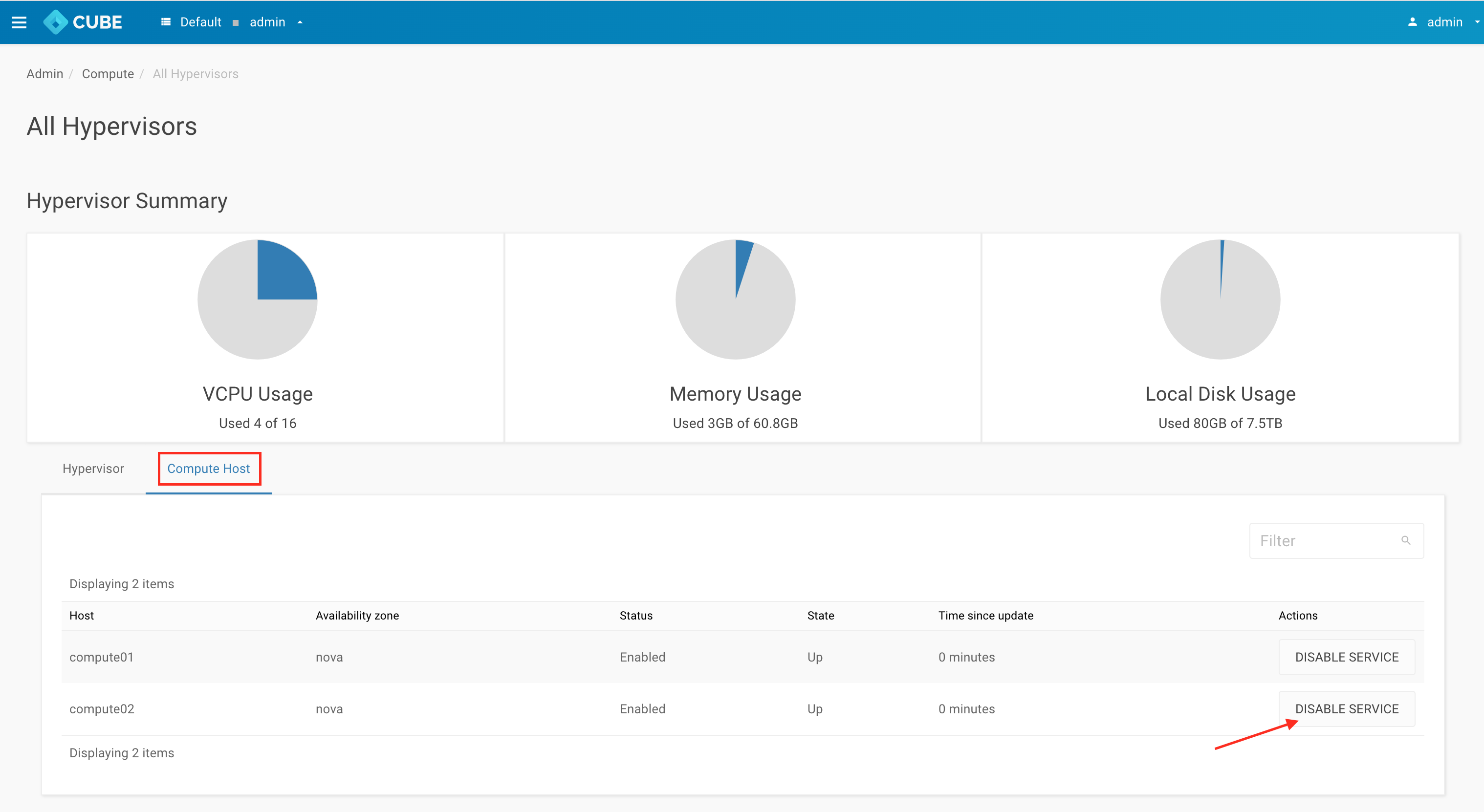
Disable service
Leave a reason and click DISABLE SERVICE
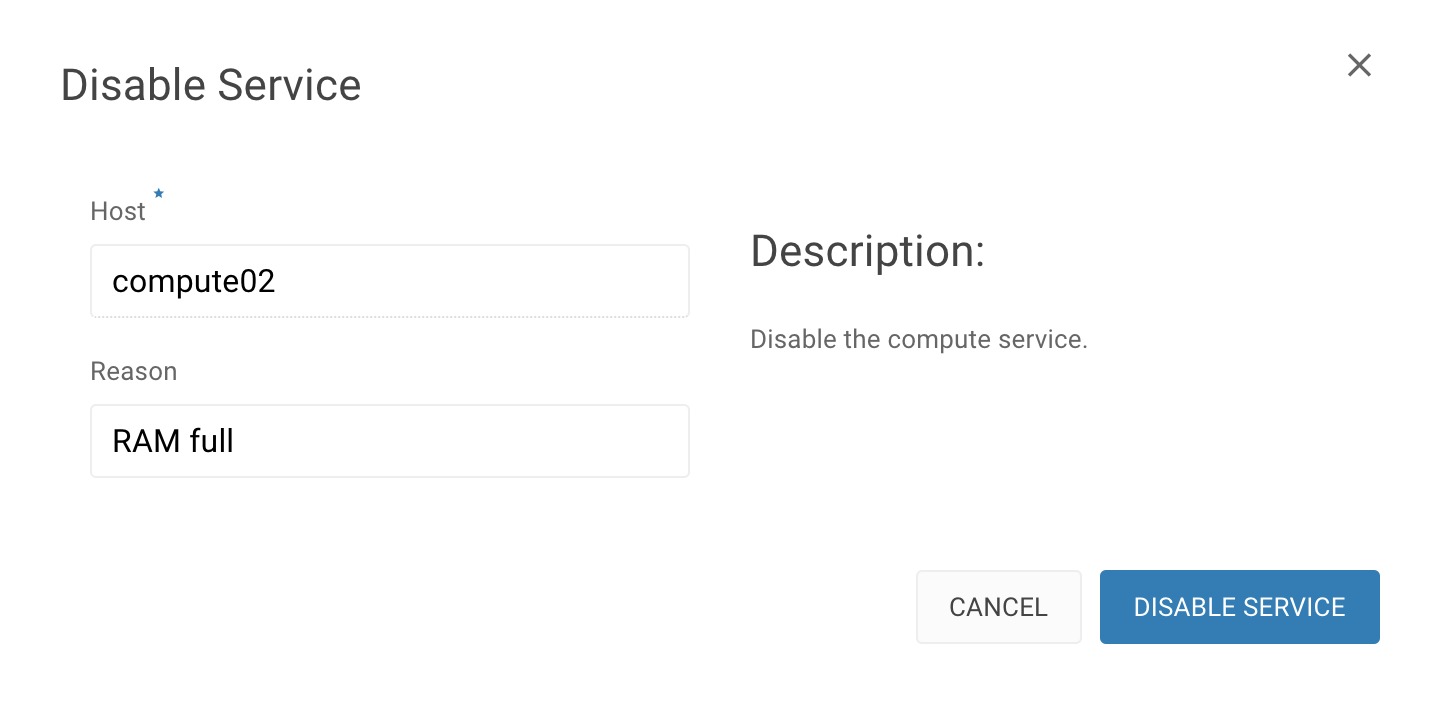
Service disabled
Make sure the service is disabled
Migrate instances from the disabled host
Goto Admin > Compute > Instances, look for the instances which is hosted on DISABLED Host and start the LIVE MIGRATE INSTANCE from the action menu
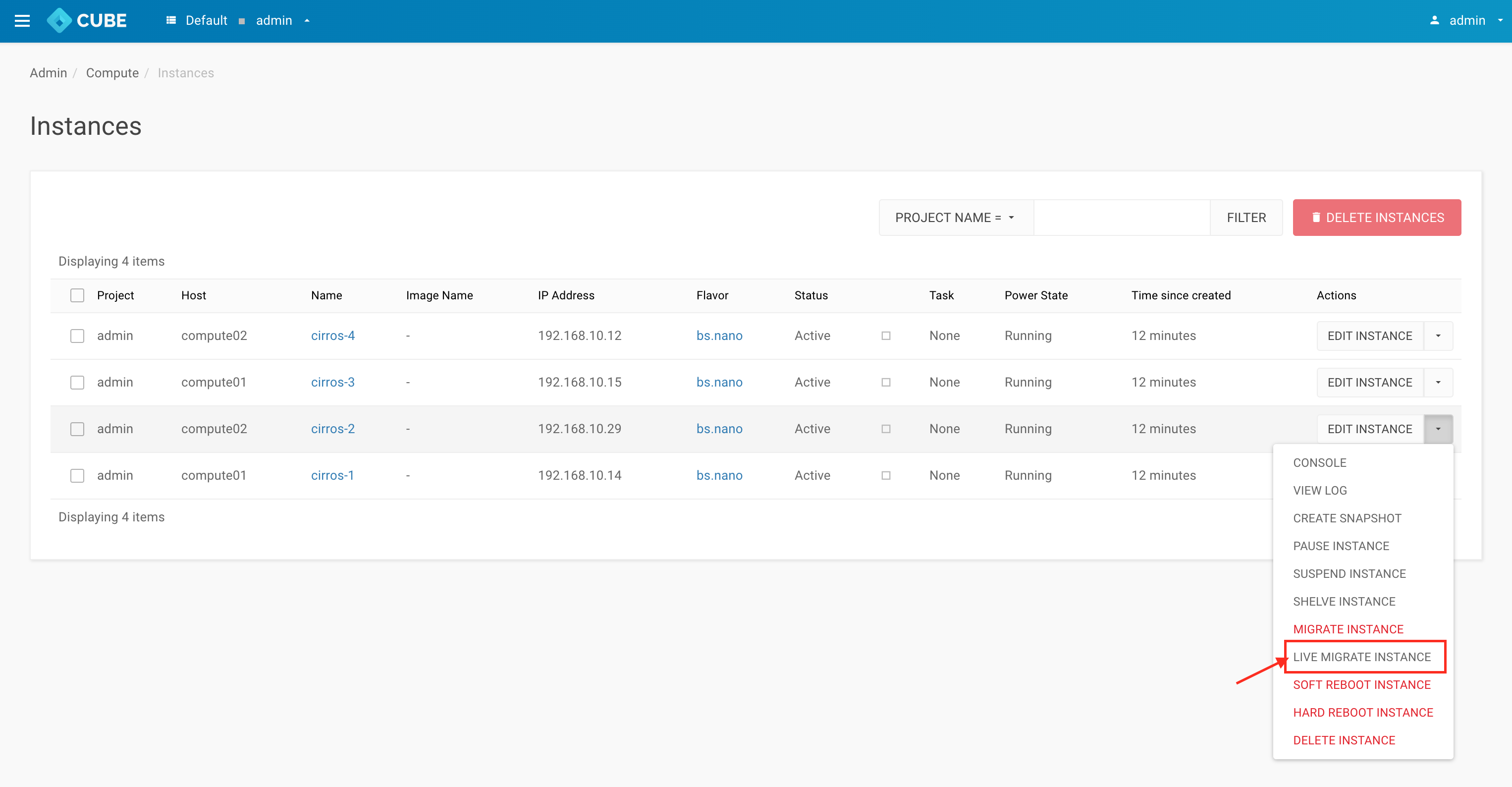
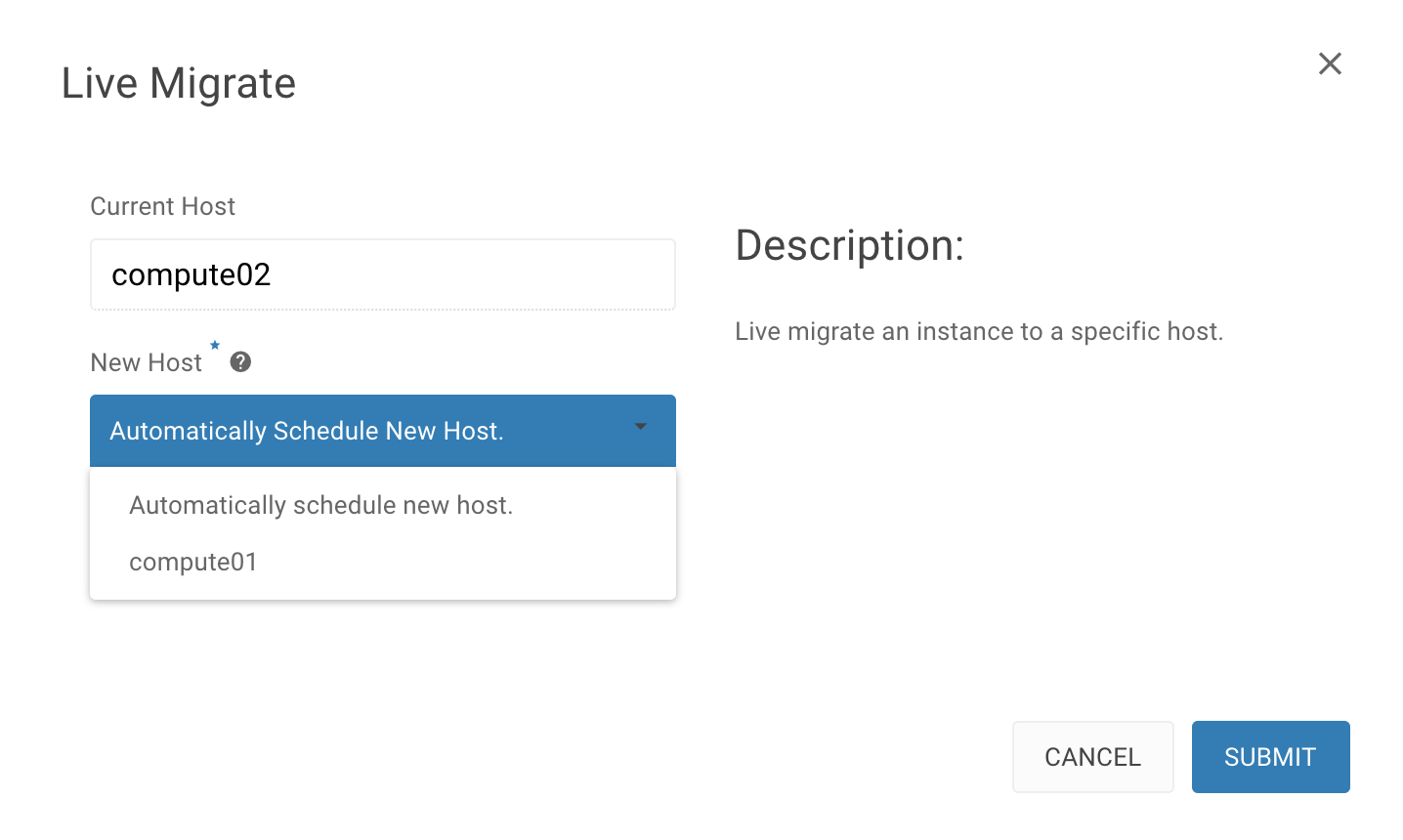
Allocate the instance to new host
You can choose a preferred host to migrate or Automatically and SUBMIT
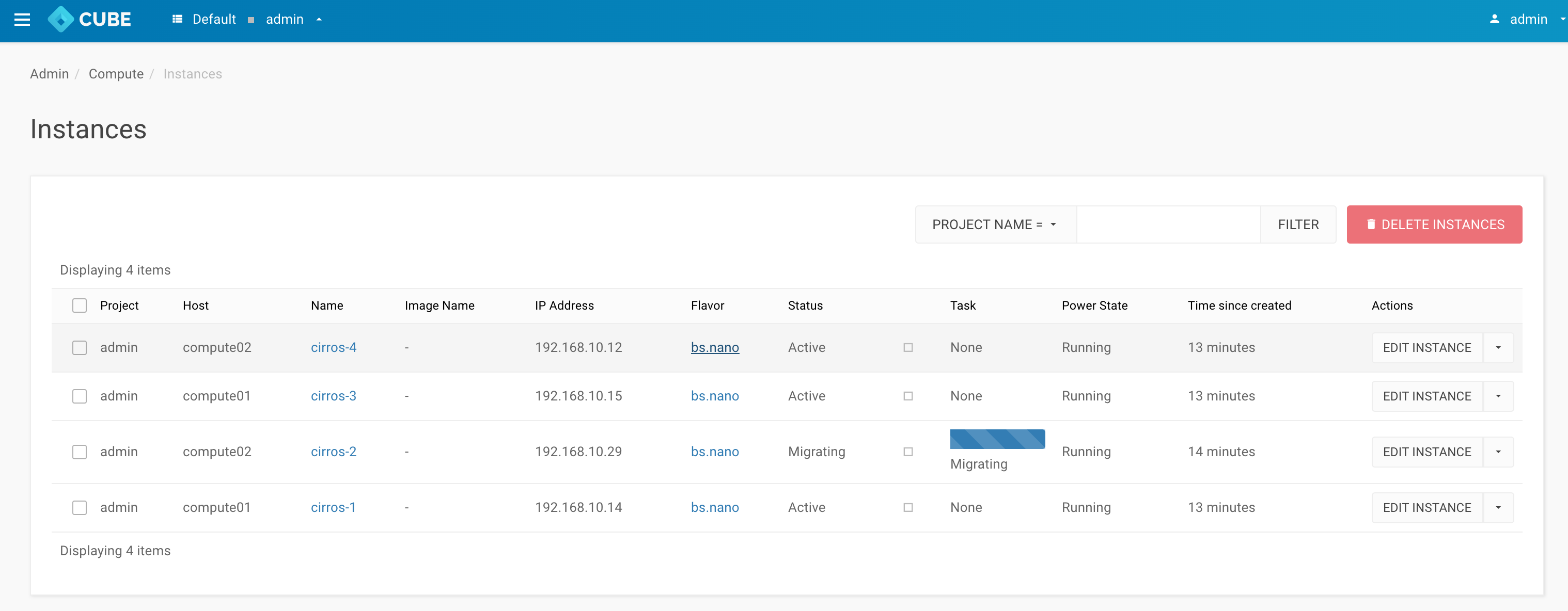
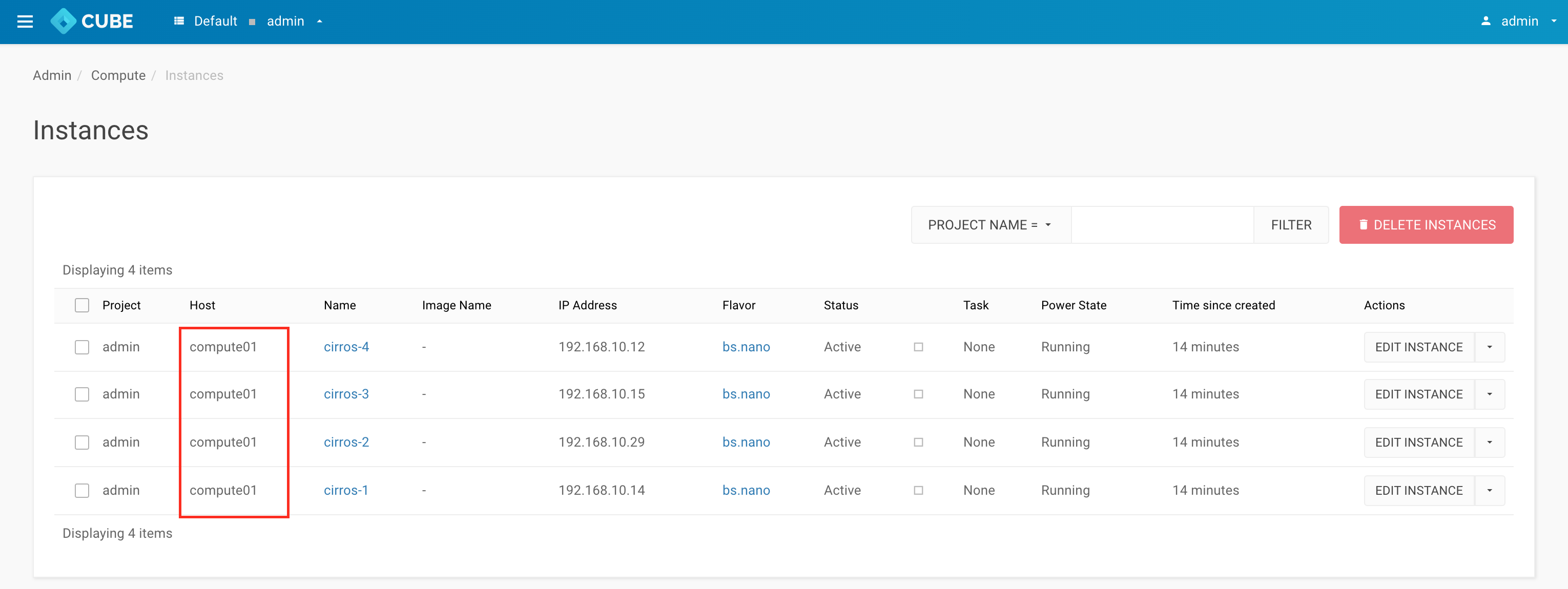
All instances have been migrated
Repeat the steps and migrate the rest of the Instances
Connect to control node
Warning: Permanently added '192.168.1.x' (ECDSA) to the list of known hosts.
Password:
Remove the compute node
    cc1> cluster
    cc1:cluster> remove_node
    1: compute01
    2: cc3
    3: compute02
    4: cc1
    5: cc2
    Enter index: 3
    this command is only applicable for compute or storage nodes
    make sure its running instances have been properly terminated or migrated
    shutdown the target host before proceeding
    Enter 'YES' to confirm: YES
Results
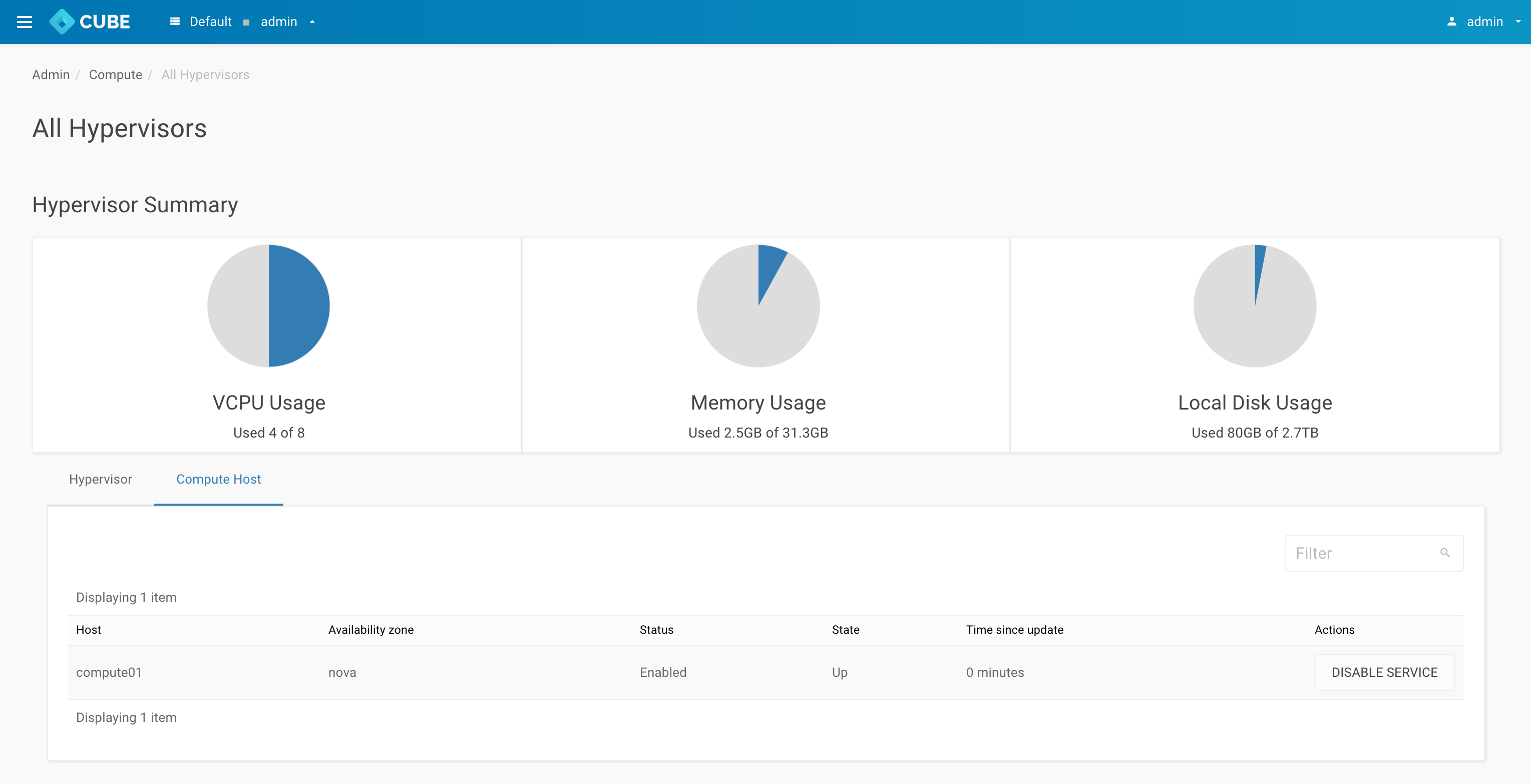
Goto Admin > Compute > All Hypervisors and click Compute host tab. Host compute02 has been removed from the Cluster
Back up Compute02 policies
From your local pc terminal
$ scp -r root@Compute02_<your-cluster-vip>:/etc/policies Downloads/compute02_policy
Shutdown the compute02
Add a compute host
Prepare a new node with CubeCOS installed
Configuration
Reconfigure a new compute02 node by following any options of the list below:
Connect to controller
Warning: Permanently added '192.168.1.x' (ECDSA) to the list of known hosts.
Password:
Check and repair services
Welcome to the Cube Appliance
Enter "help" for a list of available commands
cc1> cluster
cc1:cluster> check
          Service  Status  Report
      ClusterLink      ok  [ link(v) clock(v) dns(v) ]
       ClusterSys      ok  [ bootstrap(v) license(v) ]
  ClusterSettings      ok  [ etcd(v) ]
        HaCluster      ok  [ hacluster(v) ]
         MsgQueue      ok  [ rabbitmq(v) ]
           IaasDb      ok  [ mysql(v) ]
        VirtualIp      ok  [ vip(v) haproxy_ha(v) ]
          Storage      ok  [ ceph(v) ceph_mon(v) ceph_mgr(v) ceph_mds(v) ceph_osd(v) ceph_rgw(v) rbd_target(v) ]
       ApiService      ok  [ haproxy(v) httpd(v) lmi(v) memcache(v) ]
     SingleSignOn      ok  [ keycloak(v) ]
          Compute      ok  [ nova(v) ]
        Baremetal      ok  [ ironic(v) ]
          Network      ok  [ neutron(v) ]
            Image      ok  [ glance(v) ]
        BlockStor      ok  [ cinder(v) ]
         FileStor      ok  [ manila(v) ]
       ObjectStor      ok  [ swift(v) ]
    Orchestration      ok  [ heat(v) ]
            LBaaS      ok  [ octavia(v) ]
           DNSaaS      ok  [ designate(v) ]
           K8SaaS      ok  [ k3s(v) rancher(v) ]
       InstanceHa      ok  [ masakari(v) ]
 DisasterRecovery      ok  [ freezer(v) ]
    BusinessLogic      ok  [ mistral(v) murano(v) cloudkitty(v) senlin(v) watcher(v) ]
       ApiManager      ok  [ tyk(v) redis(v) mongodb(v) ]
         DataPipe      ok  [ zookeeper(v) kafka(v) ]
          Metrics      ok  [ monasca(v) telegraf(v) grafana(v) ]
     LogAnalytics      ok  [ filebeat(v) auditbeat(v) logstash(v) es(v) kibana(v) ]
    Notifications      ok  [ influxdb(v) kapacitor(v) ]
cc1:cluster>
Results
Goto Admin > Compute > All Hypervisors and click Compute host tab. Host compute02 has been added back to the Cluster