# Install required device drivers on Windows instances before migration

> Learn how to install the necessary device drivers on a Windows instance before migrating it to CubeCOS, ensuring compatibility and a successful migration process.

## Download the driver ISO {#download-the-driver-iso}

- [Driver ISO](https://s3.bigstack.co/downloads/iso/virtio-win-0.1.262-migrate.iso)

## Install the drive pack with admin privilege {#install-the-drive-pack-with-admin-privilege}

1. Mount the downloaded driver on the instance to be migrated by double clicking on driver ISO.
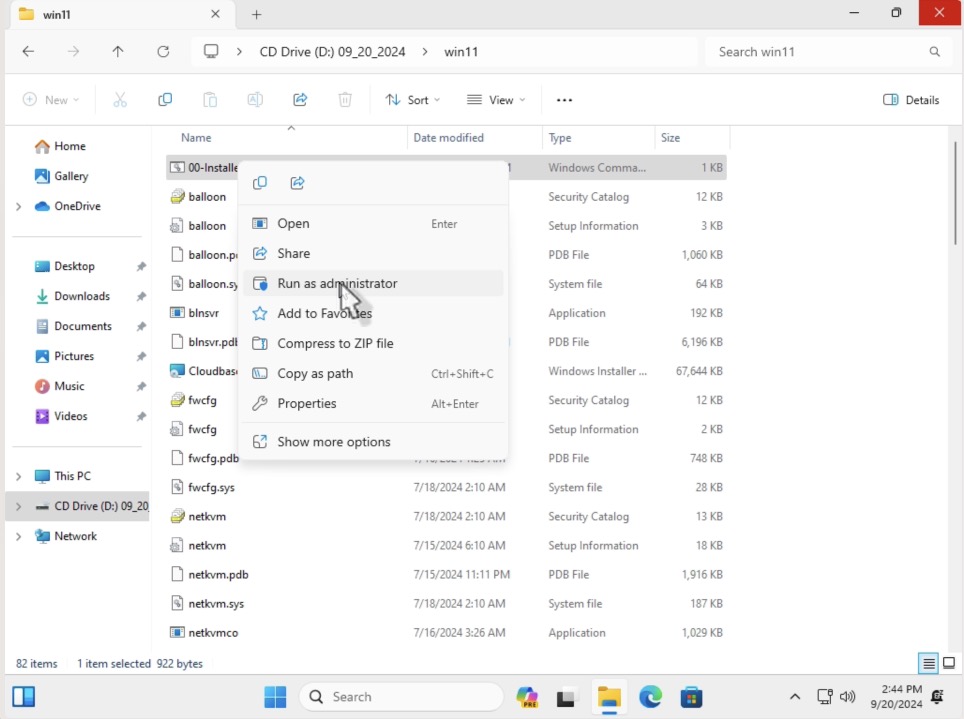
2. Right click on the `00-Installer.cmd` and select `Run as administrator`

![/assets/compute/images/install_driver_01.jpg](/assets/compute/images/install_driver_01.jpg)

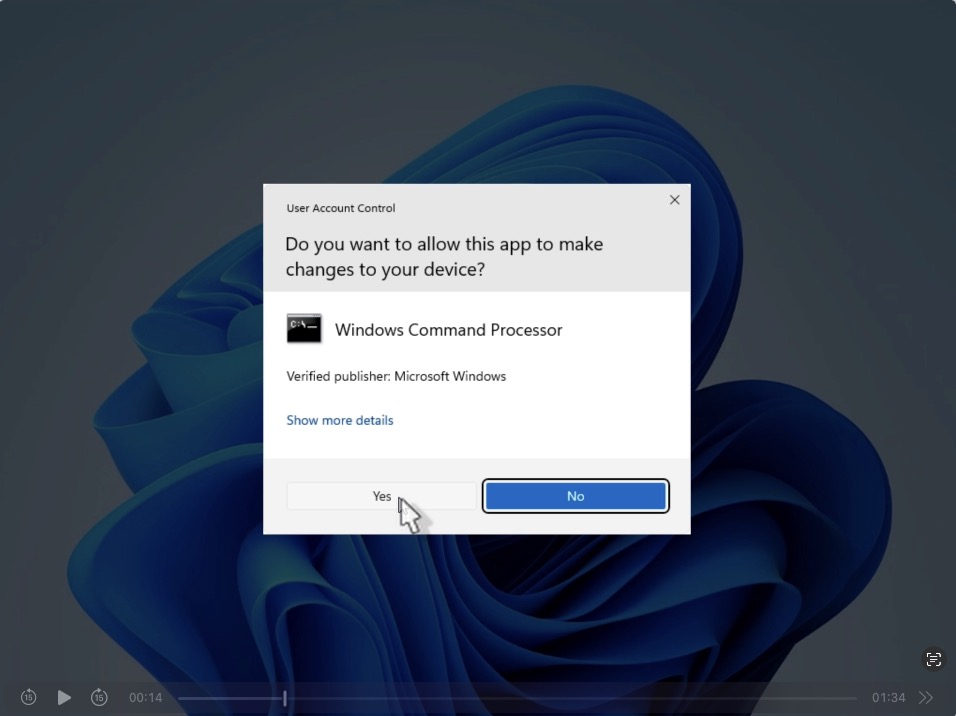
3. Click `Yes` to allow changes to be made.

![/assets/compute/images/install_driver_02.jpg](/assets/compute/images/install_driver_02.jpg)

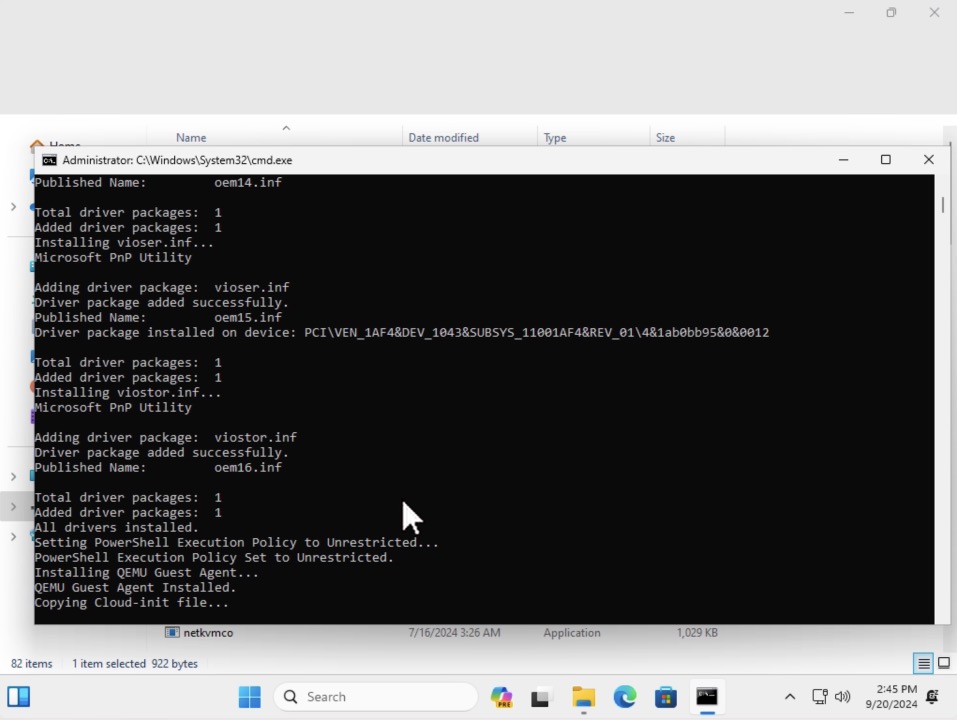
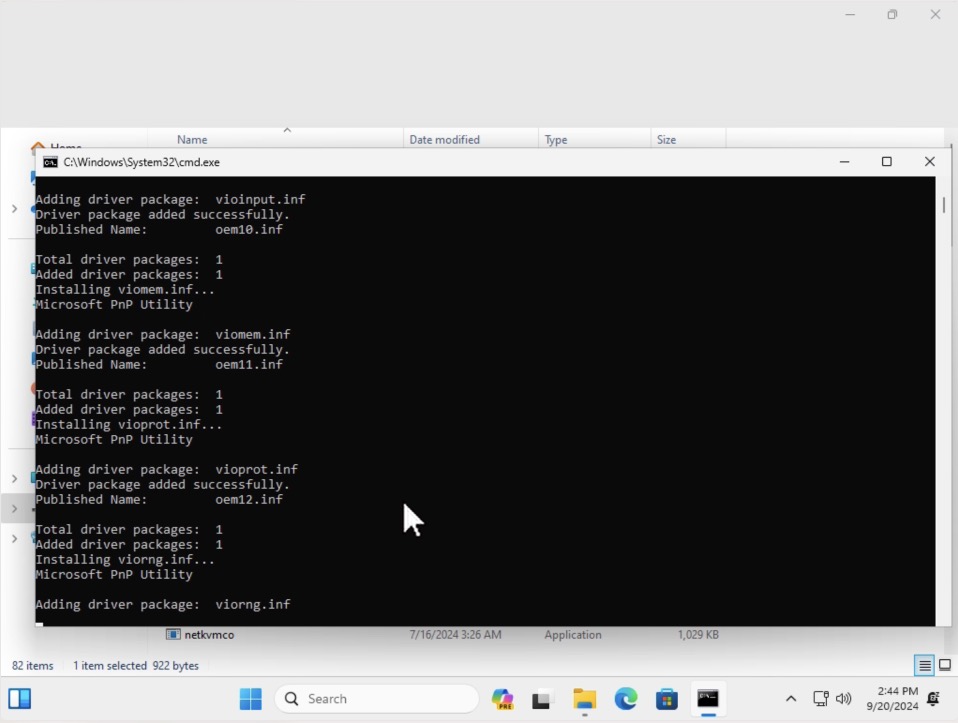
4. Allow the installation process to complete.
![/assets/compute/images/install_driver_03.jpg](/assets/compute/images/install_driver_03.jpg)
![/assets/compute/images/install_driver_04.jpg](/assets/compute/images/install_driver_04.jpg)

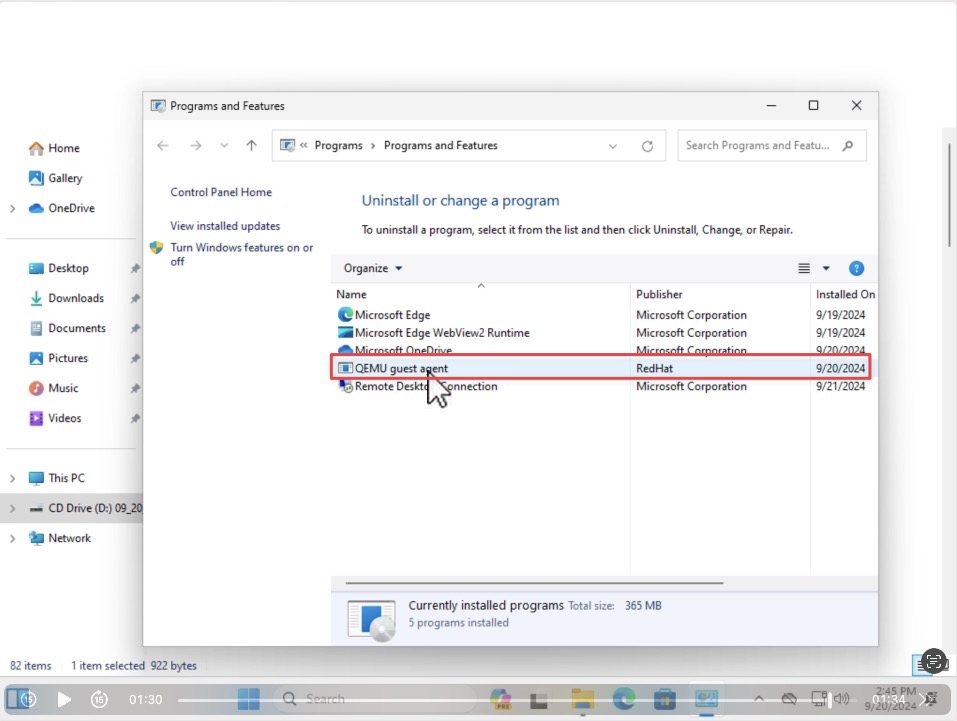
## Verify that QEMU guest agent is installed {#verify-that-qemu-guest-agent-is-installed}

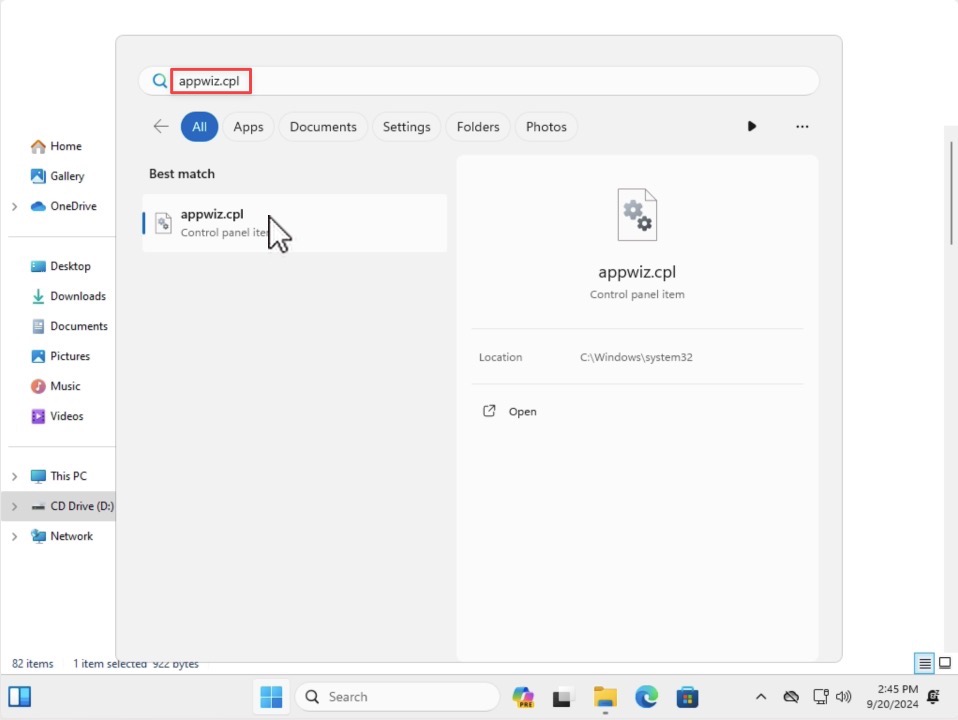
1. Verify that the QEMU guest agent is installed by searching for `appwiz.cpl` in the search bar.

![/assets/compute/images/install_driver_05.jpg](/assets/compute/images/install_driver_05.jpg)

2. Launch control panel and navigate to `Programs and Features` to verify that `QEMU guest agent` is present.

![/assets/compute/images/install_driver_06.jpg](/assets/compute/images/install_driver_06.jpg)