# Require password change for users during first time login or after a password reset

> Learn how to require users to change their passwords during their first login or following a password reset to improve account security.

To improve security, require users to change their passwords on first login or after a password reset. This ensures that only the user knows their credentials.

## Prerequisites {#prerequisites}

You need administrative access to CubeCMP.

## Require a password change on first login {#require-a-password-change-on-first-login}

1. Select the user whose password you want to require changing on first login.
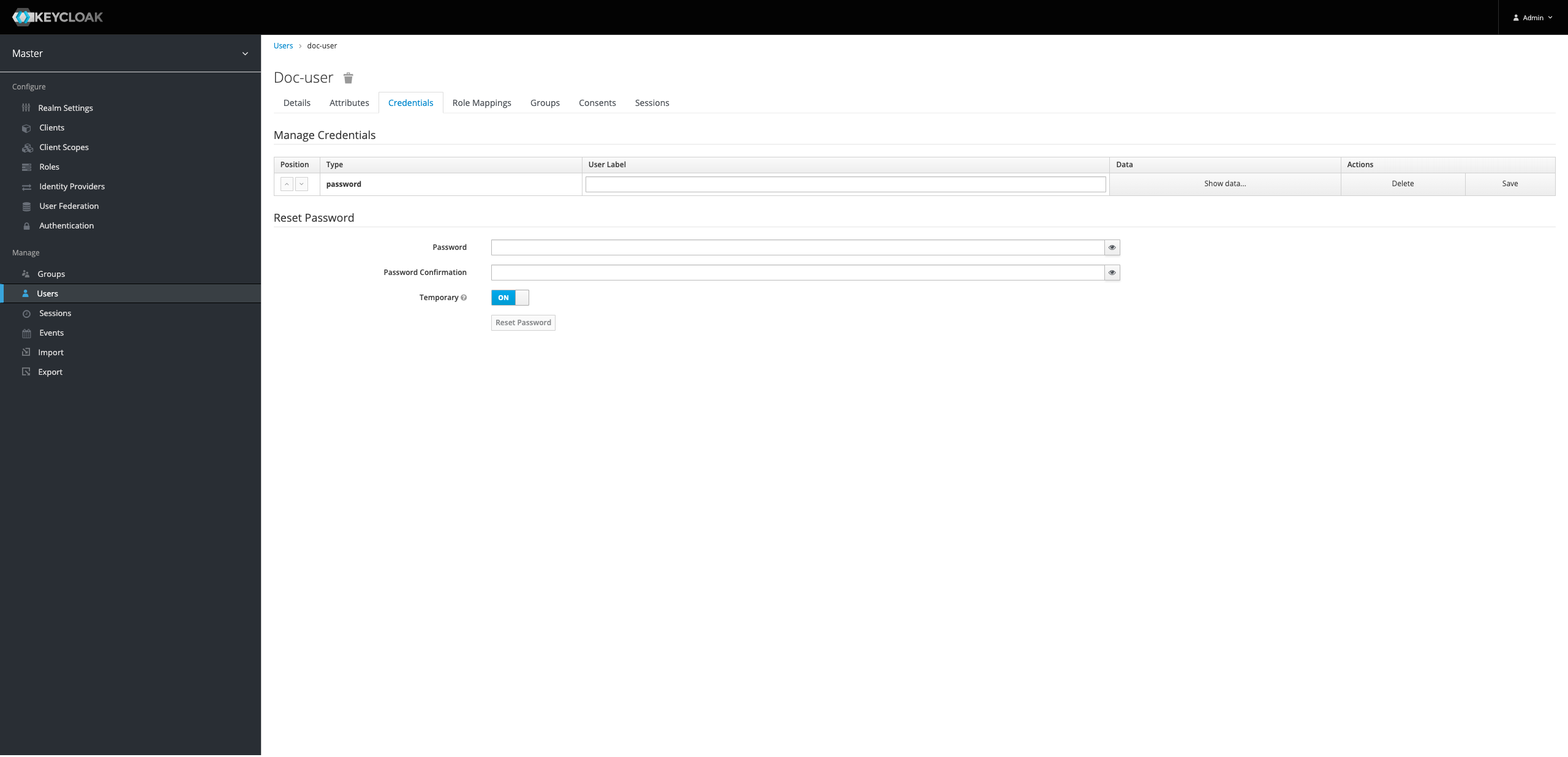
2. Go to the **Credentials** tab.
3. Enter a temporary password for the user.
4. To require a password change on first login, turn on the **Temporary** toggle.
5. Click **Set Password**.
6. The user must now change their password on first login.

### Change your password on first login or after a reset {#change-your-password-on-first-login-or-after-a-reset}

1. Go to `https://<your-portal-ip>/portal` and sign in with:
   - **Username:** Your username
   - **Password:** The temporary or reset password from your administrator


2. Confirm password reset.

   At the password update prompt, enter your new password and confirm it.


3. Click **Submit** to save the new password.
4. You're now signed in to the portal.

   This is the default portal view after first login.