Create a backup
Prerequisites
The QEMU Guest Agent enables communication between CubeCOS and the guest operating system (OS). It obtains relevant information from the guest OS and syncs and freezes the filesystem. The agent also suspends the guest, reconfigures the guest, and allows for the proper shutdown of guest machines. The agent enables CubeCOS to ensure snapshot and backup consistency by syncing and freezing the filesystem with the guest-fsfreeze-freeze and guest-fsfreeze-thaw operations.
Install the QEMU guest agent
-
Install the qemu-guest-agent through your chosen distribution's package manager.
Installation for qemu-guest-agent# Ubuntu / Debian / Mintsudo apt install -y qemu-guest-agent# RHEL / CentOS / AlmaLinux / Rocky / Fedorasudo dnf install qemu-guest-agent -y# SUSE/ openSUSEsudo zypper install qemu-guest-agent -
Enable and start the service.
sudo systemctl enable --now qemu-guest-agent -
Verify the status of the
qemu-guest-agentCheck that the agent is active without errors.
sudo systemctl status qemu-guest-agentA sample status outputubuntu@demo-ubuntu:~$ systemctl status qemu-guest-agent.service● qemu-guest-agent.service - QEMU Guest AgentLoaded: loaded (/usr/lib/systemd/system/qemu-guest-agent.service; static)Active: active (running) since Wed 2025-04-30 03:59:55 UTC; 2h 45min agoMain PID: 709 (qemu-ga)Tasks: 2 (limit: 4658)Memory: 1.4M (peak: 1.6M)CPU: 10msCGroup: /system.slice/qemu-guest-agent.service└─709 /usr/sbin/qemu-gaApr 30 03:59:55 demo-ubuntu systemd[1]: Started qemu-guest-agent.service - QEMU Guest Agent.
Create a volume backup
-
Goto Project > Volumes > Volumes, choose the volume from the list and select the
CREATE BACKUPfrom the Actions column.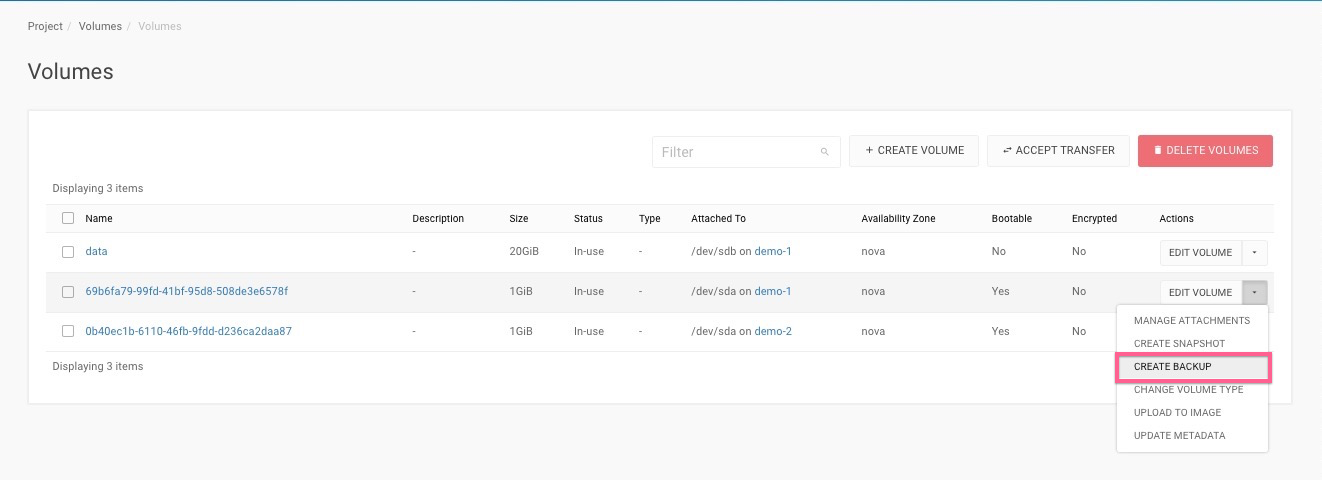
-
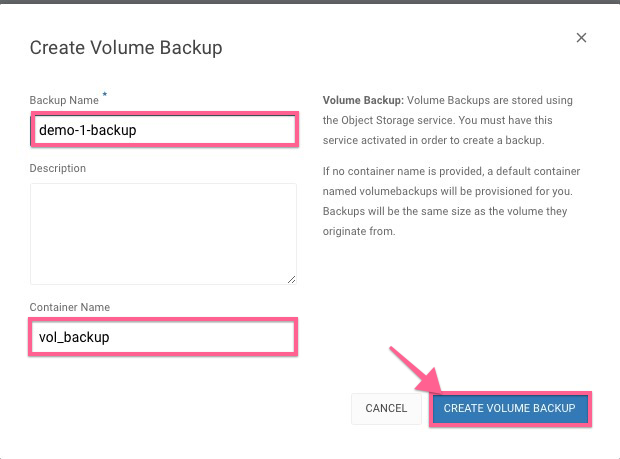
Enter the Backup Name & Container Name.
-
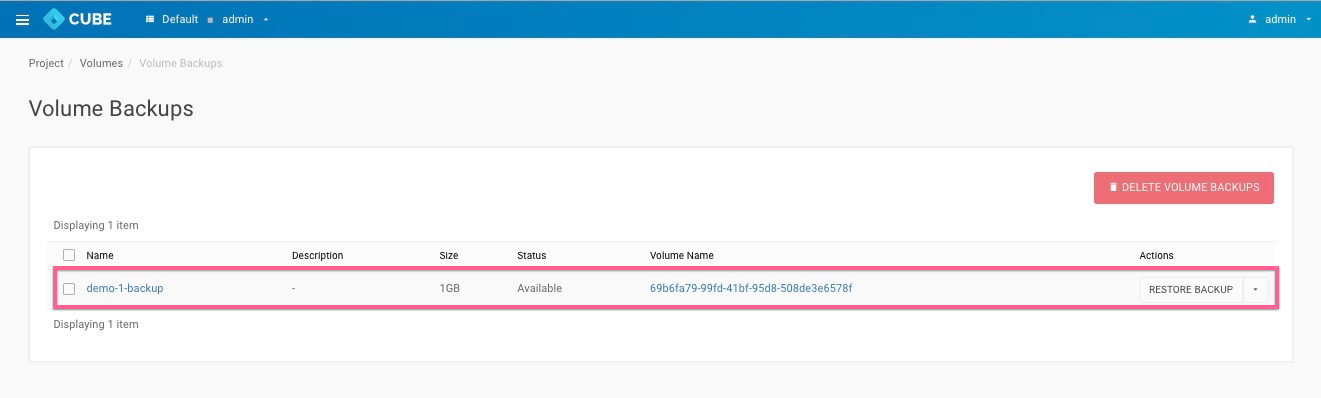
Goto Project > Volumes > Backups,The Backup has created sucessfully.