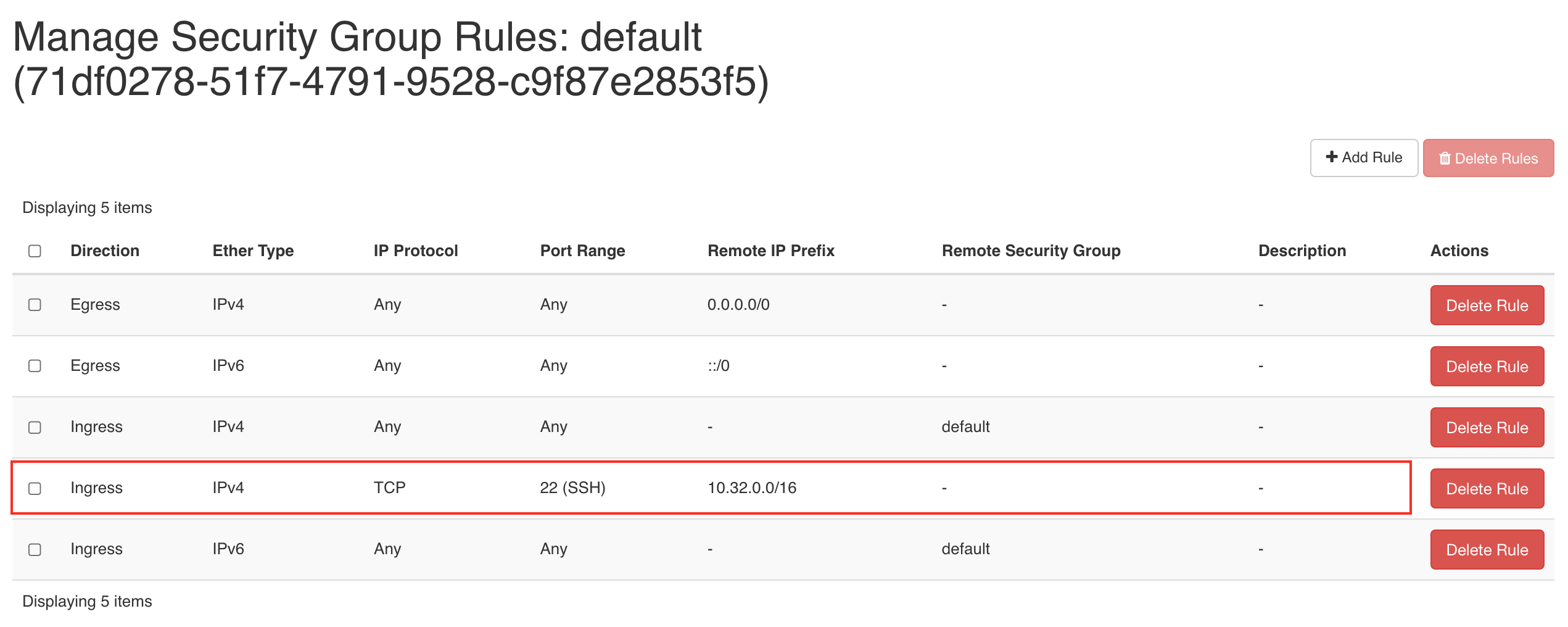
Security Group
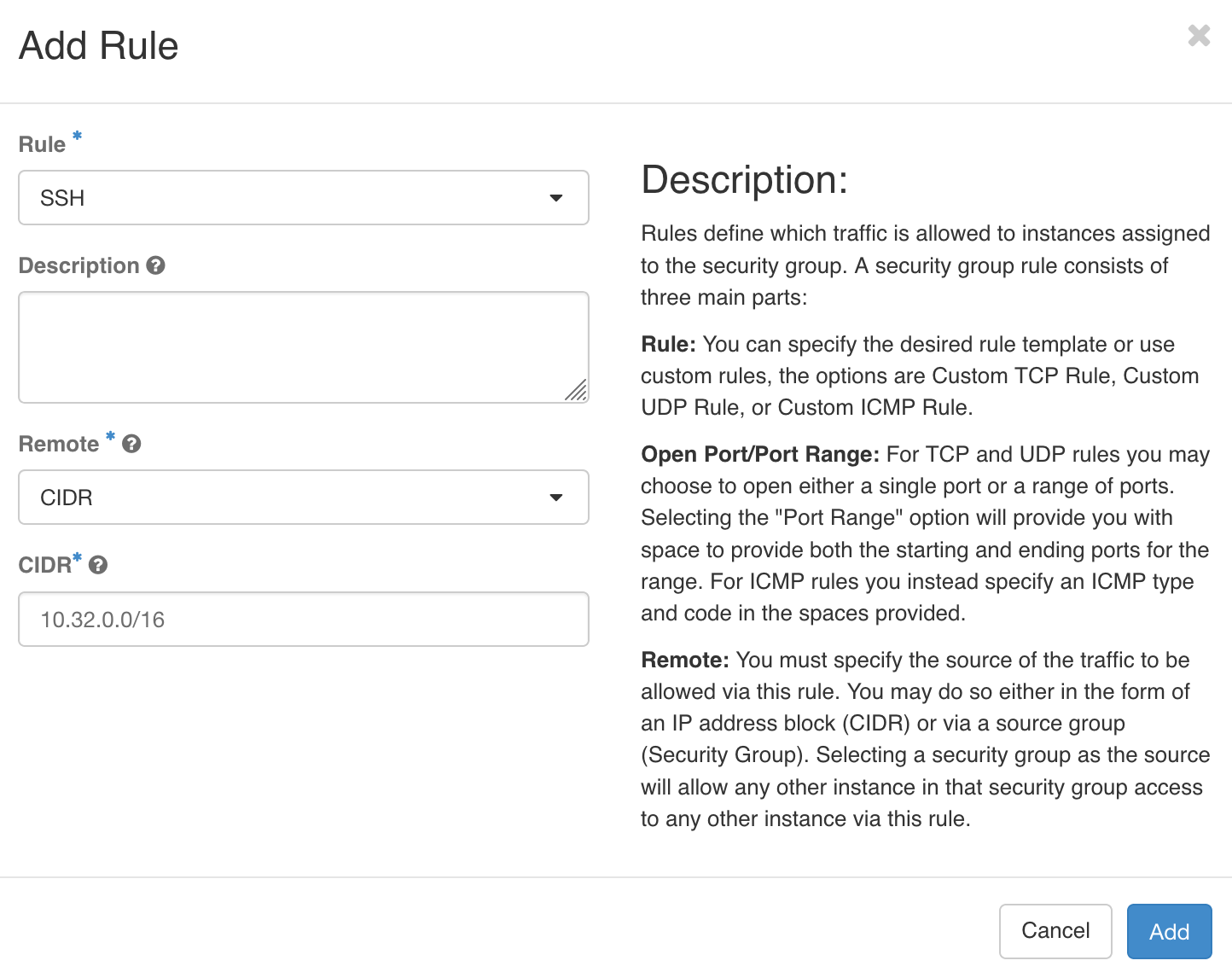
Allow SSH services(ports) by changing the default security groups
-
Please navigate to Project > Network > Security Groups >
MANAGE RULES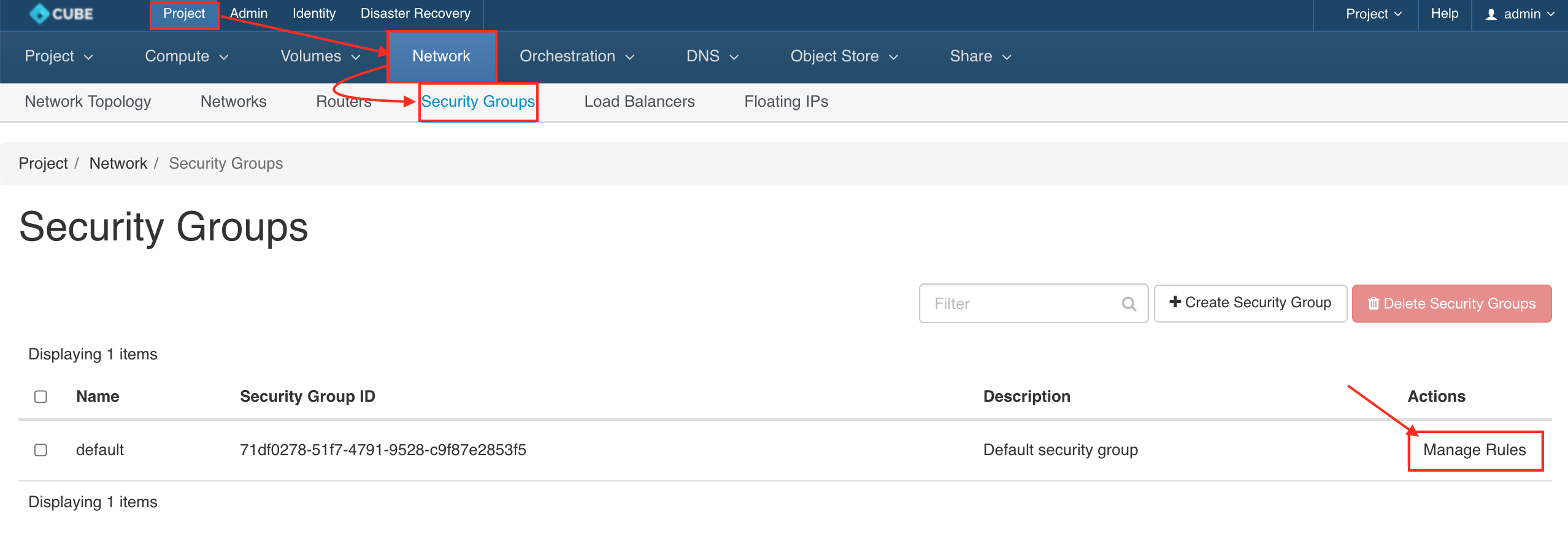
-
Create a new rule by click on
+ ADD RULE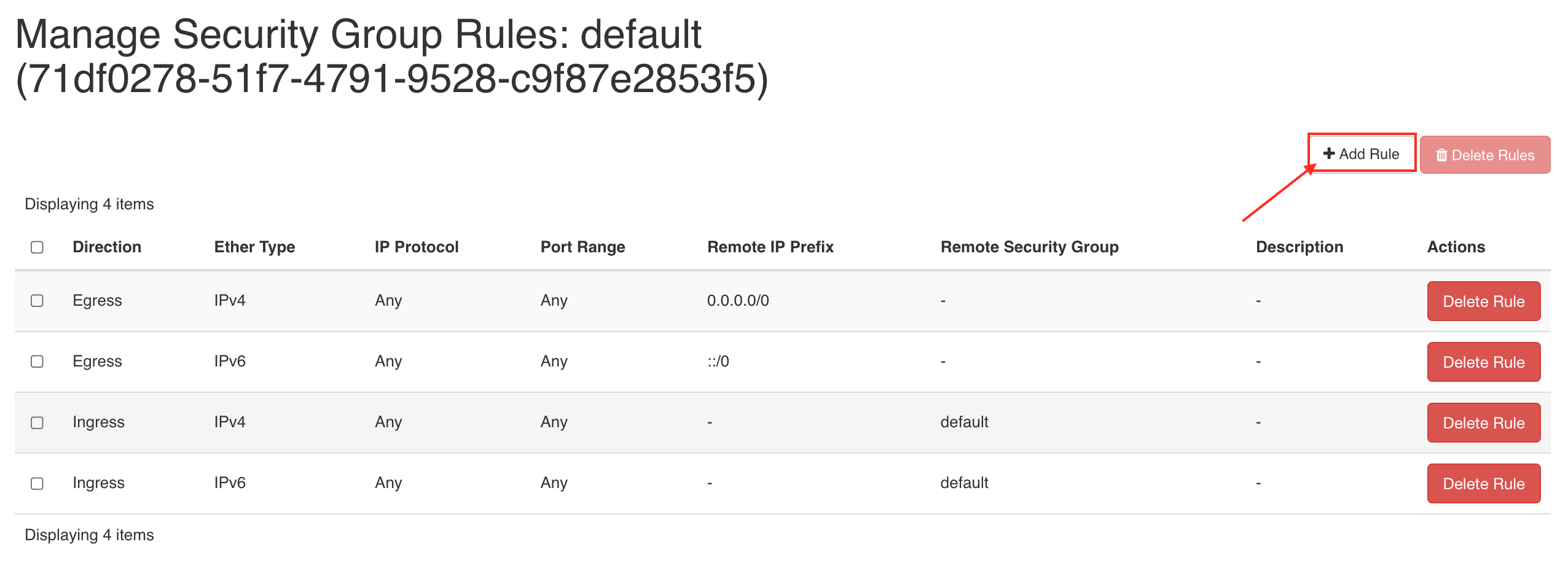
-
A. Create Rule by port range
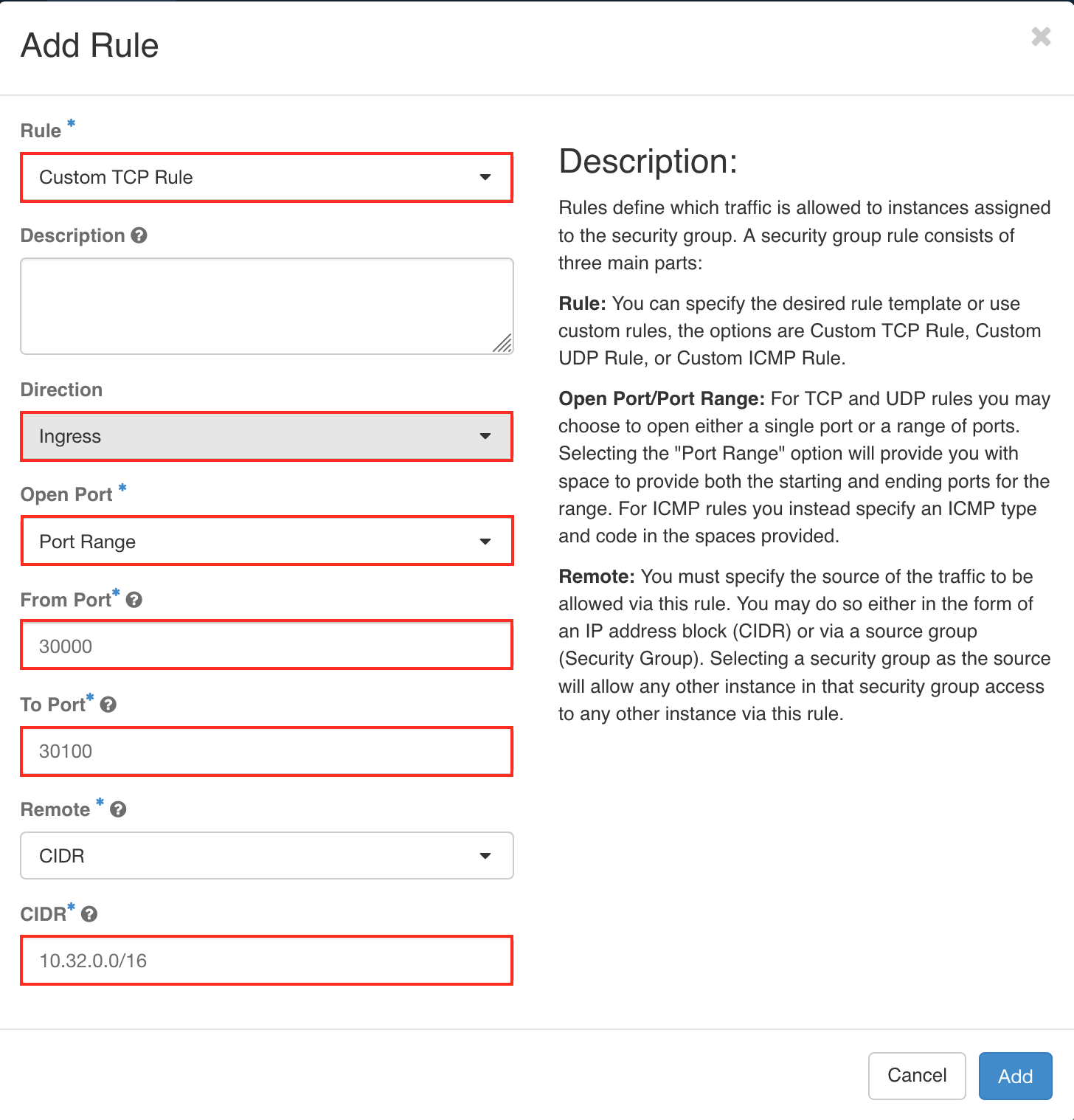
B. Create rule by sevices
-
Finally the new rules will be added to the
defaultsecurity group