Create a Incremental backup action
Create a full backup
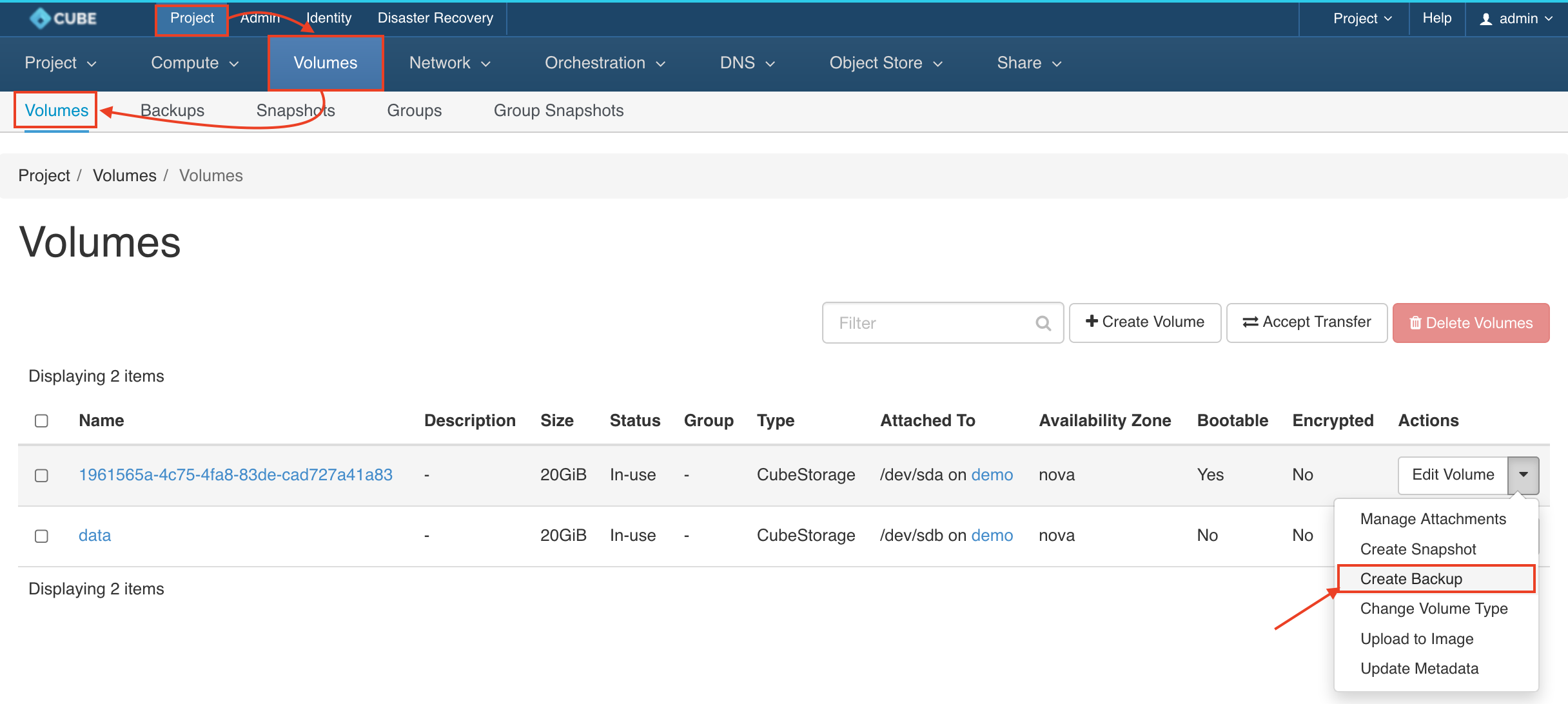
Goto Project > Volumes > Volumes, choose the volume from the list and select the CREATE BACKUP from the Actions column.
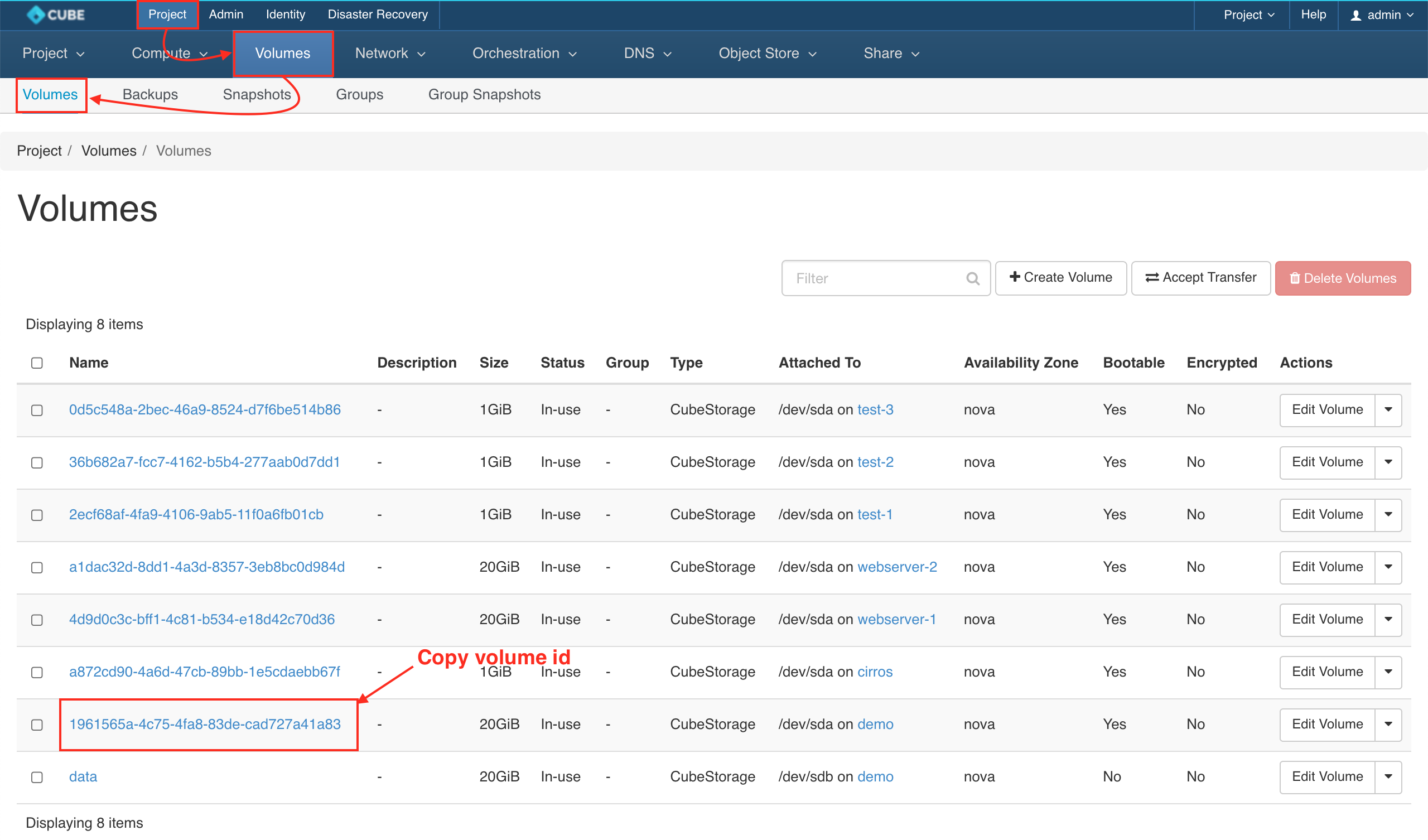
Get the Volume ID
Please navigate to Project > Volumes > Volumes
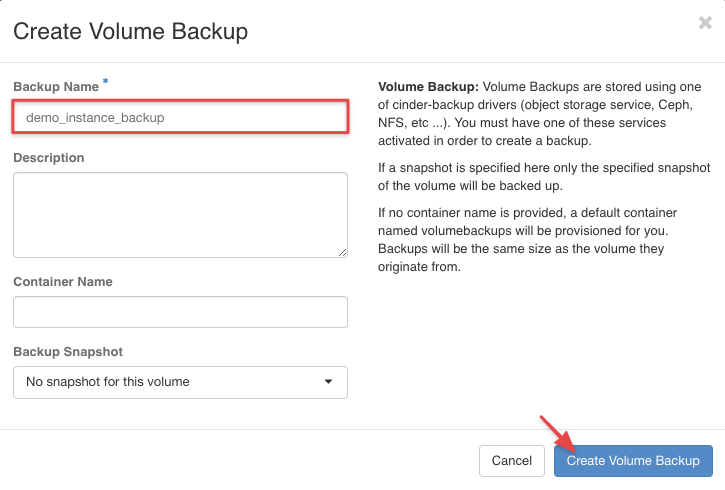
Enter the Backup Name & Container Name.
Create action
Please navigate to Disaster Recovery > Backup & Restore > Actions > + CREATE ACTION
Create an incremental backup action
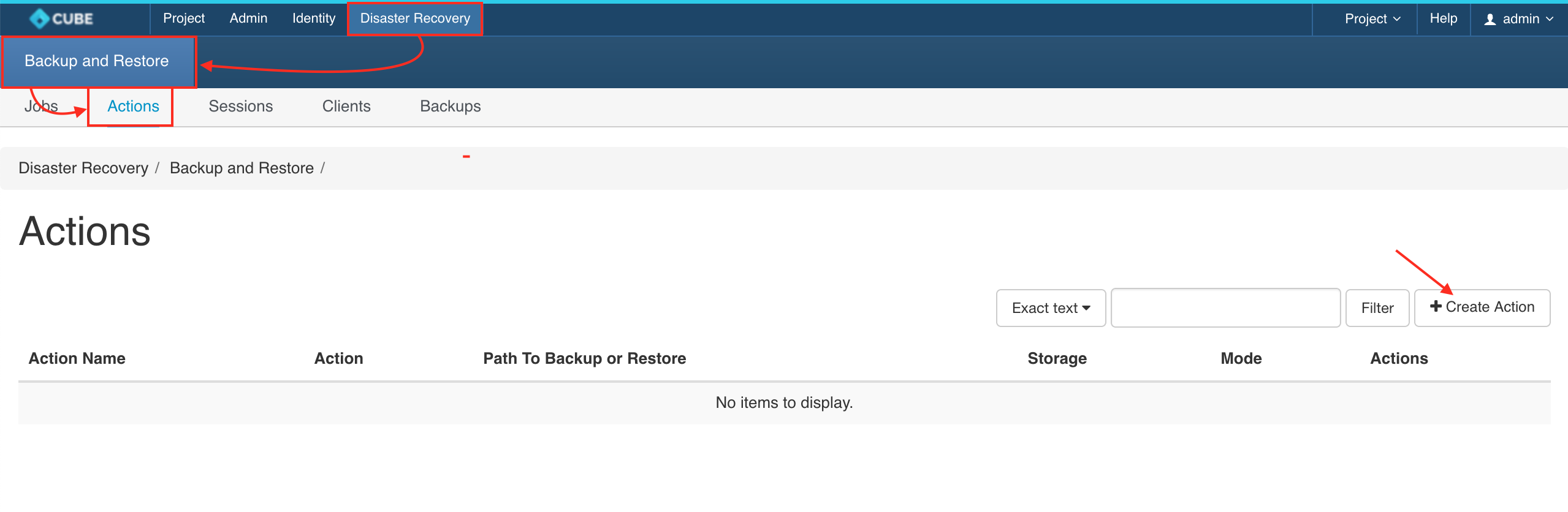
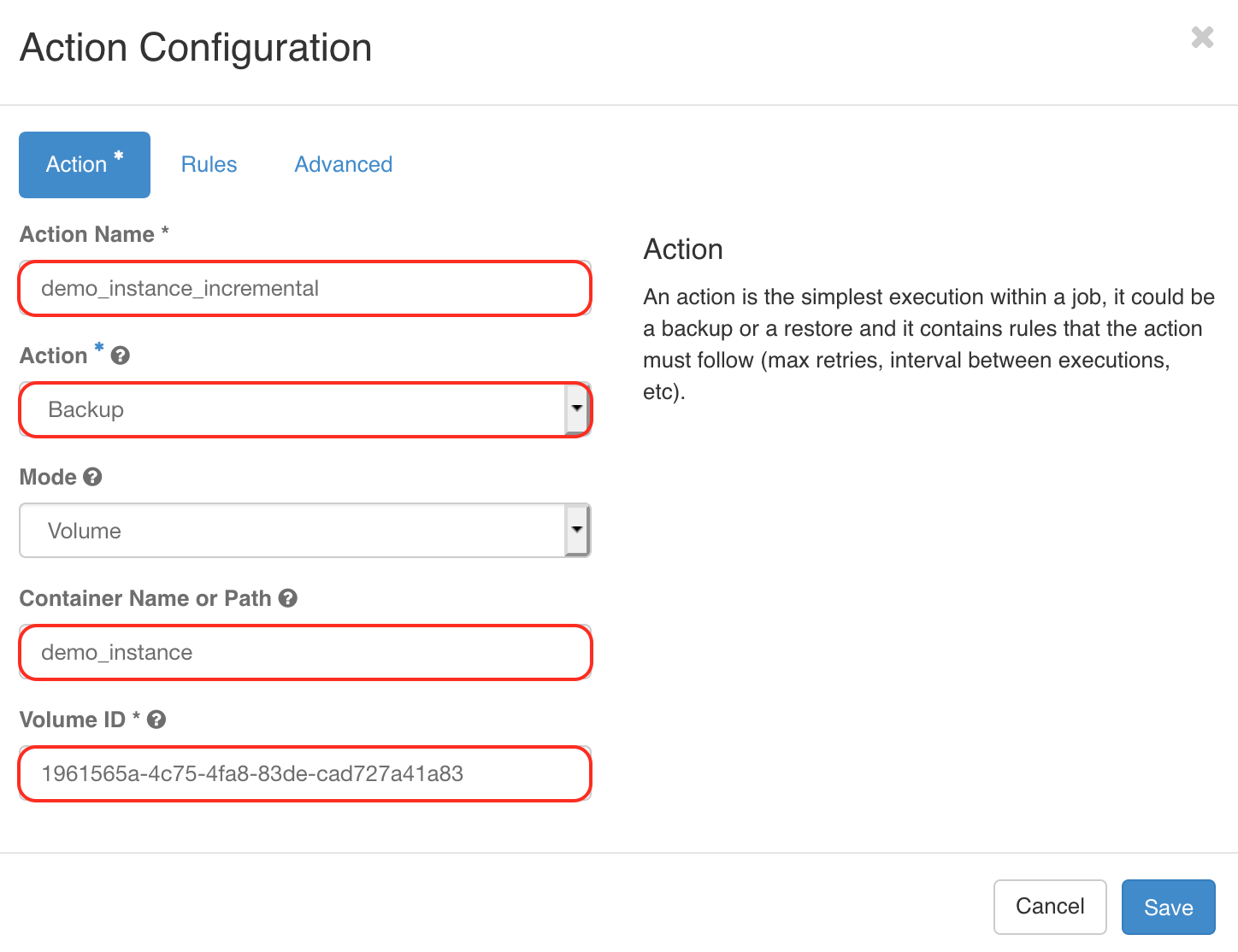
Config name, container's name & Volume ID
- Action name:
$PROJECT_$INSTANCE_$TYPE_$ACTION - Action:
Backup - Mode:
Volume - Container Name or Path:
$PROJECT_$INSTANCE_$TYPE - Volume ID:
Volume UUID
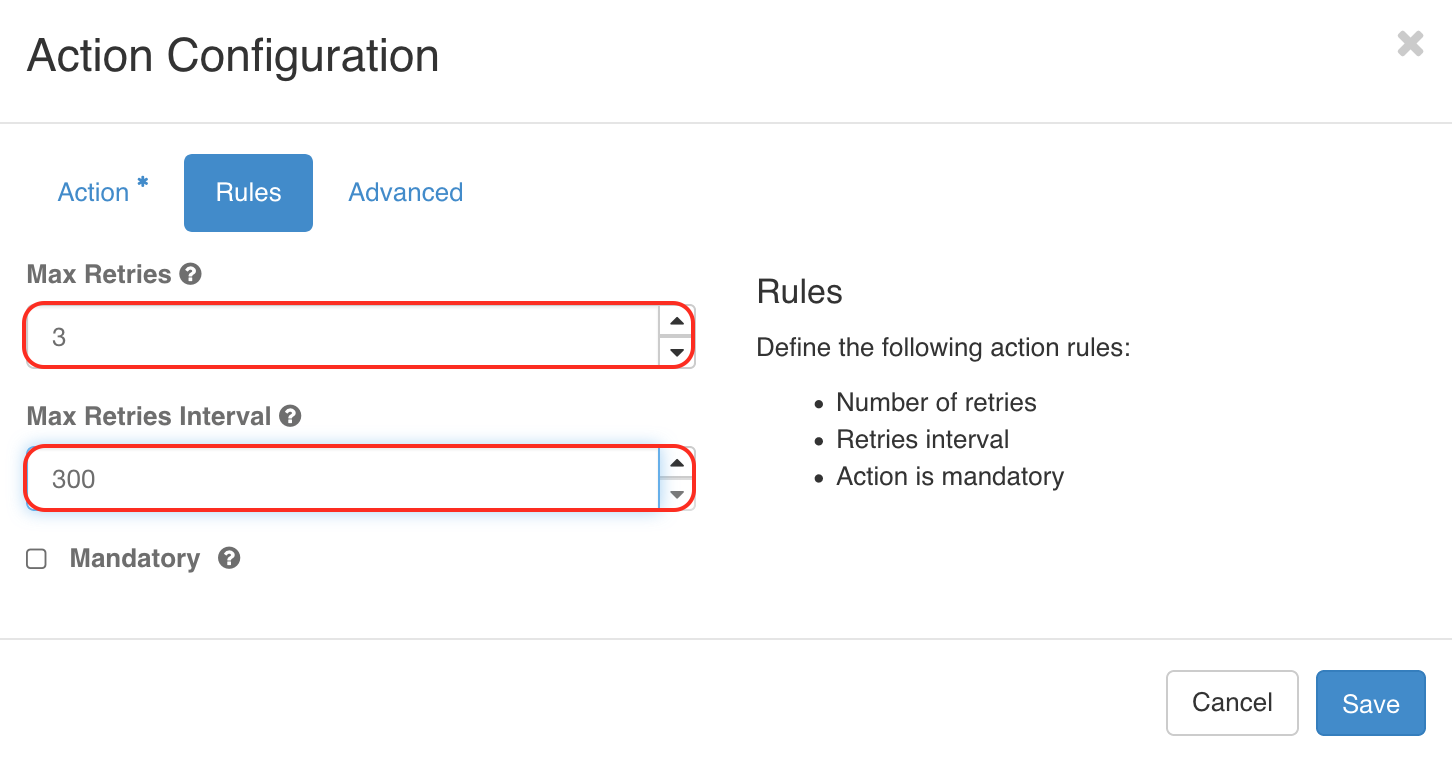
Rules
- Max Retries:
3 - Max Retries Interval:
300
Advanced
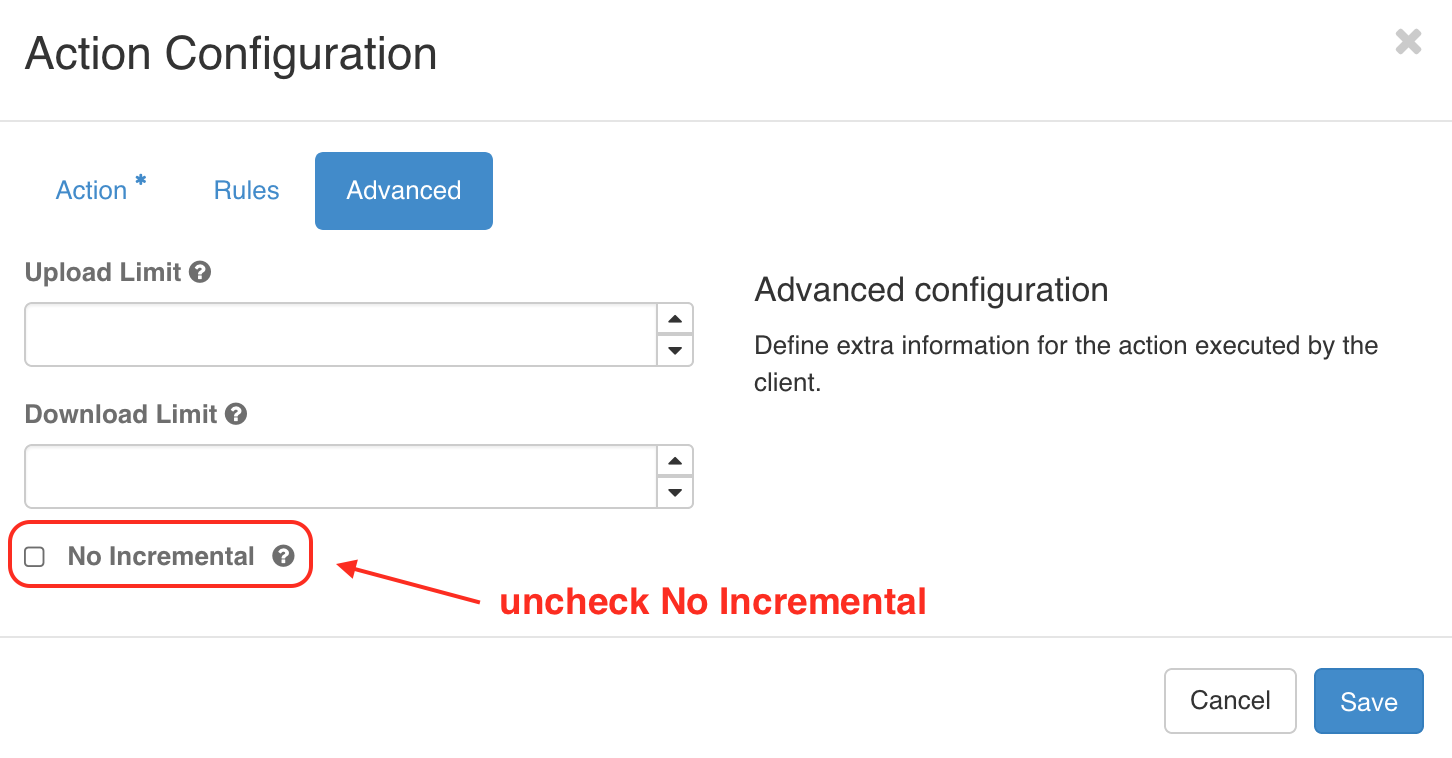
Un-Check No Incremental option and SAVE