Create a Volume
-
Goto Project > Volumes > Volumes, select the
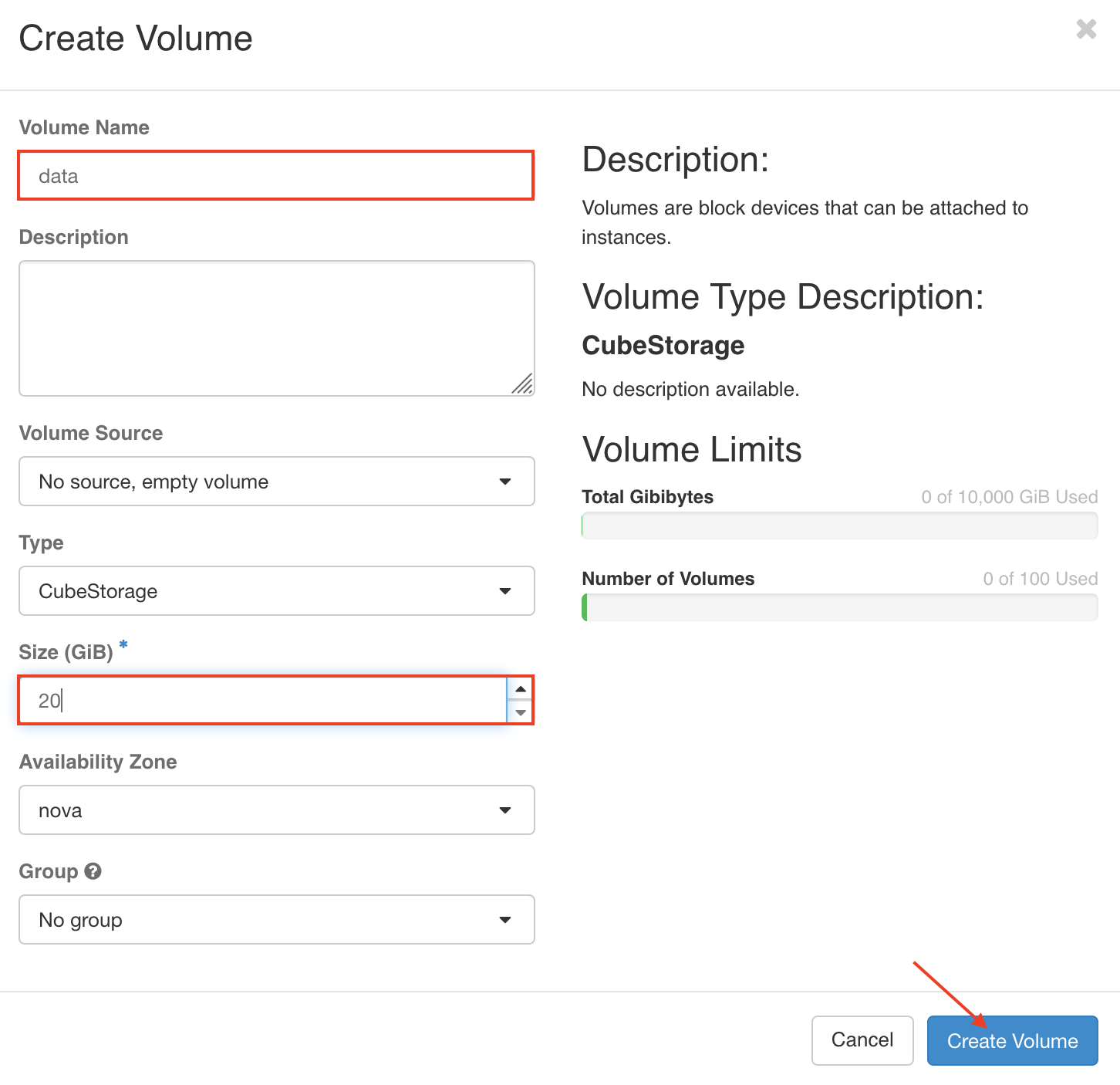
CREATE VOLUMEfrom the Actions column. Enter the Volume Name & Set the Size of Volume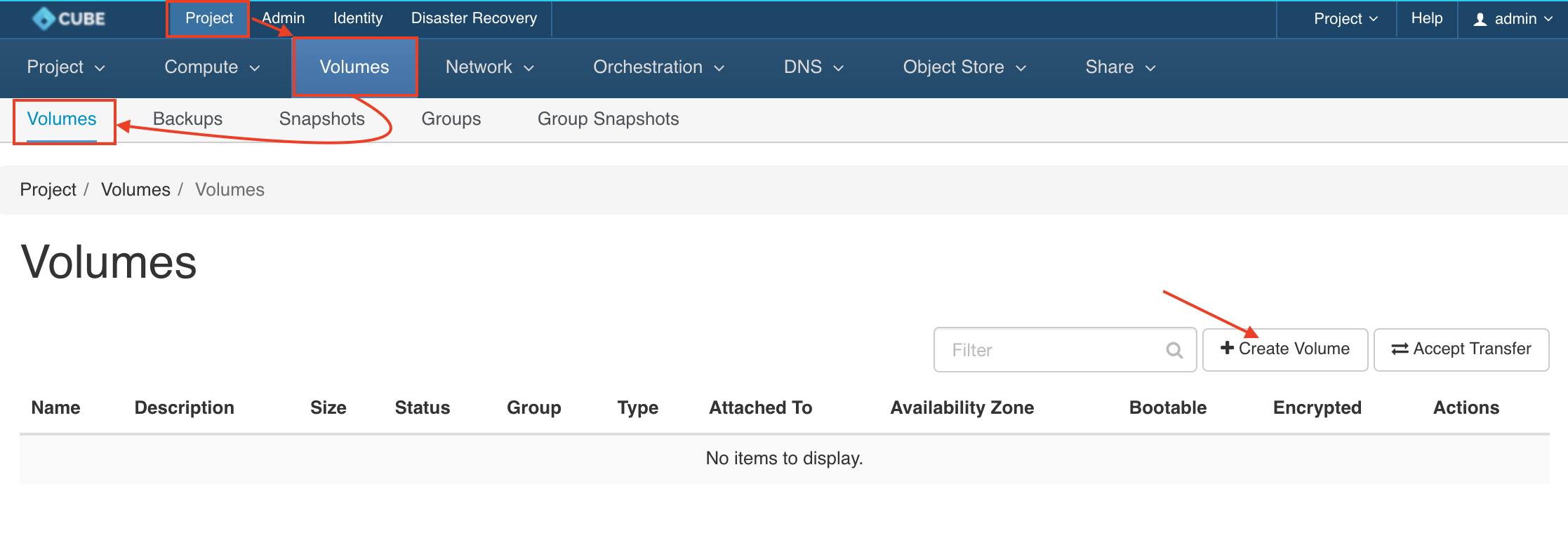
-
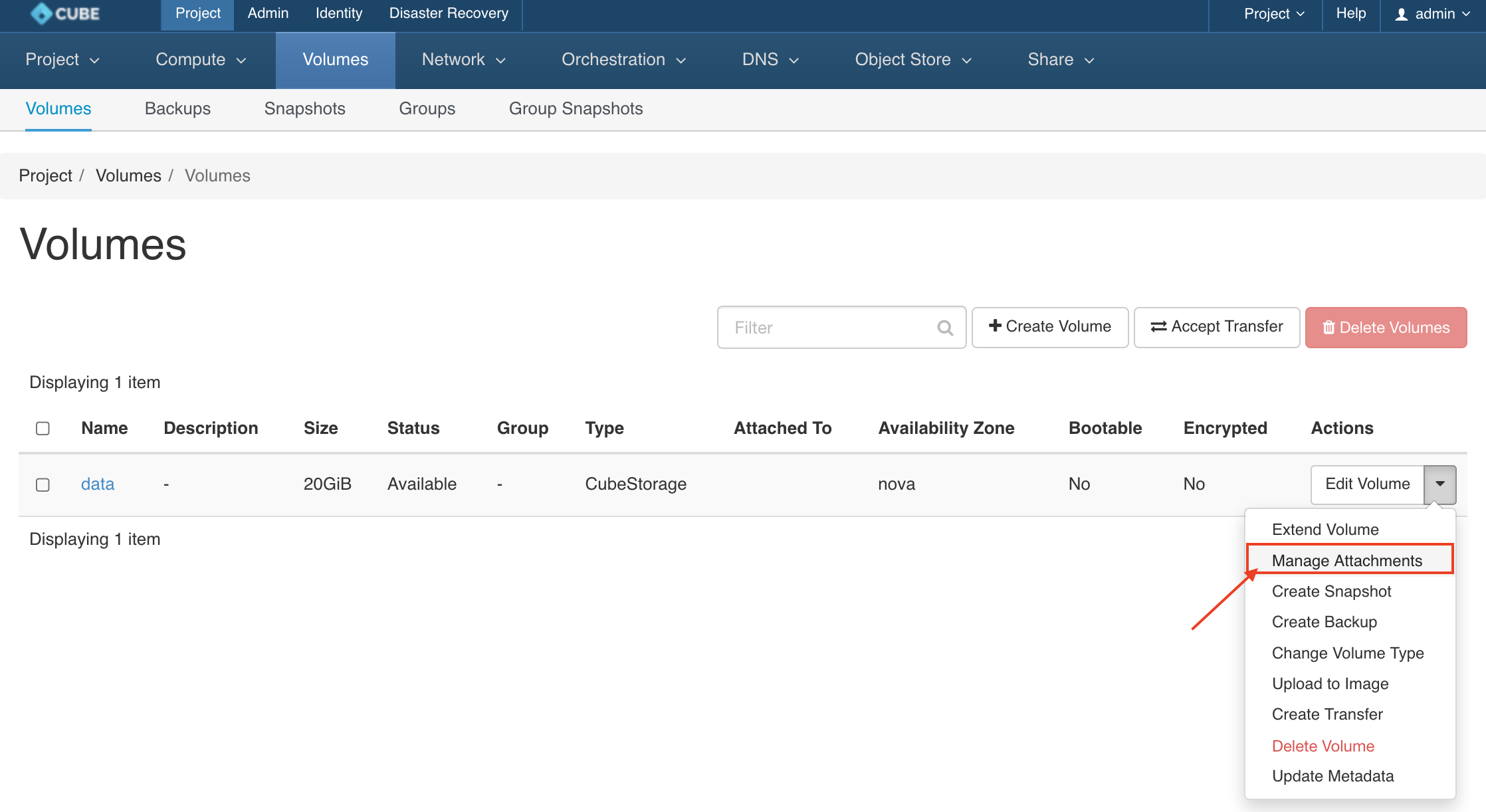
Click the dropdown icon from the action column and select manage attachment
-
Select your Instances from the dropdown menu and click
ATTACH VOLUME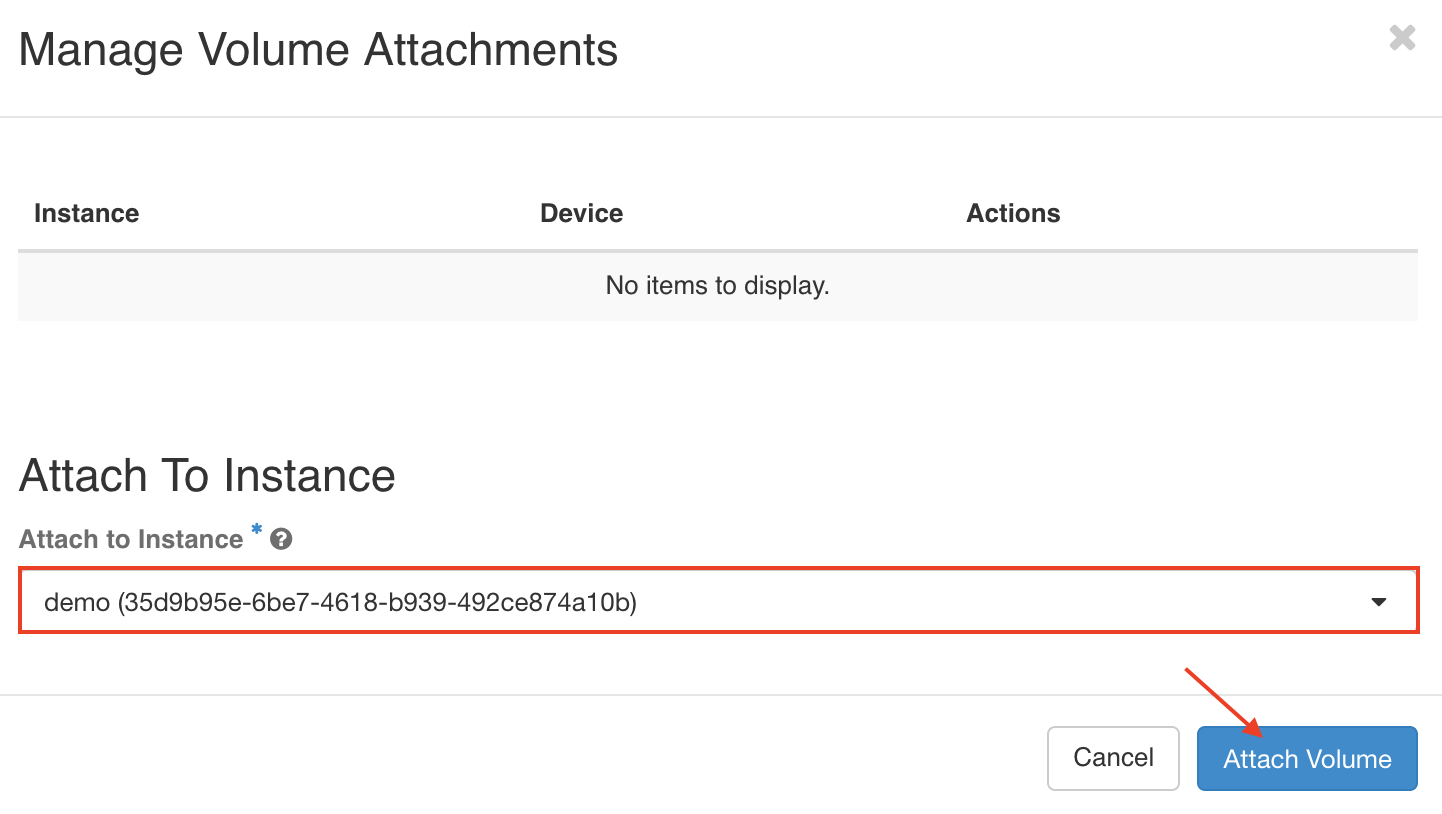
-
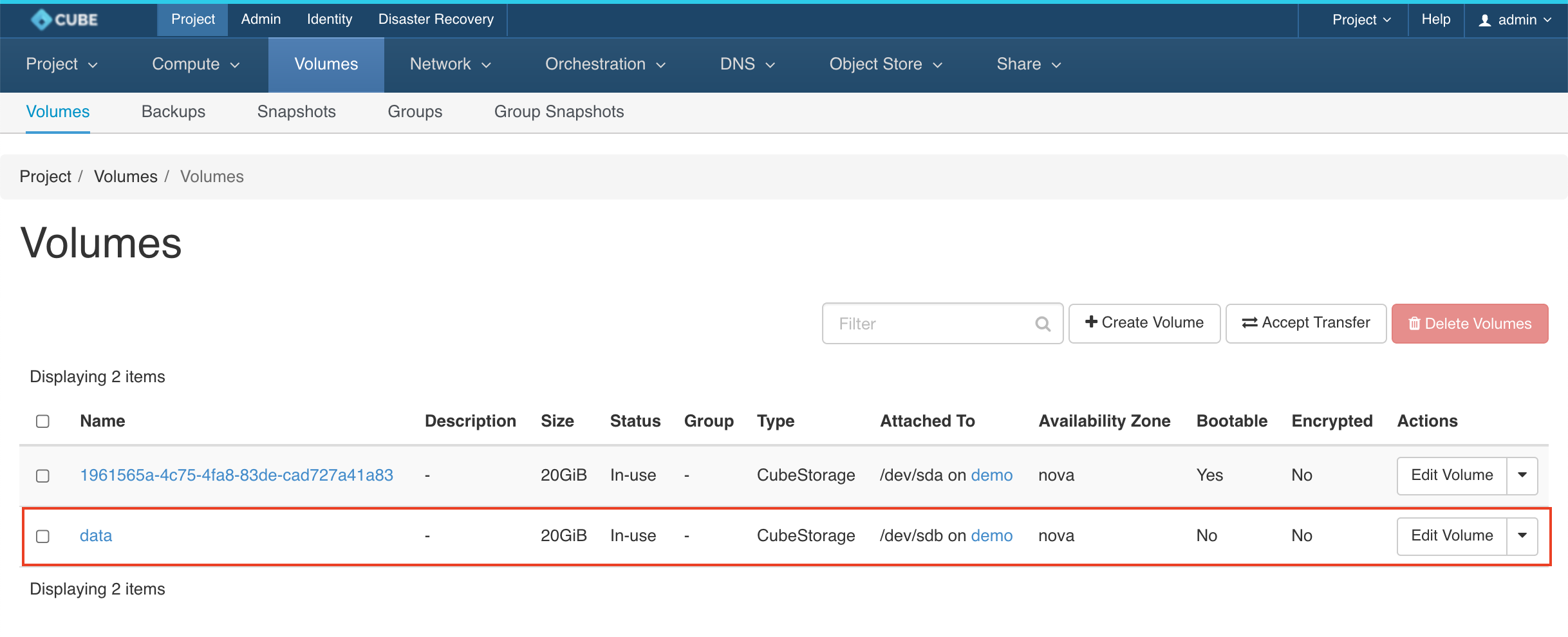
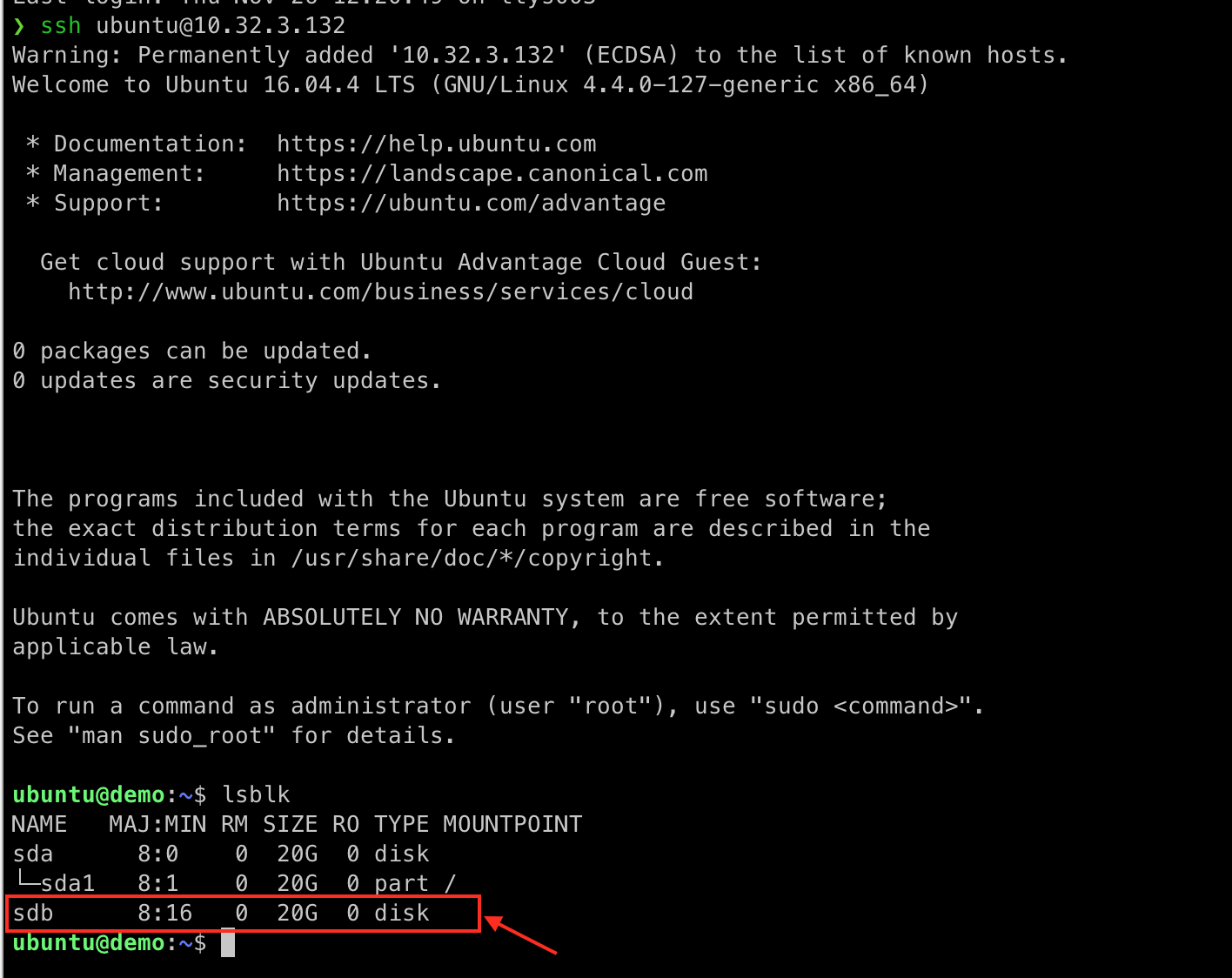
The Volume has attached to your instance sucessfully.