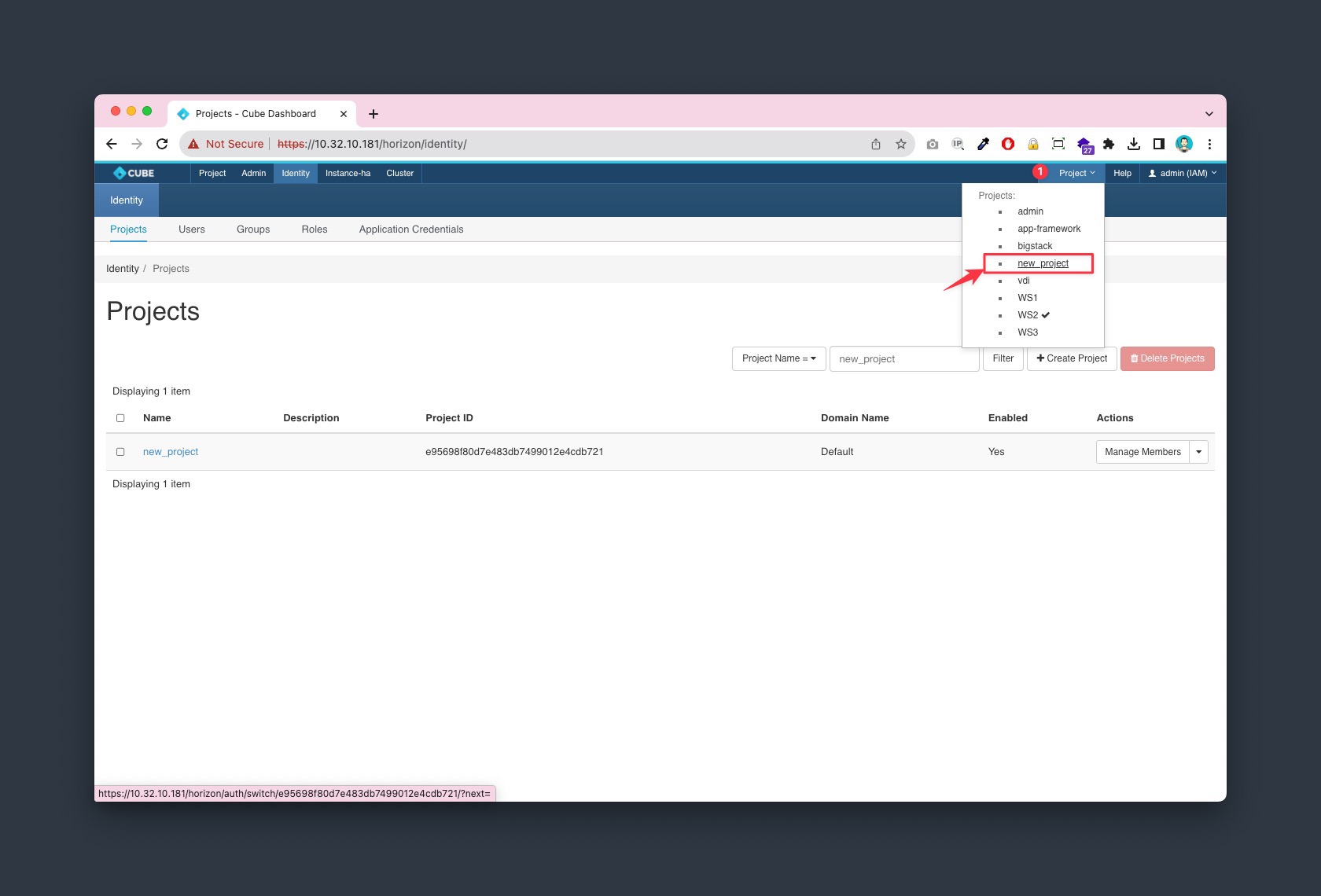
Assign User to project
-
Please navigate to Admin > Identity > Projects, Choose your project, and select
Manage Membersfrom the actions dropdown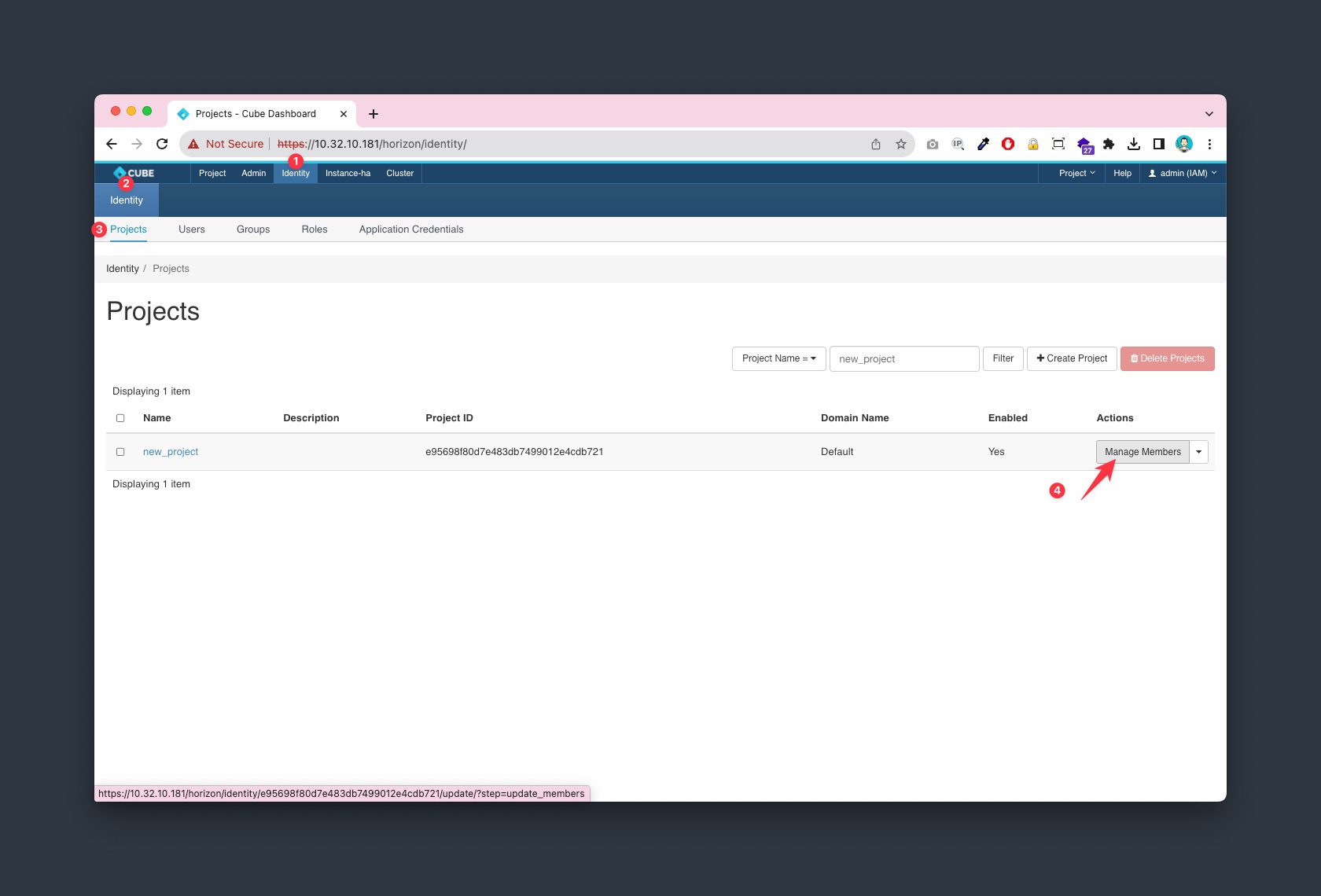
-
Click on
+button and add "admin (IAM)"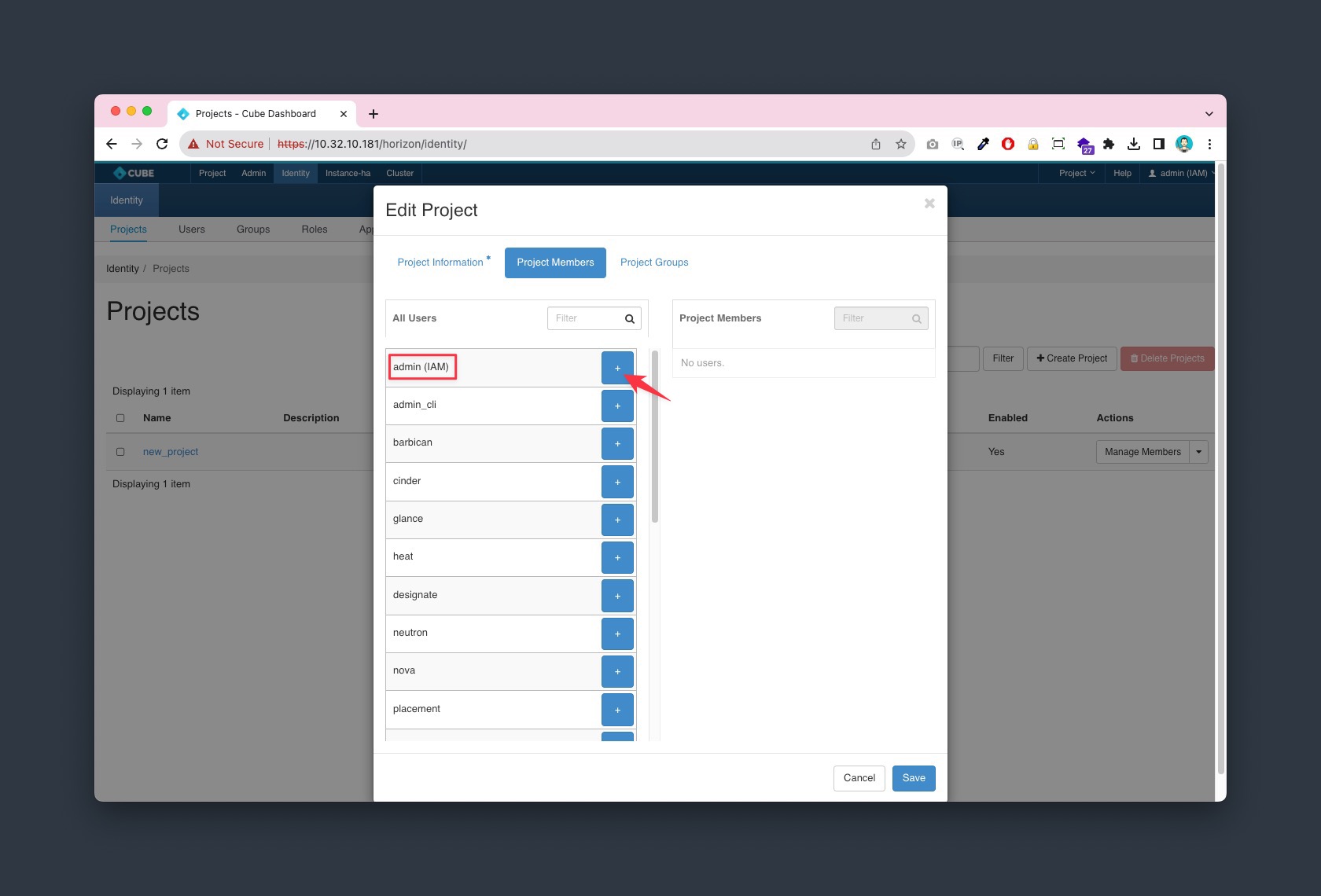
-
Add
adminprivilege to "admin (IAM)" for the project and save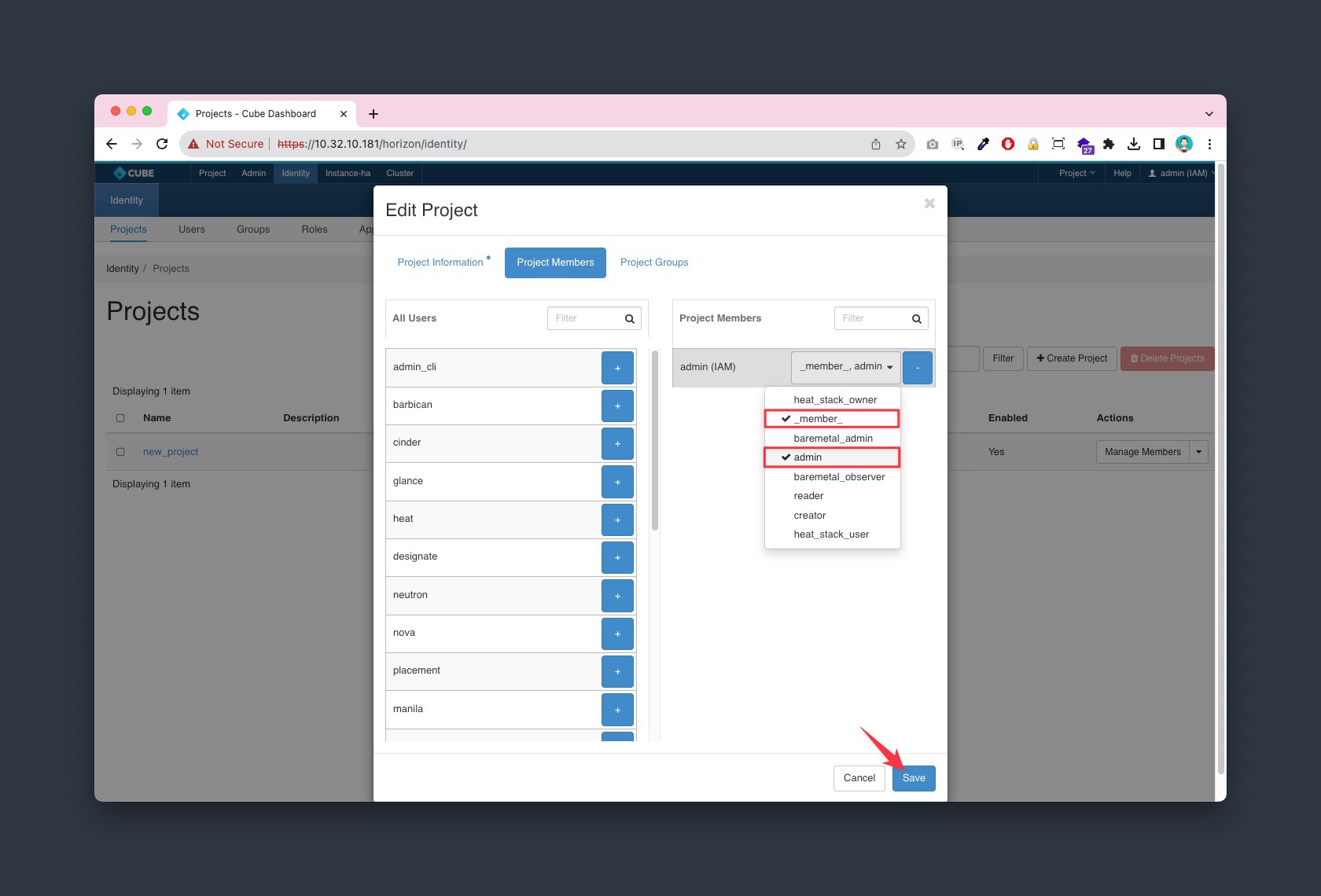
-
Check the project list from the top right section, make sure you have
new_projectin the list