Create a Single-Sign-On user
-
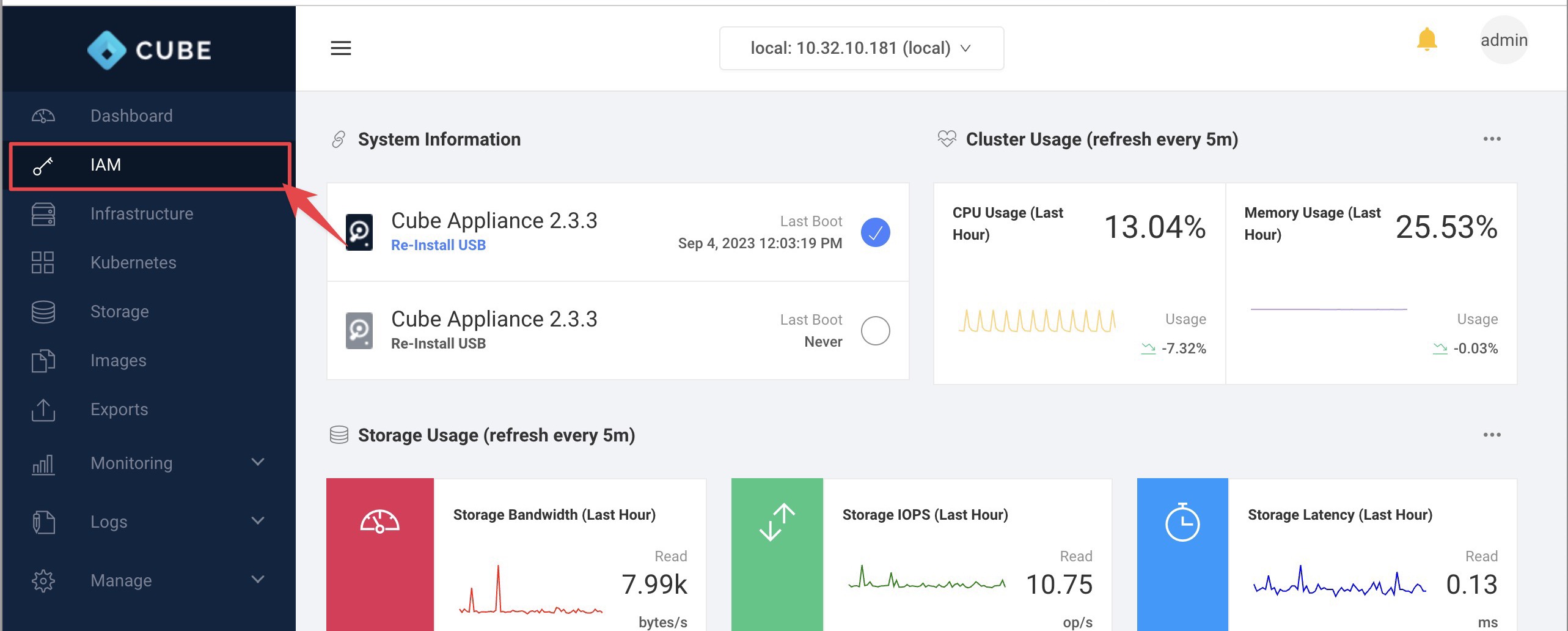
Please navigate to IAM
-
On the sidebar look for Manage > Users and click on
Add user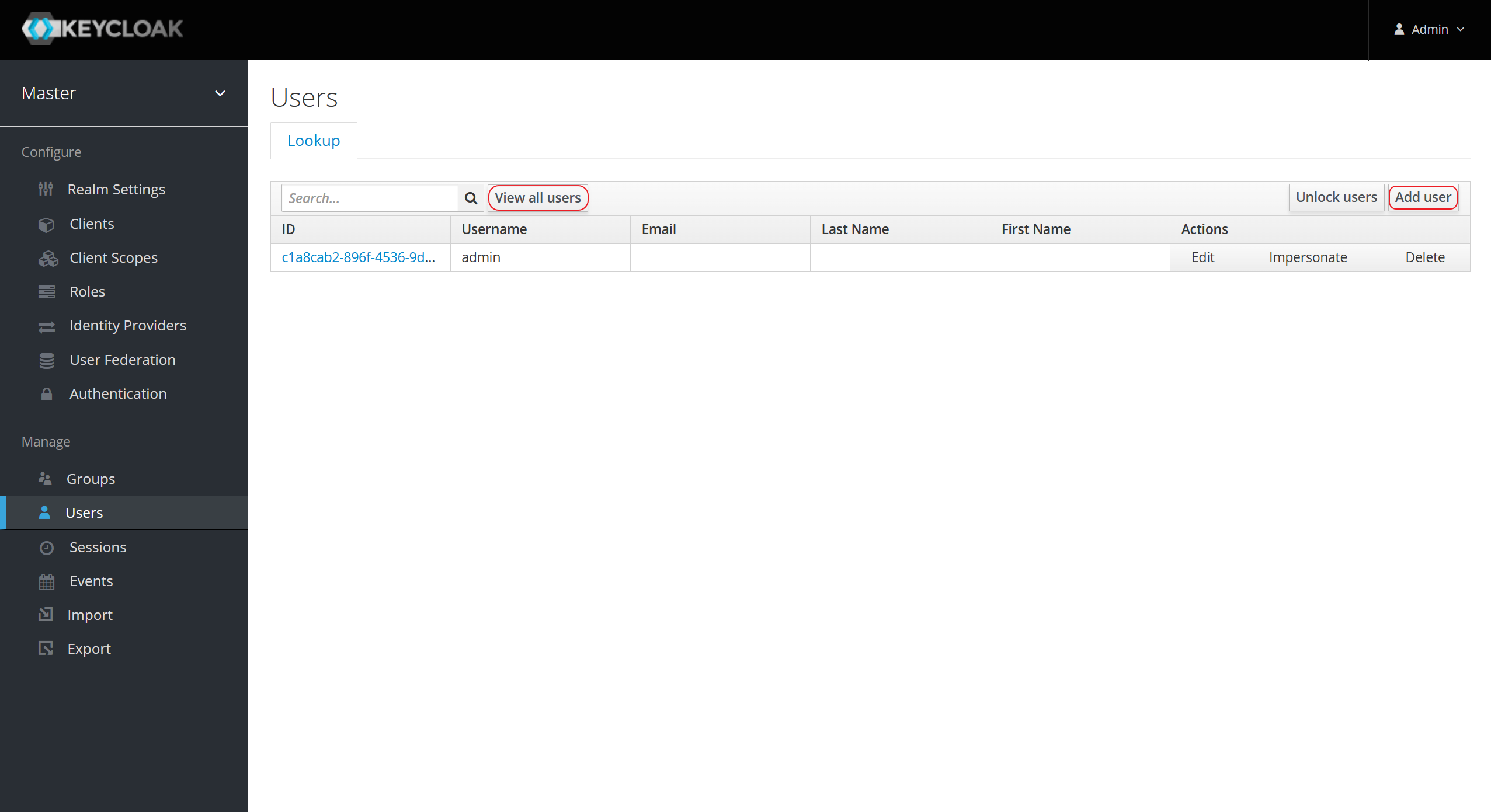
-
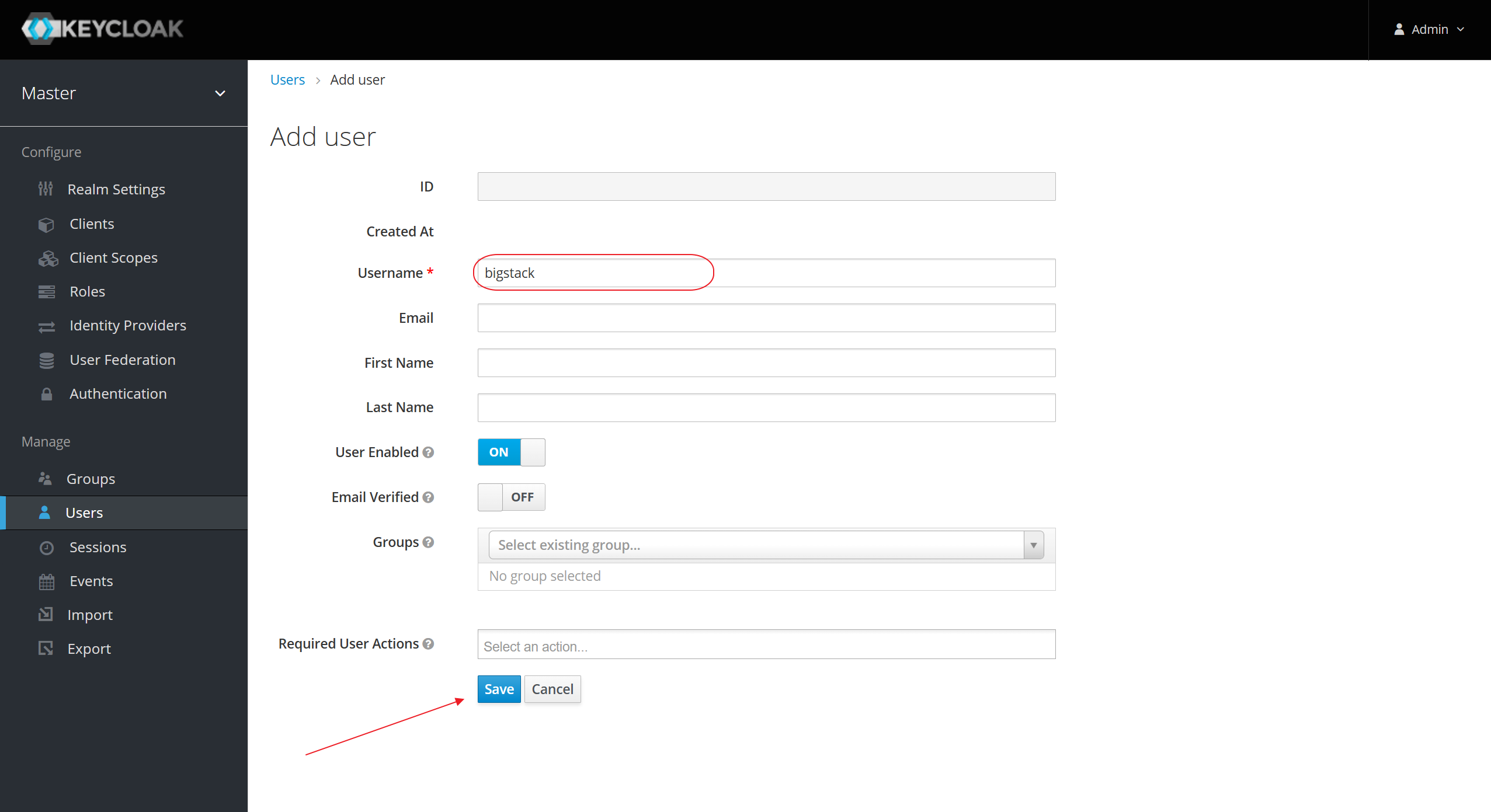
Enter a new username
-
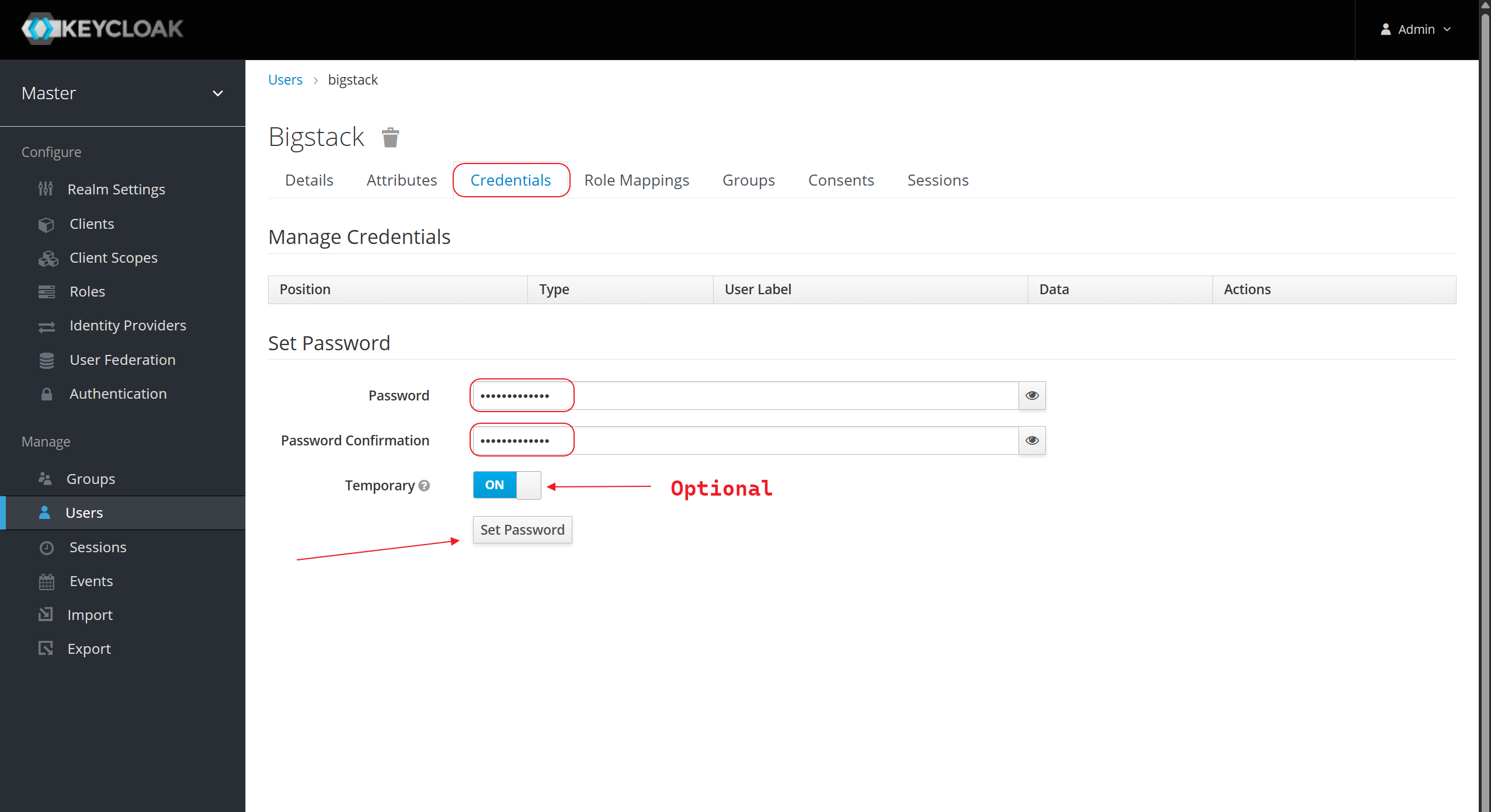
Setting the password
-
(Optional) add user to
cube-adminsgroup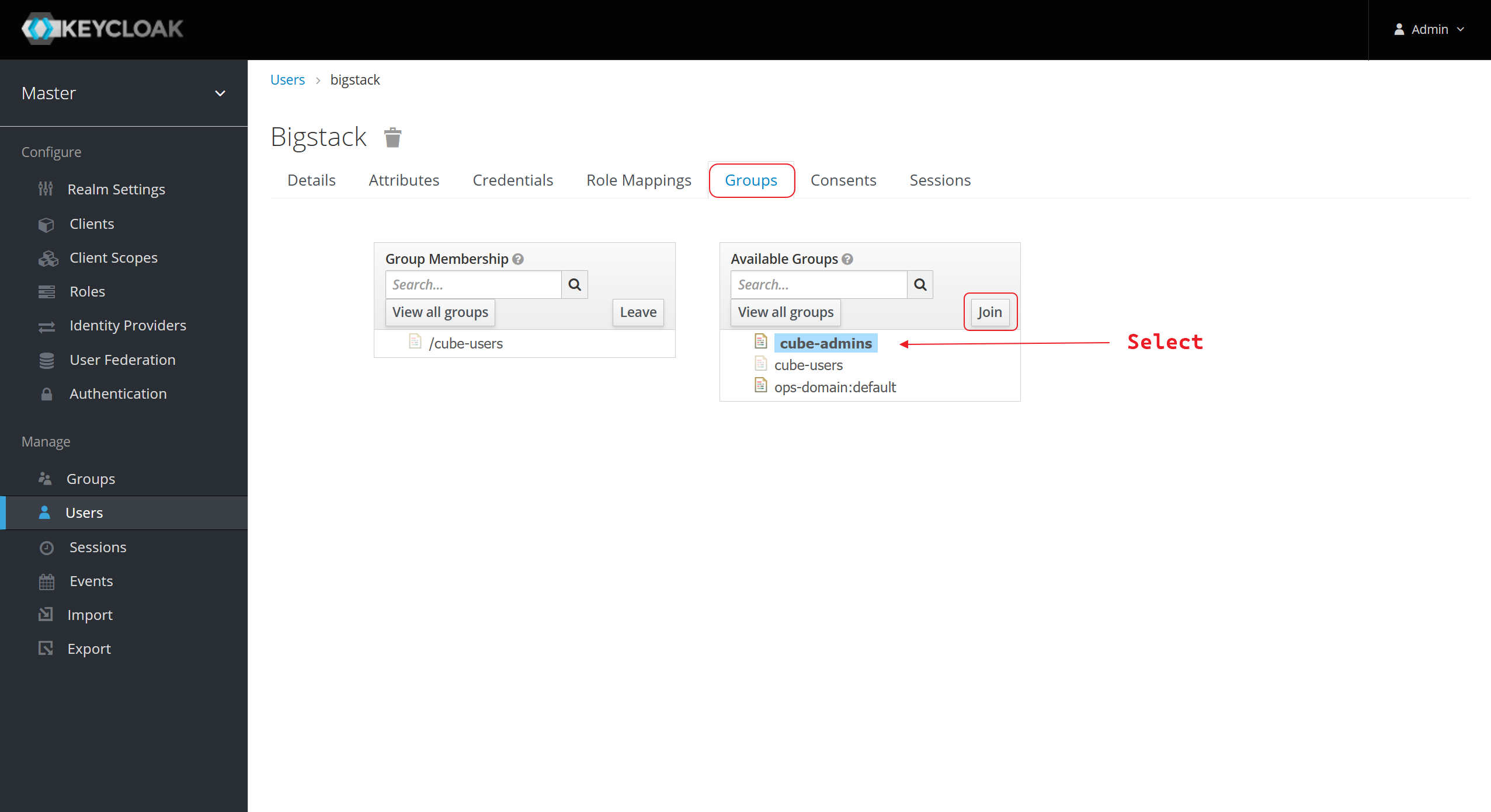
-
Then try to login into
infrastructure. Once you are logged, you are amemberof Projectadmin -
Please tell your administrator to assign you the roles & project's priviledge after you logged.
-
After administrator has assign you on the project with Identity, you will able to manage your VMs in your project.