Add OpenLDAP as User Federation
-
Please navigate to User Federation and choose
ldapfrom the providers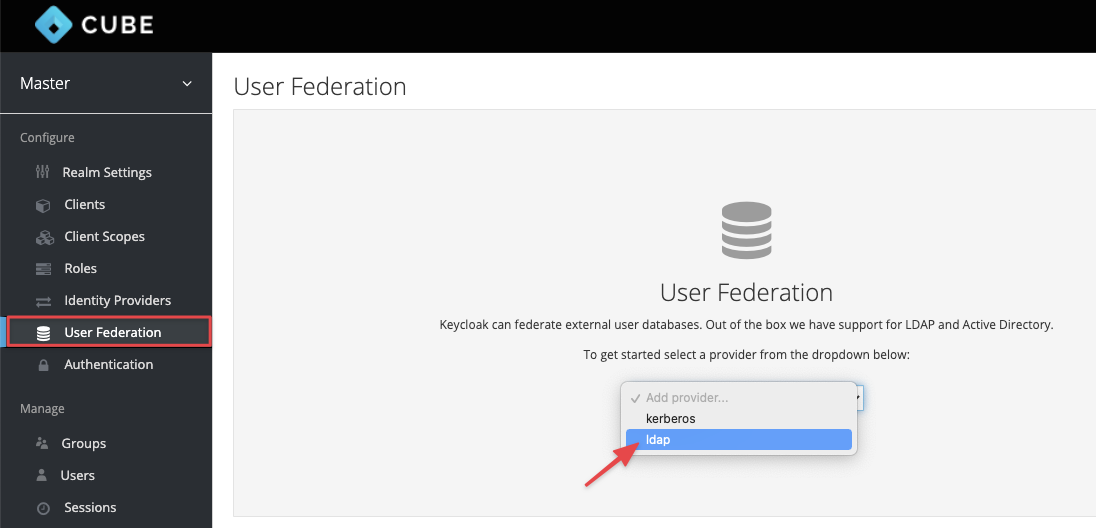
-
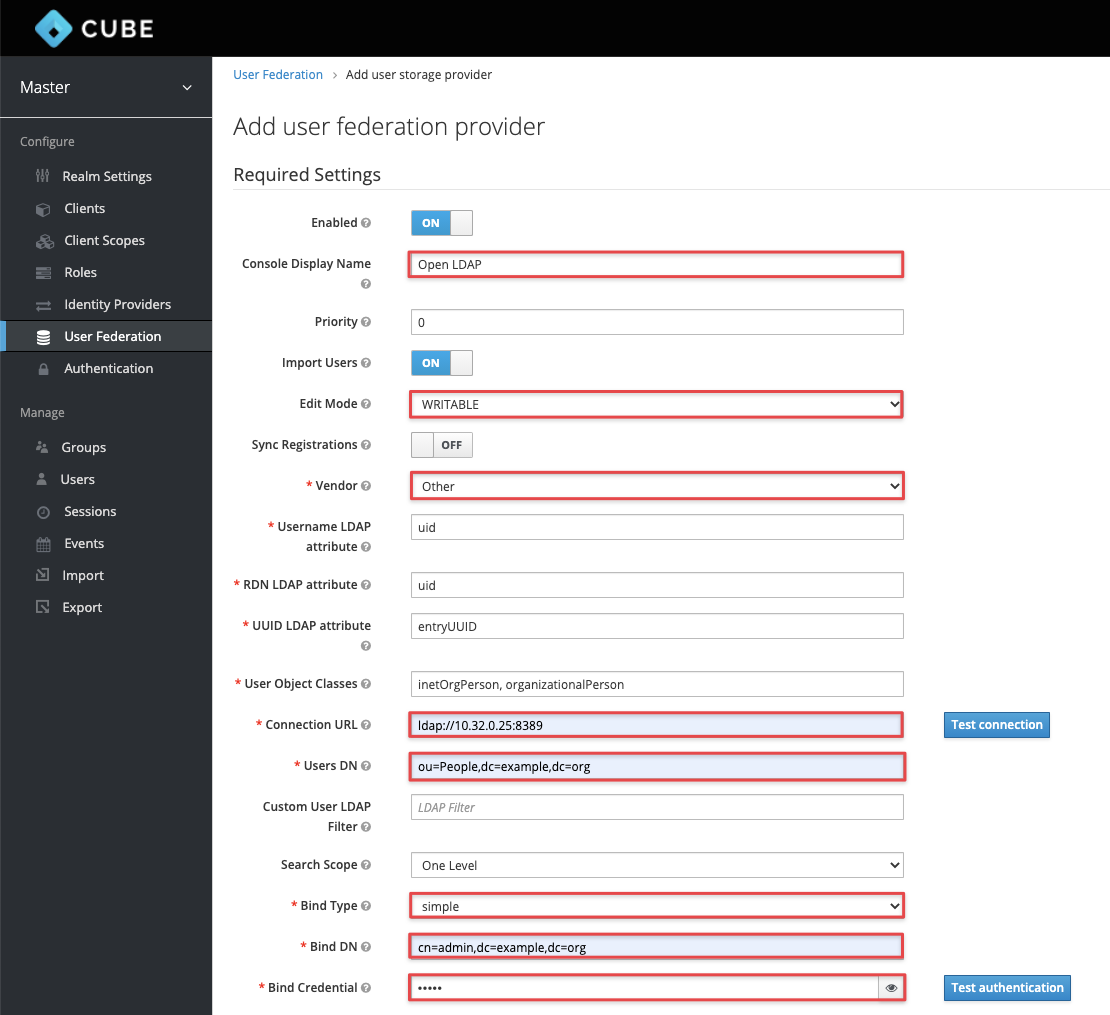
Please follow the image show below to complete the configuration for OpenLDAP
- Edit Mode : Writeable
- Vendor : Other
- Connection URL : ldap://openldap
- Users DN : ou=People,
your base DN - Authentication Type : simple
- Bind DN : cn=admin,
your base DN - Bind Credential :
your chosen admin password
-
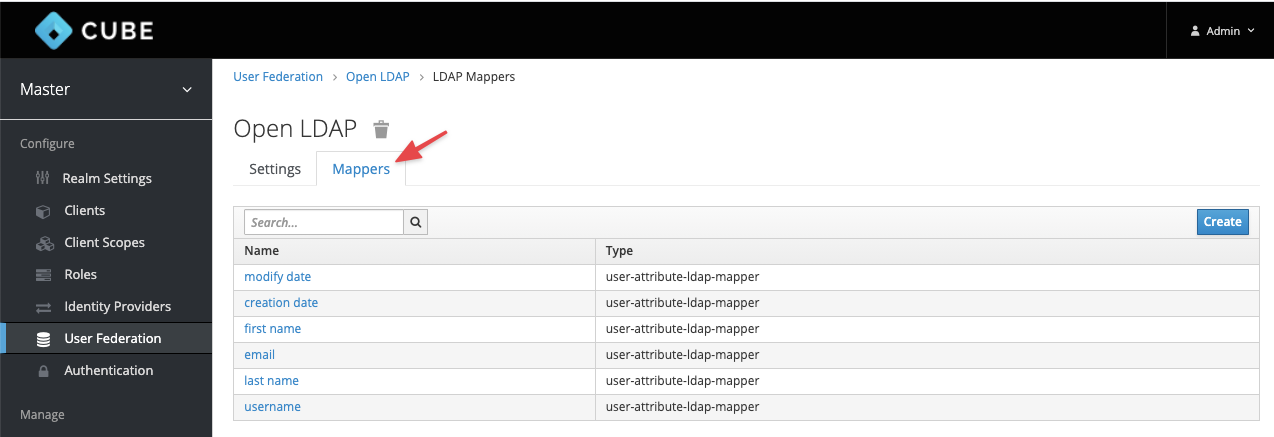
Setting the Mappers
-
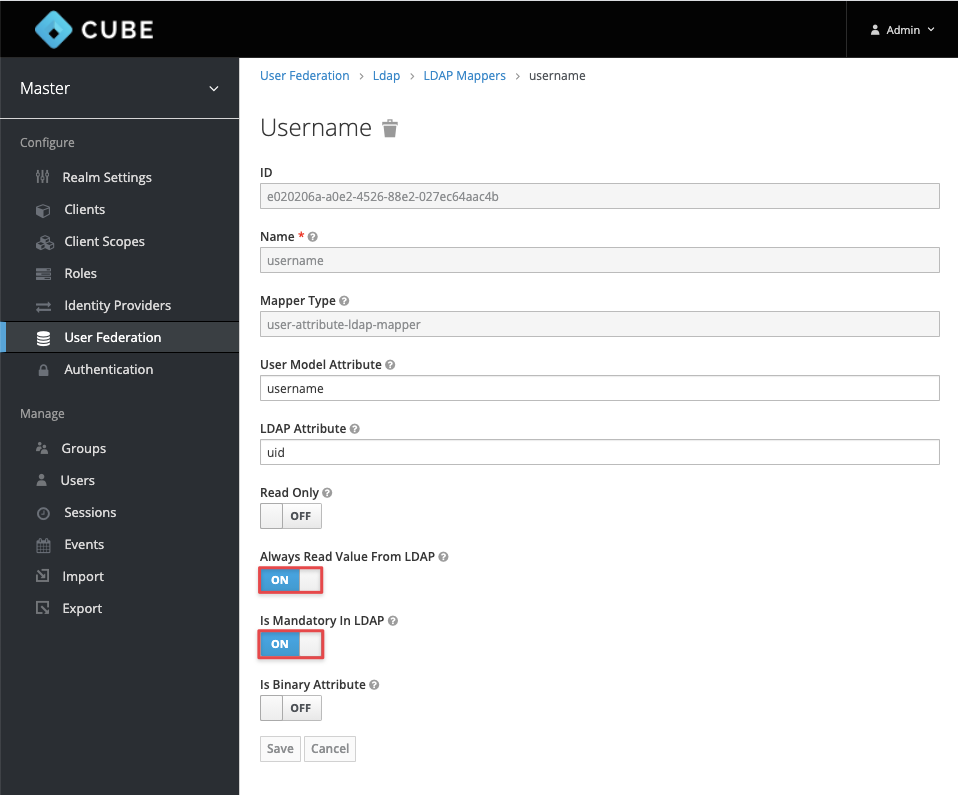
For each of the following mappers, click the name, and set the "Read Only" flag to "Off" (this enables 2-way sync between KeyCloak and OpenLDAP)
last nameusernameemailfirst name
-
After Mapping is done, try login with OpenLDAP username & password.
-
Then try to login into
infrastructure. Once you are logged, you are amemberof Projectadmin -
Please tell your administrator to assign you the roles & project's priviledge after you logged.
-
After administrator has assign you on the project with Identity, you will able to manage your VMs in your project.