# Flavor

> Flavor is a virtual hardware configuration profile that defines the resource allocation required for a virtual machine (VM) or instance, including the number of vCPUs, amount of memory, and root disk size. Flavors are a critical component of the Compute (Nova) service, enabling users to create consistent and manageable templates for compute resources within a cloud platform.

Flavor is a virtual hardware configuration profile that defines the resource allocation required for a virtual machine (VM) or instance, including the number of vCPUs, amount of memory, and root disk size. Flavors are a critical component of the Compute (Nova) service, enabling users to create consistent and manageable templates for compute resources within a cloud platform.

## Create Flavor {#create-flavor}

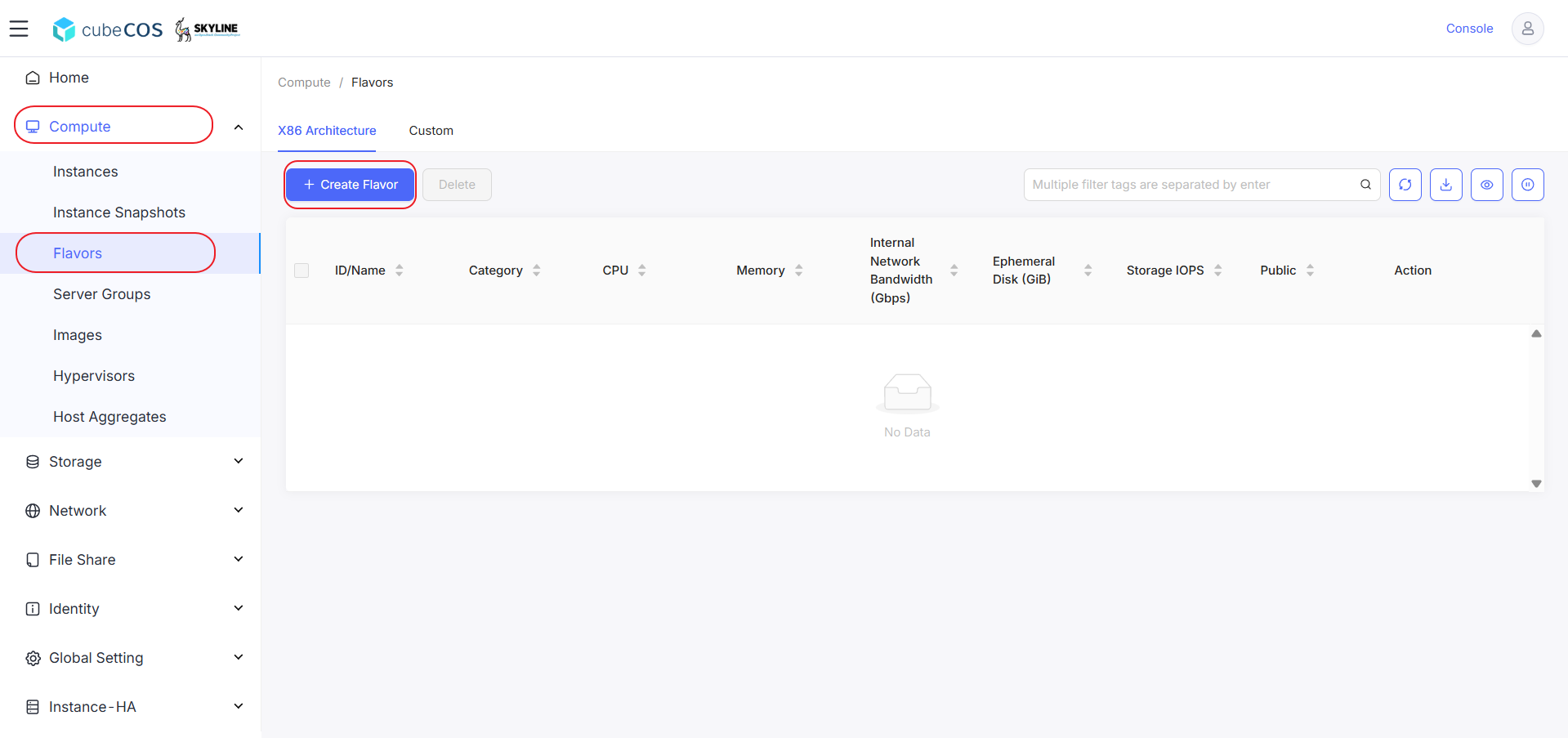
1. Navigate to `Administrator > Compute > Flavors`, then select `+ CREATE FLAVOR`.

   ![/assets/compute/flavors/flavor_1.png](/assets/compute/flavors/flavor_1.png)

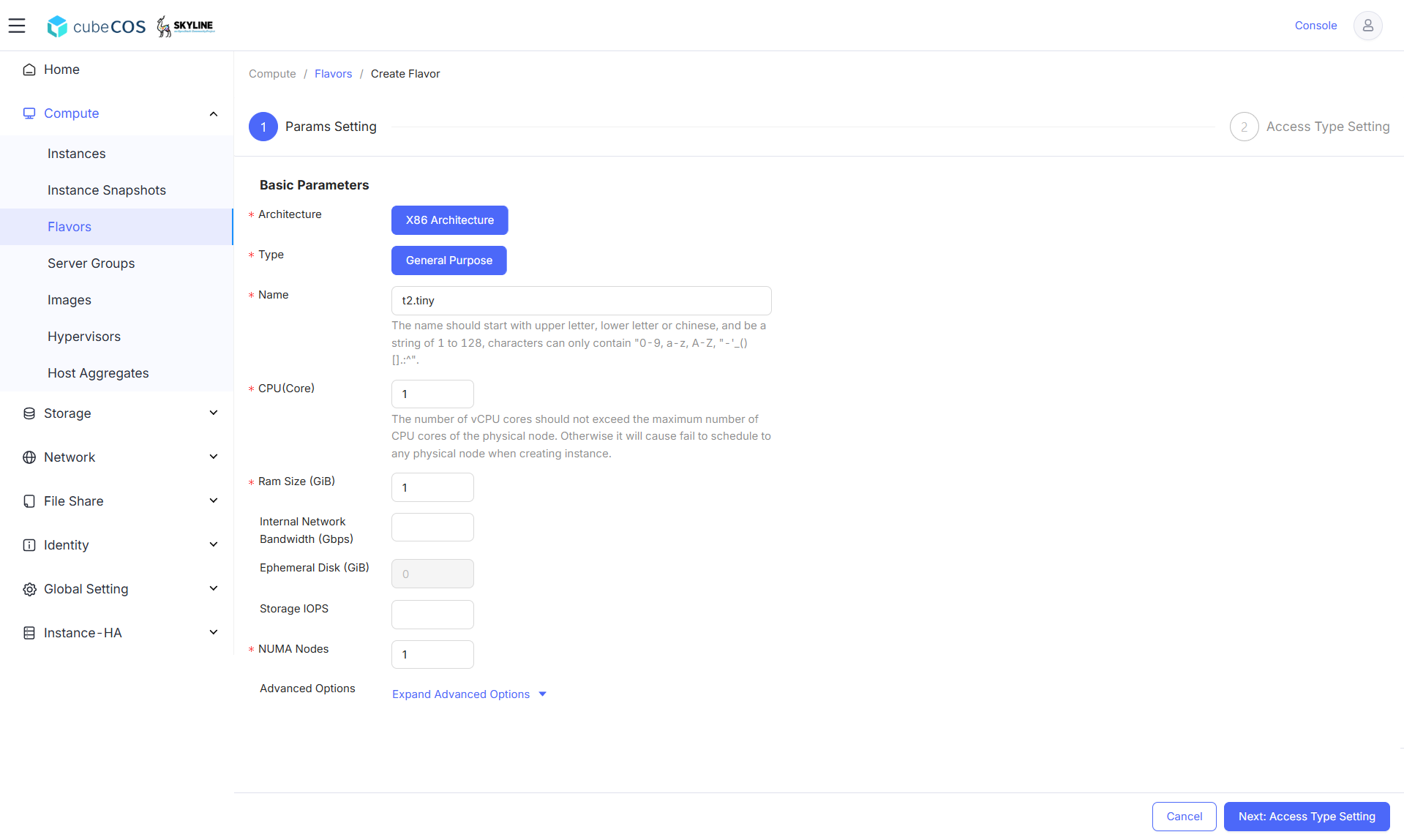
2. Configure the following options
   - Architecture option is pre-configured for `X86 Architecture`
   - Select the `General Purpose` type.
   - Configure a name for your flavor.
   - Assign the number of vCPU cores.
   - Set the Ram size/ memory in GiBs.
     ![/assets/compute/flavors/flavor_2.png](/assets/compute/flavors/flavor_2.png)

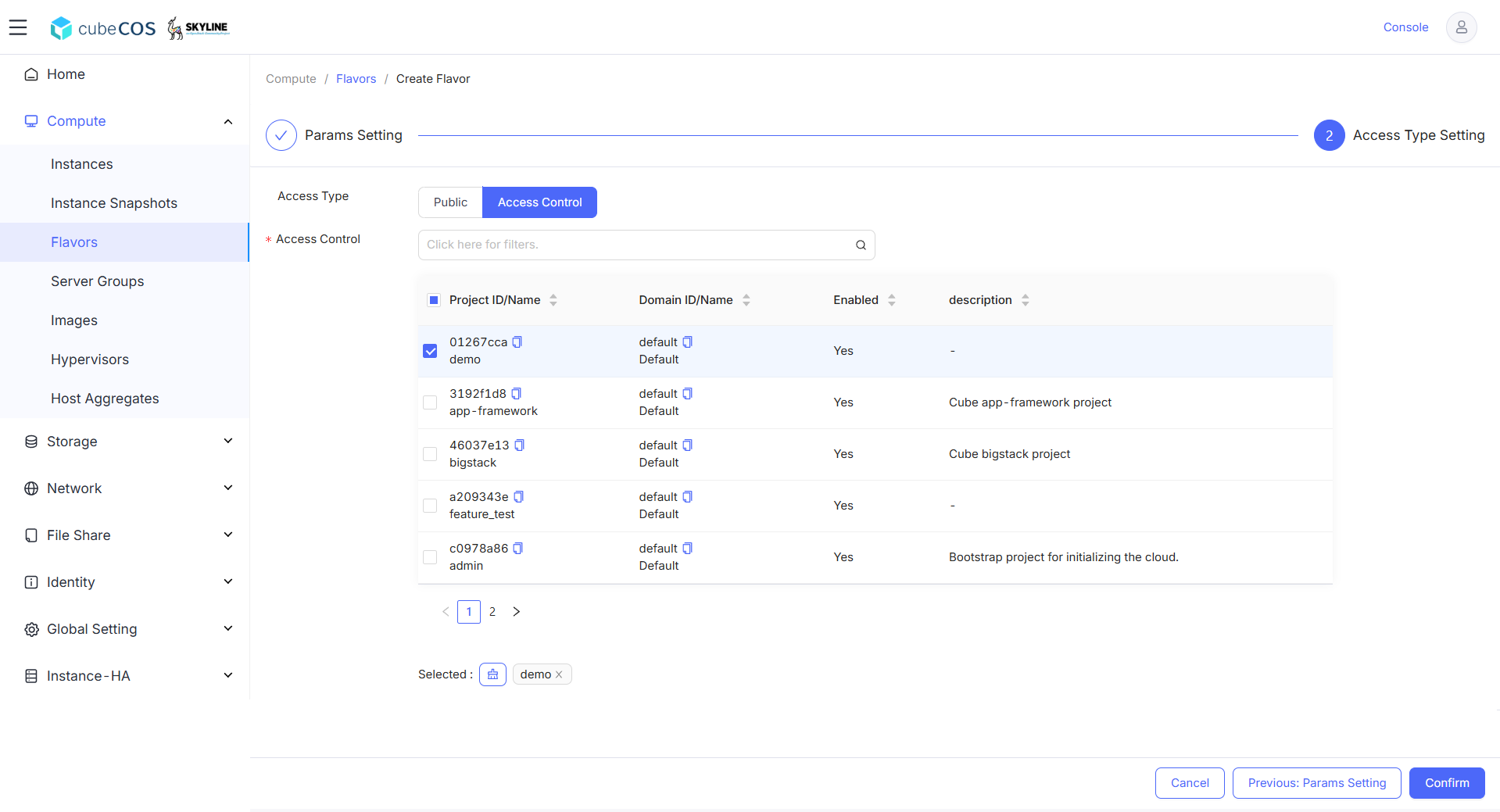
3. Assign projects for access control before creating the flavor by clicking `Confirm`. You can modify this step by clicking `Previous : Params Setting`.

   _Access Control is used for assigning flavors to specific projects, which is set to Public by default._

   ![/assets/compute/flavors/flavor_3.png](/assets/compute/flavors/flavor_3.png)

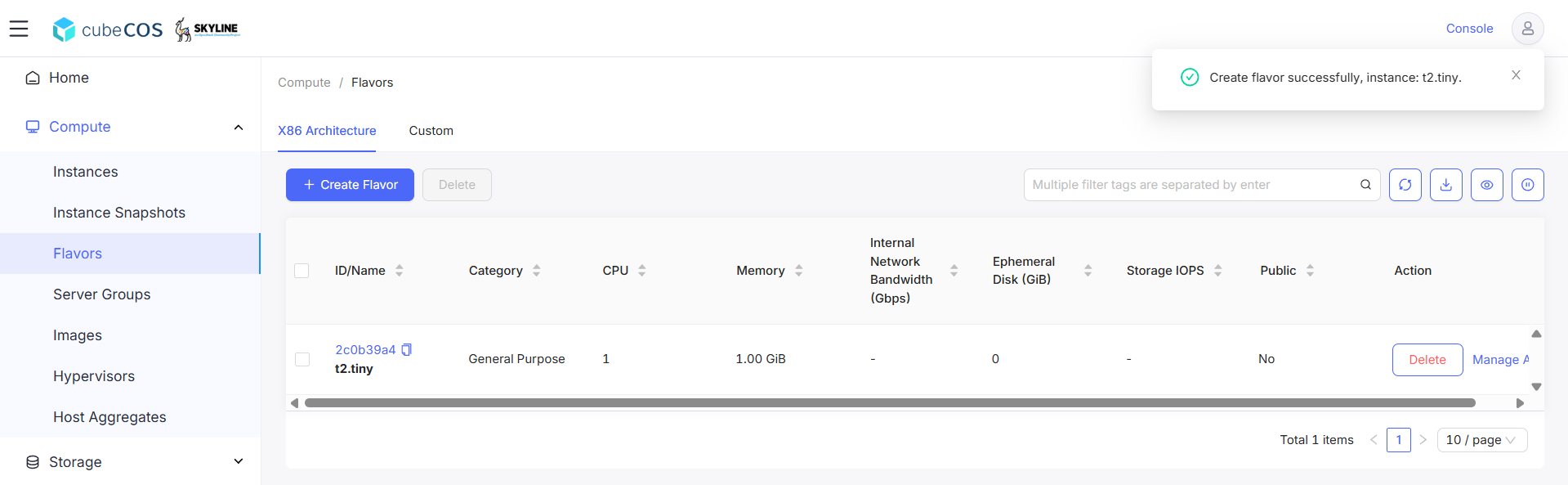
4. Use the dashboard to verify the Flavor creation.

   ![/assets/compute/flavors/flavor_4.png](/assets/compute/flavors/flavor_4.png)

## Edit Flavor - metadata {#edit-flavor---metadata}

### AI accelerator Profile - passthrough {#ai-accelerator-profile---passthrough}

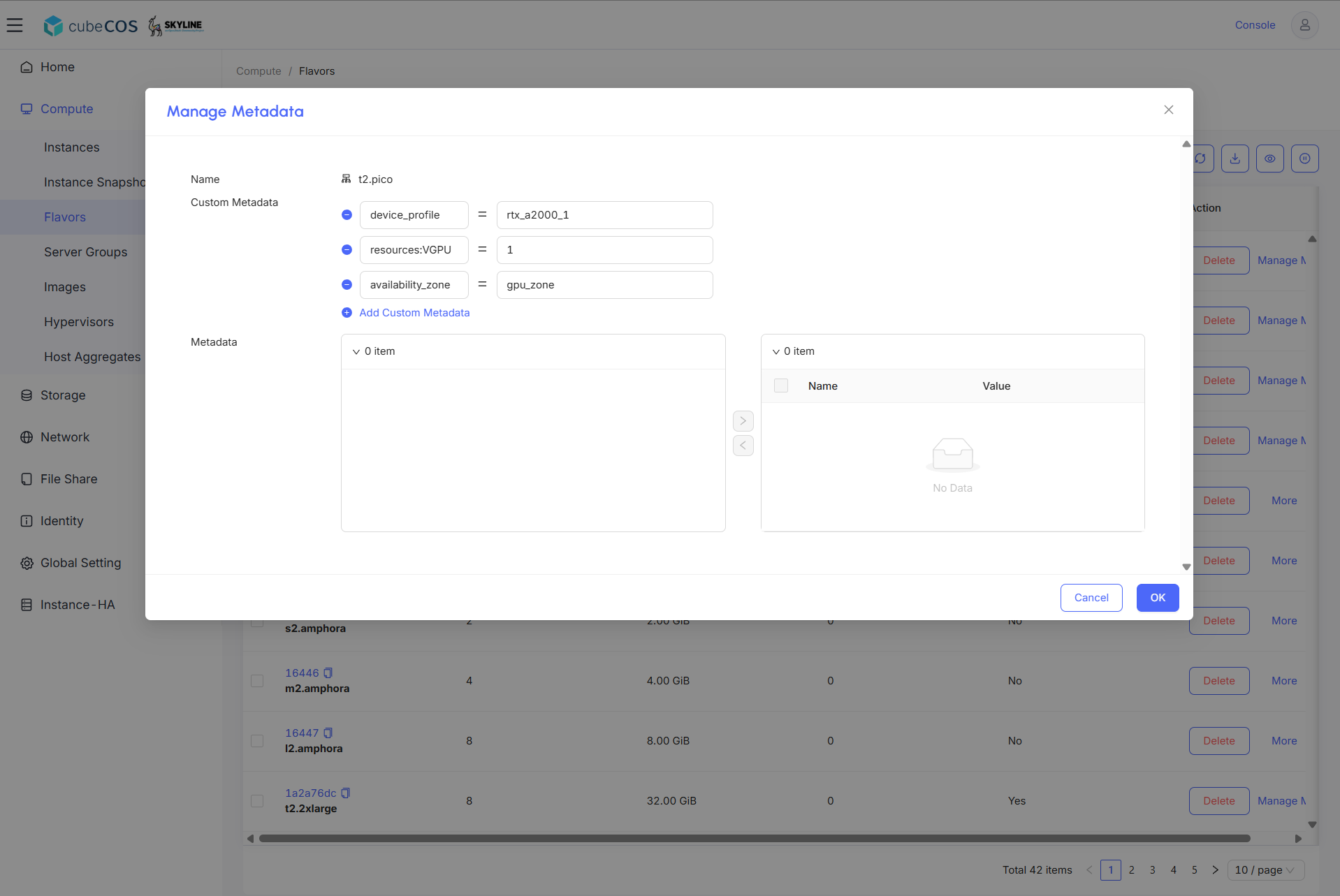
- accel:device_profile = "rtx_a2000_1"

### AI accelerator Profile - virtual GPU {#ai-accelerator-profile---virtual-gpu}

- resources:VGPU = "1"

### Host Aggregate Zone - available zone {#host-aggregate-zone---available-zone}

- availability_zone = "gpu_zone"

  ![/assets/compute/flavors/flavor_5.png](/assets/compute/flavors/flavor_5.png)

### CPU cores, threads, sockets for Windows {#cpu-cores-threads-sockets-for-windows}

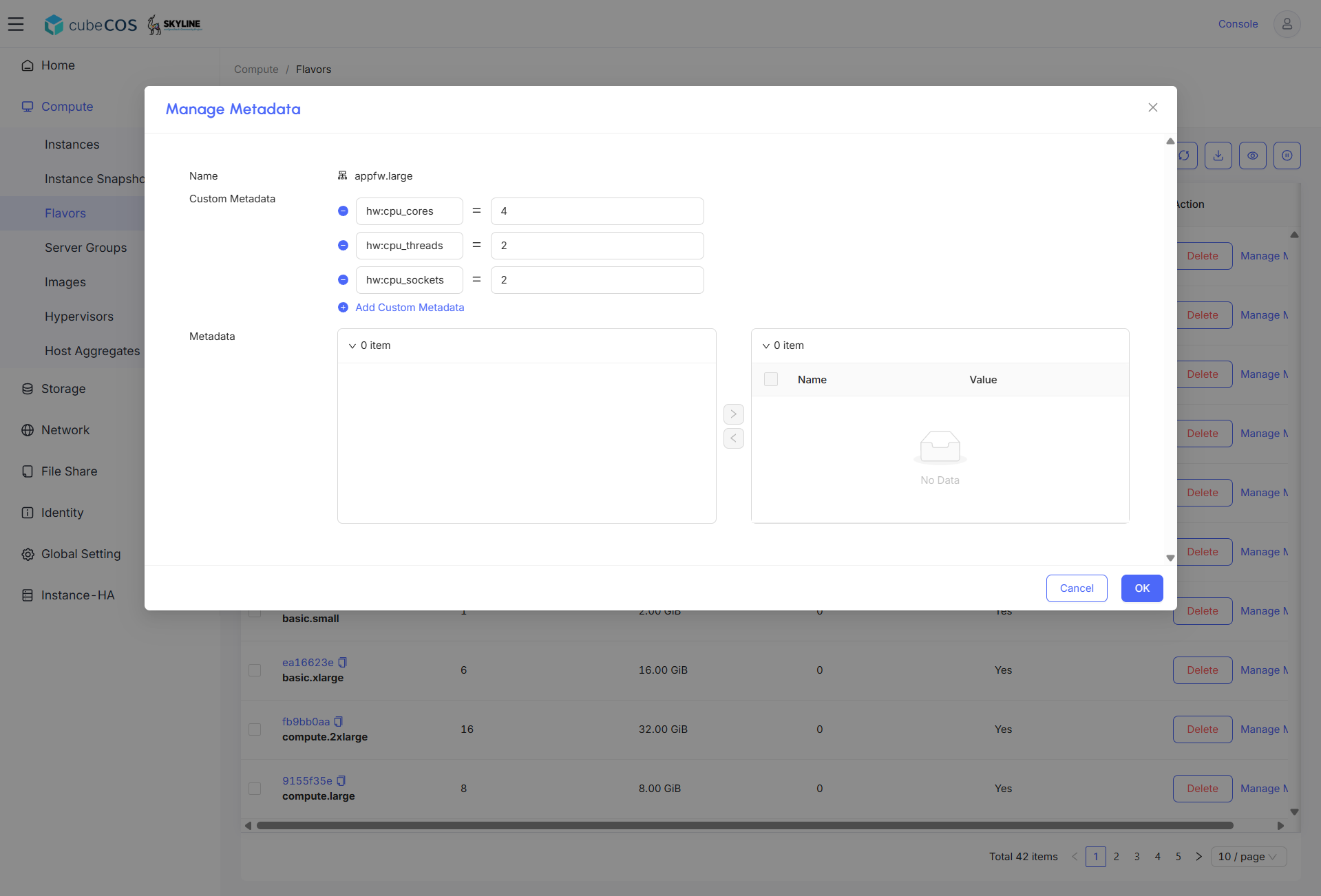
- hw:cpu_cores = "4"
- hw:cpu_threads = "2"
- hw:cpu_sockets = "2"
  ![/assets/compute/flavors/flavor_6.png](/assets/compute/flavors/flavor_6.png)