# Hypervisor Host Aggregation

> The **Hypervisor Host Aggregation** function groups compute hosts with shared characteristics to enable targeted scheduling, resource segmentation, and metadata-based policies.

The **Hypervisor Host Aggregation** function groups compute hosts with shared characteristics to enable targeted scheduling, resource segmentation, and metadata-based policies.

### Create Host Aggregation {#create-host-aggregation}

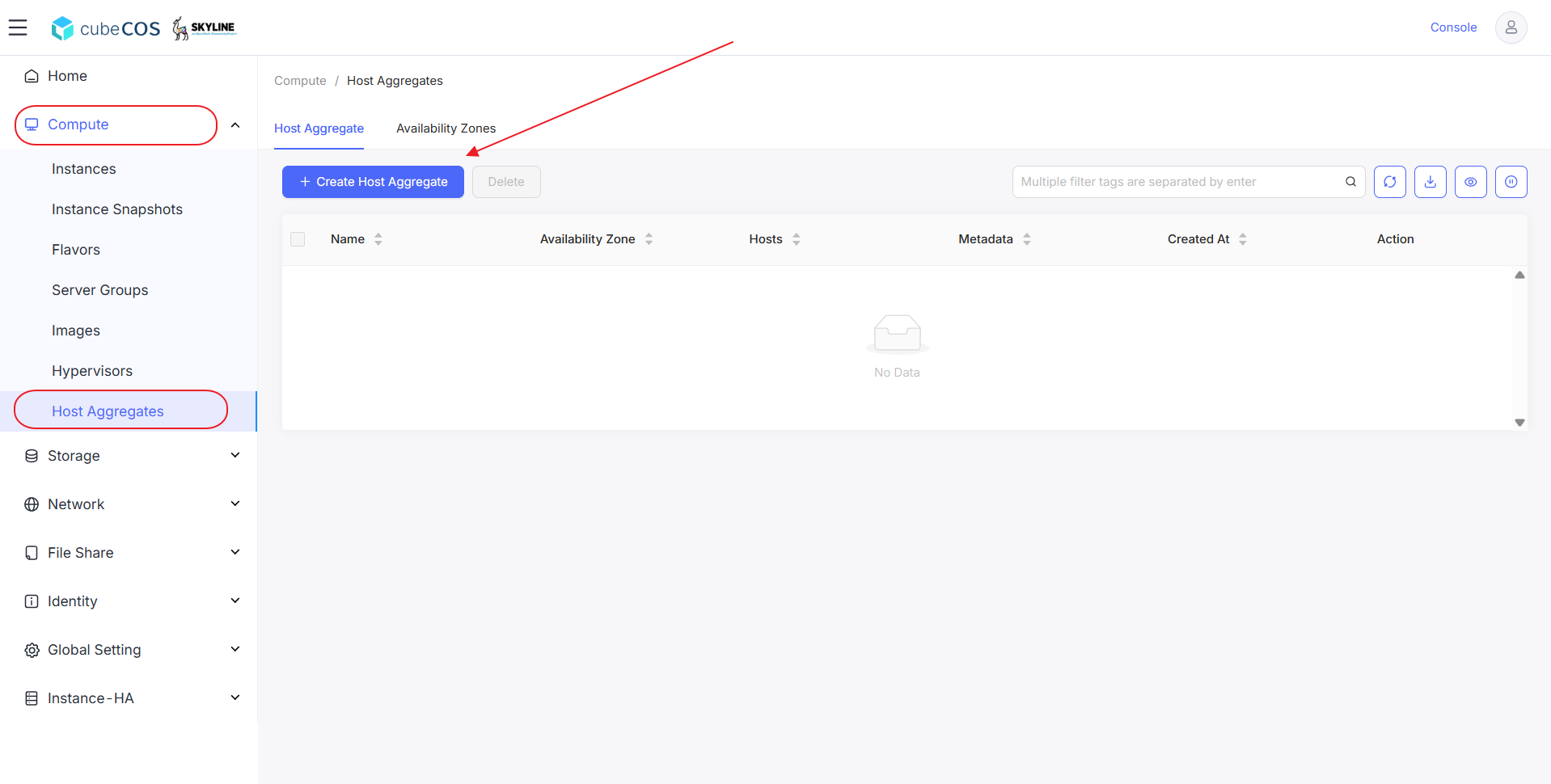
1. Navigate to `Administrator > Compute > Host Aggregates` > `+ Create Host Aggregate`.

   ![/assets/compute/hypervisor_1.png](/assets/compute/hypervisor_1.png)

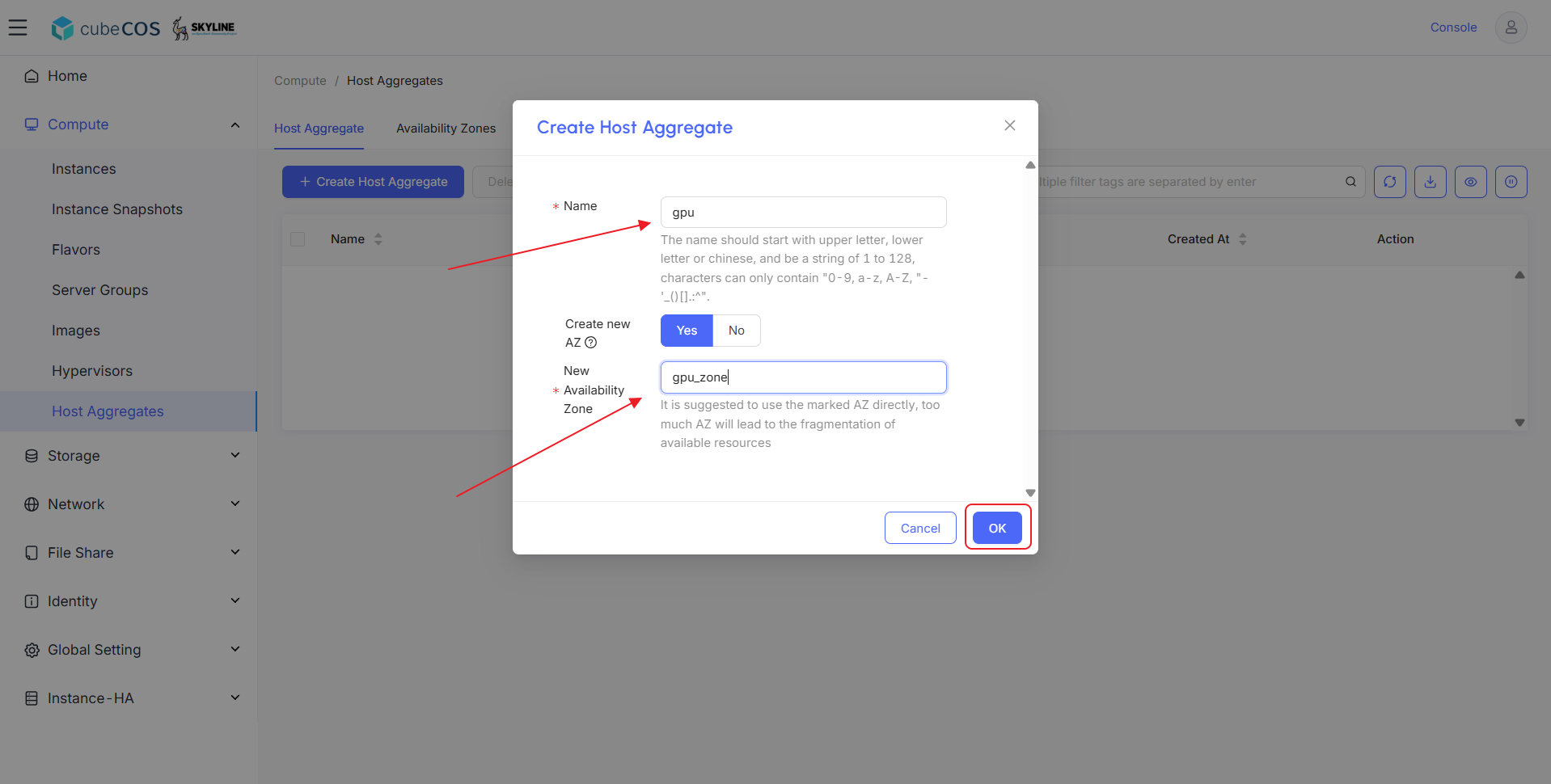
2. Name the Host Aggregate. Select exsisting Availability Zone or create one by chosing `Create New AZ` option. Click `OK` to proceed.

   ![/assets/compute/hypervisor_2.png](/assets/compute/hypervisor_2.png)

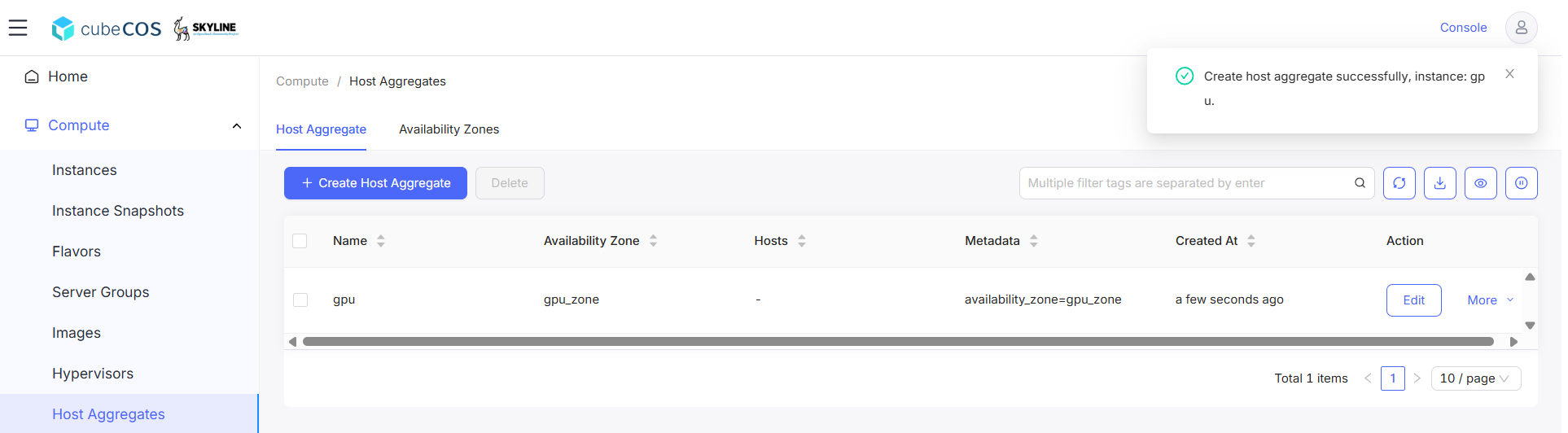
3. Use the dashboard to verify the Host Aggregate creation.

   ![/assets/compute/hypervisor_3.png](/assets/compute/hypervisor_3.png)

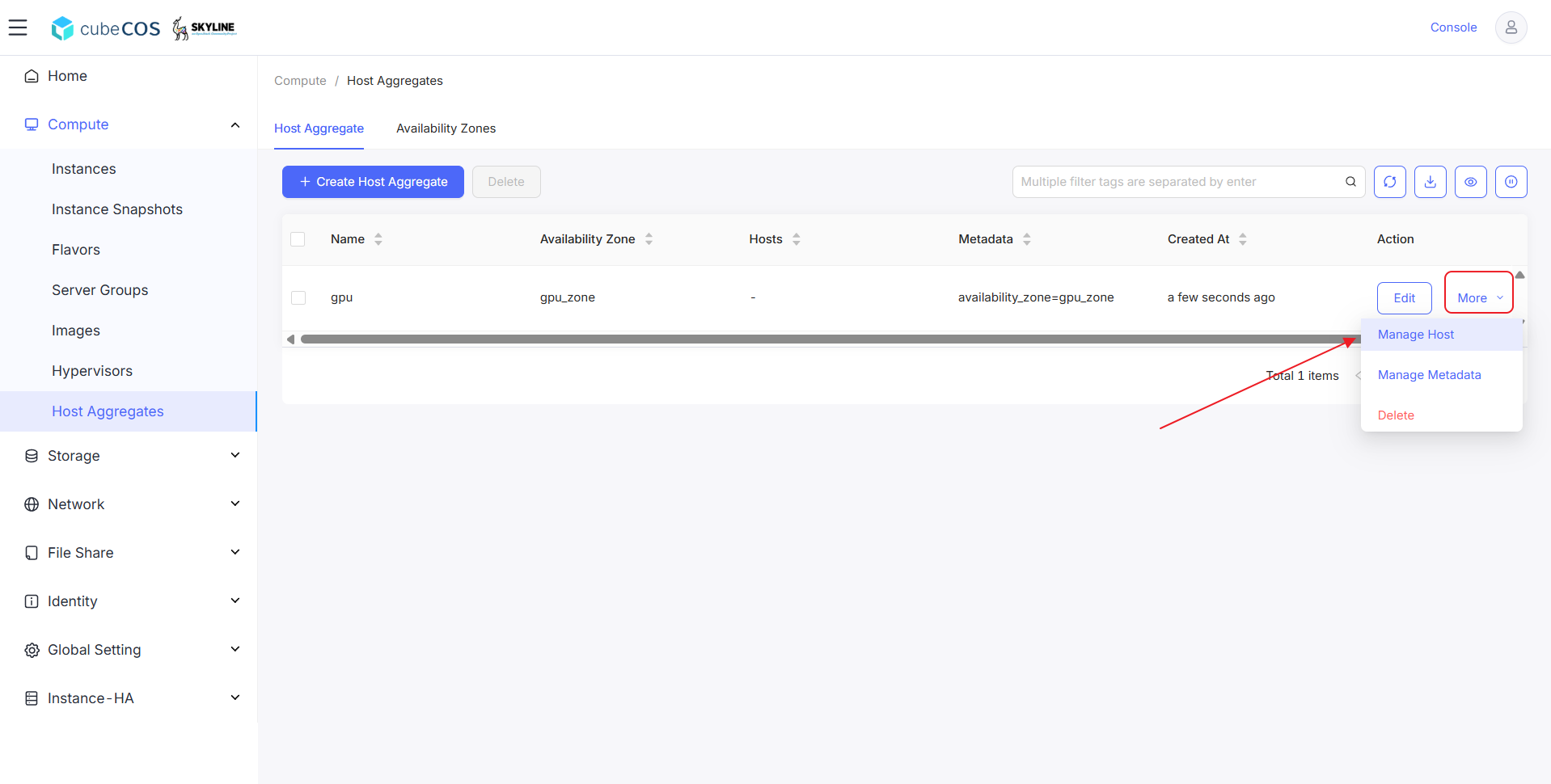
4. Hover to `More`, click `Manage Host` from drop down menu.

   ![/assets/compute/hypervisor_4.png](/assets/compute/hypervisor_4.png)

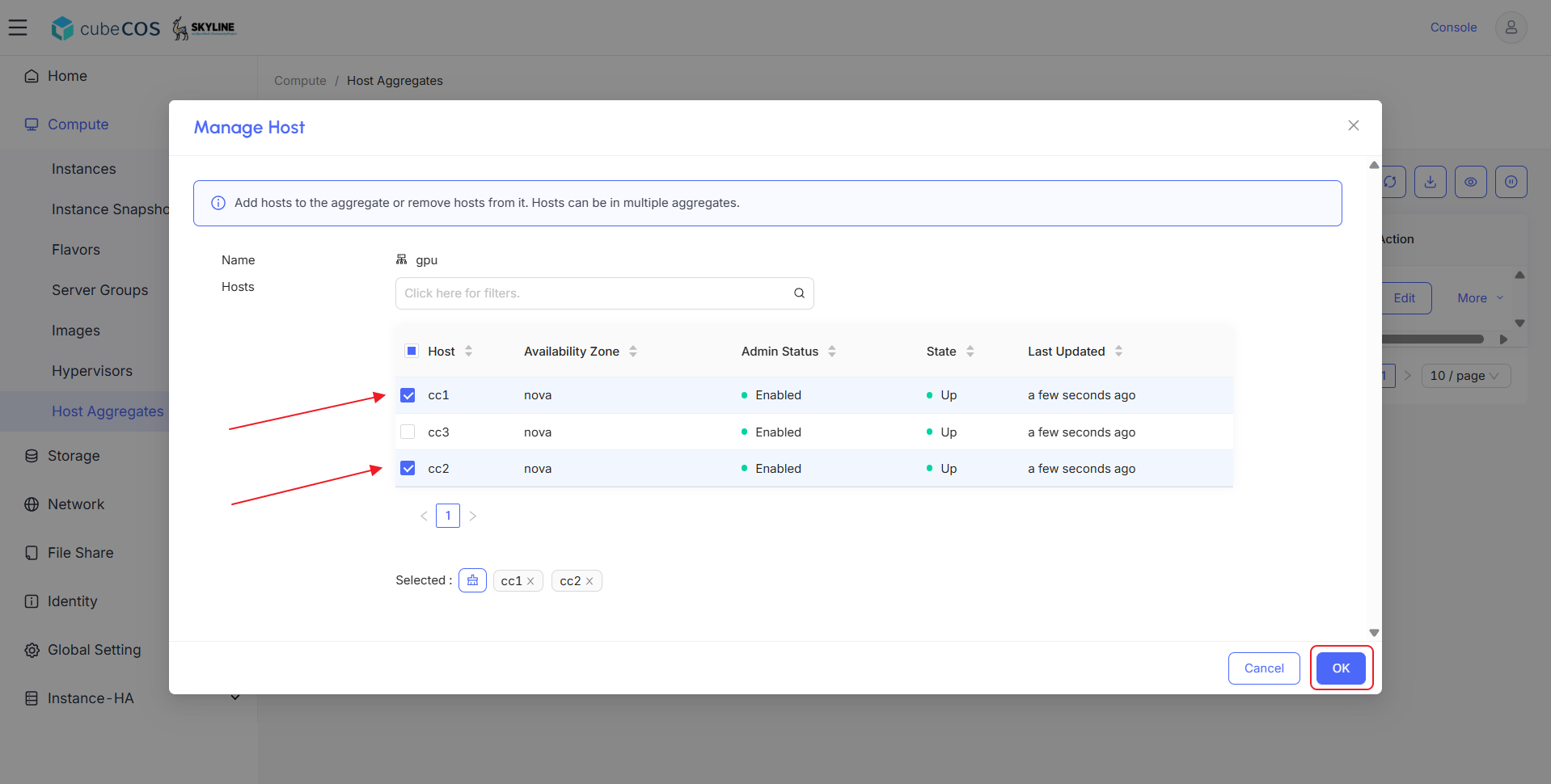
5. Click `OK` after selecting available hosts to the aggregate.

   ![/assets/compute/hypervisor_5.png](/assets/compute/hypervisor_5.png)

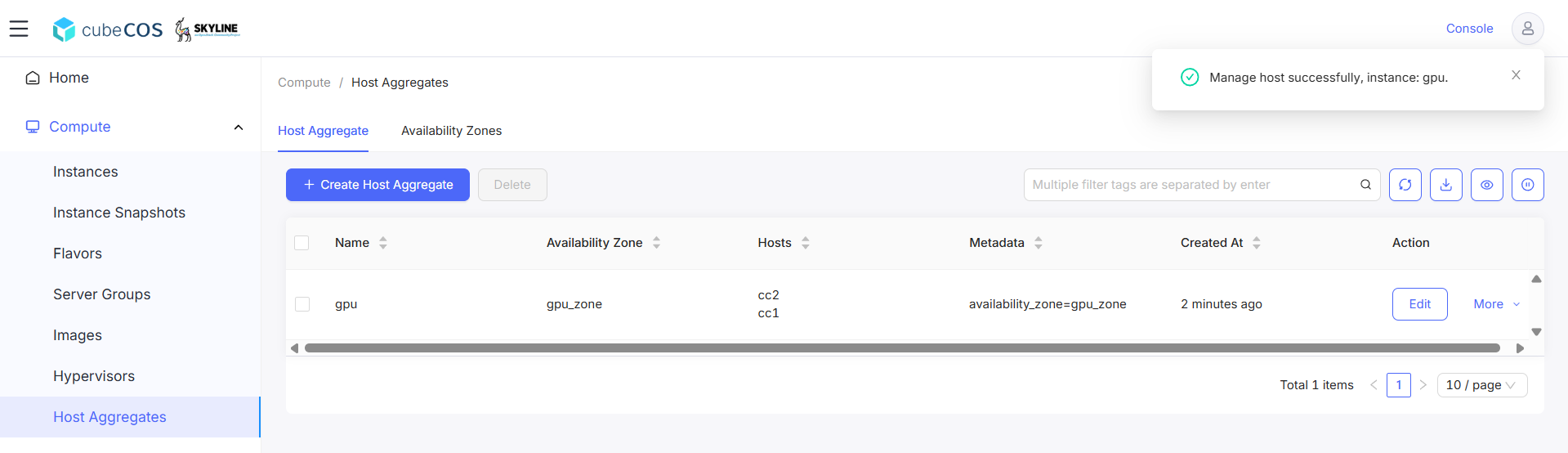
6. Verify Host assignment by checking Hosts attribute.

   ![/assets/compute/hypervisor_6.png](/assets/compute/hypervisor_6.png)