QEMUエージェントをインストールする
「QEMUエージェントのインストール」機能では、仮想マシンとホスト間の通信機能を強化するゲスト側のサービスを設定します。これにより、IPアドレスの報告、シャットダウンの制御、バックアップのためのファイルシステムの凍結といった機能が利用可能になります。
Linux用インスタンス作成時にQEMUパッケージをインストールする
インスタンス作成時にQEMUエージェントをインストールするには、Base Config > Network Config > System Config に移動してください。「詳細オプションを展開」をクリックし、次のコードブロックをユーザーデータ欄に貼り付けてください。
#cloud-config
packages:
 - qemu-guest-agent
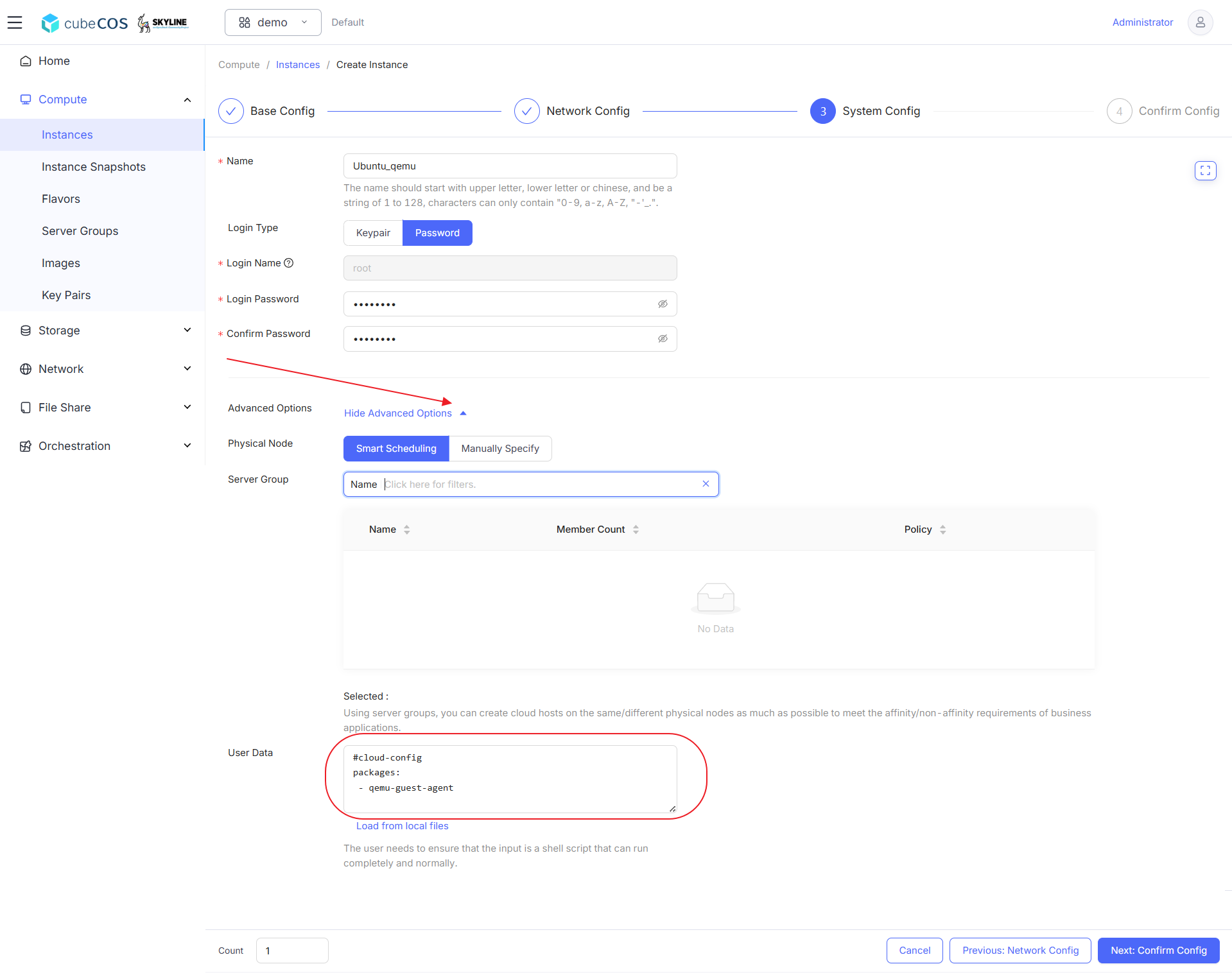
詳細については、インスタンスの作成 をご覧ください。
VMに接続し、QEMUサービスの状態を確認します
sudo systemctl status qemu-guest-agent
ubuntu@ubuntu-qemu:~$ sudo systemctl status qemu-guest-agent
● qemu-guest-agent.service - QEMU Guest Agent
     Loaded: loaded (/usr/lib/systemd/system/qemu-guest-agent.service; static)
     Active: active (running) since Tue 2025-04-29 06:48:44 UTC; 5min ago
   Main PID: 1682 (qemu-ga)
      Tasks: 2 (limit: 4658)
     Memory: 416.0K (peak: 780.0K)
        CPU: 7ms
     CGroup: /system.slice/qemu-guest-agent.service
             └─1682 /usr/sbin/qemu-ga

Apr 29 06:48:44 ubuntu-qemu systemd[1]: Started qemu-guest-agent.service - QEMU Guest Agent.
Windows用QEMUパッケージをインストールする
- QEMUインストーラーをダウンロードしてください
- ダウンロードが完了したら、ダウンロードしたISOファイルをダブルクリックしてマウントしてください
- マウントされたディレクトリ内の
guest-agentに移動します qemu-ga-x86_64インストーラを実行して、インストールを開始してください
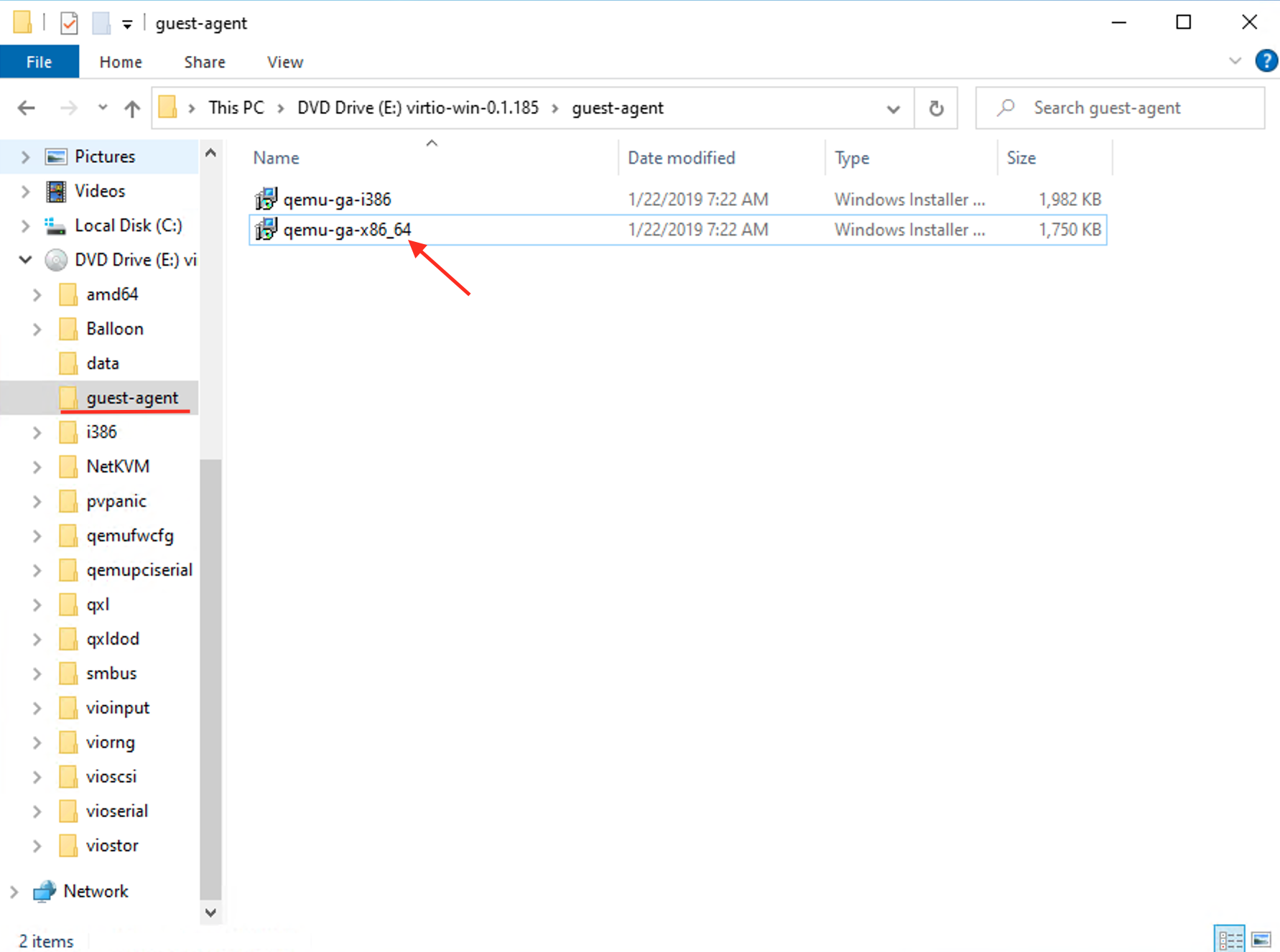
詳細については、noVNC によるインスタンスへの接続 をご覧ください。