# Resize Instance

> The Resize Instance function modifies a virtual machine’s resource allocation—such as vCPU and memory—by switching to a different instance type without requiring the VM to be recreated.

The Resize Instance function modifies a virtual machine’s resource allocation—such as vCPU and memory—by switching to a different instance type without requiring the VM to be recreated.

<!--
   link : novnc_console.md
-->

### Resize Instance {#resize-instance}

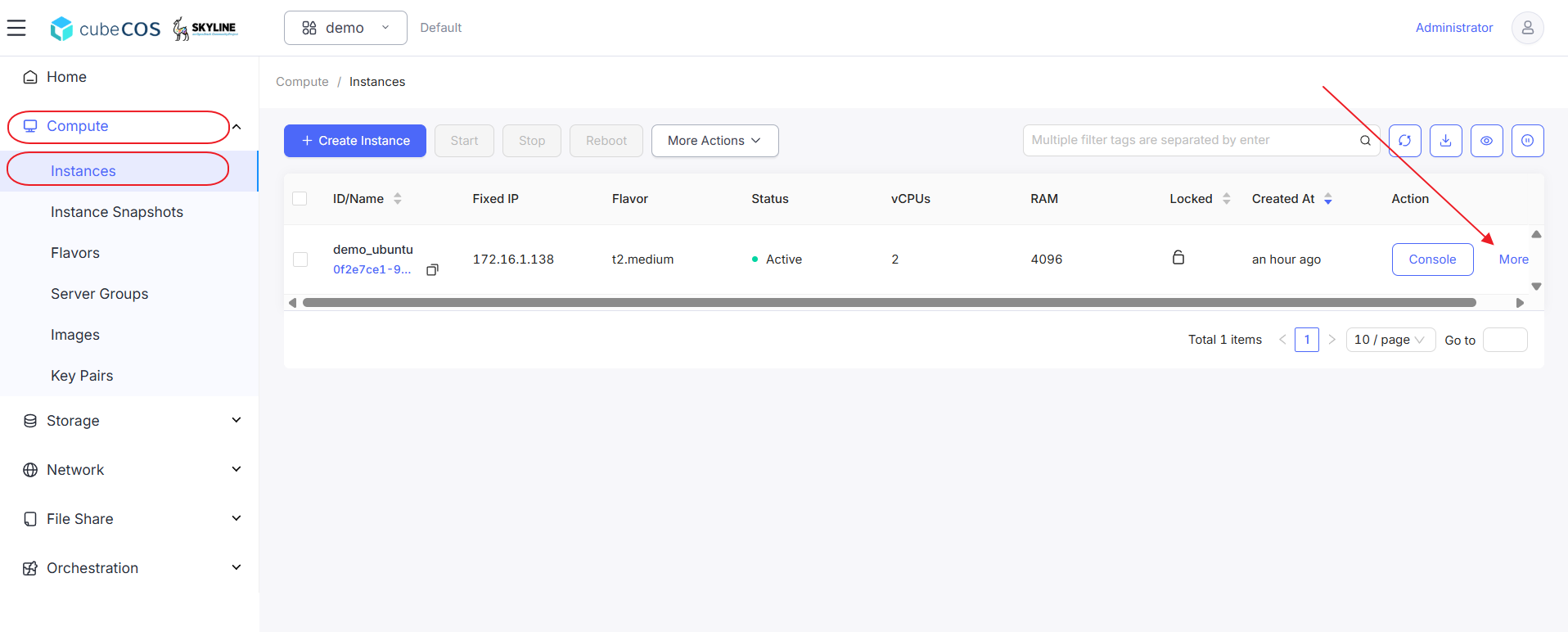
1. Navigate to `Project > Compute > Instances`, choose the desired instance, then hover over `More`.

   ![/assets/compute/ins-more.png](/assets/compute/ins-more.png)

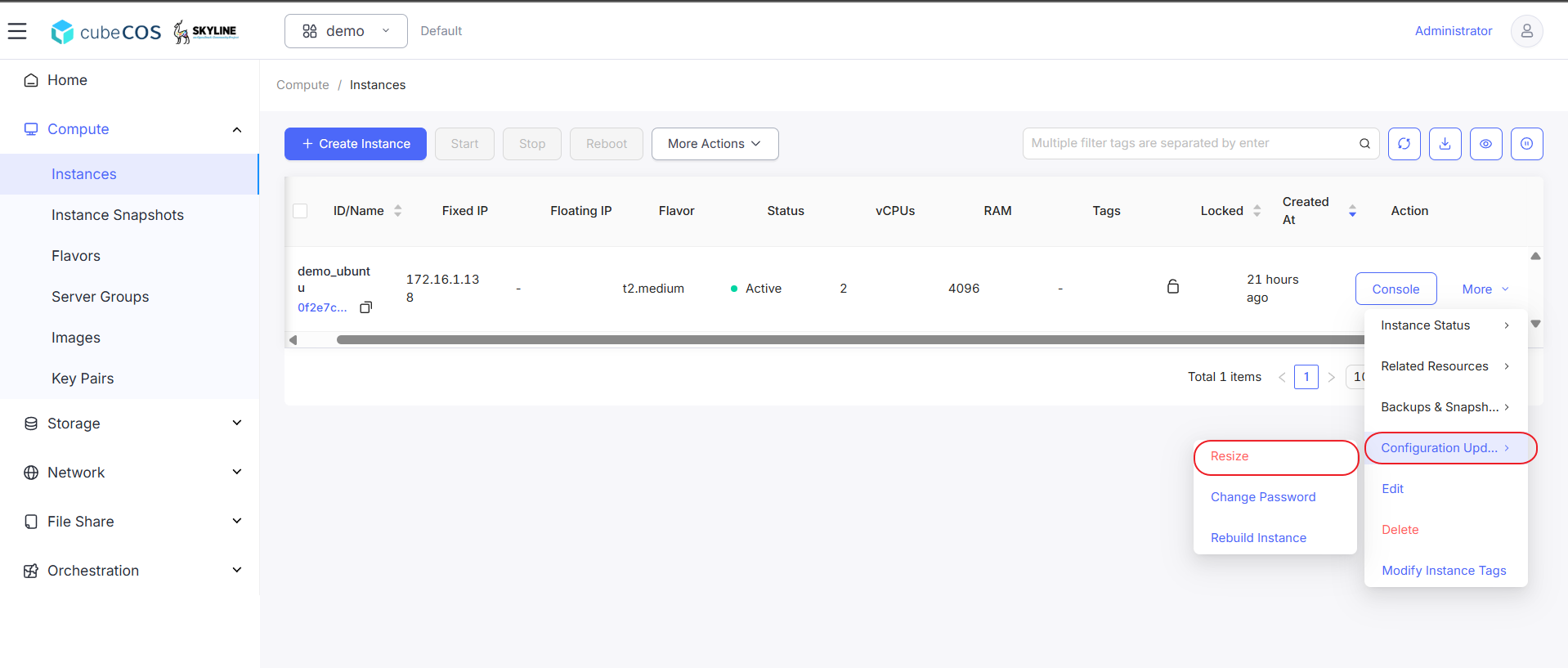
2. Hover over `Configuration Update` in the drop-down menu, then click `Resize`.

   ![/assets/compute/ins_resize_1.png](/assets/compute/ins_resize_1.png)

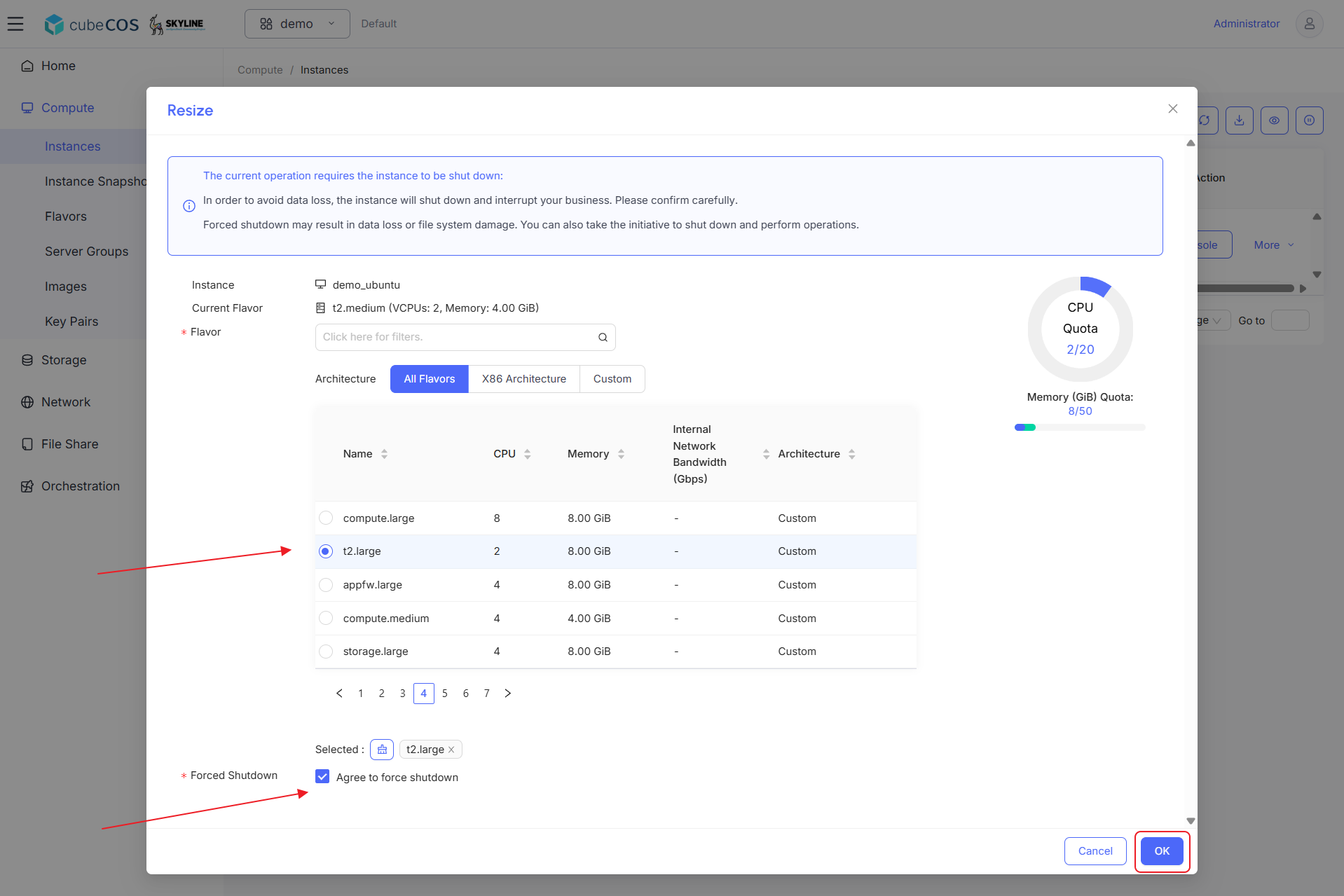
3. Choose desired Flavor from the list, make sure to check `Forced Shutdown` before click `OK` to proceed.

   ![/assets/compute/ins_resize_2.png](/assets/compute/ins_resize_2.png)

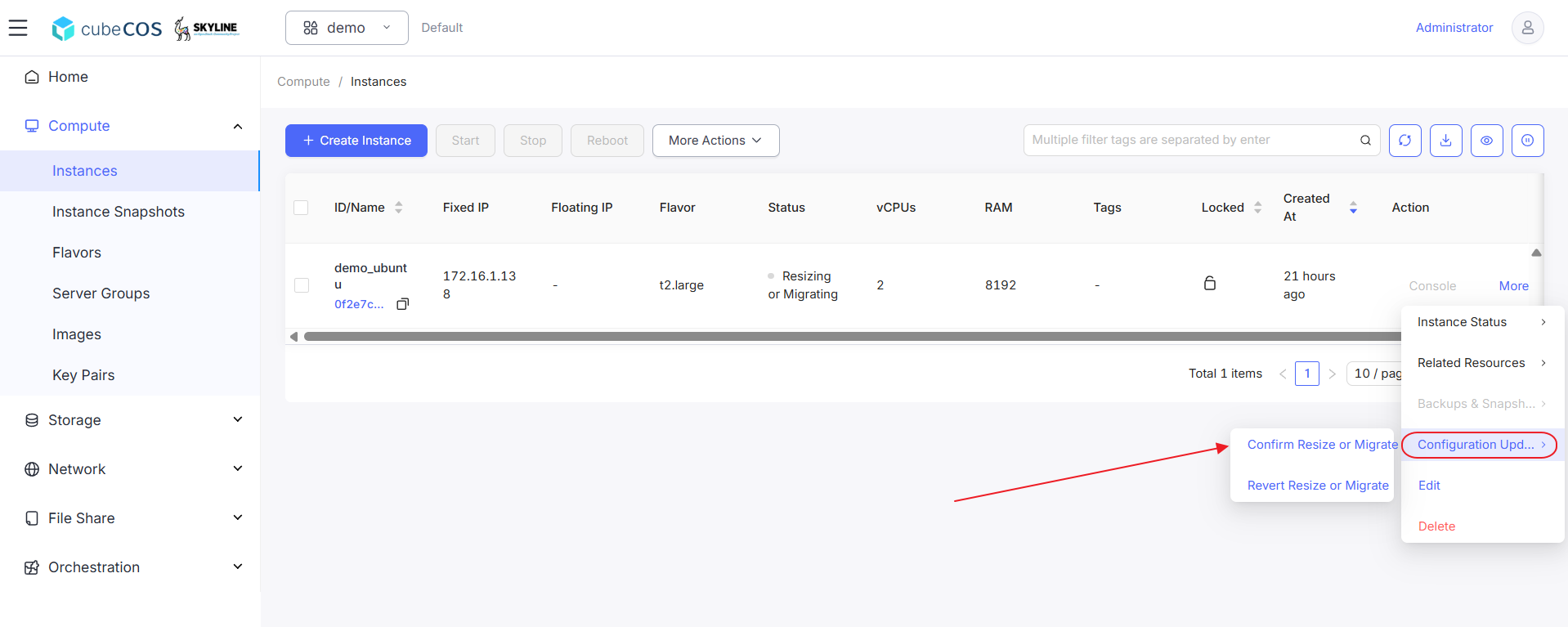
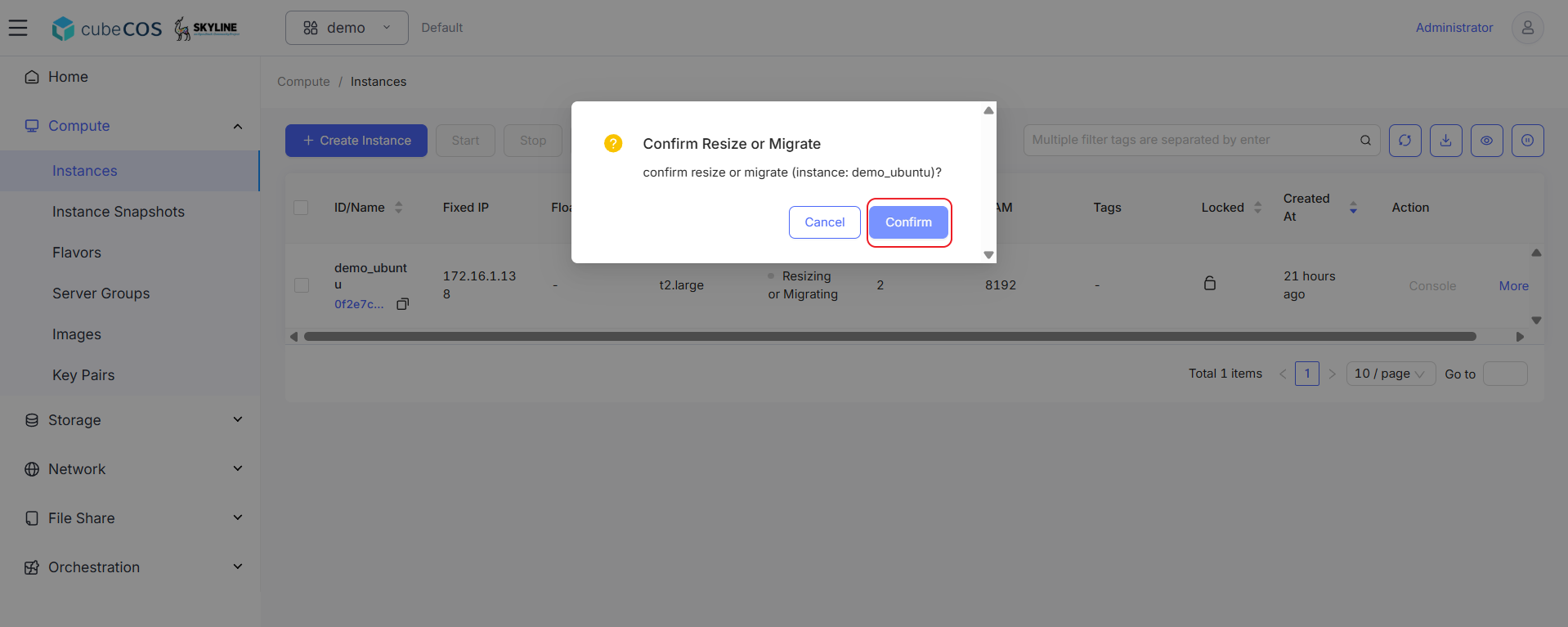
4. Hover over `More` again, hover over `Configuration Update` in the drop-down menu, then click `Confirm Resize or Migrate`.

   ![/assets/compute/ins_resize_4.png](/assets/compute/ins_resize_4.png)

5. Click `Confirm` to proceed.

   ![/assets/compute/ins_resize_5.png](/assets/compute/ins_resize_5.png)

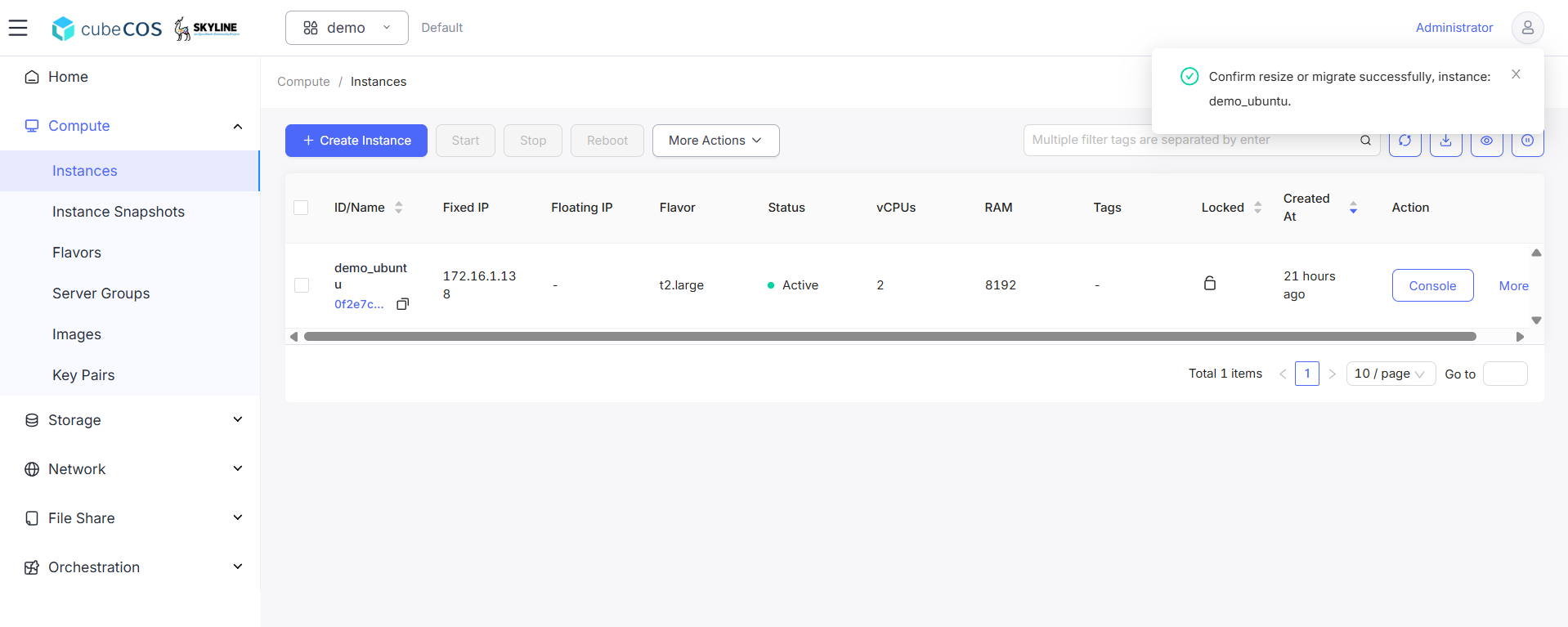
6. Ensure instance status should be Active.

   ![/assets/compute/ins_resize_6.png](/assets/compute/ins_resize_6.png)

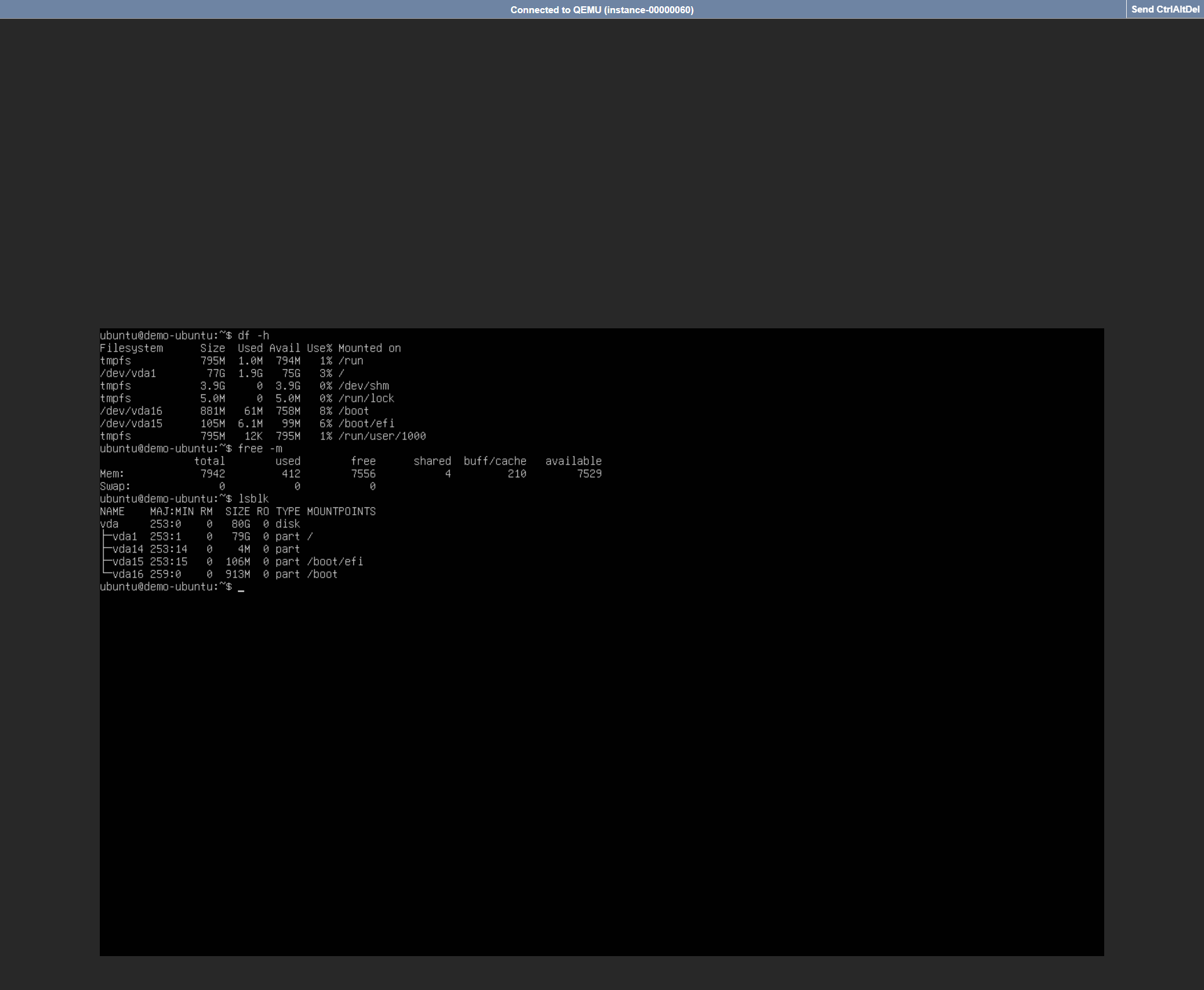
7. Verify Resized Instance Specifications through console. See **[Connect to Instance by noVNC](novnc_console.md)** for more info.

   ![/assets/compute/ins_resize_7.png](/assets/compute/ins_resize_7.png)