# How to create users (Local) CubeCOS

> Learn how to create users in CubeCOS using the local identity service. Applicable to environments without external identity providers or when local control over user accounts is required.

## CubeCOS local users overview {#cubecos-local-users-overview}

This guide explains how to **create users** directly within the CubeCOS system using the local identity management interface. Local user creation allows administrators to manage user accounts, passwords, and basic profile information without relying on external authentication systems.

**When to use Local User Creation:**

- For environments without external identity providers
- When you want to manage user credentials locally
- For testing or development environments

## Prerequisites {#prerequisites}

- Administrator access to the CubeCOS dashboard
- Knowledge of user requirements and domain structure

## Create local users on CubeCOS {#create-local-users-on-cubecos}

1. Follow [1-Access the administration](./administrator-view.md) panel to enter the administrator view.

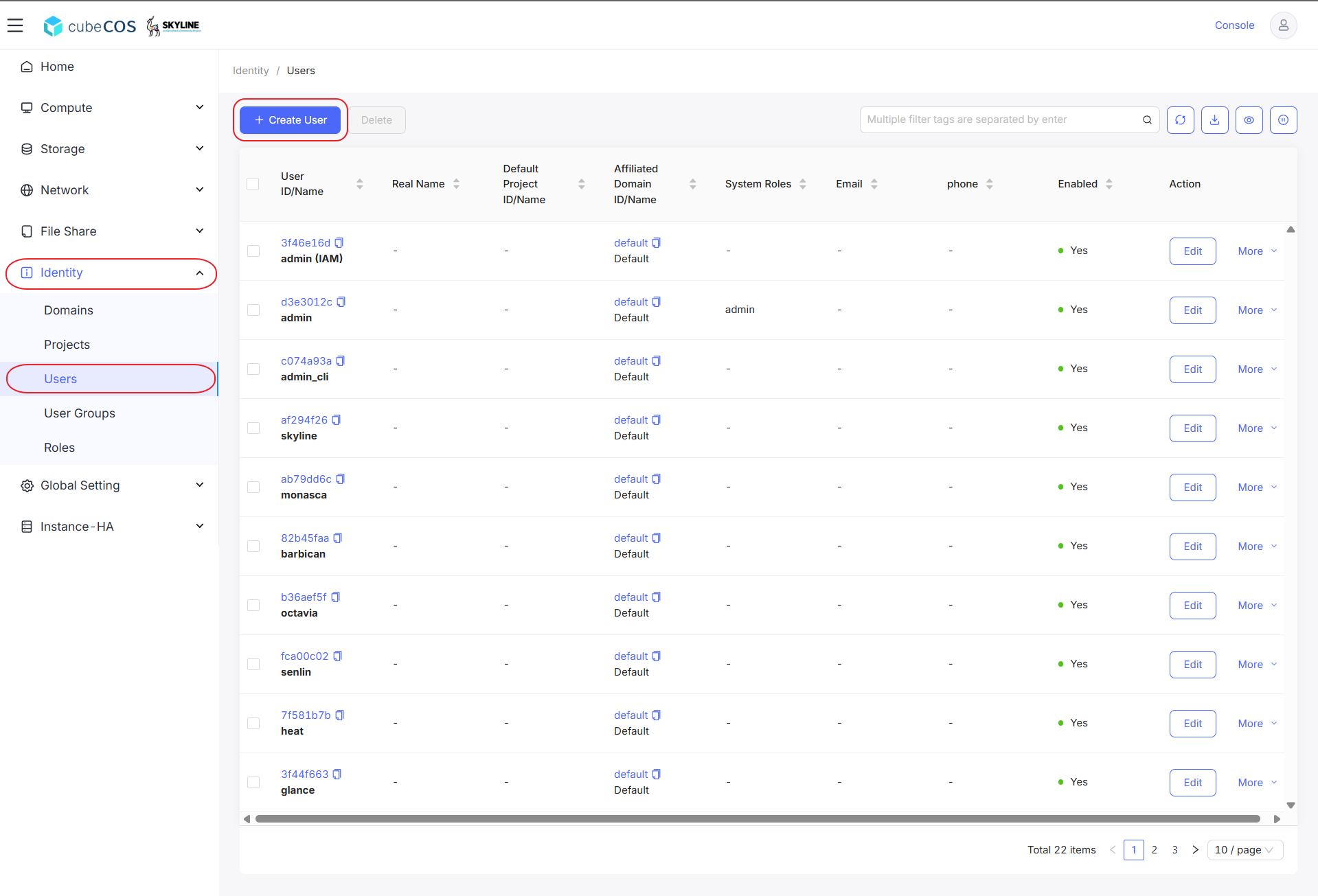
2. Navigate to `Identity > Users` then click on `+ CREATE USER`.

   ![/assets/identity/create_user_local_1.png](/assets/identity/create_user_local_1.png)

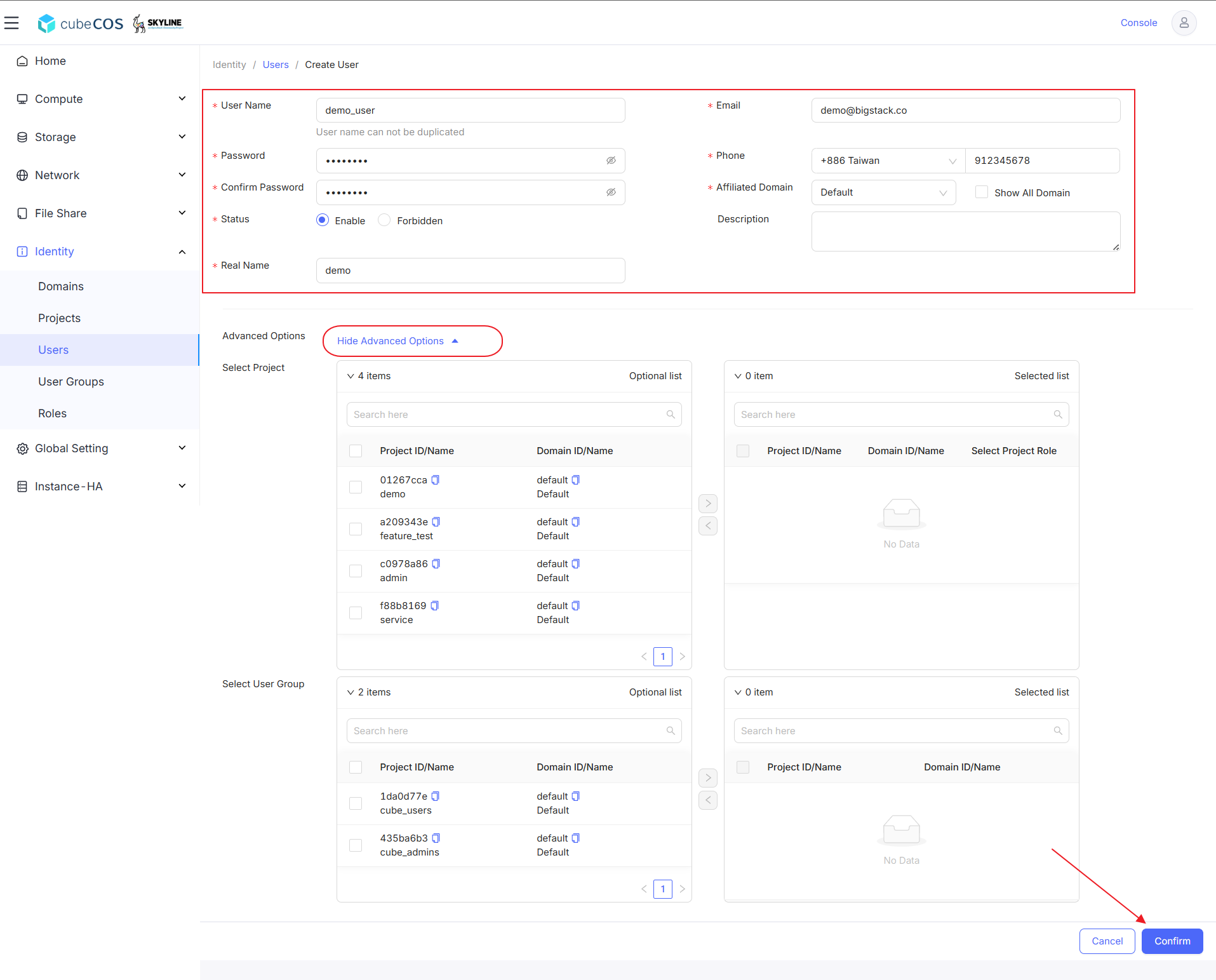
3. Enter the following fields:
   - **User Name:** Specify the username.
   - **Password:** User's password.
   - **Status:** Set user enable/forbidden.
   - **Real Name:** User's real name.
   - **Email:** User's email.
   - **Phone:** User's cellphone.
   - **Affiliated Domain:** Specific domain can be selected through the drop-down menu.

   After completing all the fields above, click Confirm to create the user.

:::info

Password must be 8 to 32 characters long and include at least one `uppercase letter`, one `lowercase letter`, one `number`, and one `special character`.

:::

![/assets/identity/create_user_local_2.png](/assets/identity/create_user_local_2.png)

4. `Advanced Options` can be configured to assign user privilege of specific projects and user groups. This is recommended to be modified by user group feature for better privilege management. See [Create User Group (Local)](local-group.md)