# How to Configure Resource Quotas for CubeCOS Projects

> Learn how to set and manage resource quotas for CubeCOS projects using the admin panel. Control resource usage and optimize multi-tenant cloud environments.

**Quotas** are essential for managing the resources allocated to different projects, ensuring that each project has the necessary capacity to operate efficiently without exceeding the available limits.

In this guide, we will walk you through the process of modifying project quotas within the Identity section of the administrator view.

## Modify project quotas {#modify-project-quotas}

1. Follow [1-Access the administration](./administrator-view.md) panel to enter the administrator view.
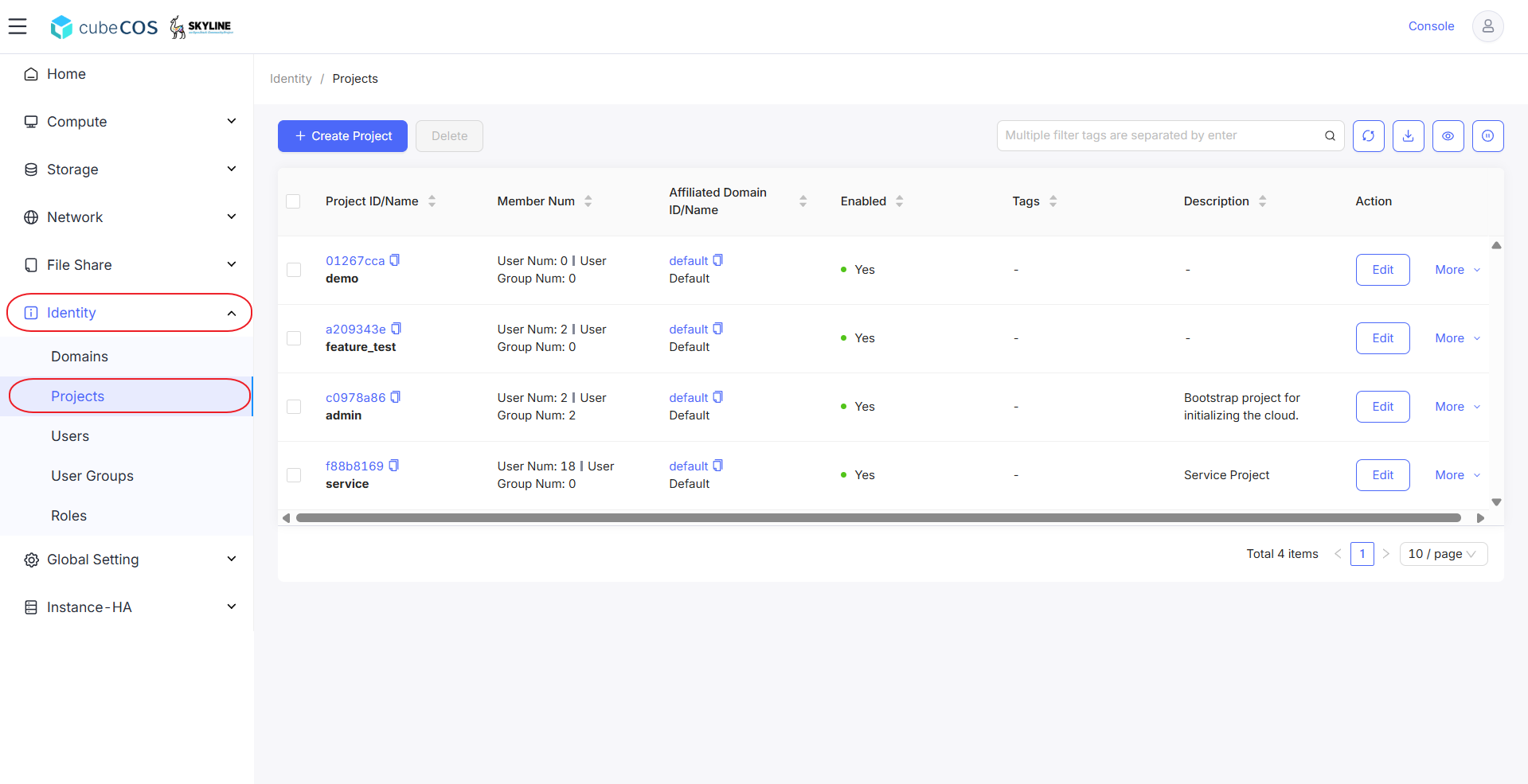
2. Navigate to `Identity > Projects` to view a list of all projects.

   ![/assets/identity/assign_to_project_1.png](/assets/identity/assign_to_project_1.png)

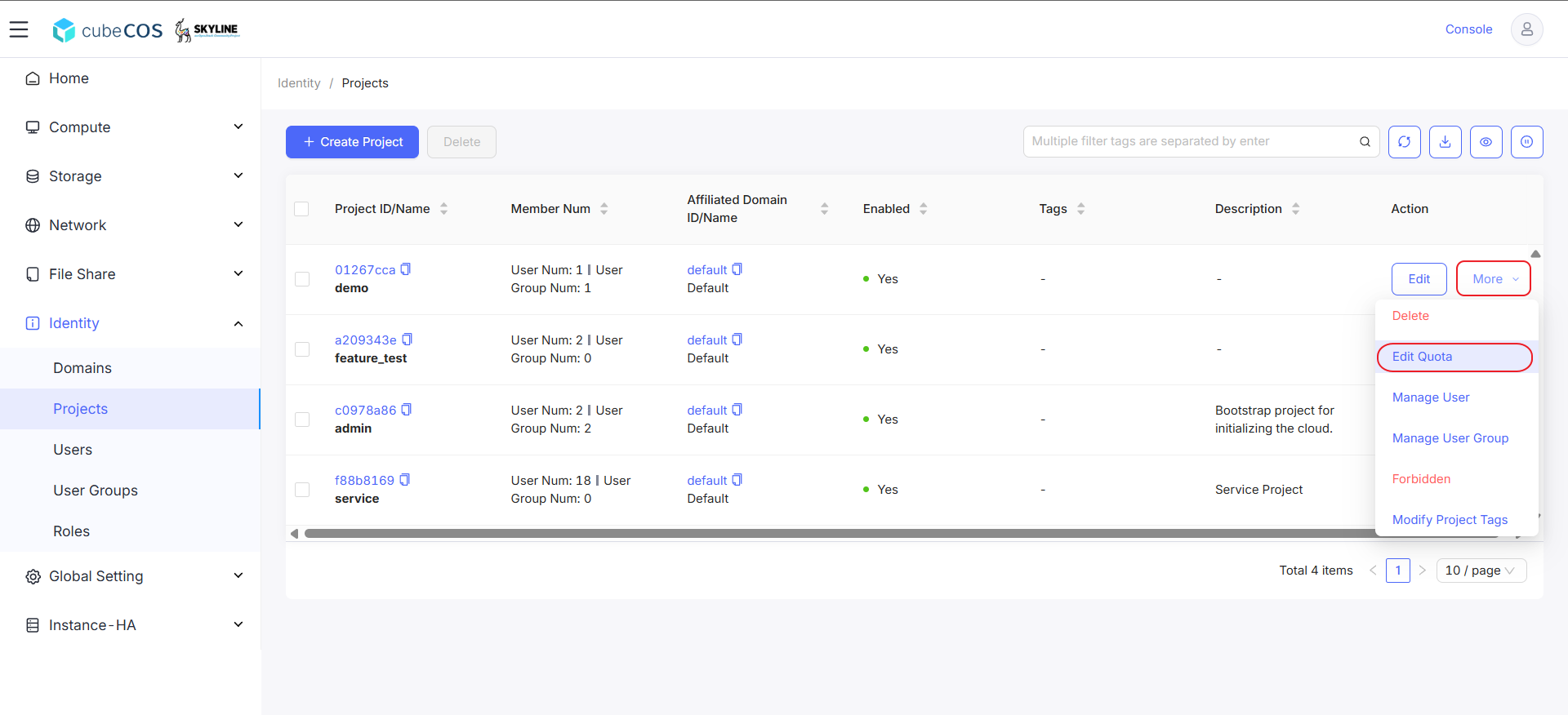
3. Choose your project, then click `More`. Select `Edit Quota` at the drop-down menu.

   ![/assets/identity/quota_1.png](/assets/identity/quota_1.png)

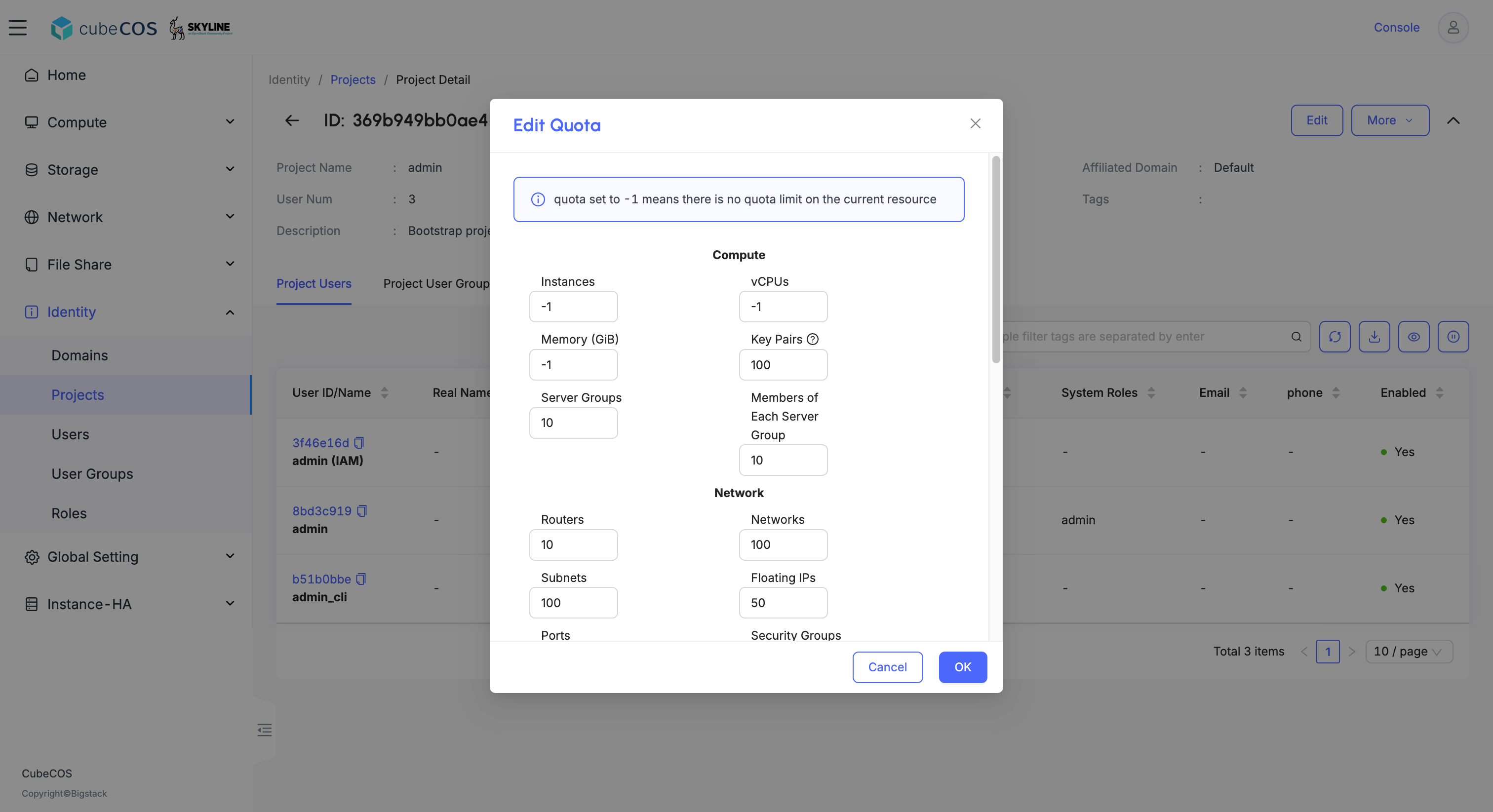
4. Modify your project quotas.

   ![/assets/identity/quota_2.png](/assets/identity/quota_2.png)

5. Click `OK` to apply.
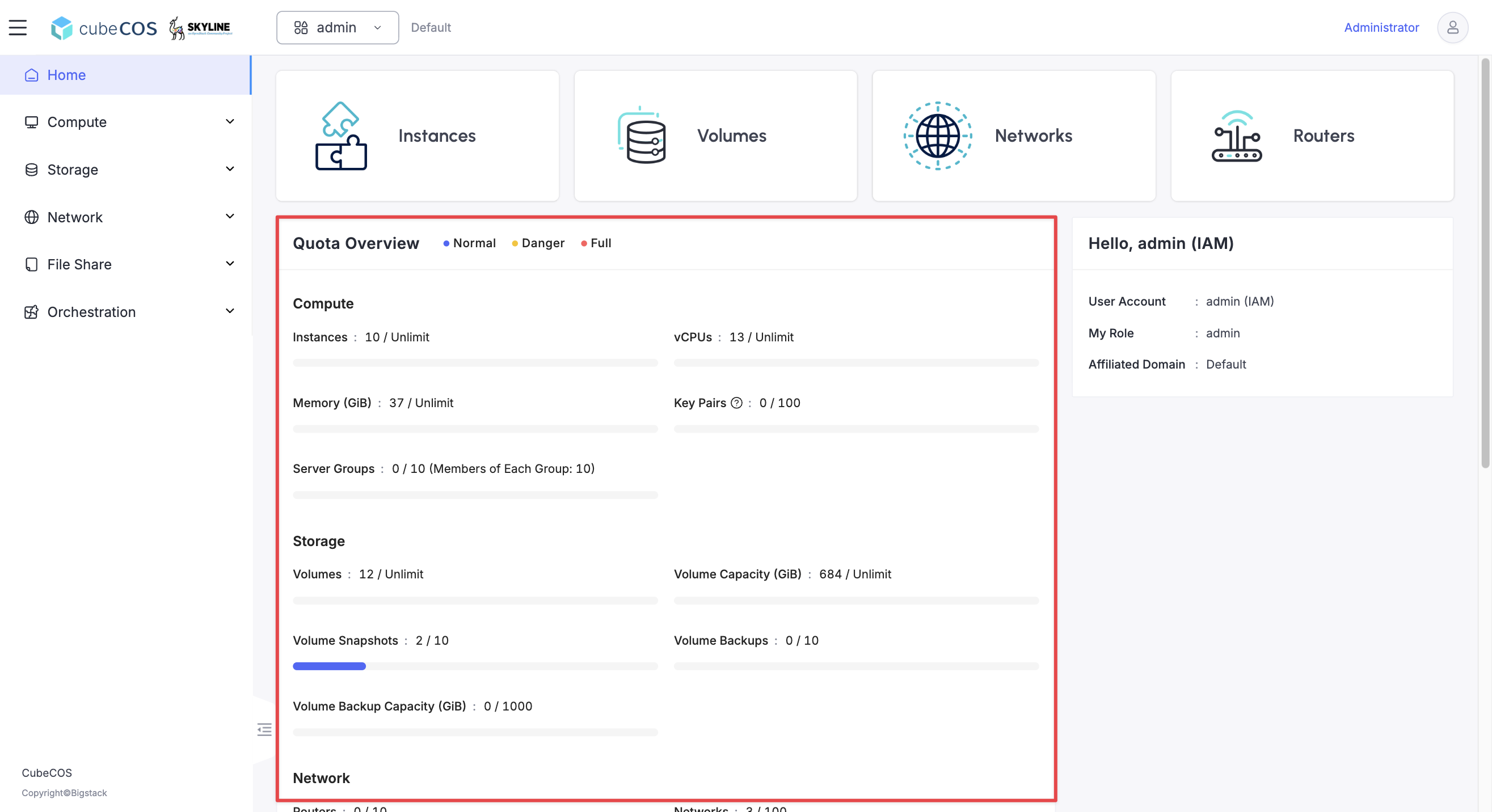
6. Verify the updated project quota in the project home page.

   ![/assets/identity/quota_3.png](/assets/identity/quota_3.png)