# Repurpose a CubeCOS node

> Some would like to retire some compute nodes with outdated specs and transform them into storage nodes. There are two recommended procedures for such use case.

Some would like to retire some compute nodes with outdated specs and transform them into storage nodes. There are two recommended procedures for such use case.

## Simple Recycling {#simple-recycling}

### Stop a Compute Node {#stop-a-compute-node}

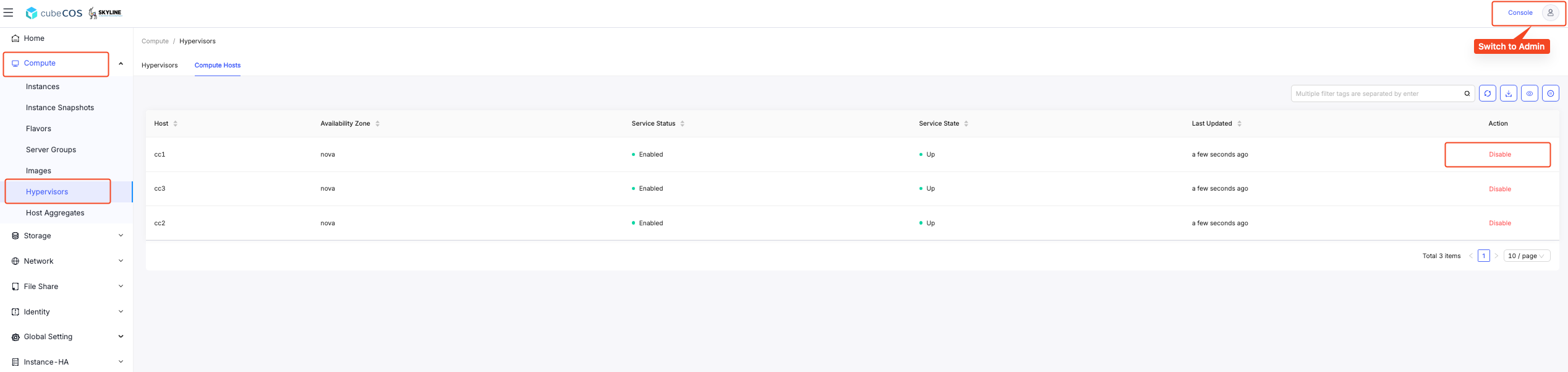
Navigate to `Admin > Compute > Hypervisors`. Look for the hostname you wish to remove and click on button `DISABLE`.

![/assets/maintenances/01-disable-1.png](/assets/maintenances/v3.0.0/01-disable-1.png)

### Disable Service {#disable-service}

Leave a reason and click `DISABLE SERVICE`.

![/assets/maintenances/v3.0.0/02-disable-1.png](/assets/maintenances/v3.0.0/02-disable-1.png)

### Service Disabled {#service-disabled}

Make sure the service is disabled.

![/assets/maintenances/v3.0.0/03-disable-1.png](/assets/maintenances/v3.0.0/03-disable-1.png)

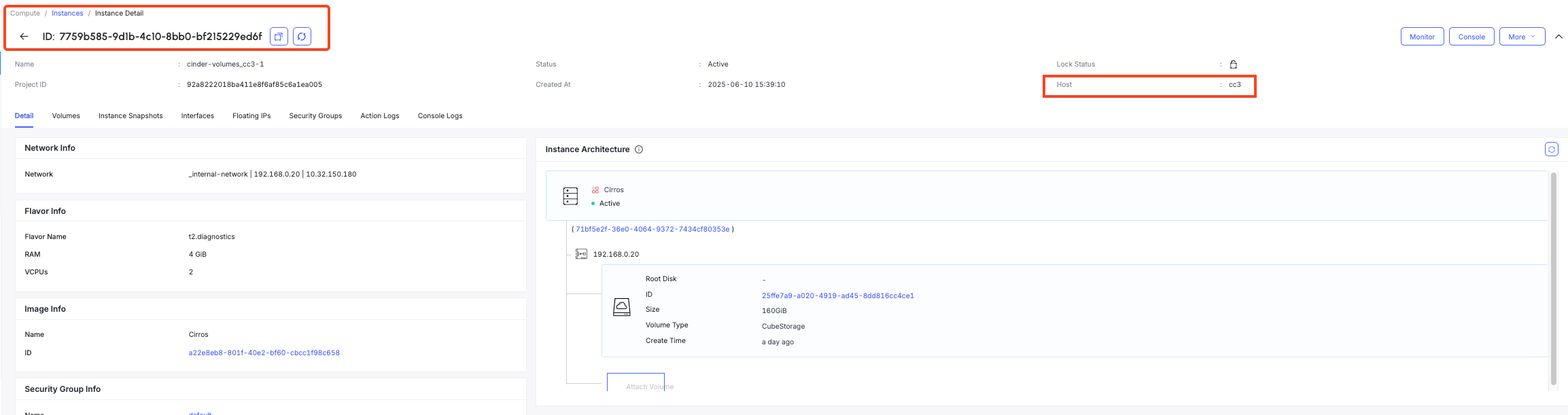
### Migrate Instances from the Disabled Host {#migrate-instances-from-the-disabled-host}

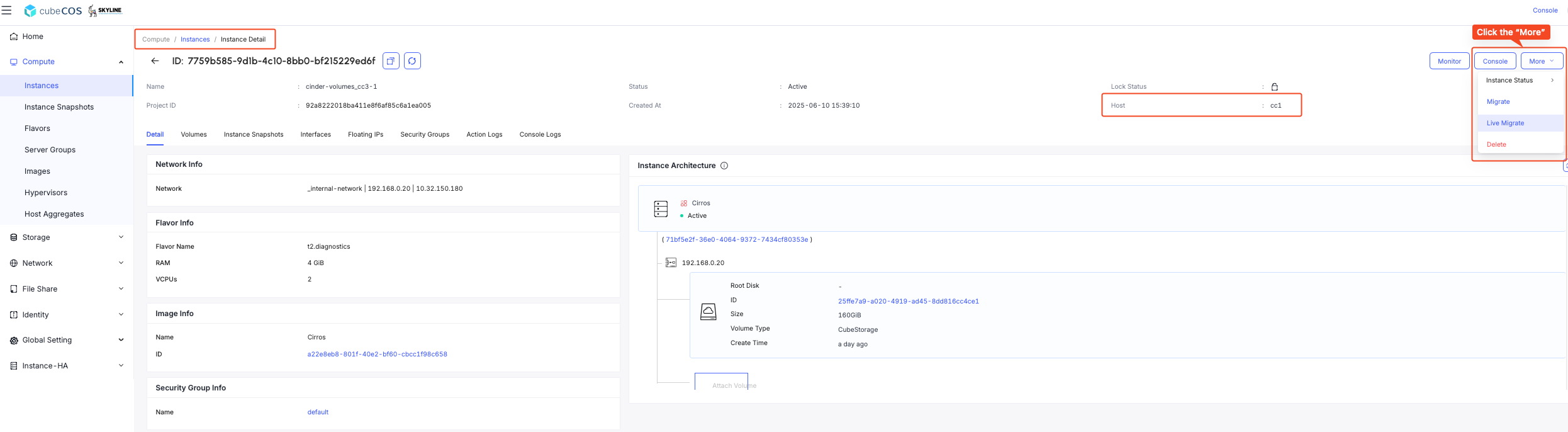
1. Navigate to `Admin > Compute > Instances > Instances Detail`, hover over `More`, and click the `LIVE MIGRATE` from the dropdown menu.

![/assets/maintenances/v3.0.0/04-live-migrate-1.png](/assets/maintenances/v3.0.0/04-live-migrate-1.png)

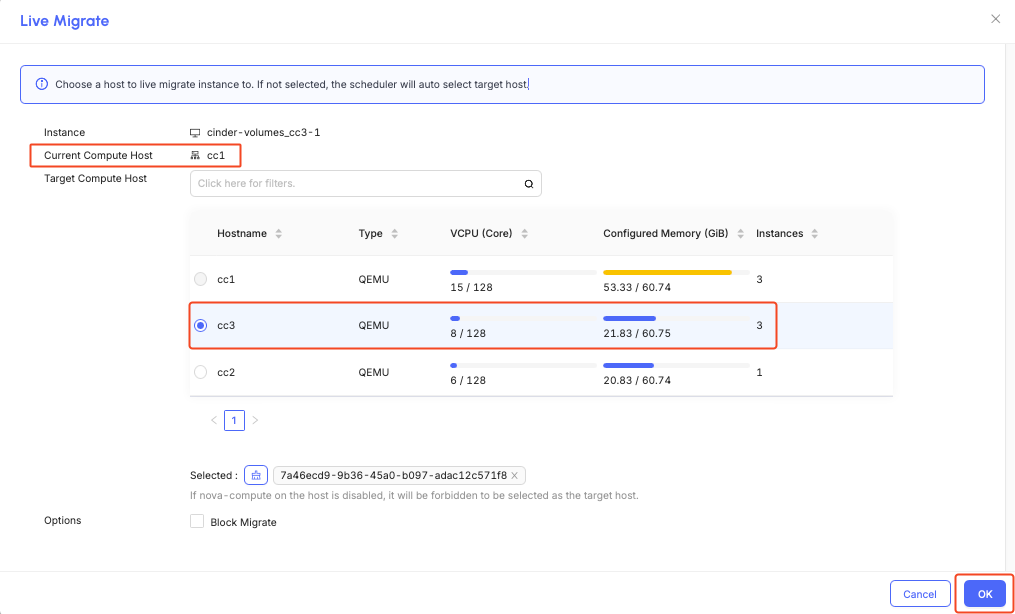
2. You can either select a preferred host for migration or allow the cluster scheduler to automatically choose one, then click `OK` to proceed.

![/assets/maintenances/v3.0.0/05-live-migrate-1.png](/assets/maintenances/v3.0.0/05-live-migrate-1.png)

### Migrate all the instances on the repurposed node {#migrate-all-the-instances-on-the-repurposed-node}

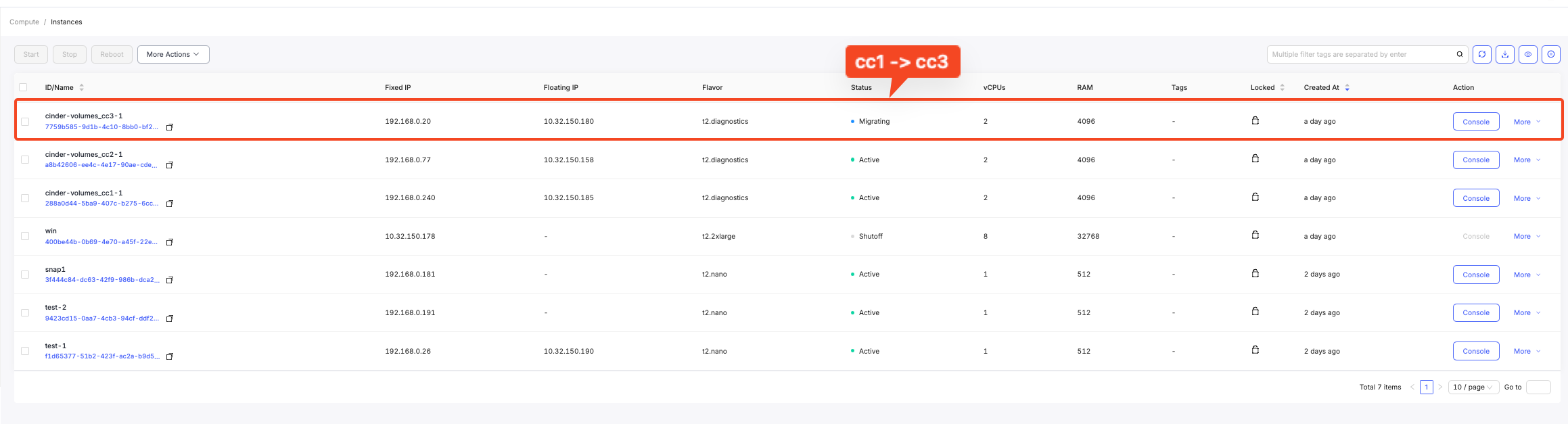
Repeat the steps and migrate the rest of the instances.

![/assets/maintenances/v3.0.0/06-live-migrate-1.png](/assets/maintenances/v3.0.0/06-live-migrate-1.png)

### Done {#done}

The node is now serving as a storage node.

![/assets/maintenances/v3.0.0/07-live-migrate-1.png](/assets/maintenances/v3.0.0/07-live-migrate-1.png)

## Complete Recycling {#complete-recycling}

### Preparation {#preparation}

Please follow the [process](#stop-a-compute-node) to stop a compute node and migrate instances to another compute node.

### Remove Disks {#remove-disks}

The action is required if only the node is included in the storage.

CLI: `storage > remove_exist`

### Remove the Compute Node from the Cluster {#remove-the-compute-node-from-the-cluster}

Connect to a control node.

```bash
$ ssh admin@192.168.1.x
Warning: Permanently added '192.168.1.x' (ECDSA) to the list of known hosts.
Password:
```

Remove the node from the cluster.

```bash
cc1> cluster
cc1:cluster> remove_node
1: compute01
2: compute02
3: compute03
Enter index: 1
this command is only applicable for compute or storage nodes
make sure its running instances have been properly terminated or migrated
shutdown the target host before proceeding
Enter 'YES' to confirm: YES
```

### Set Up the Storage Node {#set-up-the-storage-node}

It is now safe to shutdown the retired compute node.

After shutting down the compute node, we could boot the node from an installer.

Follow the [storage node installation process](../../configuration/node_roles/storage.md#installation) to set up the storage node.