# Floating IPs

> In CubeCOS, instances (VMs) can be assigned both a private fixed IP and an optional public (floating) IP to enable connectivity with external networks. This section explains how to configure and manage floating IPs through Neutron, the networking service used by CubeCOS.

In CubeCOS, instances (VMs) can be assigned both a private fixed IP and an optional public (floating) IP to enable connectivity with external networks. This section explains how to configure and manage floating IPs through Neutron, the networking service used by CubeCOS.

## Allocate Floating IPs {#allocate-floating-ips}

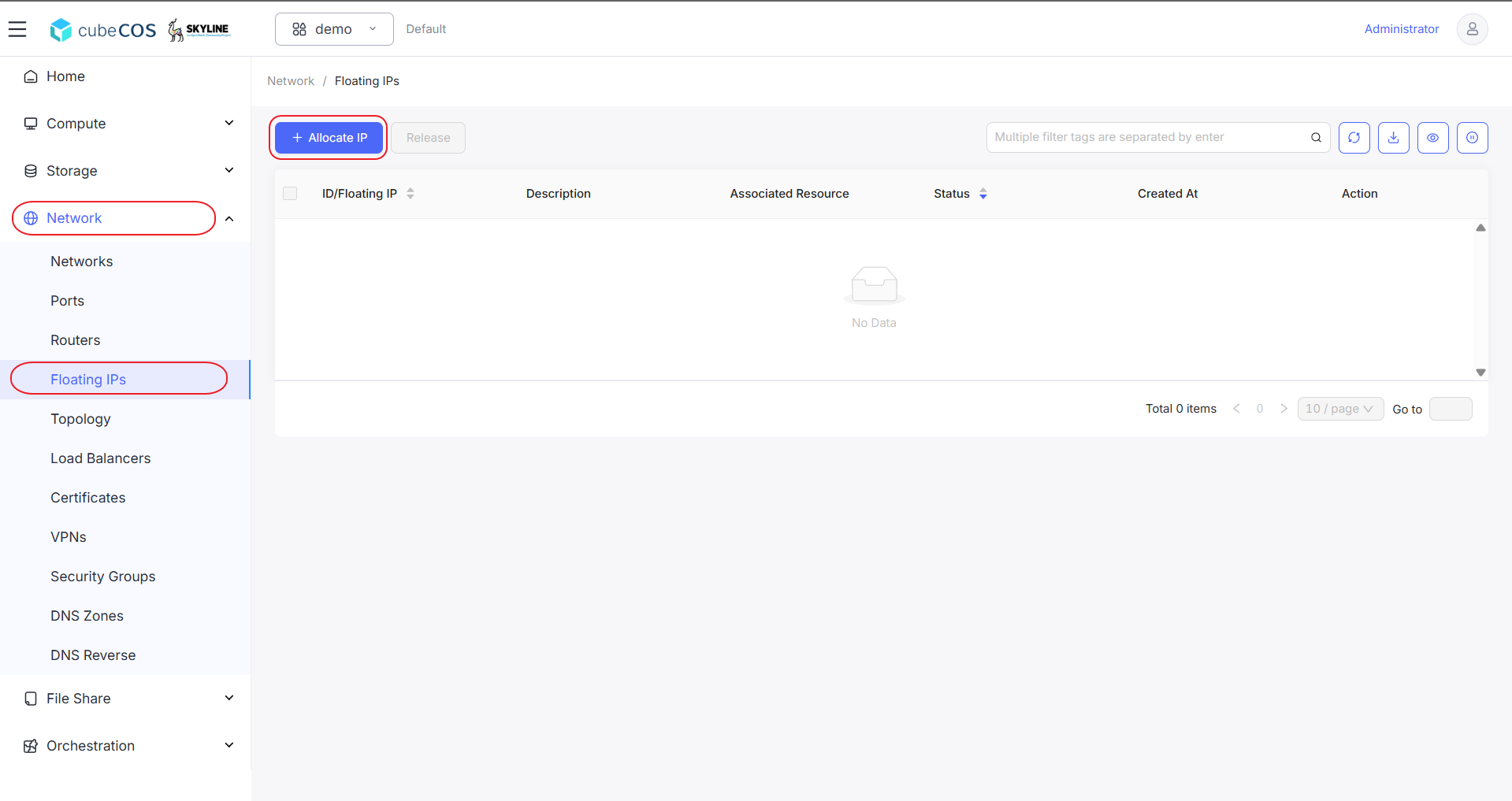
1. Navigate to `Project > Network > Floating IPs` > `+ Allocate IP`

   ![/assets/network/create_fip_1.png](/assets/network/create_fip_1.png)

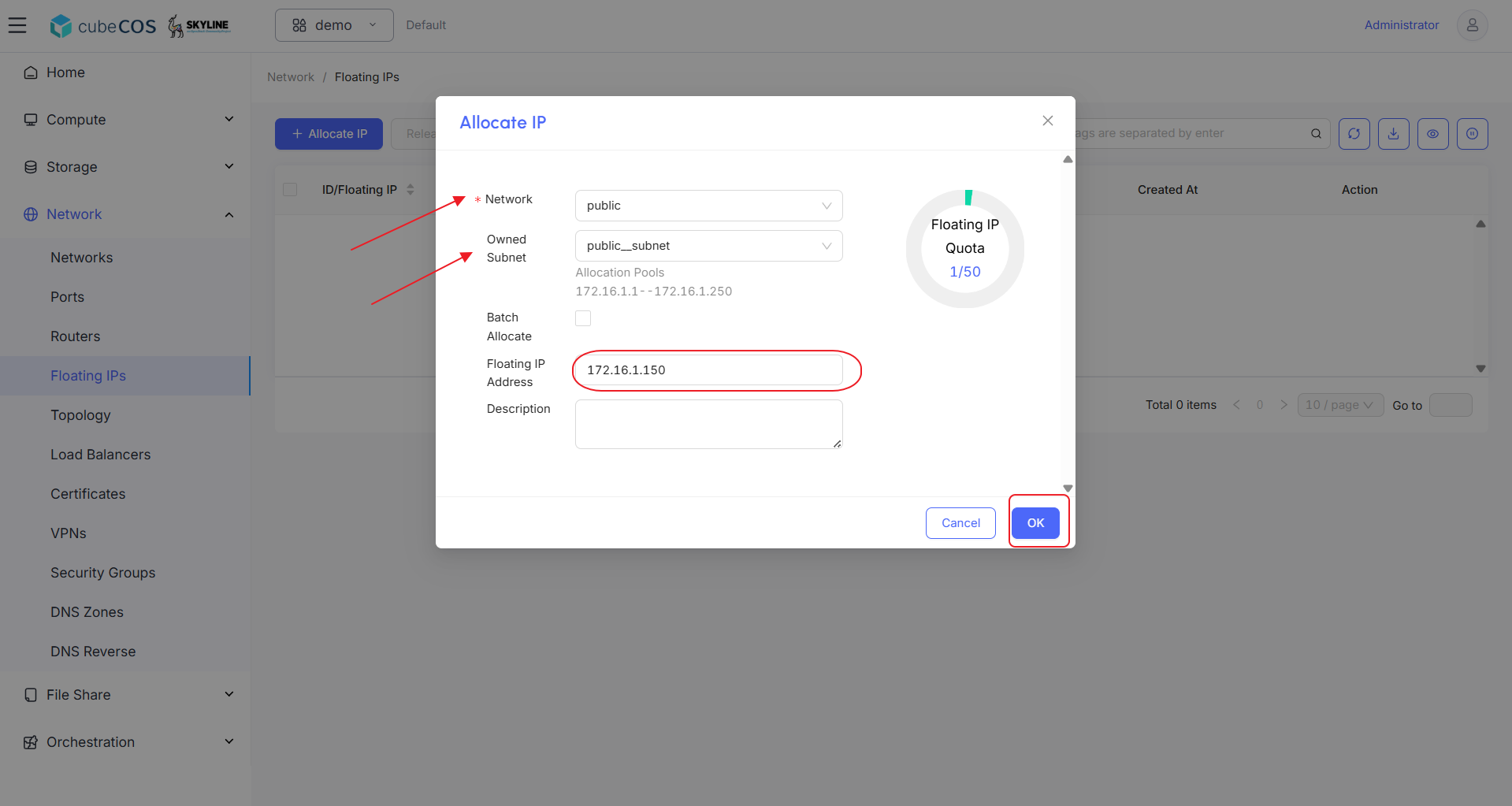
2. Choose desired `Network` and its subnet(if available). After inputting the `Floating IP Address`, click `OK`.

   ![/assets/network/create_fip_2.png](/assets/network/create_fip_2.png)

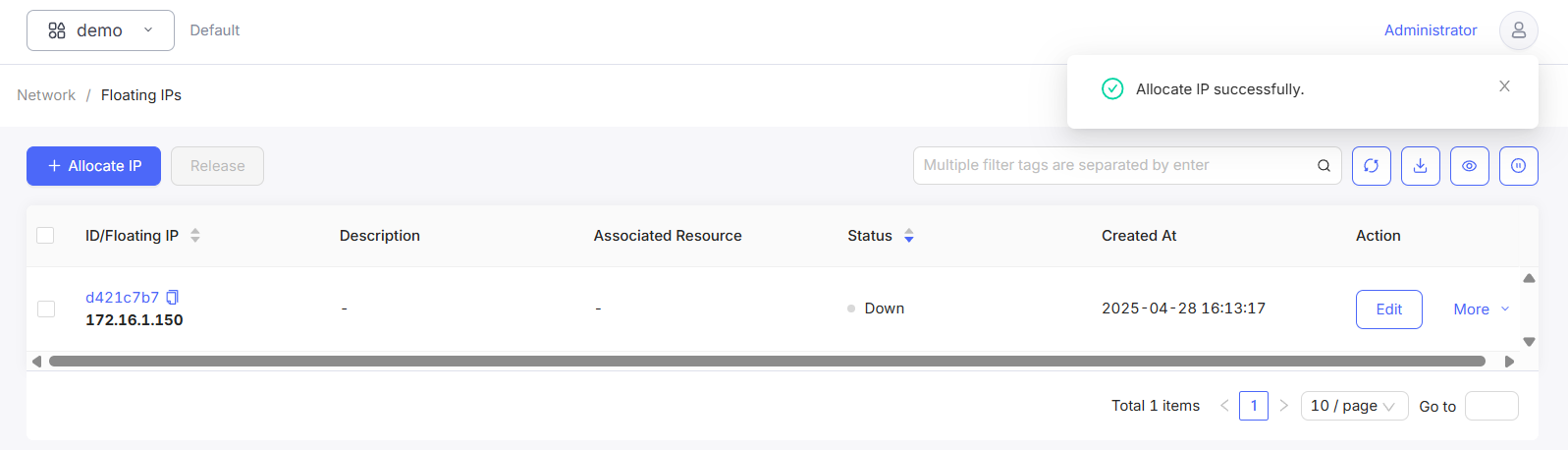
3. Notification of creation result will appear on top right.

   ![/assets/network/create_fip_3.png](/assets/network/create_fip_3.png)