# Create Private Network

> An CubeCOS private network enables secure, internal communication between instances. It reduces exposure to the public internet, improves security, and allows network segmentation for different tenants within the local environment.

An CubeCOS private network enables secure, internal communication between instances. It reduces exposure to the public internet, improves security, and allows network segmentation for different tenants within the local environment.

## Create a private network with subnet under project {#create-a-private-network-with-subnet-under-project}

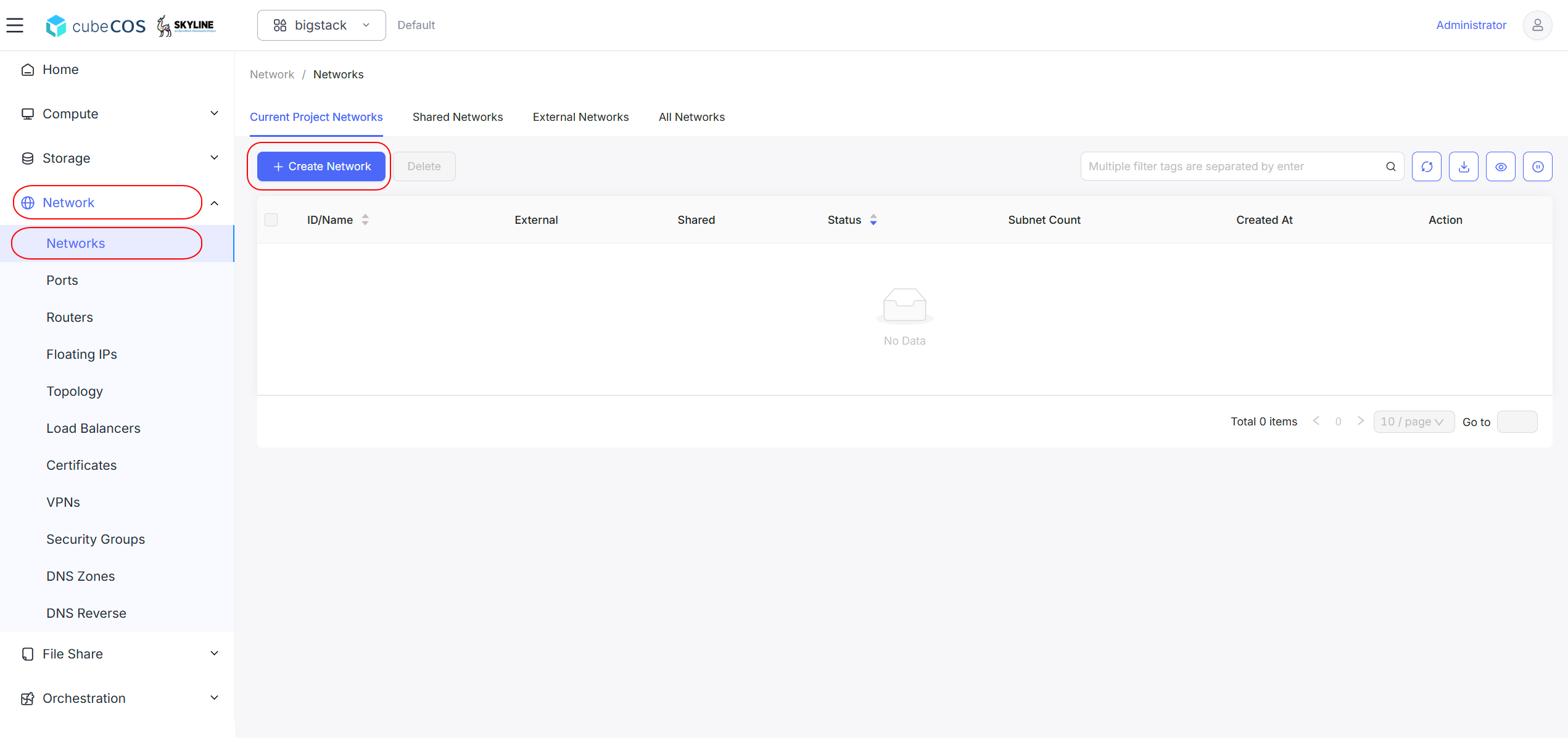
1. Navigate to `Project > Network > Networks` > `+ Create Network`

   ![/assets/img/pri_network_1.png](/assets/img/pri_network_1.png)

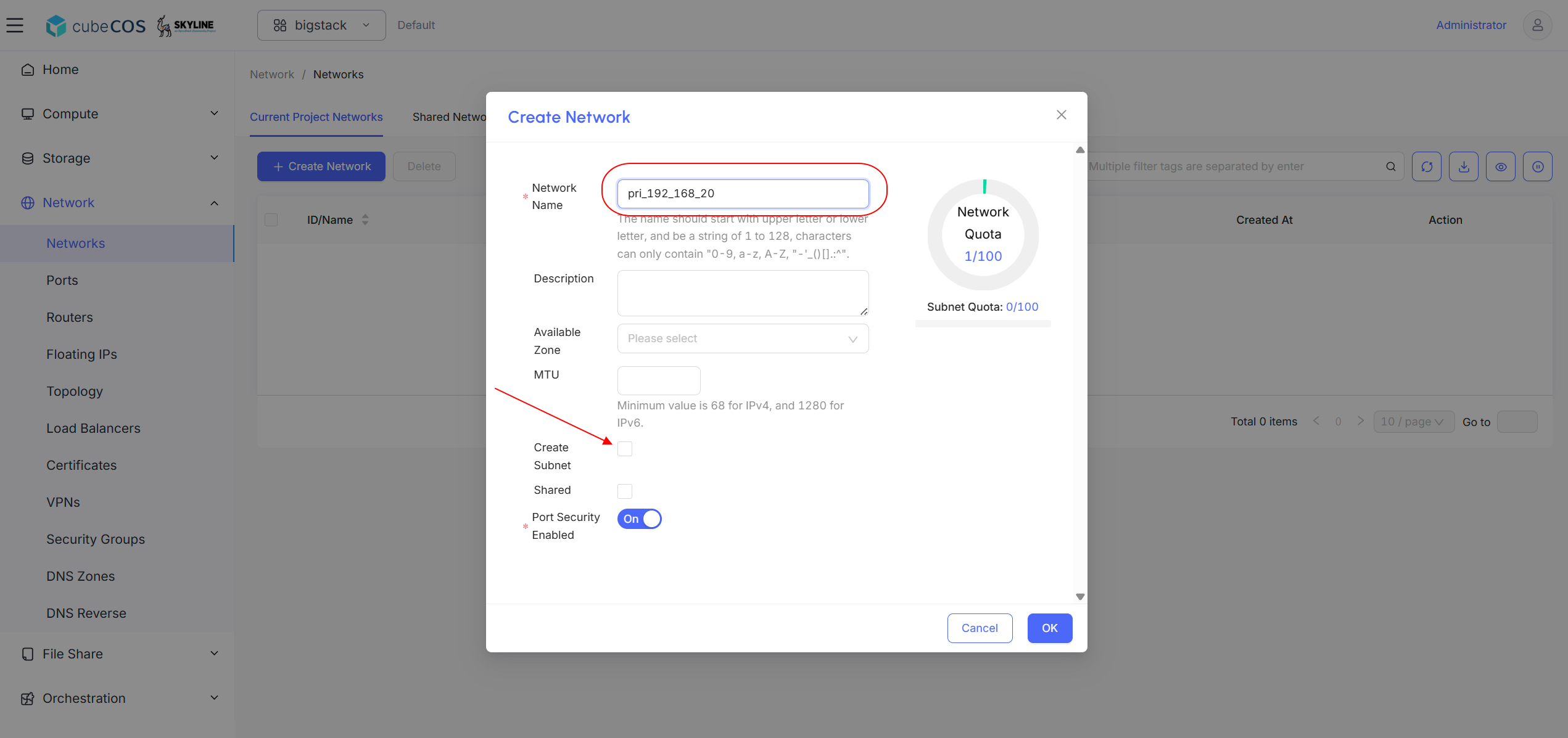
2. Name the snapshot and check `Create Subnet` checkbox.

   ![/assets/img/pri_network_2.png](/assets/img/pri_network_2.png)

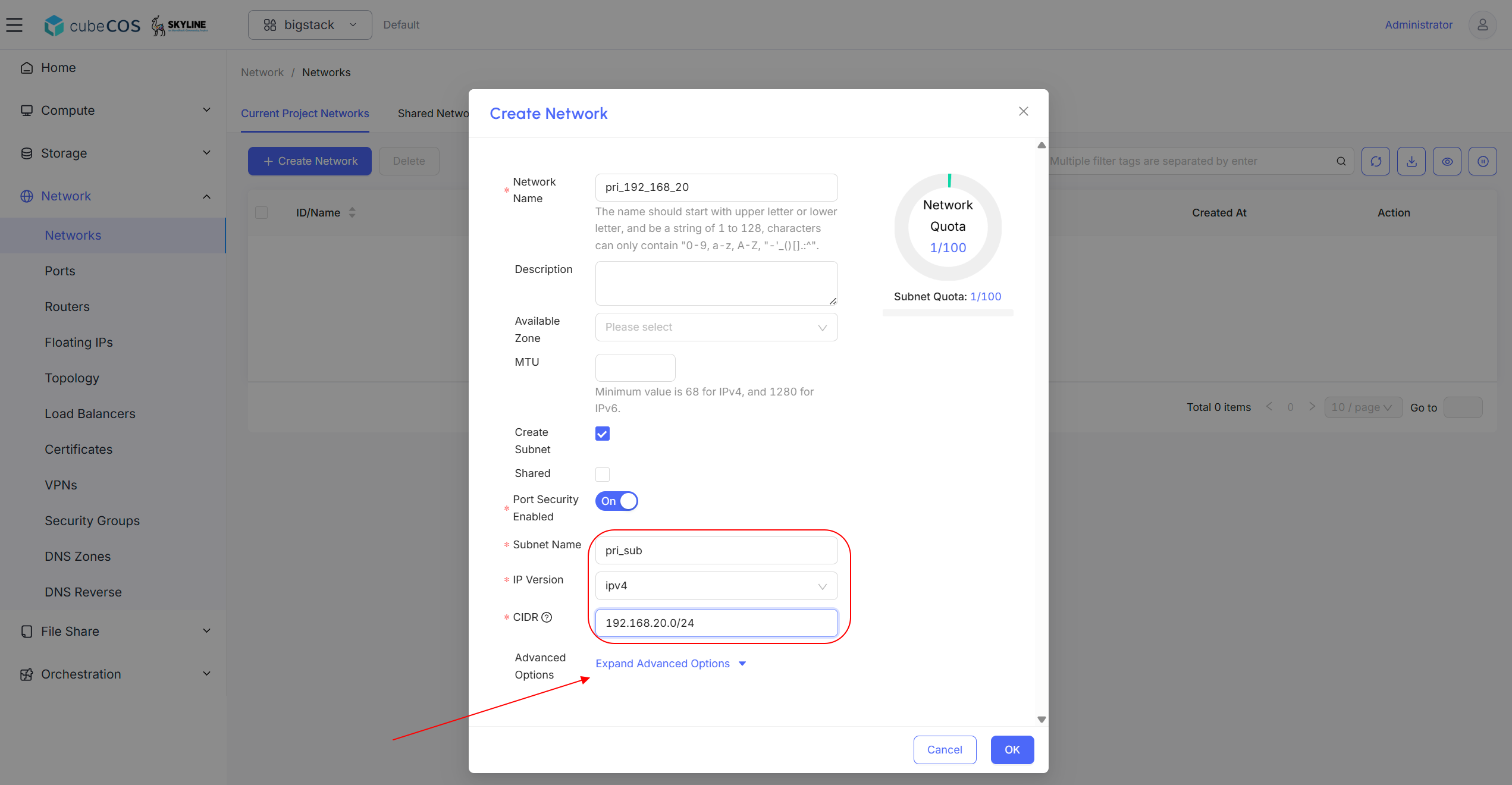
3. Input `Subnet Name`, select `IP Version` then assign `CIDR` to the subnet. Click `Advanced Options` for detailed settings.

   ![/assets/img/pri_network_3.png](/assets/img/pri_network_3.png)

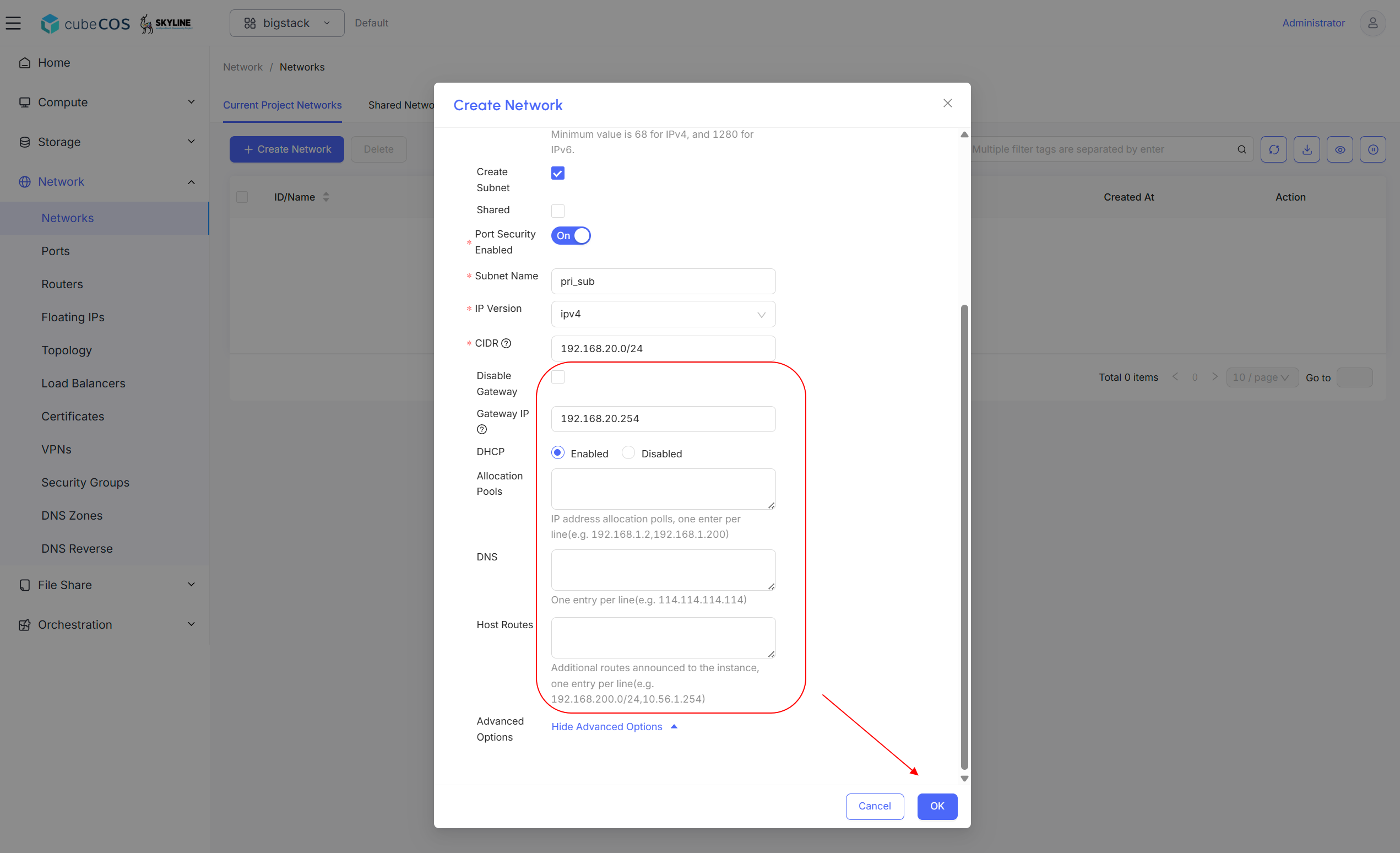
4. Input optional settings include `Gateways`, `DHCP`, `Allocation Pools`, `DNS` and `Host Routes`. Click `OK` to proceed.

   ![/assets/img/pri_network_4.png](/assets/img/pri_network_4.png)

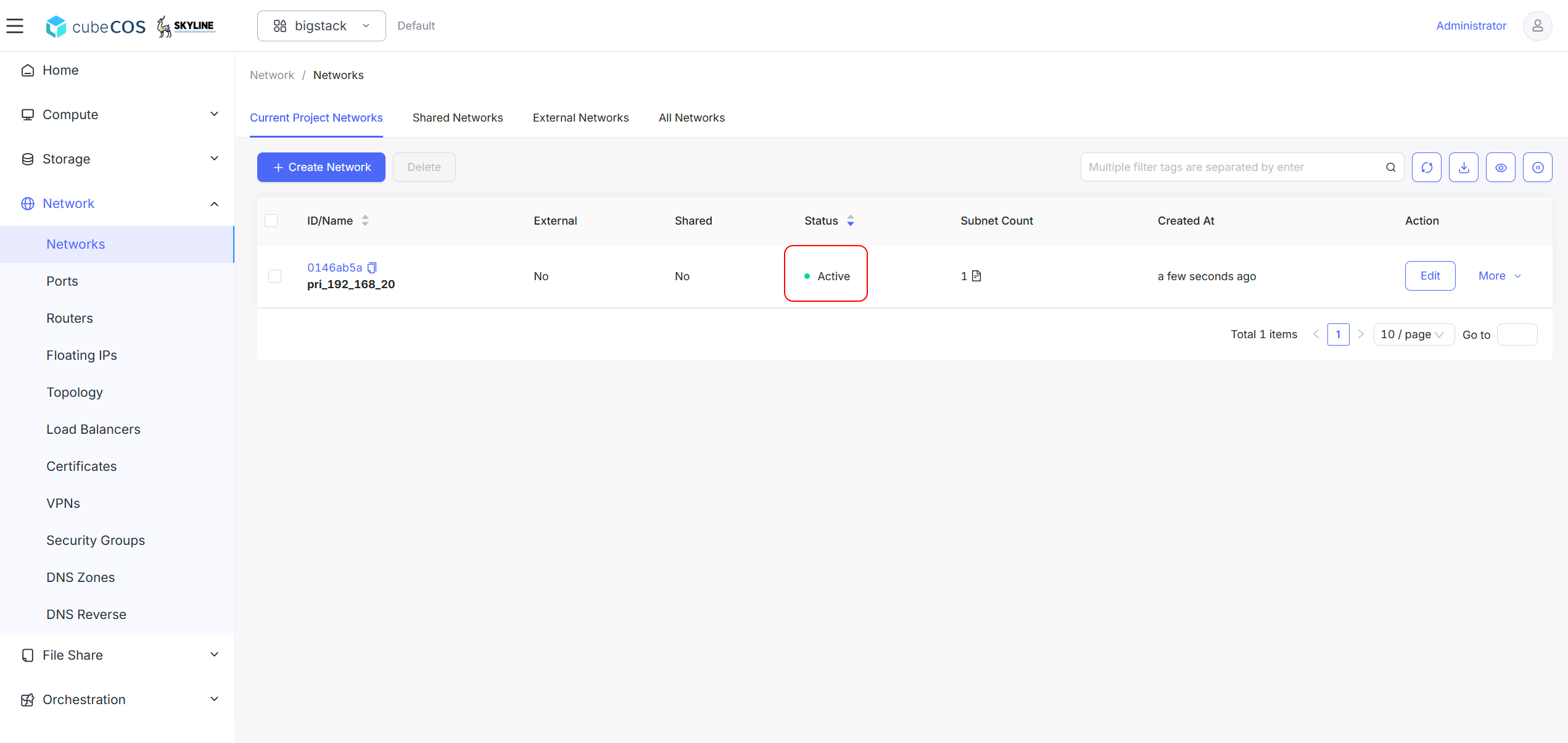
5. Verify network creation by its status become `Activate`.

   ![/assets/img/pri_network_5.png](/assets/img/pri_network_5.png)