# Create an external/internet network with flat networking

> Flat Networking uses Ethernet interfaces set up in bridge mode to enable seamless network traffic flow between all nodes. This configuration can be implemented using either a single network adapter on the physical host or multiple adapters, depending on the setup.

Flat Networking uses Ethernet interfaces set up in bridge mode to enable seamless network traffic flow between all nodes. This configuration can be implemented using either a single network adapter on the physical host or multiple adapters, depending on the setup.

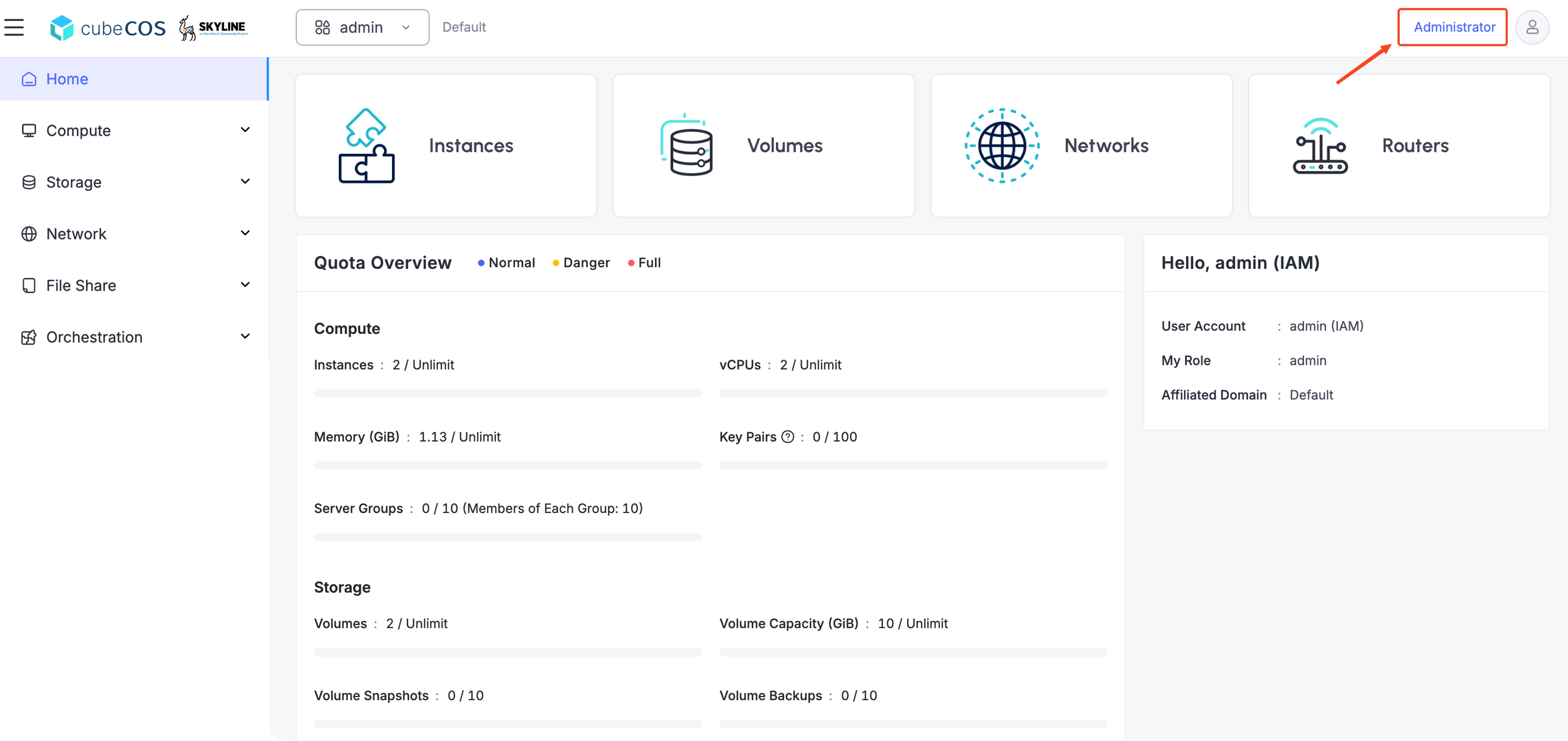
1. Navigate to `Administrator`

   ![/assets/img/v3.0.0/flat-1.png](/assets/img/v3.0.0/flat-1.png)

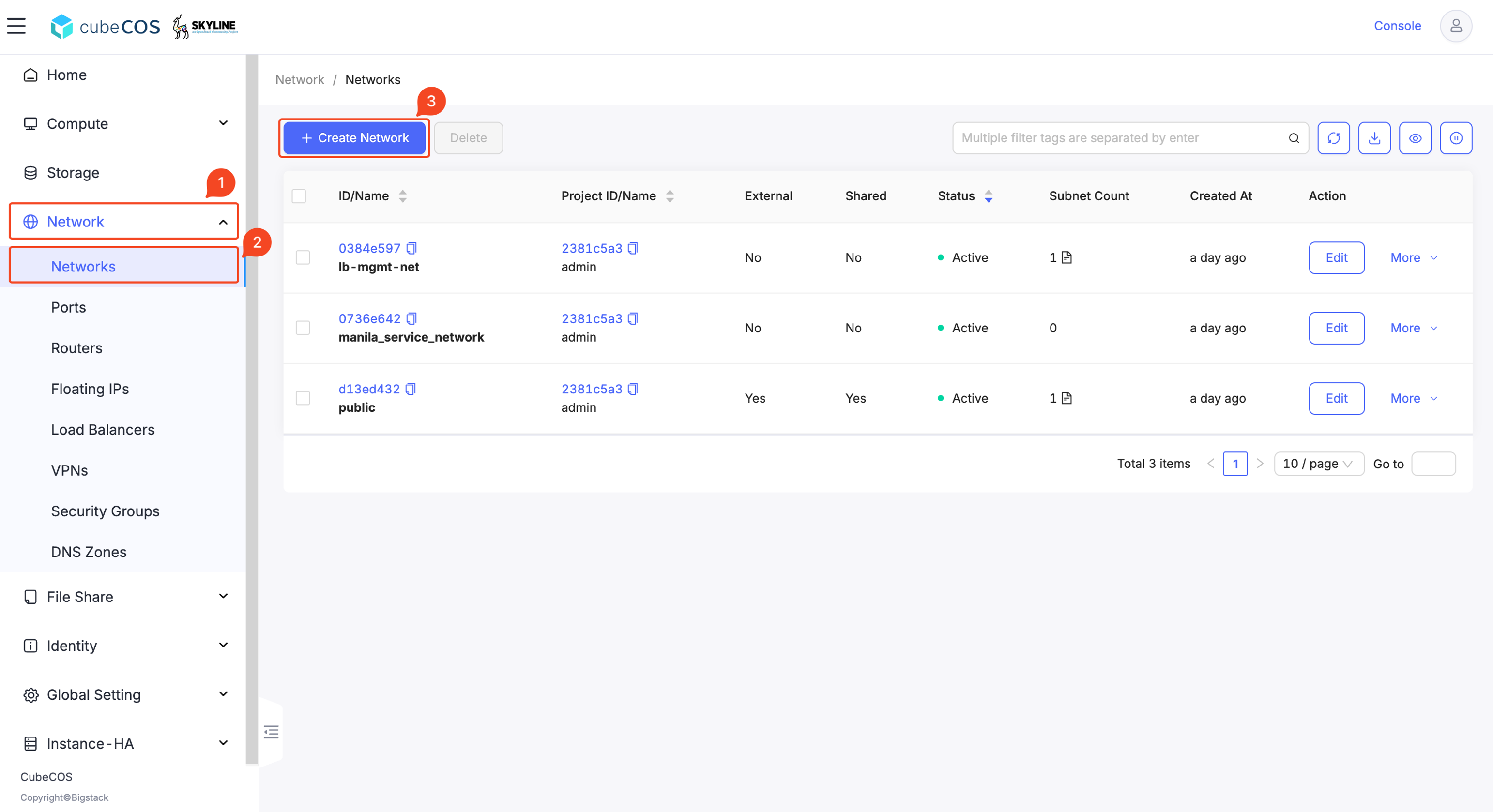
2. Navigate to `Network > Networks` > `+ CREATE NETWORK`

   ![/assets/img/v3.0.0/flat-2.png](/assets/img/v3.0.0/flat-2.png)

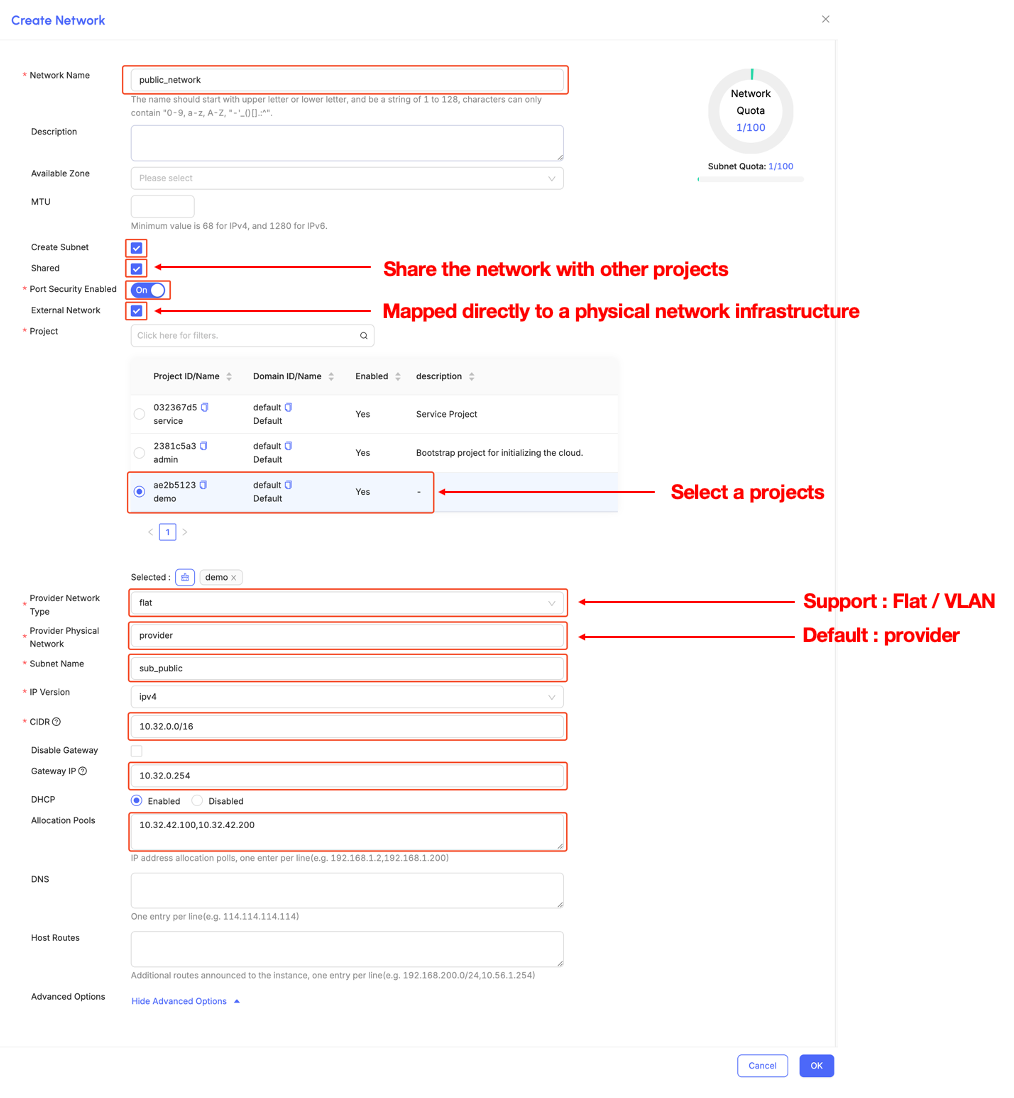
3. Please follow the configuration provided below

   ![/assets/img/v3.0.0/flat-3.png](/assets/img/v3.0.0/flat-3.png)