ボリュームのバックアップを作成する
この手順を使用して、長期的な保護および災害復旧のためにボリュームの完全バックアップを作成します。
前提条件
QEMU Guest Agent は、CubeCOS とゲストオペレーティングシステム(OS)間の通信を可能にします。ゲストOSから関連情報を取得し、ファイルシステムを同期およびフリーズさせます。また、エージェントはゲストを一時停止し、ゲストの設定を変更し、ゲストマシンの正常なシャットダウンを可能にします。このエージェントは、guest-fsfreeze-freeze および guest-fsfreeze-thaw 操作を用いてファイルシステムを同期および凍結することで、CubeCOS がスナップショットとバックアップの一貫性を確保できるようにします。
QEMUゲストエージェントをインストールする
-
お使いのディストリビューションのパッケージマネージャーを使用して、qemu-guest-agent をインストールしてください。
Installation for qemu-guest-agent# Ubuntu / Debian / Mintsudo apt install -y qemu-guest-agent# RHEL / CentOS / AlmaLinux / Rocky / Fedorasudo dnf install qemu-guest-agent -y# SUSE/ openSUSEsudo zypper install qemu-guest-agent -
サービスを有効にして、起動します。
sudo systemctl enable --now qemu-guest-agent -
qemu-guest-agentのステータスを確認するエージェントにエラーがなく、正常に動作していることを確認してください。
sudo systemctl status qemu-guest-agentA sample status outputubuntu@demo-ubuntu:~$ systemctl status qemu-guest-agent.service● qemu-guest-agent.service - QEMU Guest AgentLoaded: loaded (/usr/lib/systemd/system/qemu-guest-agent.service; static)Active: active (running) since Wed 2025-04-30 03:59:55 UTC; 2h 45min agoMain PID: 709 (qemu-ga)Tasks: 2 (limit: 4658)Memory: 1.4M (peak: 1.6M)CPU: 10msCGroup: /system.slice/qemu-guest-agent.service└─709 /usr/sbin/qemu-gaApr 30 03:59:55 demo-ubuntu systemd[1]: Started qemu-guest-agent.service - QEMU Guest Agent.
ボリュームのバックアップを作成
ボリュームスナップショット機能が正常に動作するようにするには、QEMUゲストエージェントをインストールしてください。
-
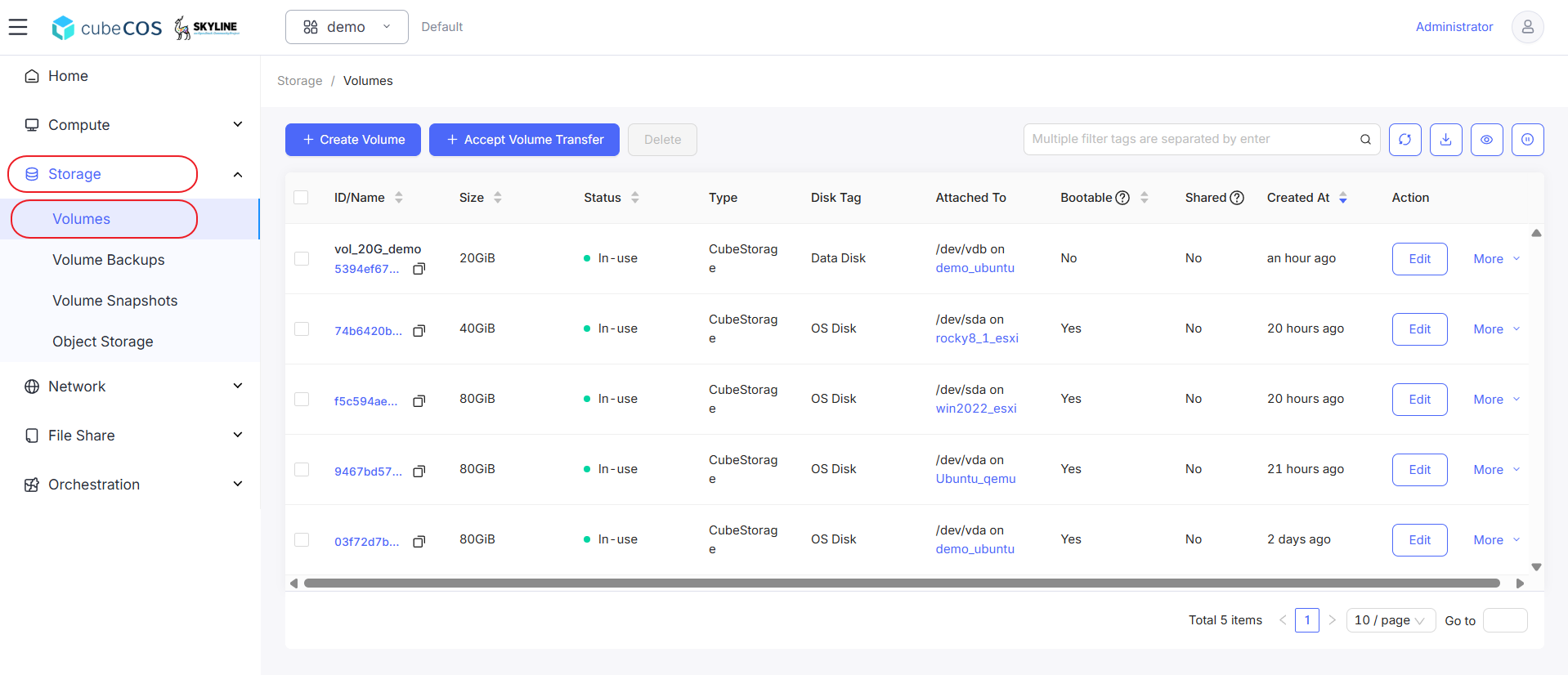
「プロジェクト > ストレージ > ボリューム」に移動し、目的のボリュームを選択してから、「その他」にカーソルを合わせます。
-
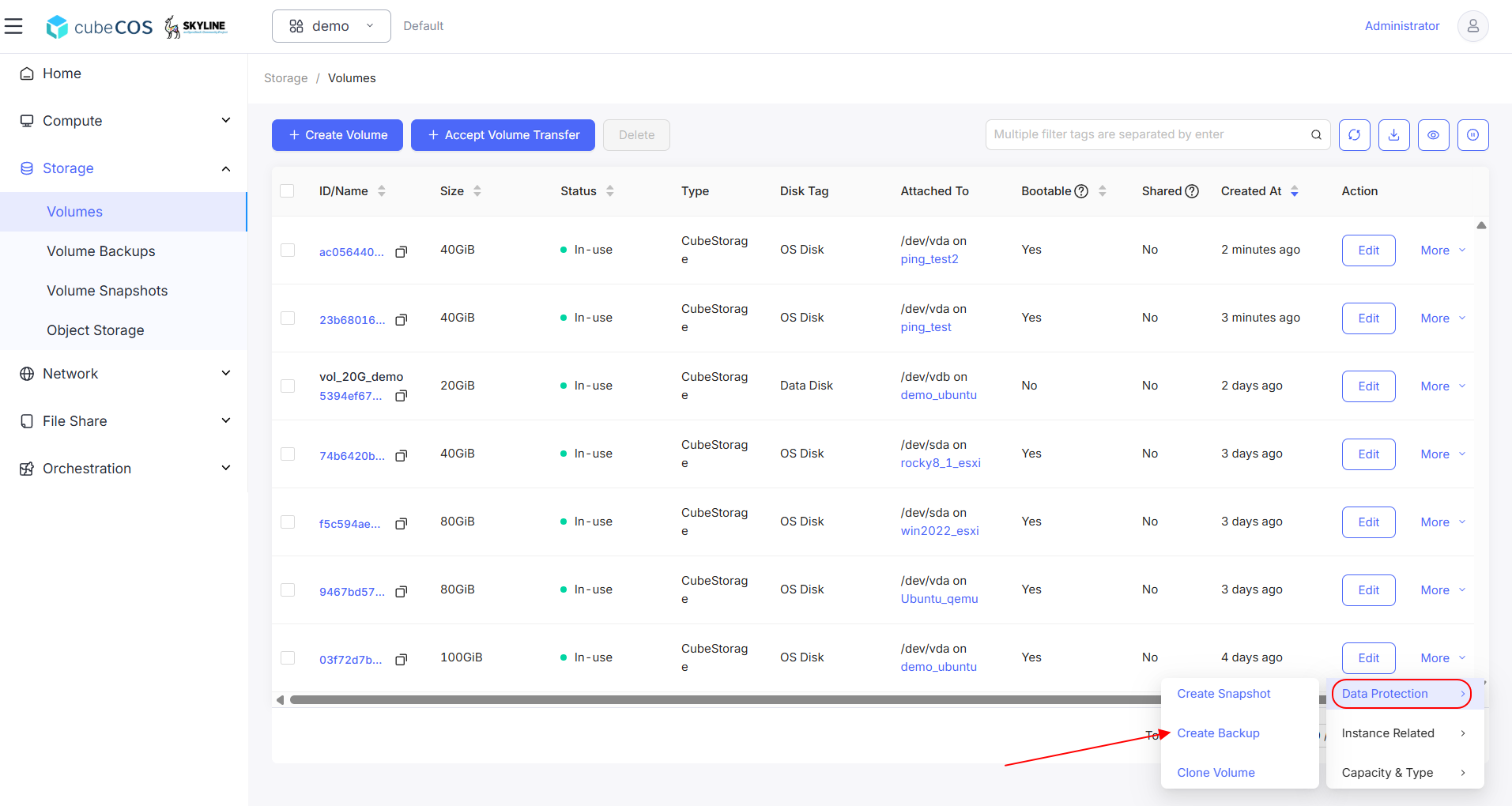
ドロップダウンメニューの「データ保護」にカーソルを合わせ、次に「バックアップの作成」をクリックします。
-
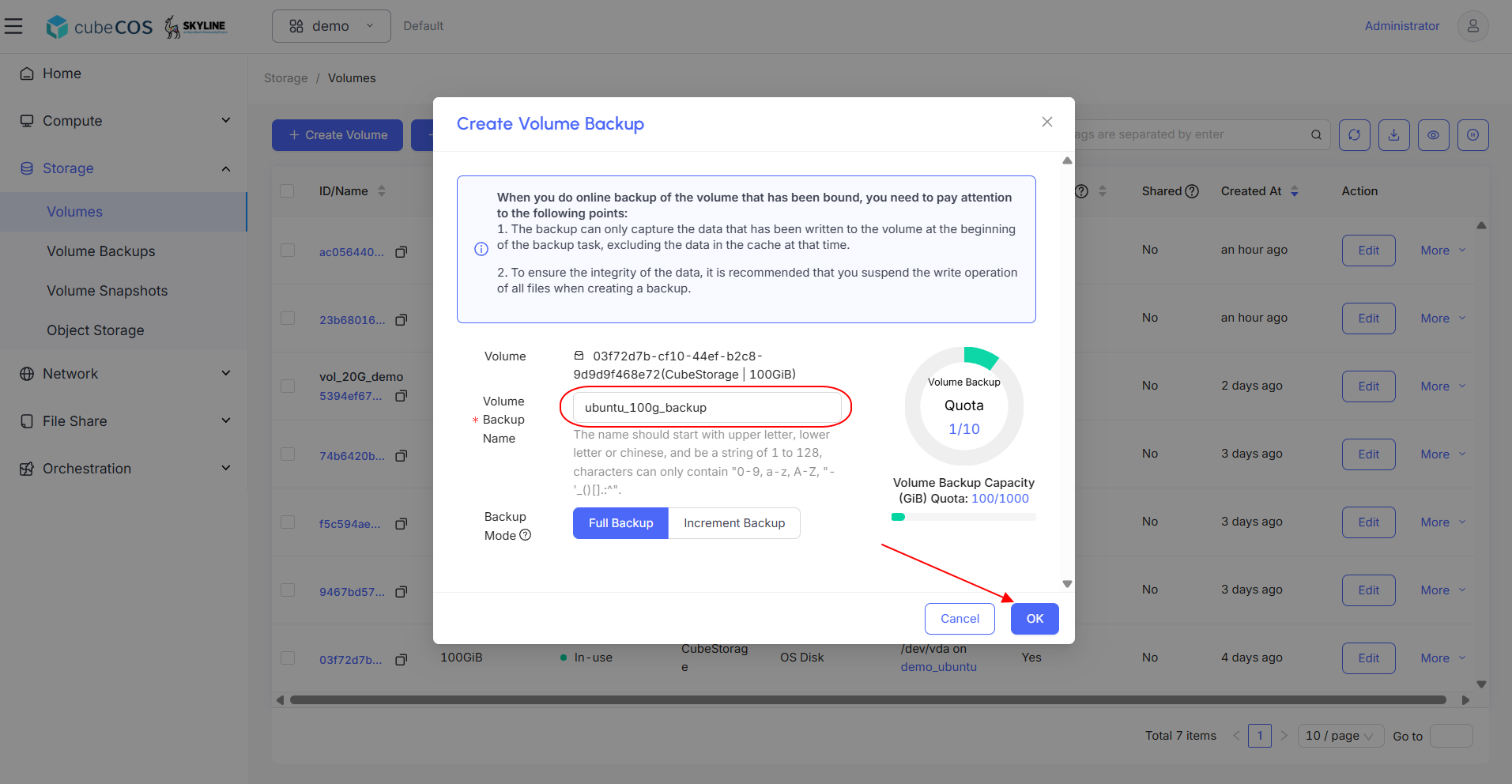
バックアップに名前を付け、「OK」をクリックして次に進みます。
利用可能なバックアップには2種類あります:
- 完全バックアップ:システムが自動的に新しいバックアップチェーンを作成します。フルバックアップの名前は、バックアップチェーンの名前と同じです。
- 増分バックアップ:システムは、新しく作成されたバックアップチェーンの下に、自動的に増分バックアップを作成します。
-
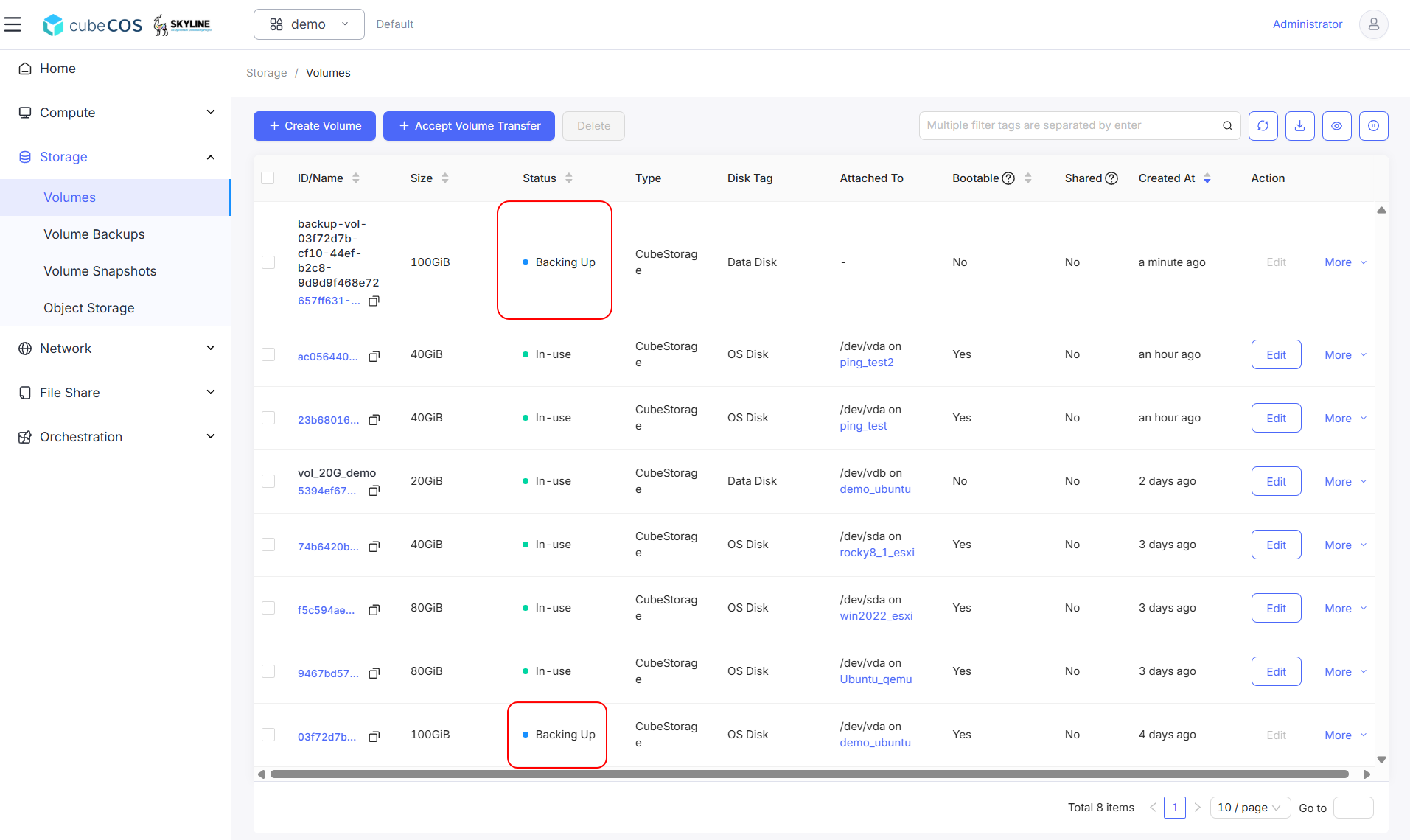
一時ボリュームが作成され、そのボリュームとバックアップ先ボリュームの両方が「バックアップ中」の状態になっていることを確認してください。
情報バックアップが完了すると、一時ボリュームは削除されます。
-
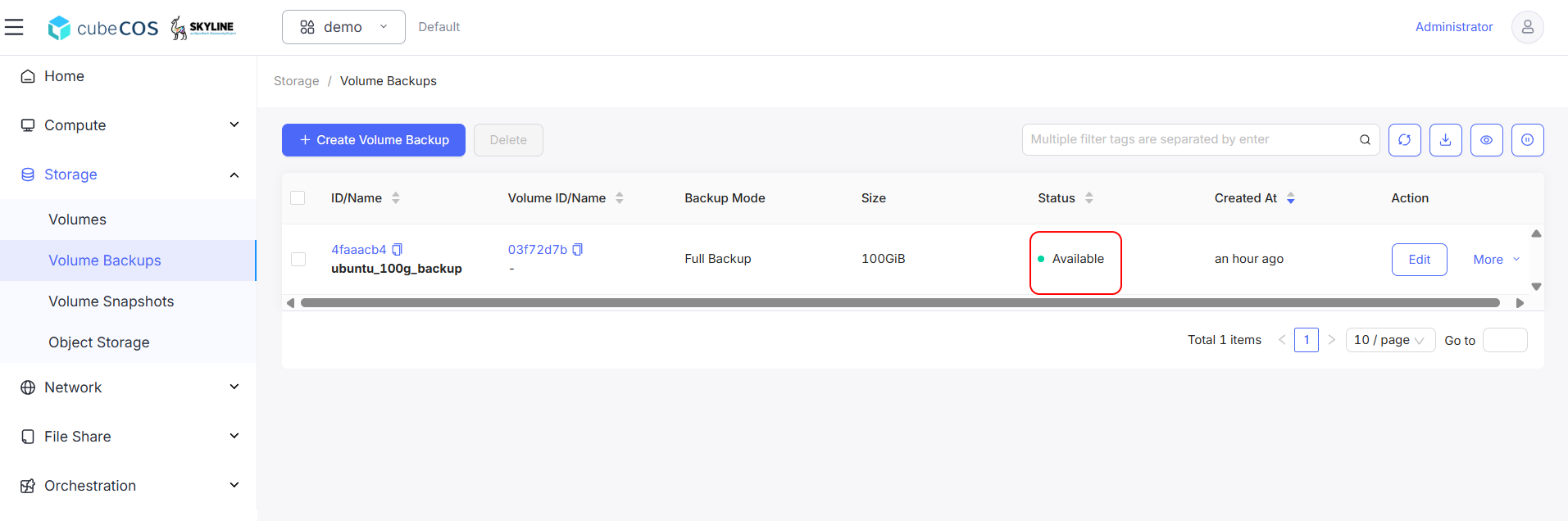
プロジェクト > ストレージ > ボリュームバックアップに移動し、ボリュームバックアップの作成を確認してください。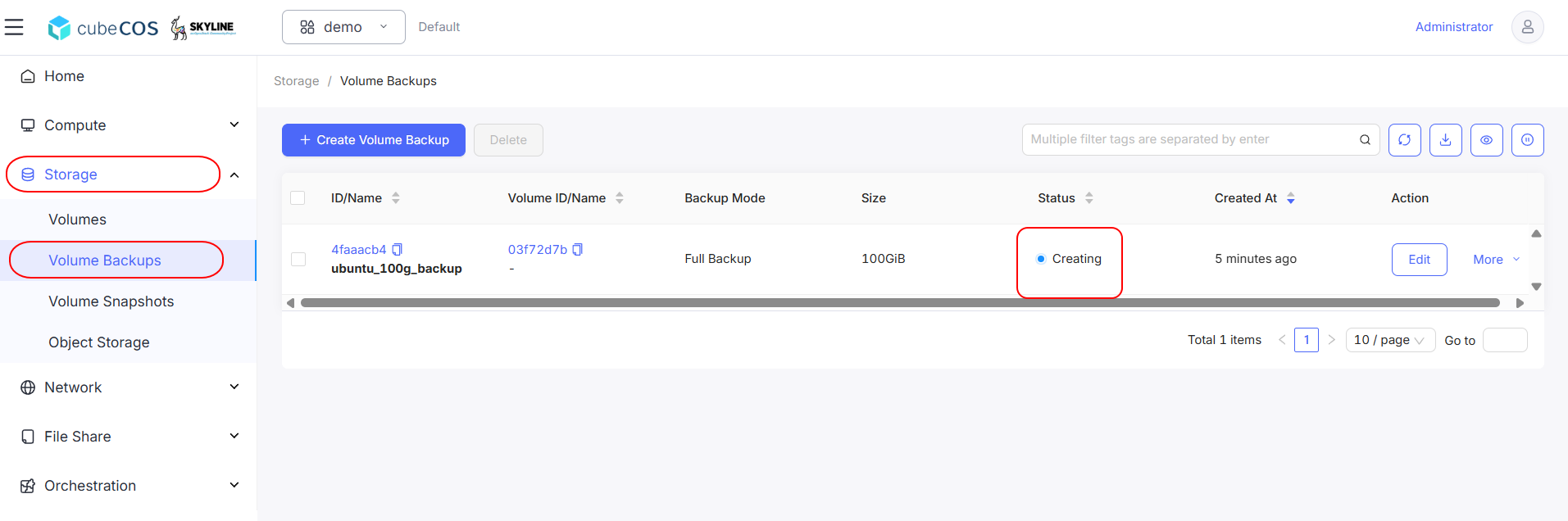
-
ステータスが
Avialableに変わると、バックアップは完了します。