ボリュームのスナップショットを作成する
この手順を使用して、既存のボリュームのスナップショットを作成します。スナップショットは、迅速なロールバック、テスト、または短期的な復旧のために、ボリュームの現在の状態をキャプチャします。
前提条件
ボリュームスナップショット機能を使用する前に、インスタンスに qemu-guest-agent パッケージをインストールしてください。
   ubuntu@demo-ubuntu:~$ sudo apt install -y qemu-guest-agent

   ubuntu@demo-ubuntu:~$ systemctl status qemu-guest-agent.service
   ● qemu-guest-agent.service - QEMU Guest Agent
      Loaded: loaded (/usr/lib/systemd/system/qemu-guest-agent.service; static)
      Active: active (running) since Wed 2025-04-30 03:59:55 UTC; 2h 45min ago
      Main PID: 709 (qemu-ga)
         Tasks: 2 (limit: 4658)
      Memory: 1.4M (peak: 1.6M)
         CPU: 10ms
      CGroup: /system.slice/qemu-guest-agent.service
               └─709 /usr/sbin/qemu-ga

   Apr 30 03:59:55 demo-ubuntu systemd[1]: Started qemu-guest-agent.service - QEMU Guest Agent.
-
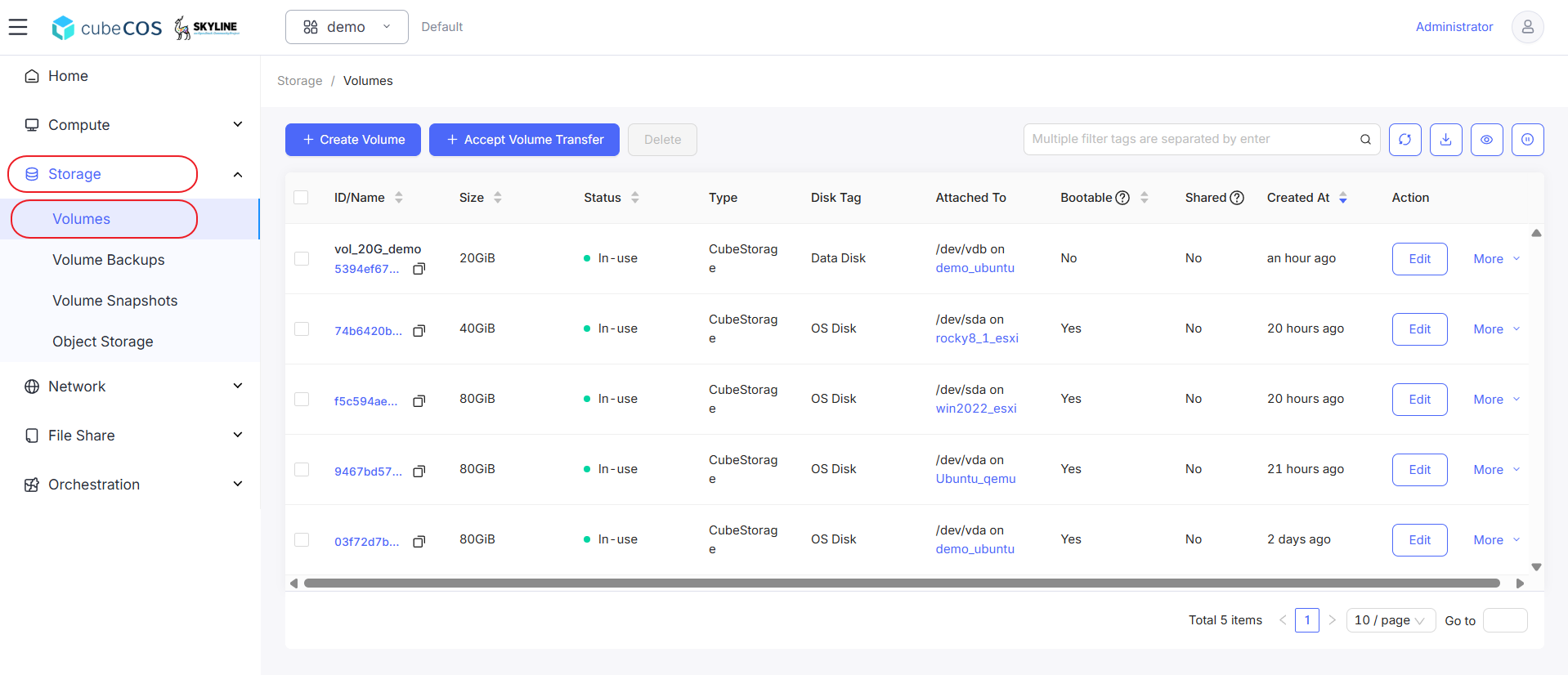
「プロジェクト > ストレージ > ボリューム」に移動し、目的のボリュームを選択してから、「その他」にカーソルを合わせます。
-
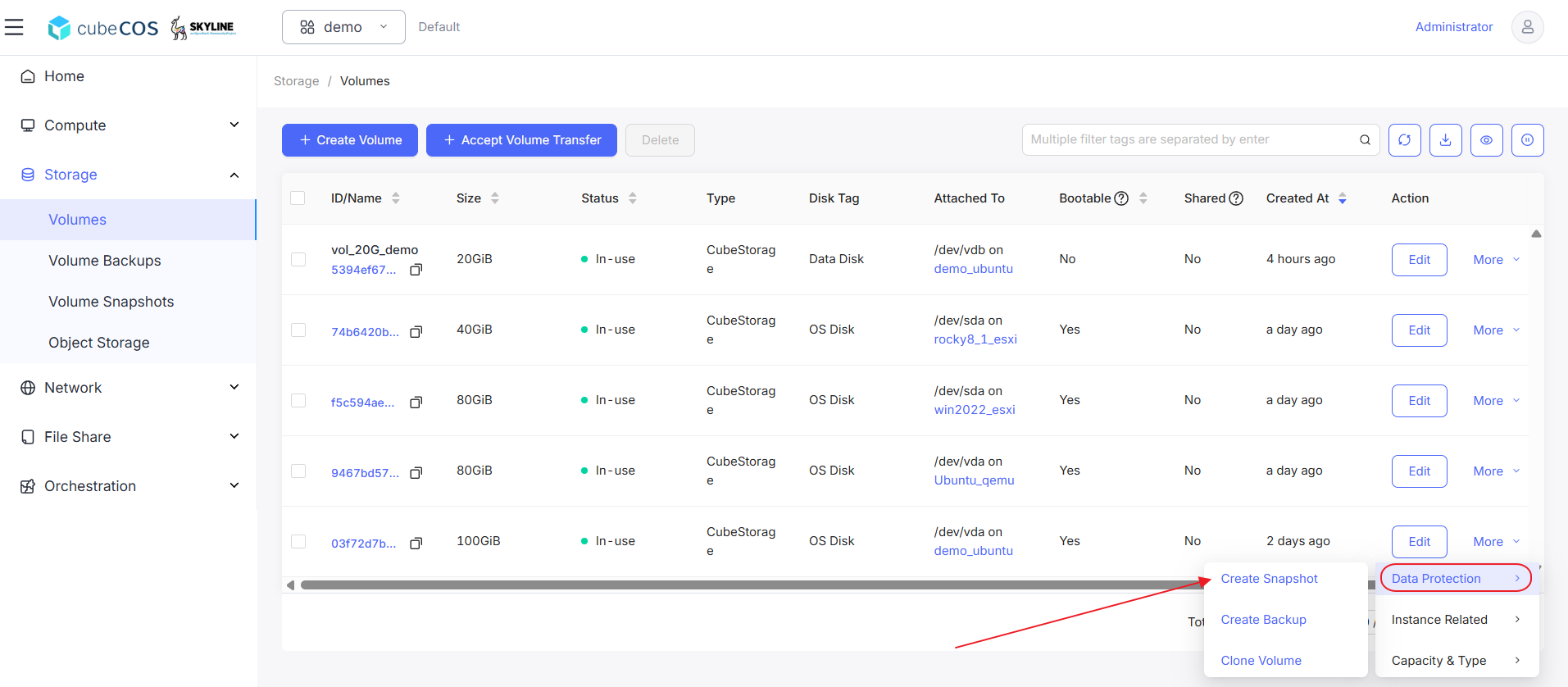
ドロップダウンメニューの「データ保護」にカーソルを合わせ、次に「スナップショットの作成」をクリックします。
-
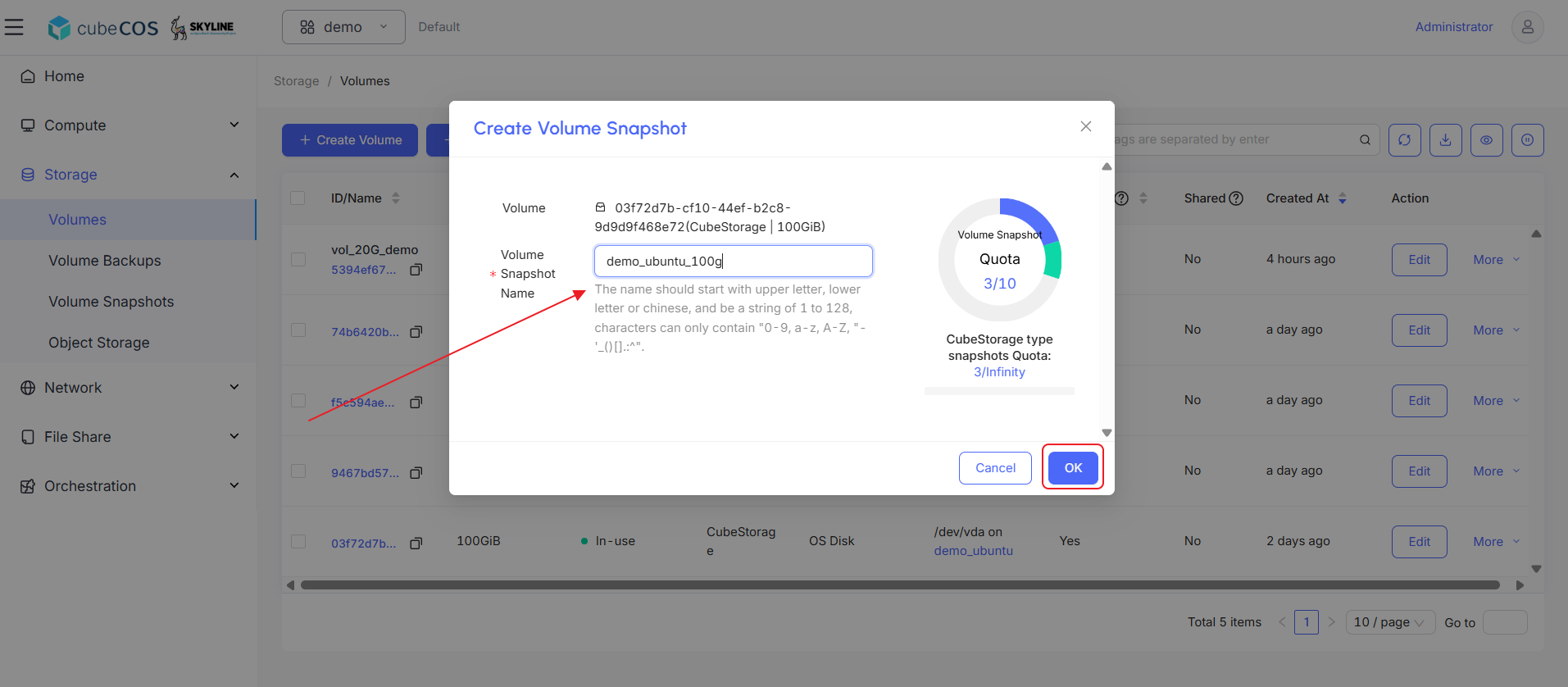
スナップショットに名前を付け、「OK」をクリックして次に進みます。
-
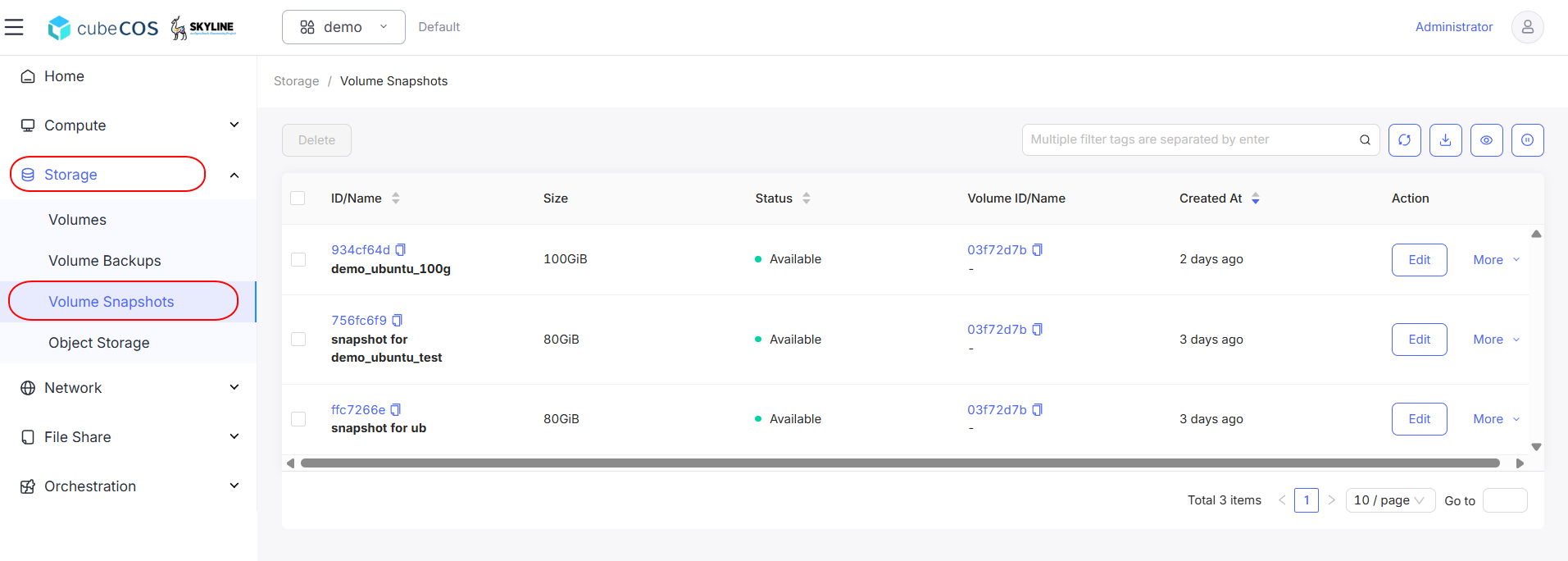
プロジェクト > ストレージ > ボリュームスナップショットに移動し、スナップショットの作成を確認してください。