ボリュームを拡張する
この手順を使用して、既存のブロックストレージボリュームのサイズを変更します。
インスタンスのボリュームの状態を確認する
- ボリュームの状態を確認する
lsblkコマンドを実行して、ボリュームの状態を確認してください。- コマンド
df -hを実行して、ファイルシステムの状態を確認してください。
ubuntu@demo-ubuntu:~$ lsblk
NAME    MAJ:MIN RM  SIZE RO TYPE MOUNTPOINTS
vda     253:0    0   80G  0 disk
├─vda1  253:1    0   79G  0 part /
├─vda14 253:14   0    4M  0 part
├─vda15 253:15   0  106M  0 part /boot/efi
└─vda16 259:0    0  913M  0 part /boot
vdb     253:16   0   20G  0 disk /mnt/disk20g

ubuntu@demo-ubuntu:~$ df -h
Filesystem      Size  Used Avail Use% Mounted on
tmpfs           392M  1.1M  391M   1% /run
/dev/vda1        77G  1.9G   75G   3% /
tmpfs           2.0G     0  2.0G   0% /dev/shm
tmpfs           5.0M     0  5.0M   0% /run/lock
/dev/vdb         20G   24K   19G   1% /mnt/disk20g
/dev/vda16      881M   61M  758M   8% /boot
/dev/vda15      105M  6.1M   99M   6% /boot/efi
tmpfs           392M   12K  392M   1% /run/user/1000
ボリュームを拡張する
-
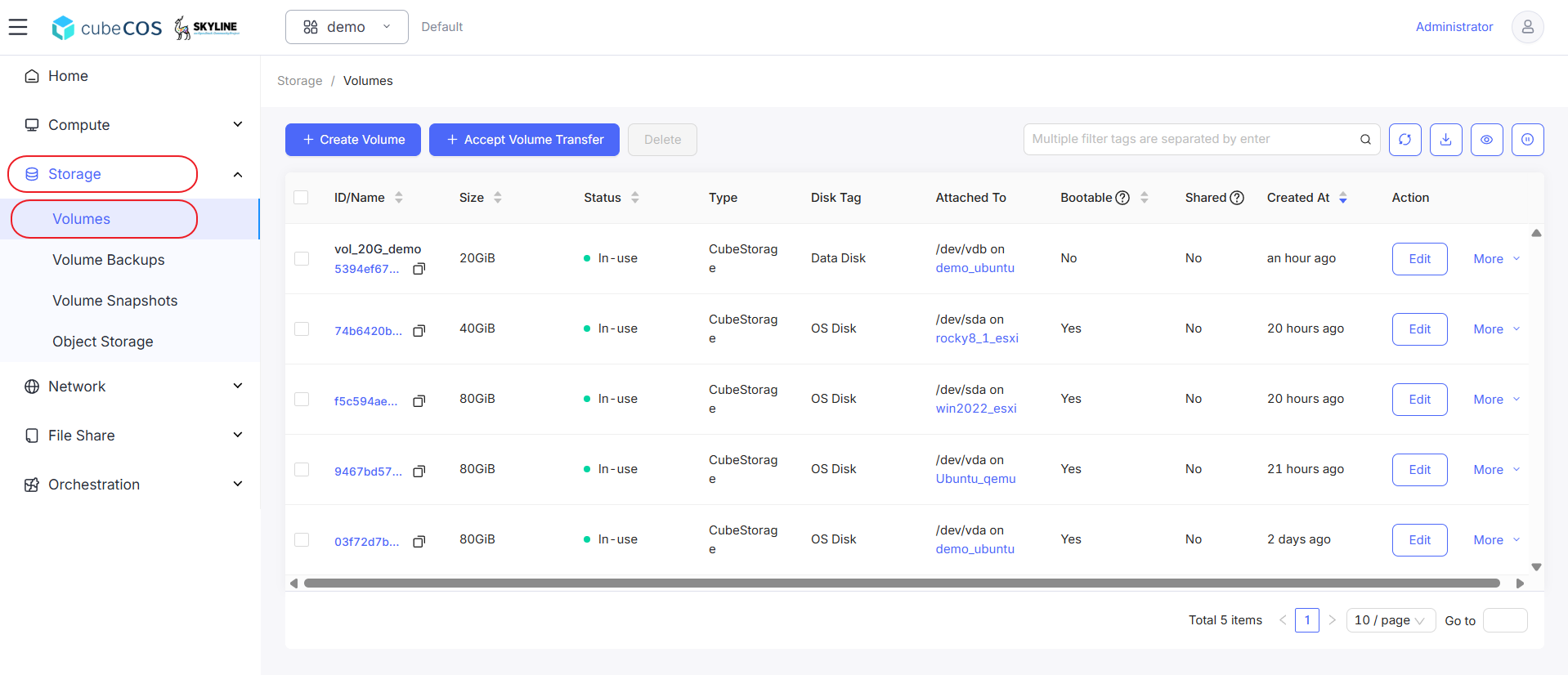
「プロジェクト > ストレージ > ボリューム」に移動し、目的のボリュームを選択してから、「その他」にカーソルを合わせます。
-
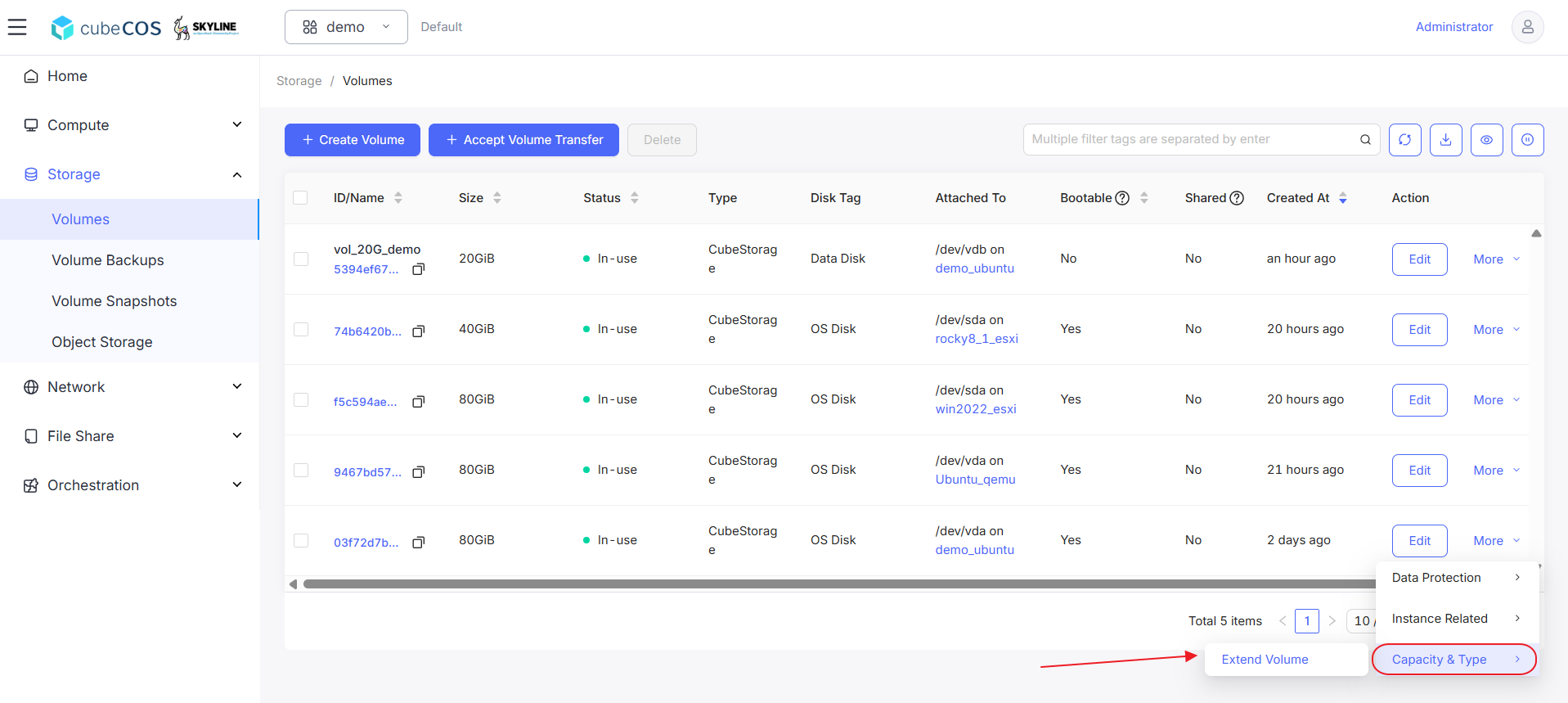
ドロップダウンメニューの「容量とタイプ」にカーソルを合わせ、次に「ボリュームの拡張」をクリックします。
-
「OK」をクリックして続行する前に、拡張したい入力ボリュームのサイズを入力してください。
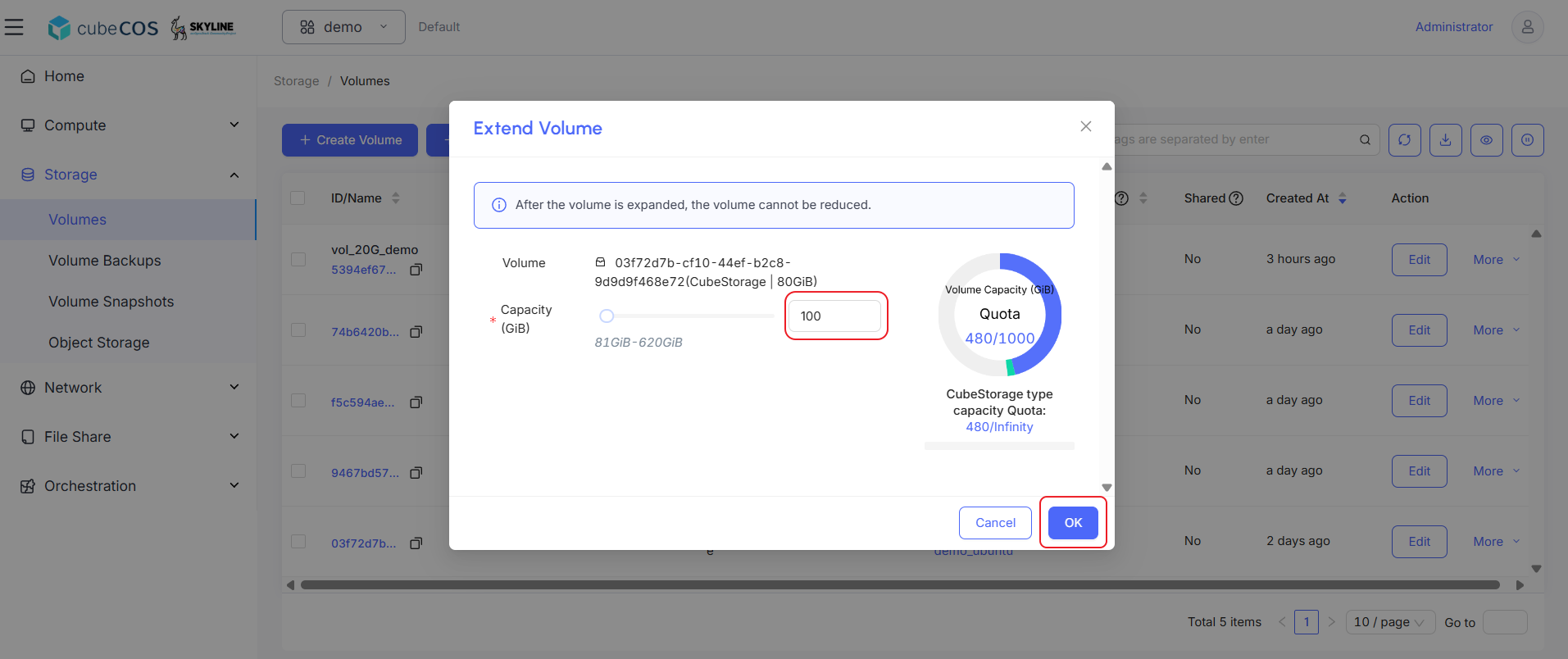
ボリューム拡張の結果の確認と設定
Linux
- 新しい巻のステータスを確認してください。
- ボリュームのサイズを拡張するには、
sudo growpart /dev/vda 1コマンドを実行してください。 - ファイルシステムのサイズを拡張するには、
sudo resize2fs /dev/vda1コマンドを実行してください。 - 変更が反映されているか確認するため、新しいボリュームの状態を再度確認してください。
ubuntu@demo-ubuntu:~$ sudo growpart /dev/vda 1
CHANGED: partition=1 start=2099200 old: size=165672927 end=167772126 new: size=207615967 end=209715166

ubuntu@demo-ubuntu:~$ lsblk
NAME    MAJ:MIN RM  SIZE RO TYPE MOUNTPOINTS
vda     253:0    0  100G  0 disk
├─vda1  253:1    0   99G  0 part /
├─vda14 253:14   0    4M  0 part
├─vda15 253:15   0  106M  0 part /boot/efi
└─vda16 259:0    0  913M  0 part /boot
vdb     253:16   0   20G  0 disk /mnt/disk20g

ubuntu@demo-ubuntu:~$ sudo resize2fs /dev/vda1
resize2fs 1.47.0 (5-Feb-2023)
Filesystem at /dev/vda1 is mounted on /; on-line resizing required
old_desc_blocks = 10, new_desc_blocks = 13
The filesystem on /dev/vda1 is now 25951995 (4k) blocks long.

ubuntu@demo-ubuntu:~$ df -h
Filesystem      Size  Used Avail Use% Mounted on
tmpfs           392M  1.1M  391M   1% /run
/dev/vda1        96G  1.9G   94G   2% /
tmpfs           2.0G     0  2.0G   0% /dev/shm
tmpfs           5.0M     0  5.0M   0% /run/lock
/dev/vdb         20G   24K   19G   1% /mnt/disk20g
/dev/vda16      881M   61M  758M   8% /boot
/dev/vda15      105M  6.1M   99M   6% /boot/efi
tmpfs           392M   12K  392M   1% /run/user/1000
Windows
- コマンド
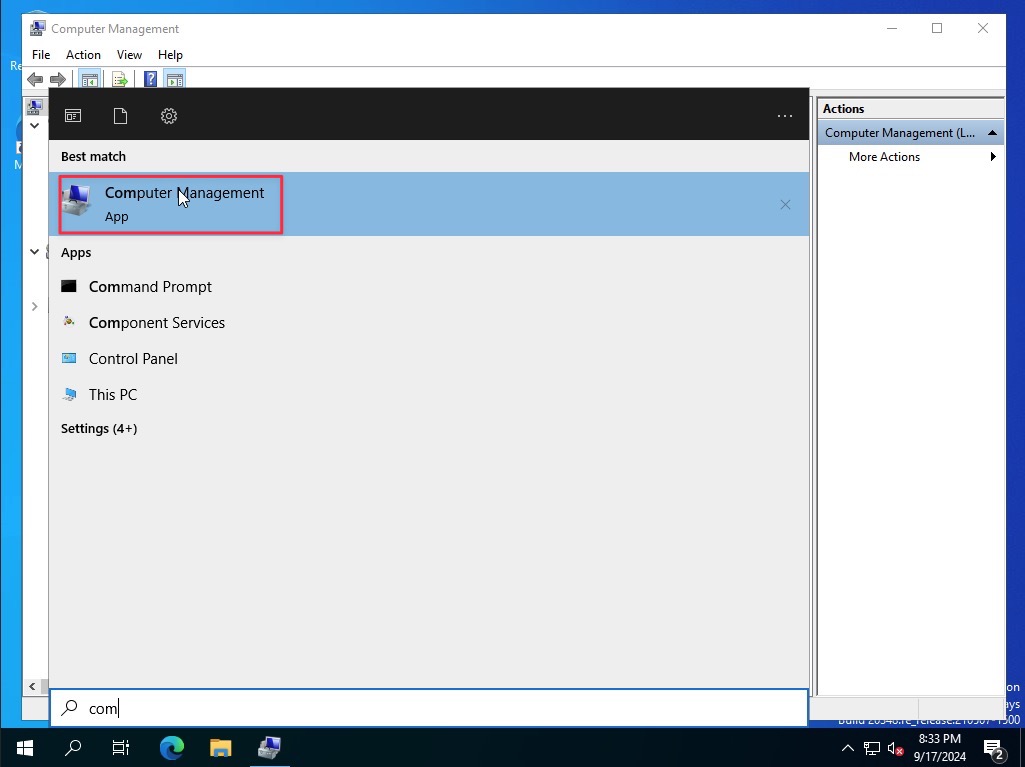
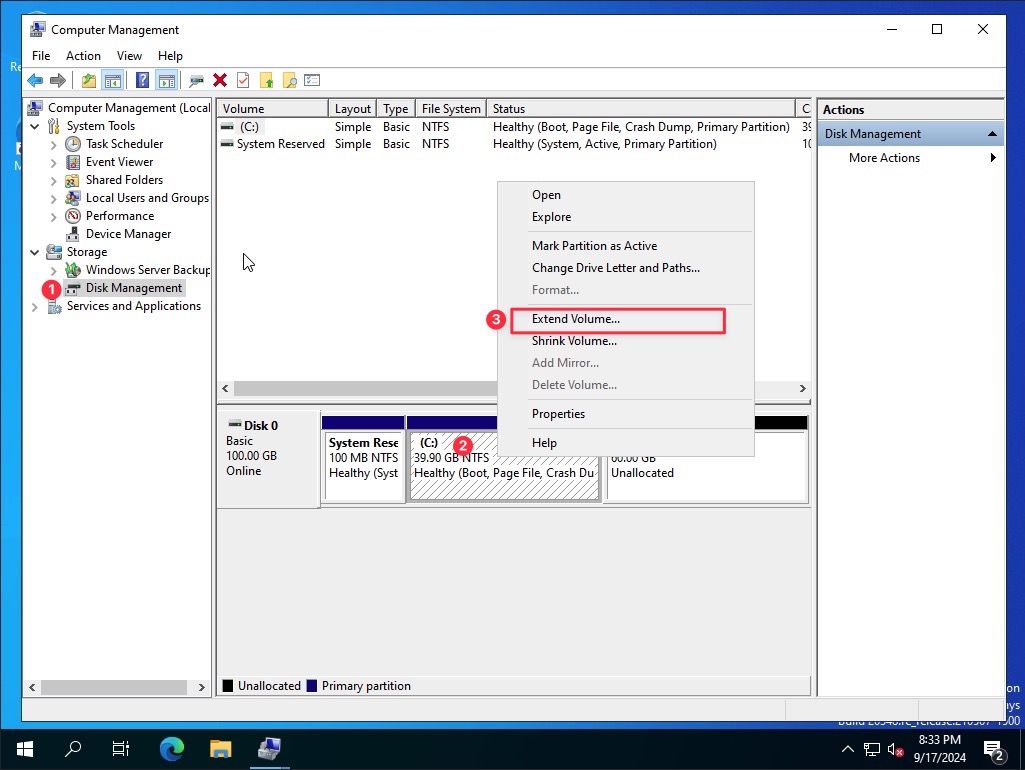
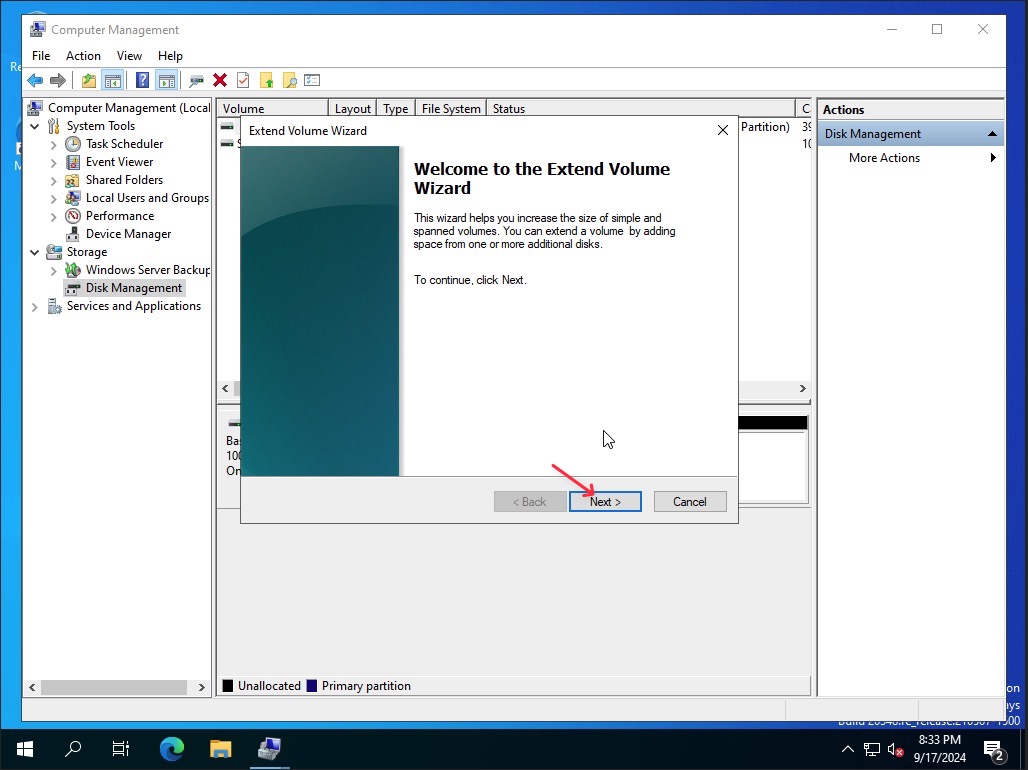
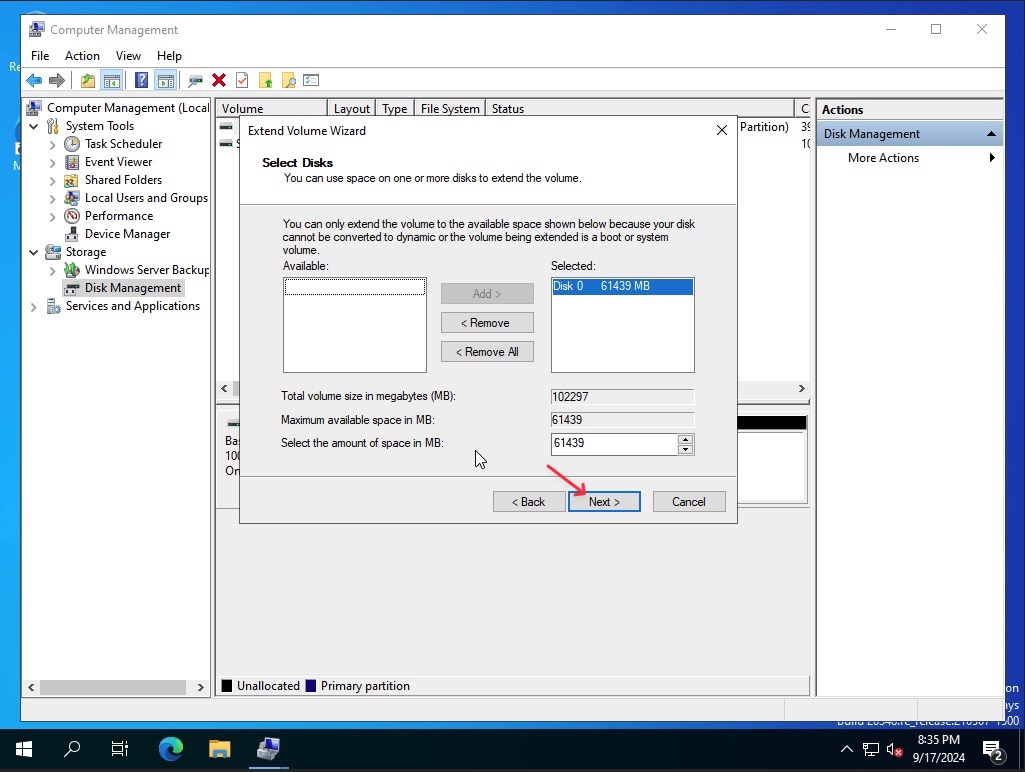
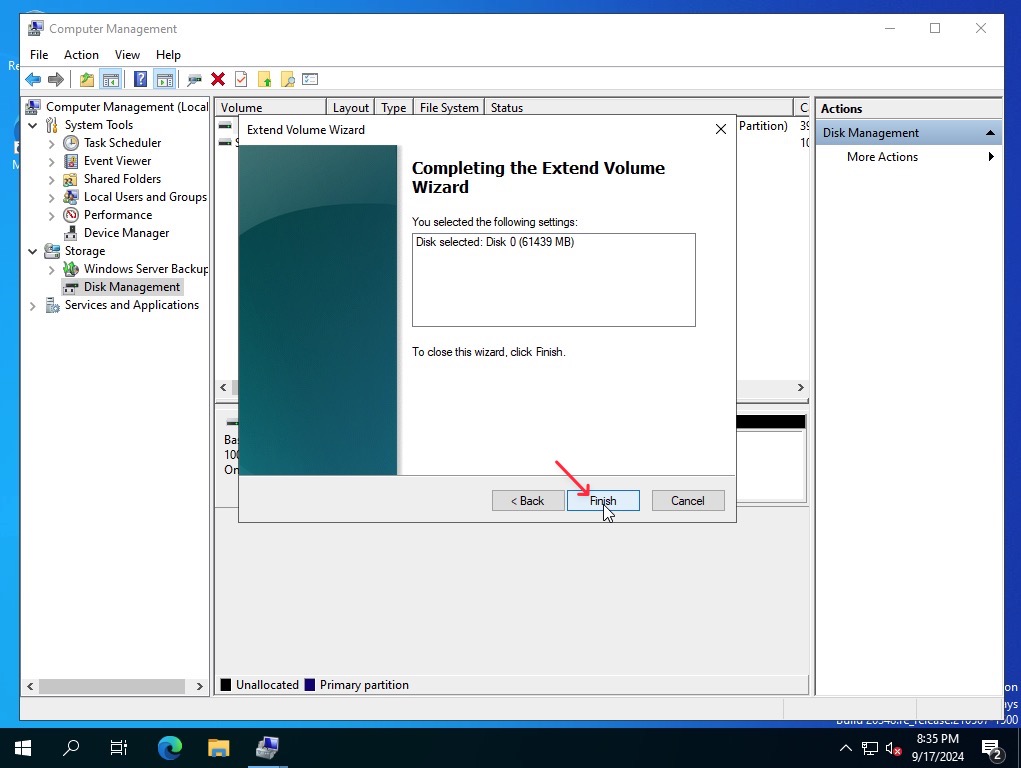
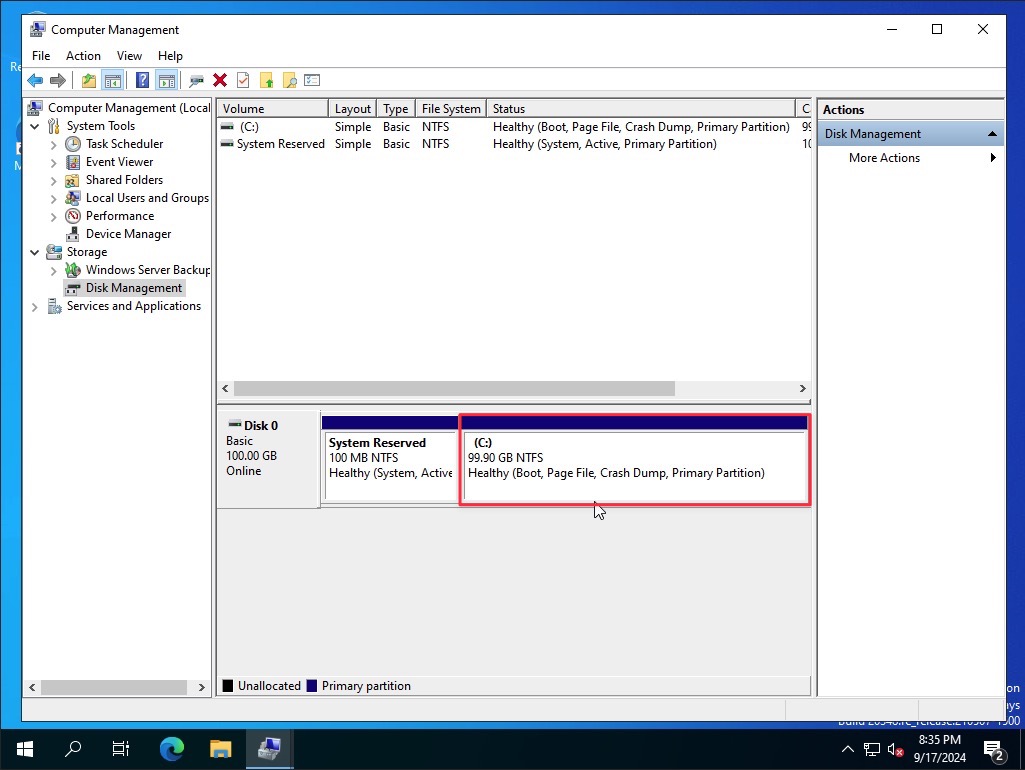
compmgmt.mscを実行してディスクの管理を開き、新しいサイズを確認してください