建立自動擴展叢集
建立使用者檔案
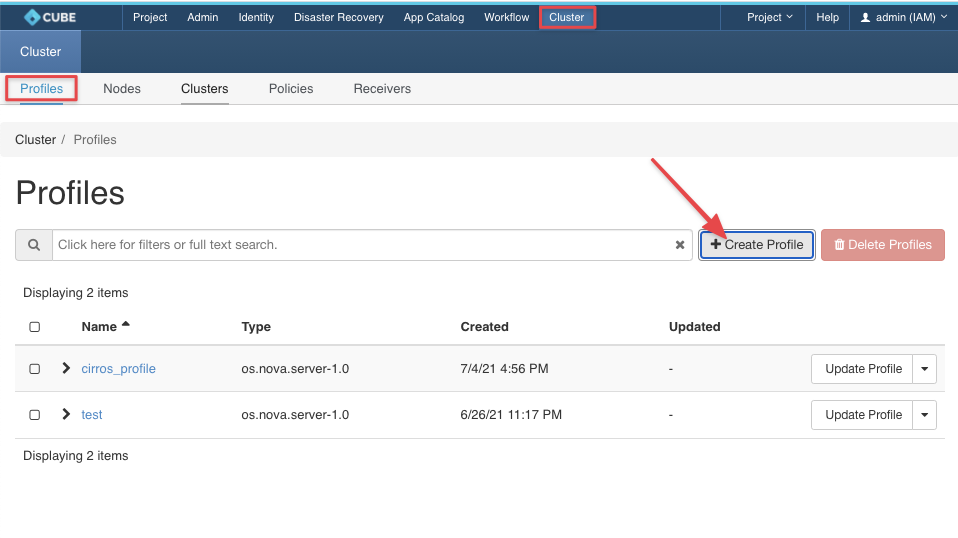
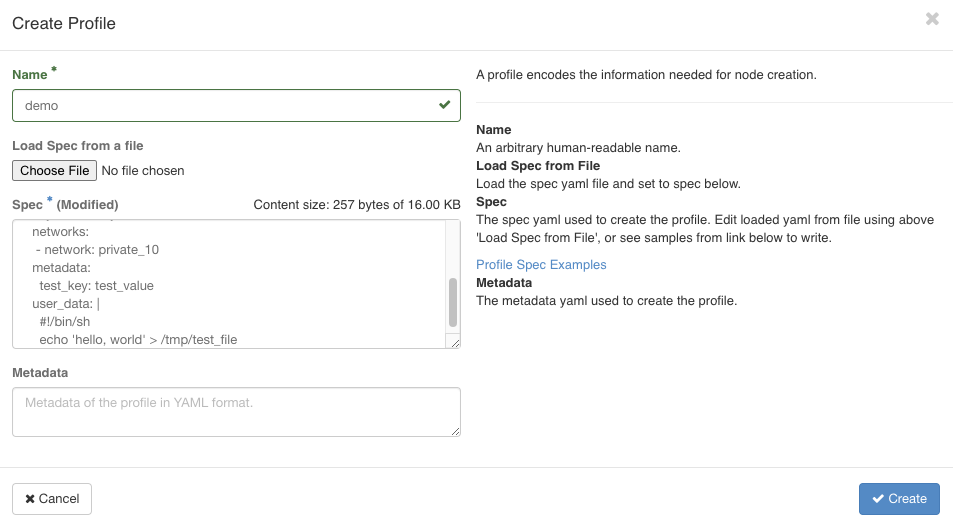
請導航至 叢集 > 叢集 > 設定檔 > + 建立設定檔
Spec:
type: os.nova.server
version: 1.0
properties:
  name: cirros_server
  flavor: m1.small
  image: "Cirros"
  key_name: "roy"
  networks:
   - network: private_10
  metadata:
    test_key: test_value
  user_data: |
    #!/bin/sh
    echo 'hello, world' > /tmp/test_file
建立新的叢集
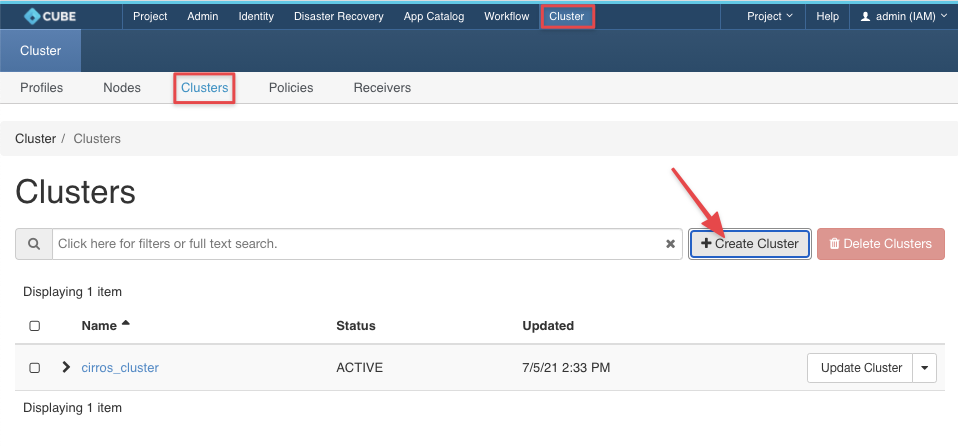
請導航至 叢集 > 叢集 > 叢集 > + 建立叢集
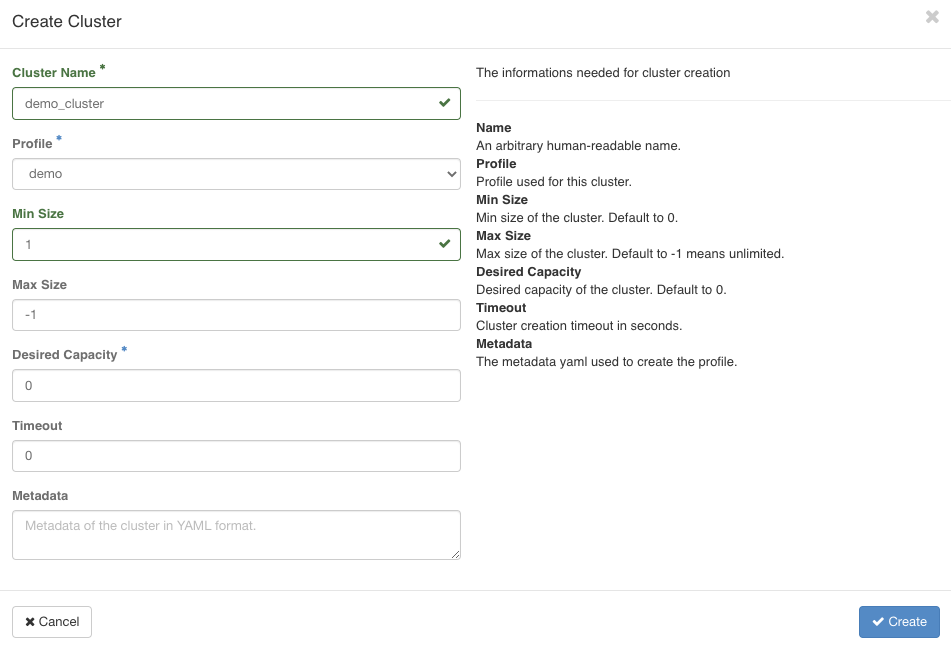
建立節點
請導航至 叢集 > 叢集 > 節點 > + 建立節點
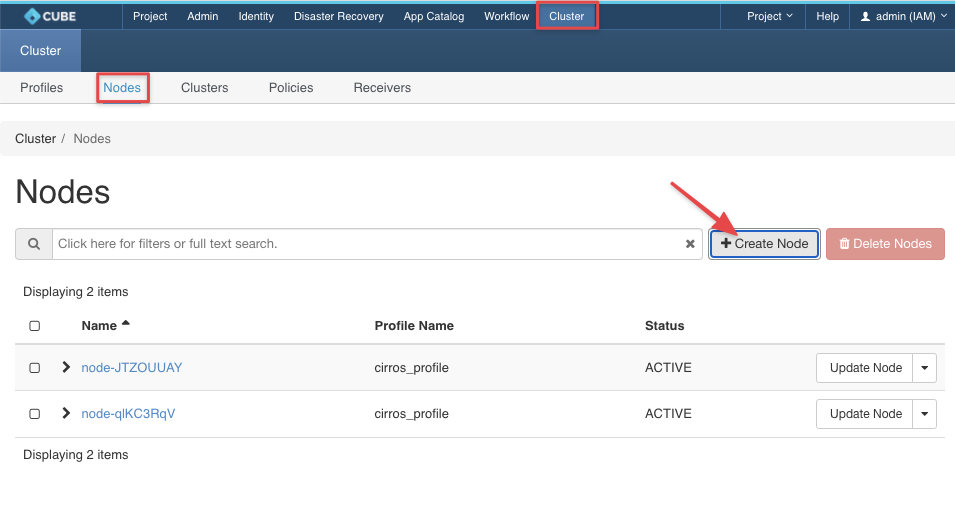
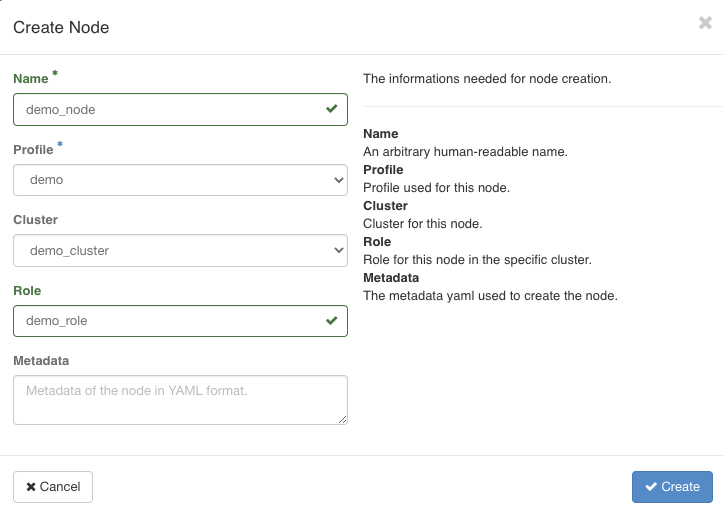
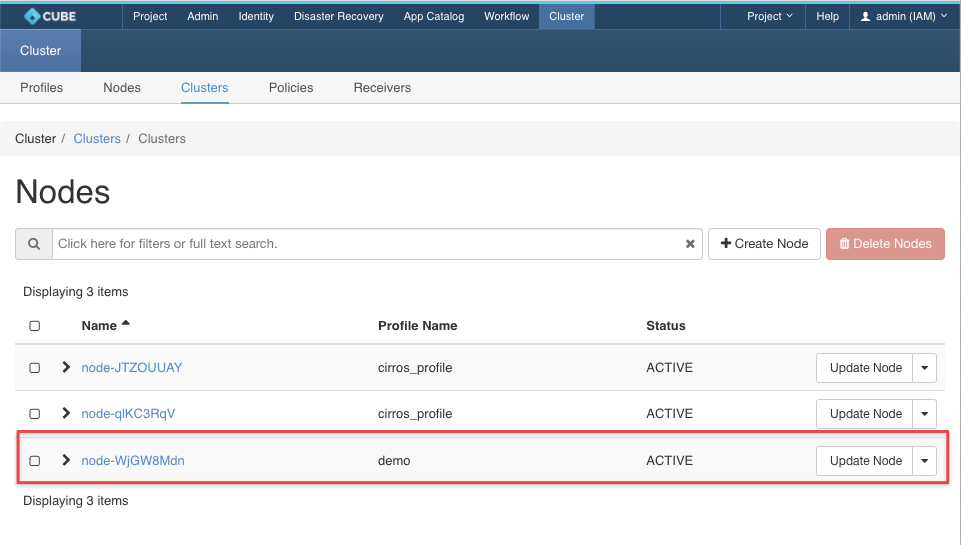
建立政策
請導航至 叢集 > 叢集 > 政策 > + 建立政策
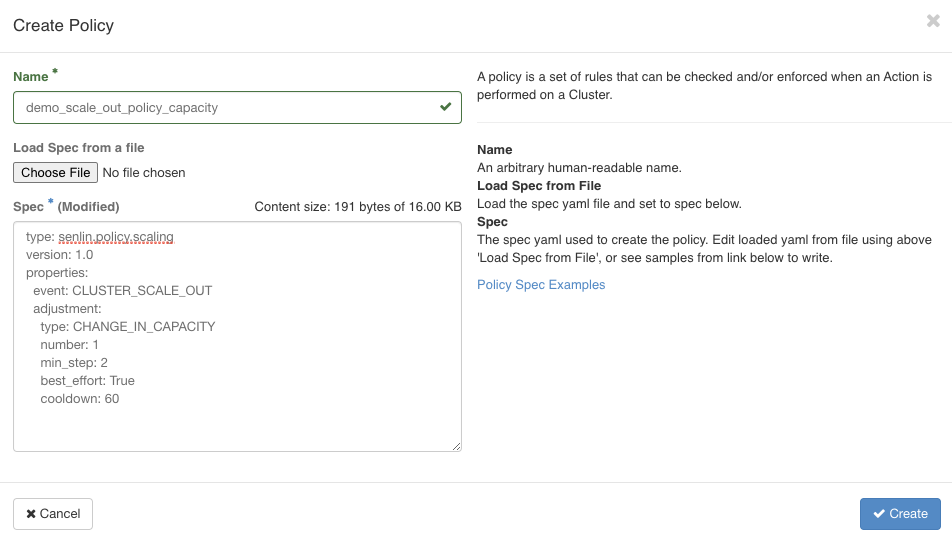
規格:
type: senlin.policy.scaling
version: 1.0
properties:
  event: CLUSTER_SCALE_OUT
  adjustment:
    type: CHANGE_IN_CAPACITY
    number: 1
    min_step: 2
    best_effort: True
將政策套用至叢集
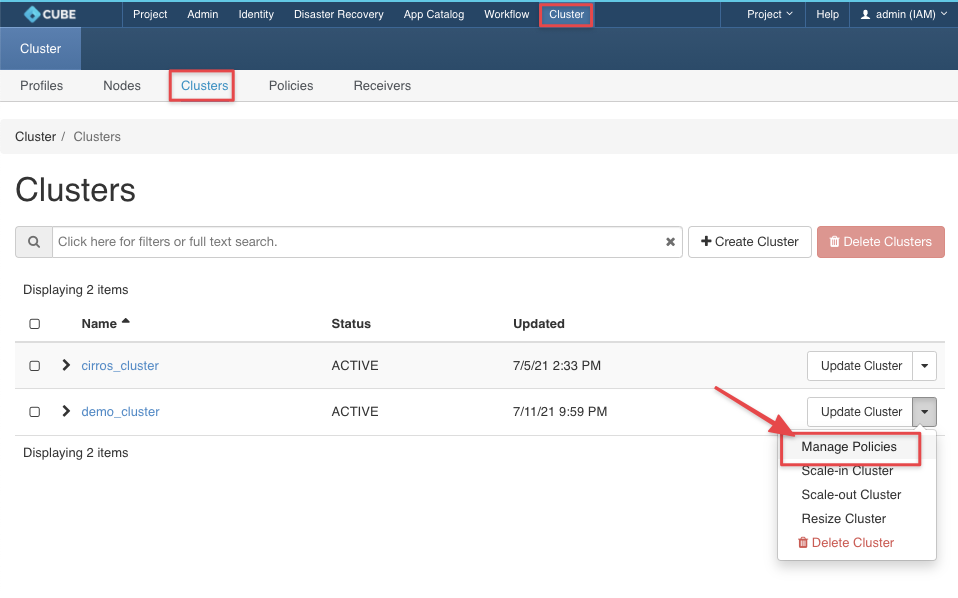
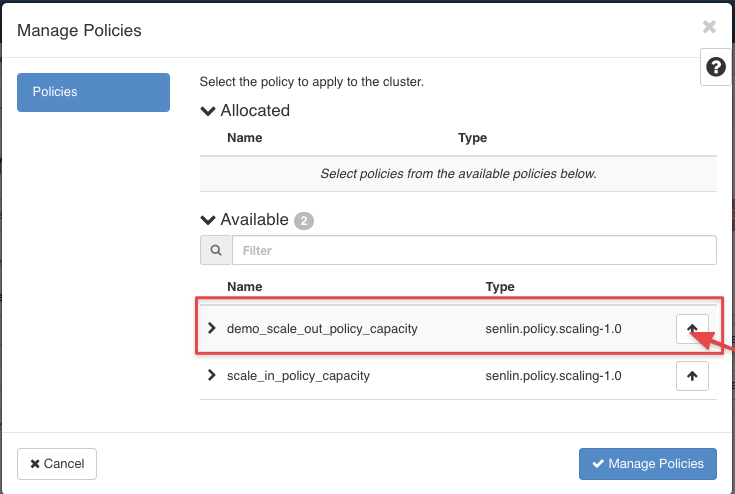
請導航至叢集 > 叢集 > 叢集 > 從您的叢集下拉式選單中選擇「管理政策」
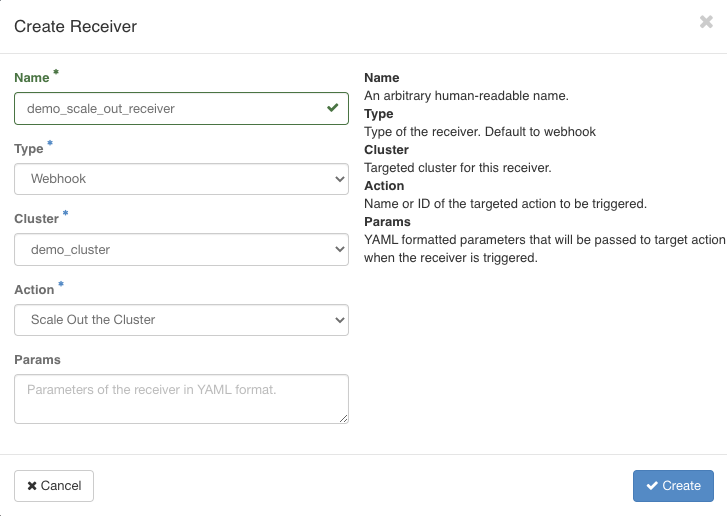
建立接收器
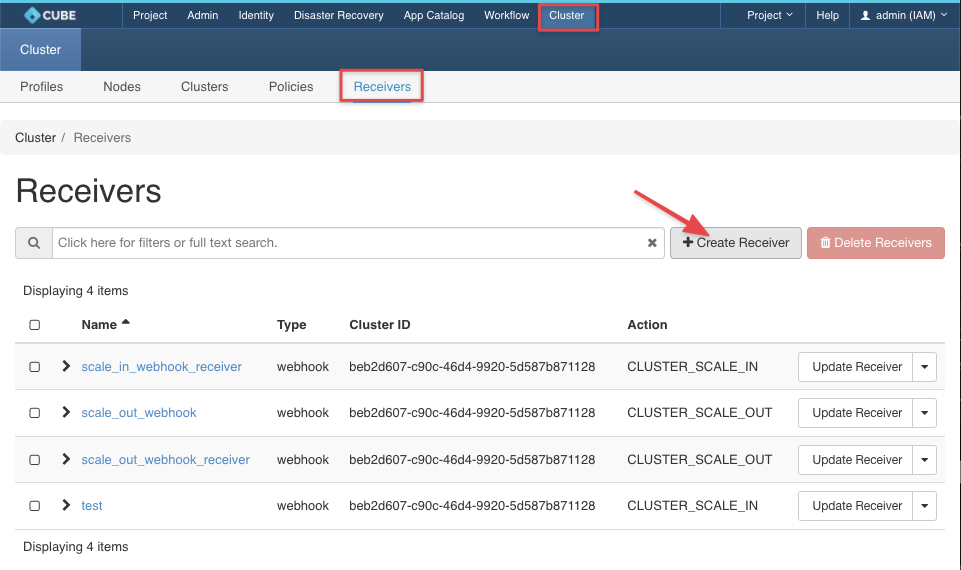
請導航至叢集 > 叢集 > 接收器 > + 建立接收器
檢查接收端點
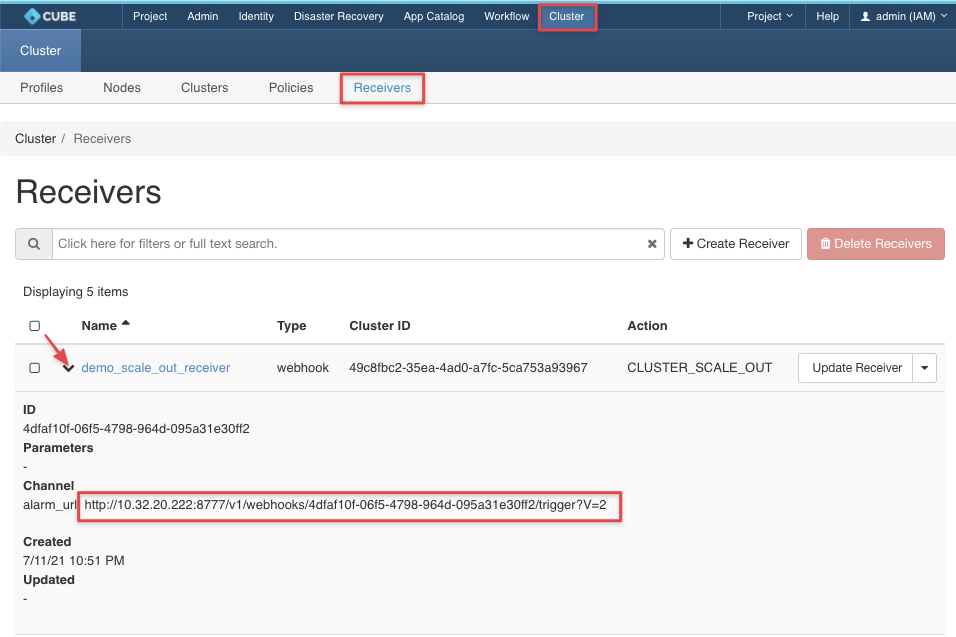
透過終端機發送 POST 請求

結果
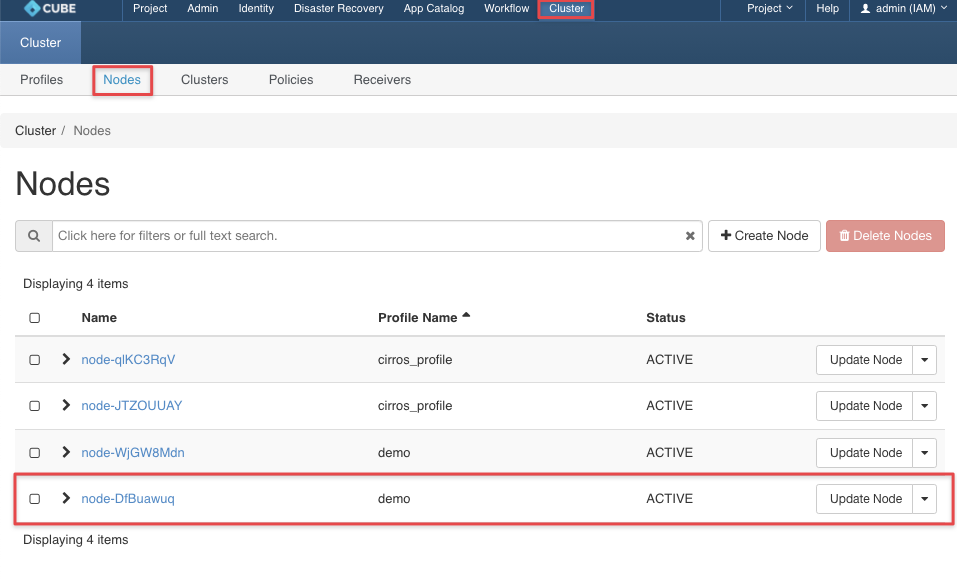
請導航至叢集 > 叢集 > 節點 > 檢查擴展結果