建立租戶共享
建立一個共享伺服器,並透過 NFS/CIFS 將其磁碟區與同一網路上的其他虛擬機器共享。
先決條件
- 將
manila-service-image-master.qcow2上傳至/mnt/cephfs/glance - 使用命令列介面導入
import_fs
  controller> image
  controller:image> import_fs
  1: usb
  2: local
  Enter index: 2
  1: manila-service-image-master.qcow2
建立檔案共享專用網路
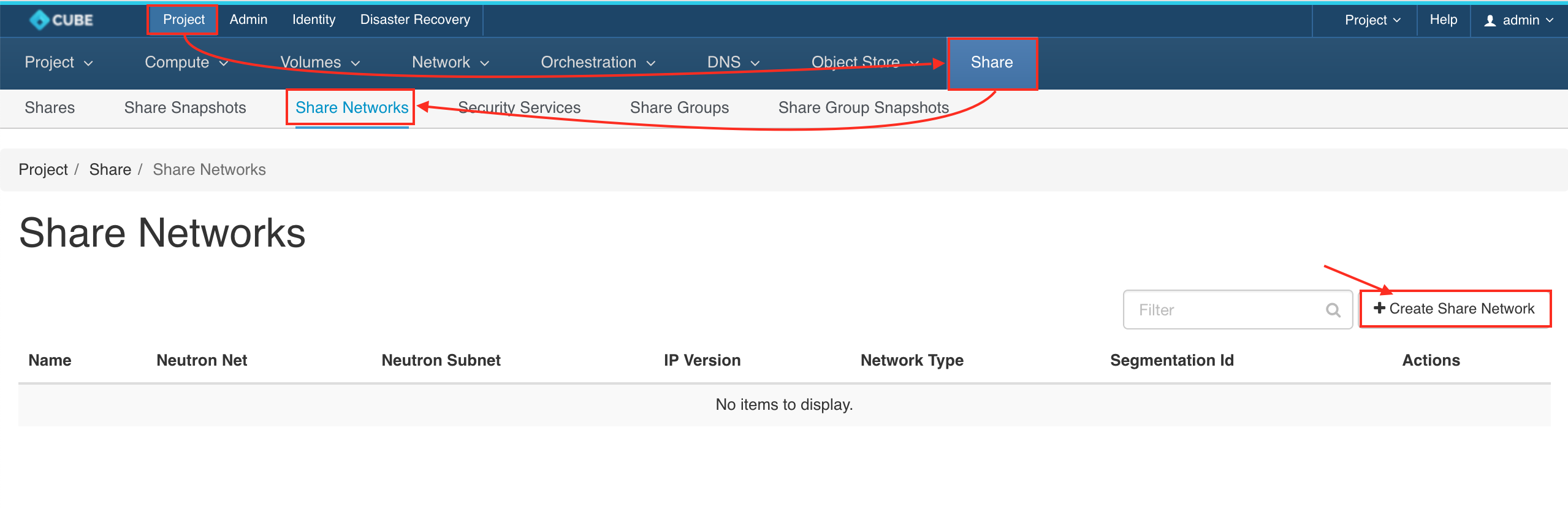
前往 Project > Share > Share Networks > + CREATE SHARE NETWORK
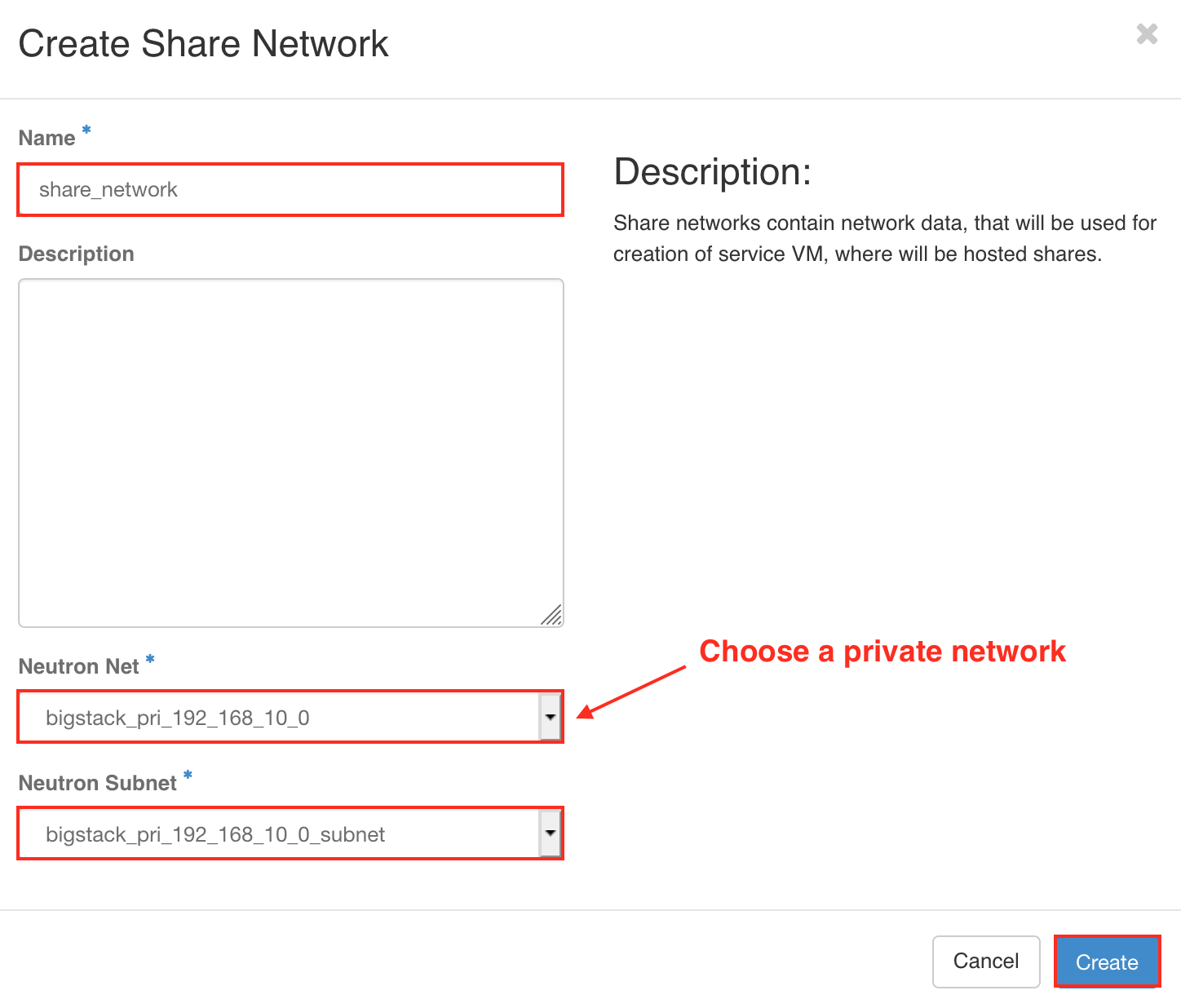
建立 Share - tenant share type
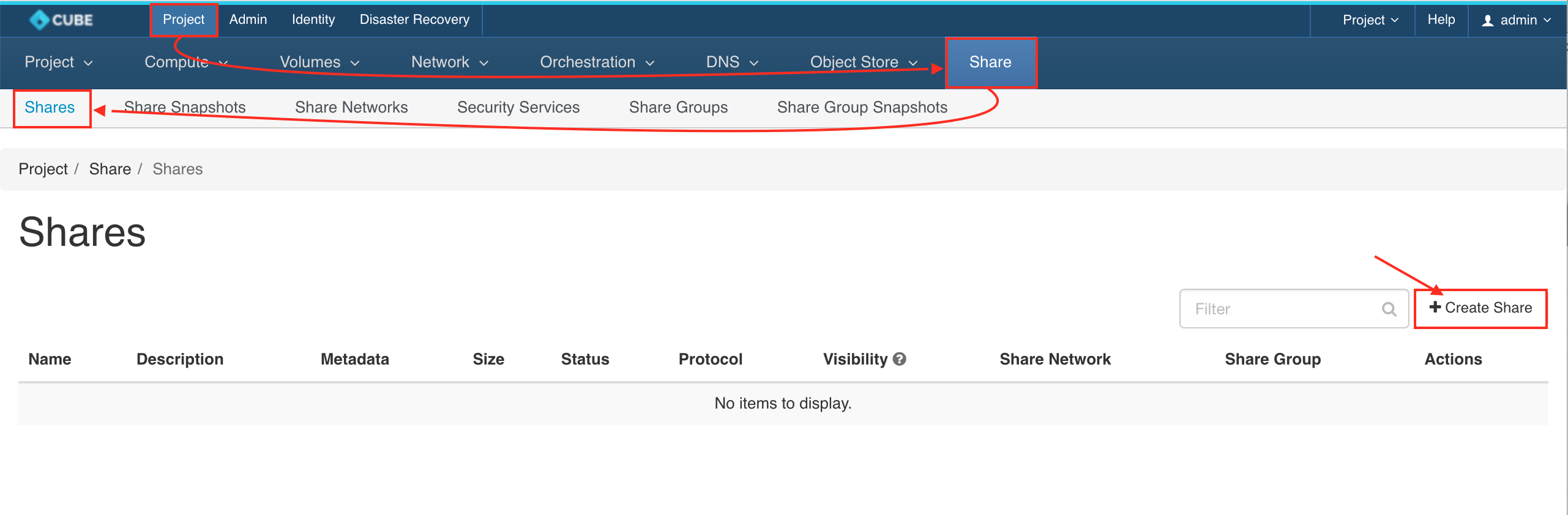
前往 Project > Share > Shares > + CREATE SHARE
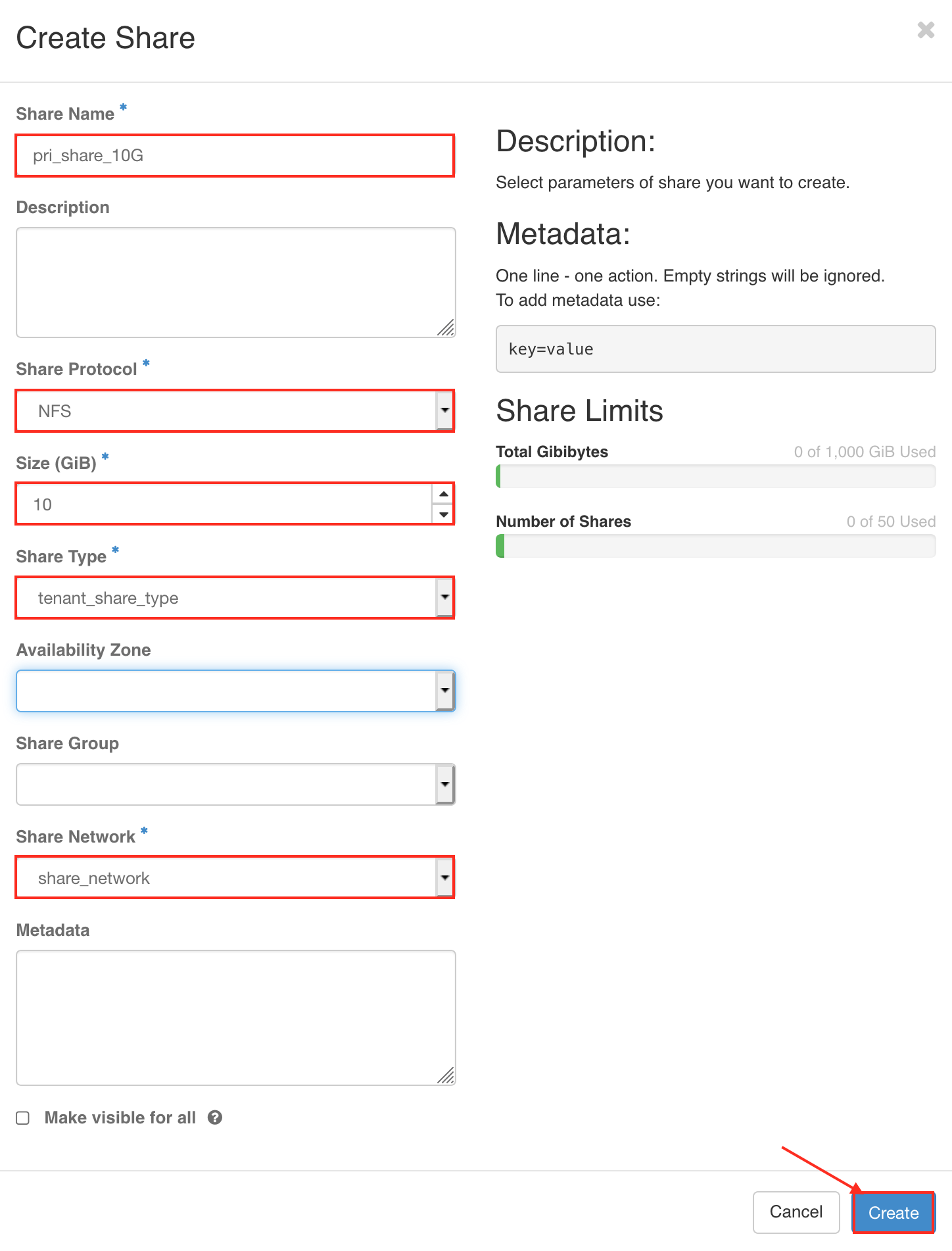
- 建立共享協定 NFS 或 CIFS
- 共享容量 = 10GB
- 共享類型 = 租戶共享類型
- 共享網路 = share_network
建立存取規則
展開下拉選單,並選擇「管理規則」
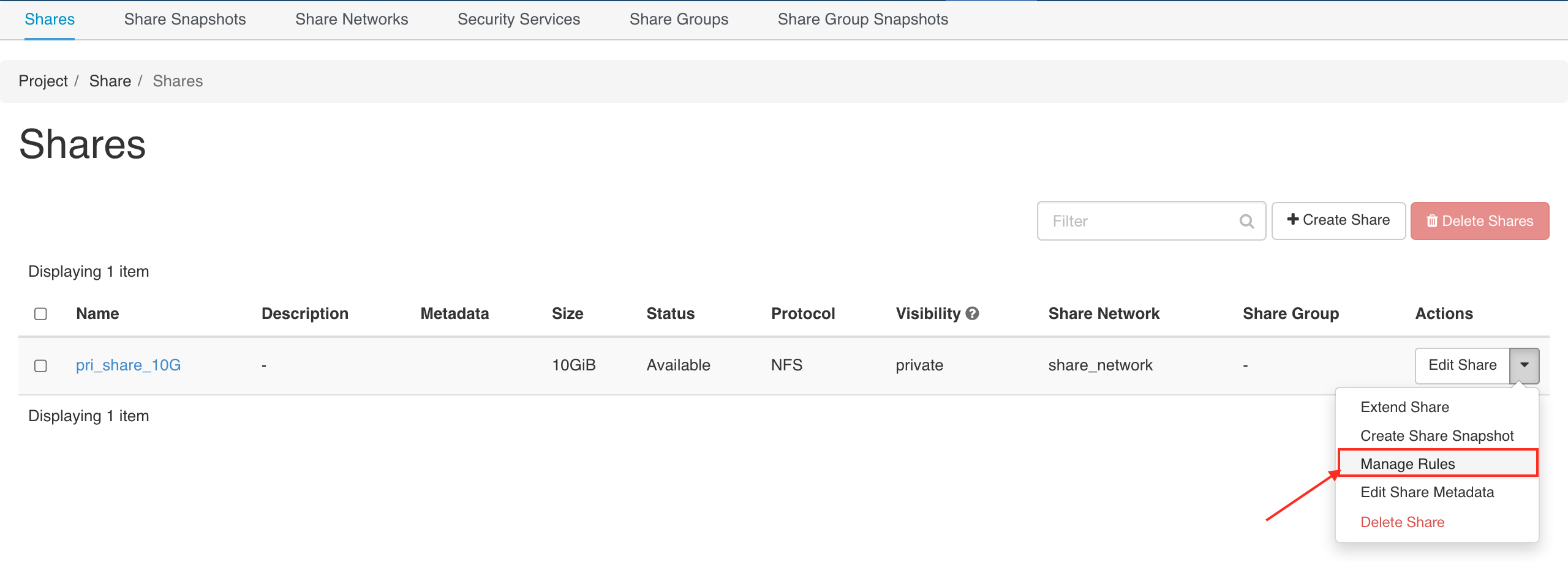
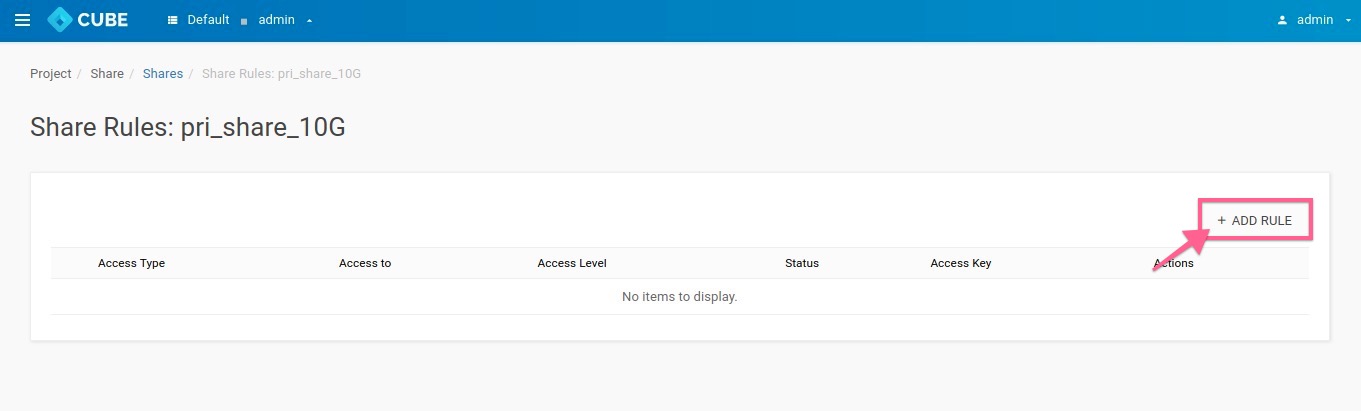
新增存取規則
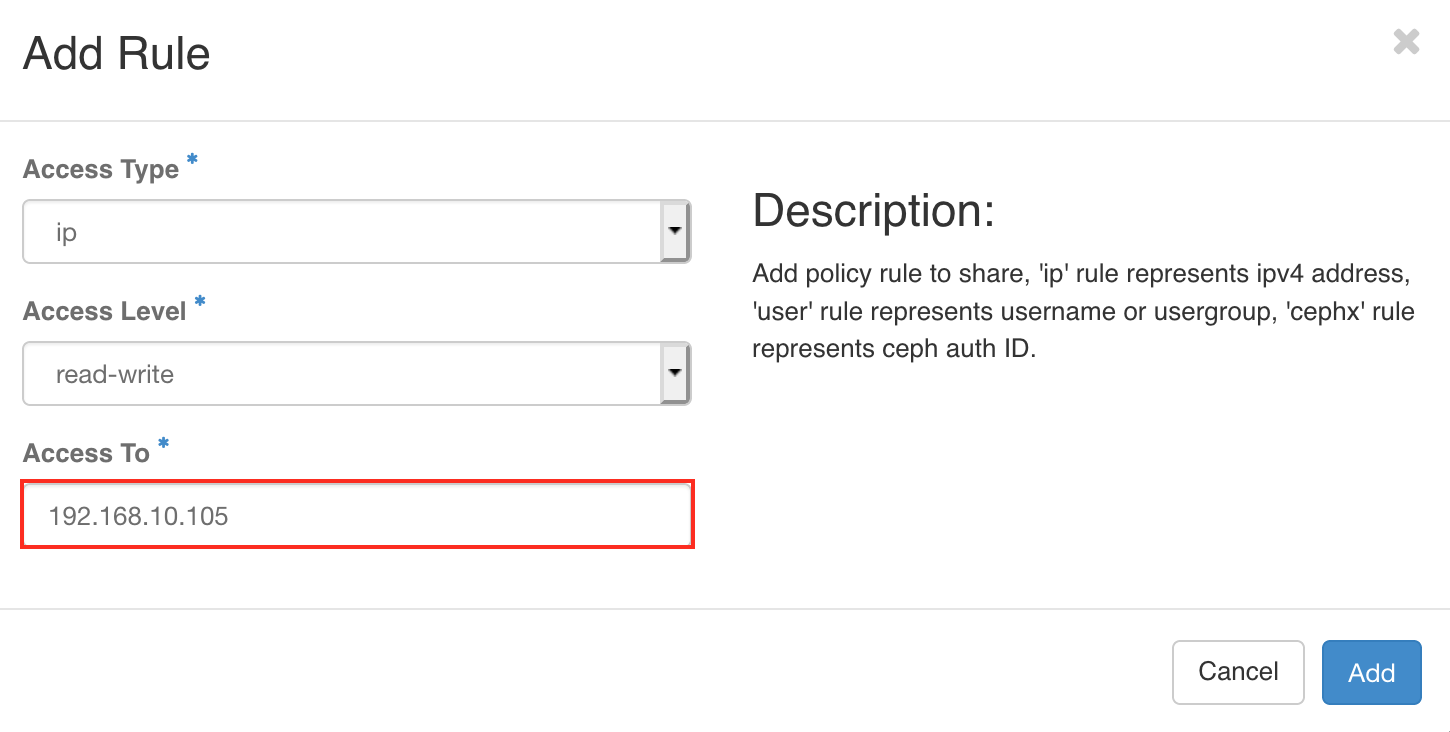
輸入虛擬機的 IP 位置
取得檔案共享服務連結
前往 Project > Share > Shares and click the "Share Name"
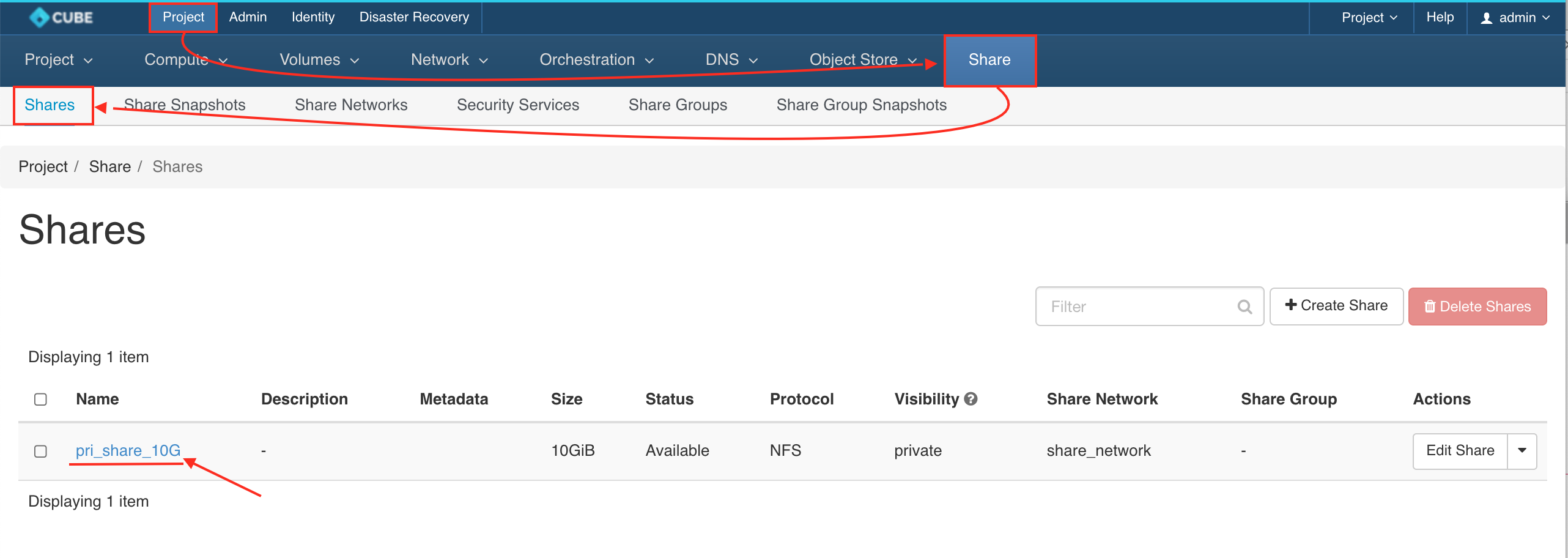
拷貝檔案共享服務連結
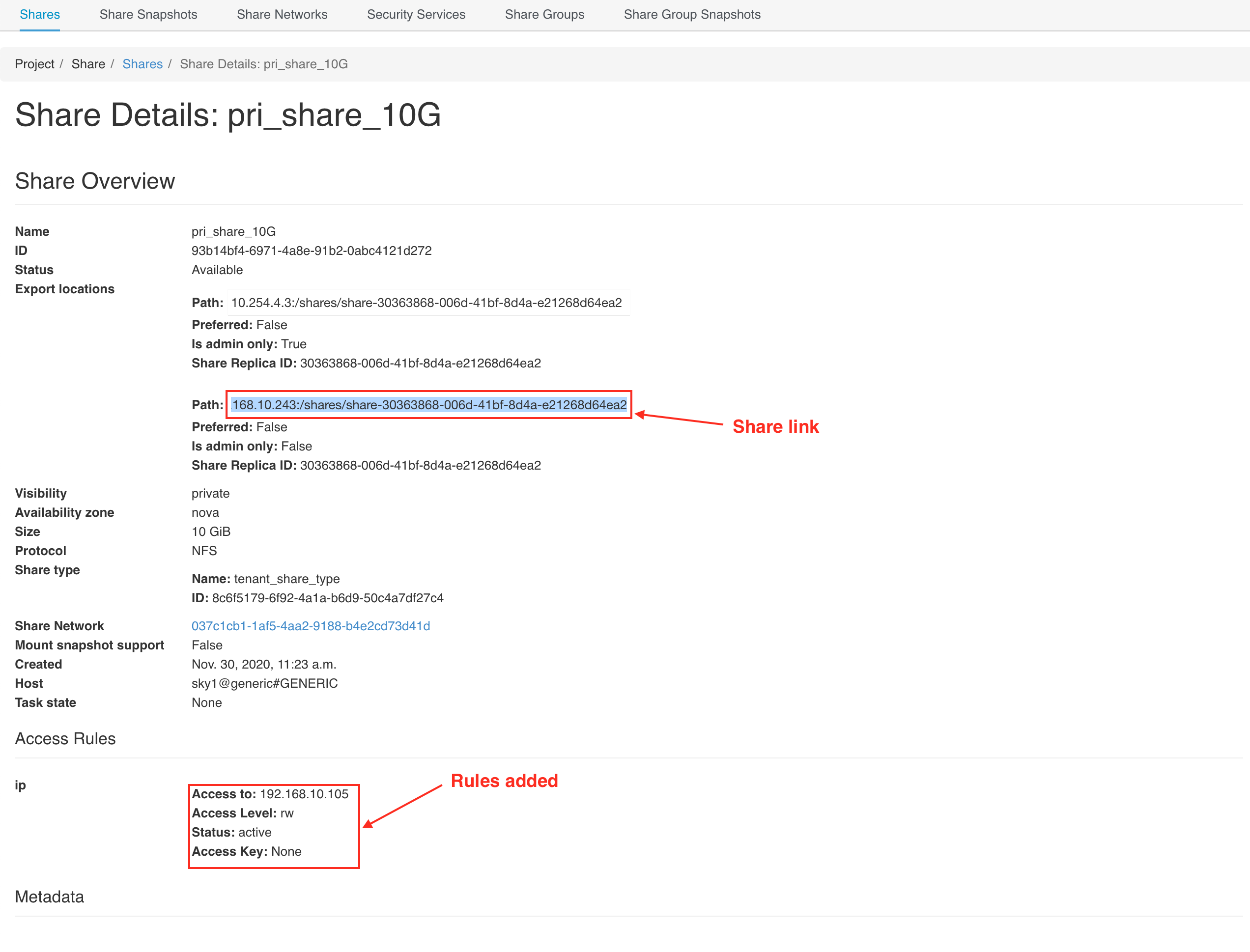
將共用資料夾掛載至虛擬機器
透過 SSH 連線至您的虛擬機
Warning: Permanently added '10.32.3.245' (ECDSA) to the list of known hosts.
Welcome to Ubuntu 18.04.5 LTS (GNU/Linux 4.15.0-66-generic x86_64)
* Documentation: https://help.ubuntu.com
* Management: https://landscape.canonical.com
* Support: https://ubuntu.com/advantage
System information as of Mon Nov 30 03:44:31 UTC 2020
System load: 0.06 Processes: 91
Usage of /: 9.3% of 19.21GB Users logged in: 0
Memory usage: 16% IP address for ens3: 192.168.10.105
Swap usage: 0%
* Introducing self-healing high availability clusters in MicroK8s.
Simple, hardened, Kubernetes for production, from RaspberryPi to DC.
https://microk8s.io/high-availability
* Canonical Livepatch is available for installation.
- Reduce system reboots and improve kernel security. Activate at:
https://ubuntu.com/livepatch
0 packages can be updated.
0 updates are security updates.
New release '20.04.1 LTS' available.
Run 'do-release-upgrade' to upgrade to it.
*** System restart required ***
Last login: Mon Nov 30 03:41:30 2020 from 10.32.4.1
ubuntu@ubuntu18:~$
[可選-Ubuntu] 安裝 nfs-common
ubuntu@ubuntu18:~$ sudo apt install nfs-common -y
建立資料夾
ubuntu@ubuntu18:~$ mkdir nfs-share
連線至共用資料夾
ubuntu@ubuntu18:~$ sudo mount -t nfs 192.168.10.243:/shares/share-30363868-006d-41bf-8d4a-e21268d64ea2 nfs-share/
檢查連線狀態
ubuntu@ubuntu18:~$ ls nfs-share/
lost+found
ubuntu@ubuntu18:~$ touch nfs-share/bigstack.co.txt
ubuntu@ubuntu18:~$ ls nfs-share/
bigstack.co.txt  lost+found
ubuntu@ubuntu18:~$