建立異地虛擬磁碟鏡像
虛擬磁碟鏡像功能的先決條件
- 請確保兩個叢集具有相同的
使用者名稱。 - 請確保兩個叢集具有相同的
專案名稱。 - 請確認兩個叢集的所有服務狀態皆為
正常。 - 取得叢集1的VIP:例如
10.32.31.10 - 取得叢集2的 VIP:例如
10.32.10.140
設定 CubeCOS 叢集間的虛擬磁碟鏡像
- cluster1:
CLI > cluster > check
   cluster1> cluster check
             Service  Status  Report
              IaasDb      ok  [ mysql(v) ]
           Baremetal      ok  [ ironic(v) ]
              K8SaaS      ok  [ rancher(v) ]
          ClusterSys      ok  [ bootstrap(v) license(v) ]
        SingleSignOn      ok  [ k3s(v) keycloak(v) ]
               Image      ok  [ glance(v) ]
            FileStor      ok  [ manila(v) ]
           BlockStor      ok  [ cinder(v) ]
          ObjectStor      ok  [ swift(v) ]
           VirtualIp      ok  [ vip(v) haproxy_ha(v) ]
       Orchestration      ok  [ heat(v) ]
            MsgQueue      ok  [ rabbitmq(v) ]
       Notifications      ok  [ influxdb(v) kapacitor(v) ]
         ClusterLink      ok  [ link(v) clock(v) dns(v) ]
           HaCluster      ok  [ hacluster(v) ]
     ClusterSettings      ok  [ etcd(v) nodelist(v) mongodb(v) ]
            DataPipe      ok  [ zookeeper(v) kafka(v) ]
          InstanceHa      ok  [ masakari(v) ]
               LBaaS      ok  [ octavia(v) ]
       BusinessLogic      ok  [ senlin(v) watcher(v) ]
             Compute      ok  [ nova(v) cyborg(v) ]
             Metrics      ok  [ monasca(v) telegraf(v) grafana(v) ]
              DNSaaS      ok  [ designate(v) ]
        LogAnalytics      ok  [ filebeat(v) auditbeat(v) logstash(v) opensearch(v) opensearch-dashboards(v) ]
             Network      ok  [ neutron(v) ]
             Storage      ok  [ ceph(v) ceph_mon(v) ceph_mgr(v) ceph_mds(v) ceph_osd(v) ceph_rgw(v) rbd_target(v) ]
          ApiService      ok  [ haproxy(v) httpd(v) nginx(v) api(v) lmi(v) skyline(v) memcache(v) ]
- cluster2:
CLI > cluster > check
   cluster2> cluster check
             Service  Status  Report
              IaasDb      ok  [ mysql(v) ]
           Baremetal      ok  [ ironic(v) ]
              K8SaaS      ok  [ rancher(v) ]
          ClusterSys      ok  [ bootstrap(v) license(v) ]
        SingleSignOn      ok  [ k3s(v) keycloak(v) ]
               Image      ok  [ glance(v) ]
            FileStor      ok  [ manila(v) ]
           BlockStor      ok  [ cinder(v) ]
          ObjectStor      ok  [ swift(v) ]
           VirtualIp      ok  [ vip(v) haproxy_ha(v) ]
       Orchestration      ok  [ heat(v) ]
            MsgQueue      ok  [ rabbitmq(v) ]
       Notifications      ok  [ influxdb(v) kapacitor(v) ]
         ClusterLink      ok  [ link(v) clock(v) dns(v) ]
           HaCluster      ok  [ hacluster(v) ]
     ClusterSettings      ok  [ etcd(v) nodelist(v) mongodb(v) ]
            DataPipe      ok  [ zookeeper(v) kafka(v) ]
          InstanceHa      ok  [ masakari(v) ]
               LBaaS      ok  [ octavia(v) ]
       BusinessLogic      ok  [ senlin(v) watcher(v) ]
             Compute      ok  [ nova(v) cyborg(v) ]
             Metrics      ok  [ monasca(v) telegraf(v) grafana(v) ]
              DNSaaS      ok  [ designate(v) ]
        LogAnalytics      ok  [ filebeat(v) auditbeat(v) logstash(v) opensearch(v) opensearch-dashboards(v) ]
             Network      ok  [ neutron(v) ]
             Storage      ok  [ ceph(v) ceph_mon(v) ceph_mgr(v) ceph_mds(v) ceph_osd(v) ceph_rgw(v) rbd_target(v) ]
          ApiService      ok  [ haproxy(v) httpd(v) nginx(v) api(v) lmi(v) skyline(v) memcache(v) ]
-
在叢集1的專案管理員上啟動虛擬機器,本例中使用
test。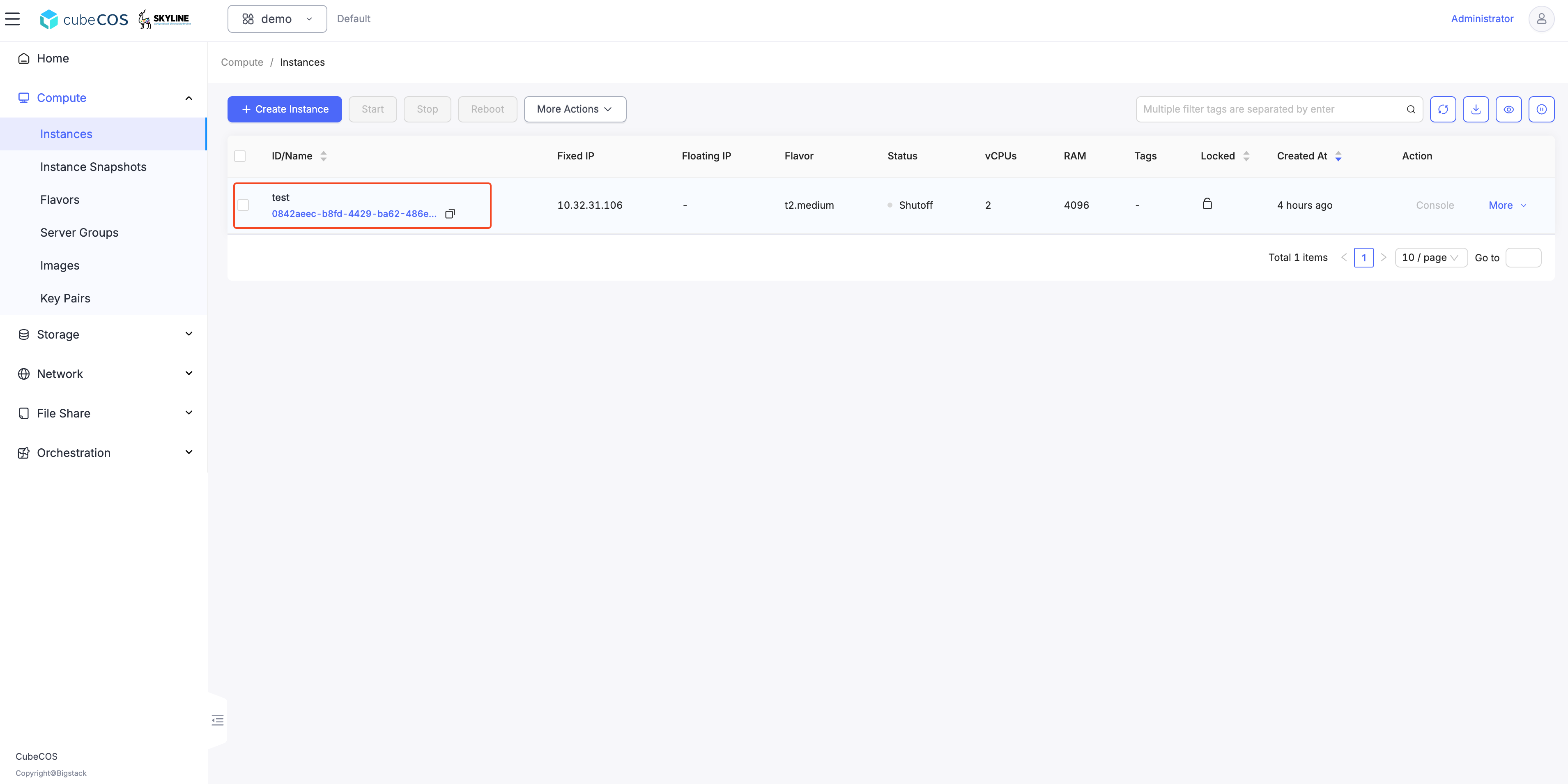
設定遠端抄寫目標
cluster1(primary)
- 設定遠端對等端點
CLI > 儲存 > 鏡像 > 站點 > 對等端點
   cluster1> storage mirror
   cluster1:mirror> site
   cluster1:site> pair
   Enter IP address (required): 10.32.10.140
   Enter remote secret (required): bigstack
   Warning: Permanently added '10.32.10.140' (ED25519) to the list of known hosts.
- 檢查連結狀態
CLI > 儲存 > 鏡像 > 狀態
   cluster1:mirror> status
   Local time: 2025-05-14 13:39:10
   +----------------------------------------------+----------------------------------------------+
   |         (local) control-10.32.31.10-site OK |         (remote) control-10.32.10.140-site OK |
   +----------------------------------------------+----------------------------------------------+
cluster2(secondary)
- 檢查連結狀態
CLI > 儲存 > 鏡像 > 狀態
   cluster2:mirror> status
   Local time: 2025-05-14 14:07:25
   +----------------------------------------------+----------------------------------------------+
   |         (local) control-10.32.10.140-site OK |         (remote) control-10.32.31.10-site OK |
   +----------------------------------------------+----------------------------------------------+
在 cluster1 上選取虛擬機儲存,用於同步至所有遠端抄寫目標
   cluster1:mirror> rule
   cluster1:rule> enable
   cluster1:enable> journal
   Select volume:
   1: volume: 71922a77-03af-4563-936e-cb66f747d066, status: in-use, size: 40GB, attach: /dev/sda on test
   Enter index: 1
   cinder-volumes/volume-71922a77-03af-4563-936e-cb66f747d066 enabled in journal mode
-
在叢集1(主節點)上持續監控同步狀態直至完成
命令列介面 > 儲存 > 鏡像 > 狀態
   cluster1:mirror> status
   Local time: 2025-05-14 14:29:07
   +----------------------------------------------+----------------------------------------------+
   |         (local) control-10.32.31.10-site OK  |        (remote) control-10.32.10.140-site OK |
   +----------------------------------------------+----------------------------------------------+
   | 71922a77-03af-4563-936e-cb66f747d066 (journal)                       (40G) /dev/sda on test |
   |        local image is primary     up+stopped |                        synced   up+replaying |
   +----------------------------------------------+----------------------------------------------+
-
在叢集2(次要節點)上持續監控同步狀態直至完成
命令列介面 > 儲存 > 鏡像 > 狀態
   cluster2:mirror> status
   Local time: 2025-05-14 14:29:19
   +----------------------------------------------+----------------------------------------------+
   |         (local) control-10.32.10.140-site OK |         (remote) control-10.32.31.10-site OK |
   +----------------------------------------------+----------------------------------------------+
   | 71922a77-03af-4563-936e-cb66f747d066 (journal)                                       (40G)  |
   |                        synced   up+replaying |       remote image is primary     up+stopped |
   +----------------------------------------------+----------------------------------------------+
驗證在 cluster2 上是否會自動建立新的儲存 volume
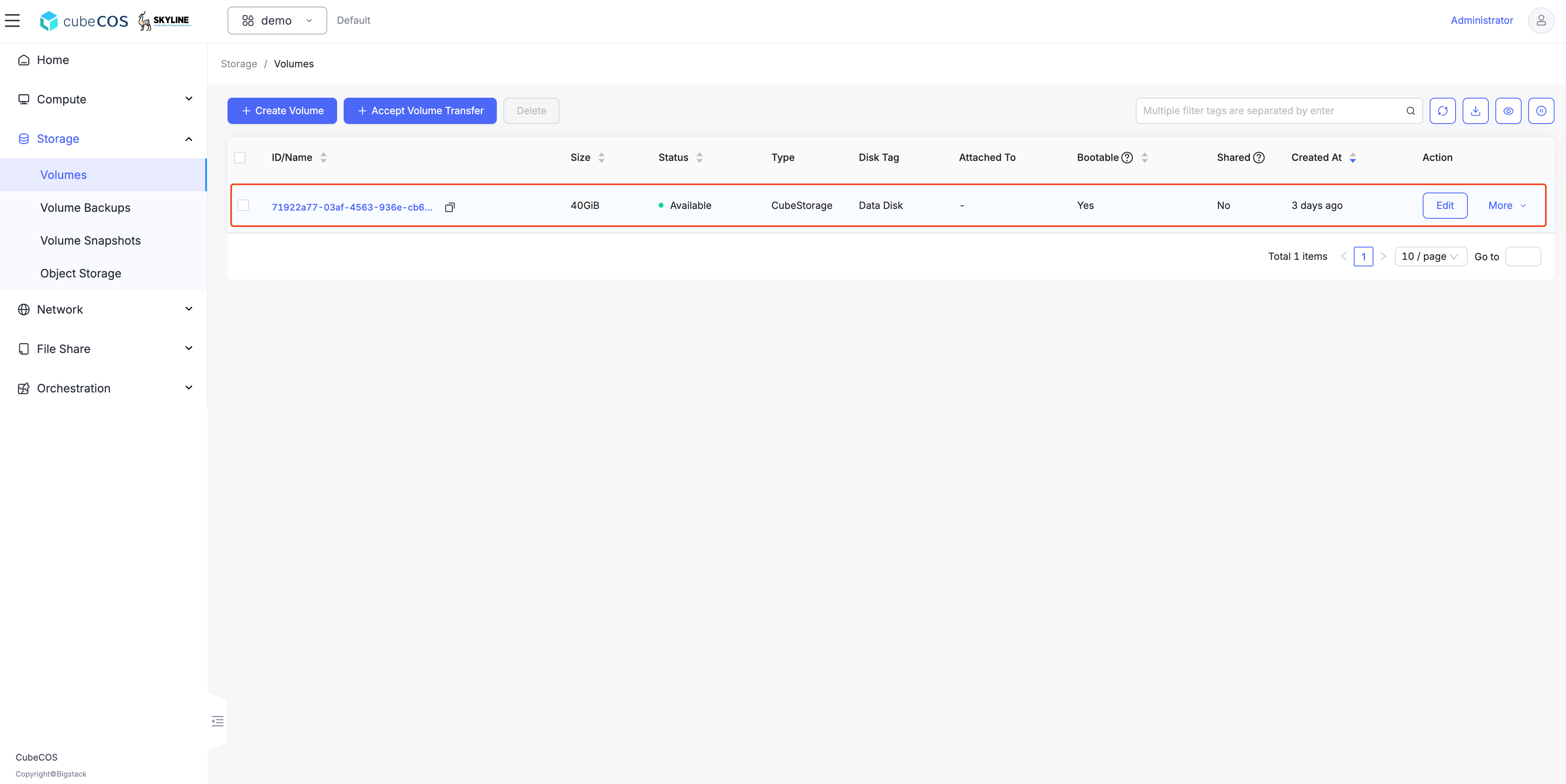
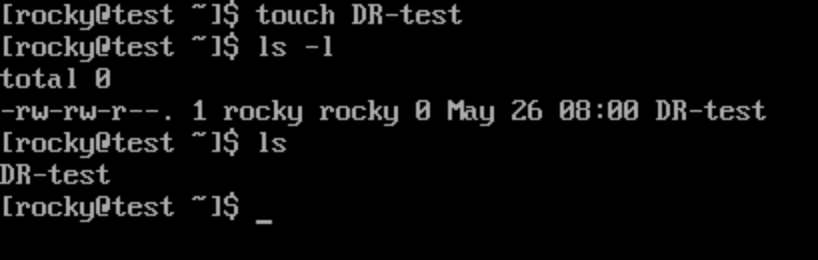
對 cluster1 中被鏡像到虛擬機 test 的磁碟進行變更
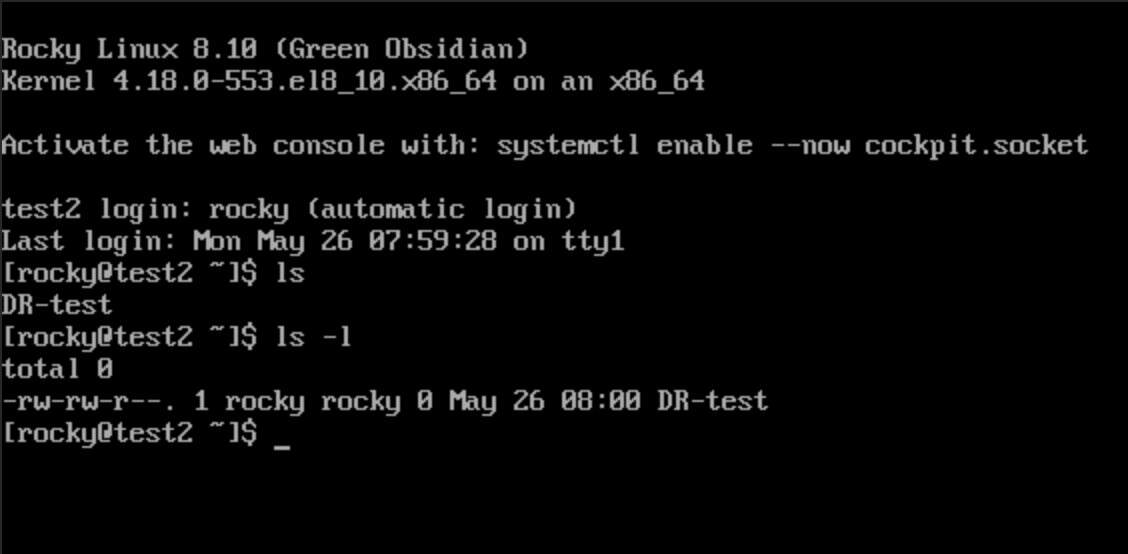
在 cluster2(secondary) 上檢查資料抄寫狀態確認備份資料有成功抄寫
cluster2:mirror> status
Local time: 2025-05-14 14:32:25
+----------------------------------------------+----------------------------------------------+
|         (local) control-10.32.10.140-site OK |         (remote) control-10.32.31.10-site OK |
+----------------------------------------------+----------------------------------------------+
| 71922a77-03af-4563-936e-cb66f747d066 (journal)                                       (40G)  |
|                        synced   up+replaying |       remote image is primary     up+stopped |
+----------------------------------------------+----------------------------------------------+
在 cluster2(secondary) 上進行映像檔 Promote
若主叢集發生災難,您需要提升備援叢集。
命令列介面 > 儲存 > 鏡像 > 提升
cluster2:mirror> promote
1: normal
2: force
Enter index: 1
1: site
2: volume
Enter index: 2
Select volume:
1: volume-71922a77-03af-4563-936e-cb66f747d066
Enter index: 1
normal promote cinder-volumes/volume-71922a77-03af-4563-936e-cb66f747d066 on local site
檢查 cluster1(primary)的抄寫狀態
檢查鏡像狀態是否已變更。
叢集1成為次要叢集,叢集2成為主要叢集。
命令列介面 > 儲存 > 鏡像 > 狀態
cluster1:mirror> status
Local time: 2025-05-14 14:38:09
+----------------------------------------------+----------------------------------------------+
|          (local) control-10.32.31.10-site OK |        (remote) control-10.32.10.140-site OK |
+----------------------------------------------+----------------------------------------------+
| 71922a77-03af-4563-936e-cb66f747d066 (journal)                       (40G) /dev/sda on test |
|                        synced   up+replaying |       remote image is primary     up+stopped |
+----------------------------------------------+----------------------------------------------+
檢查 cluster2(secondary)的抄寫狀態
命令列介面 > 儲存 > 鏡像 > 狀態
cc1:mirror> status
Local time: 2025-05-14 11:41:28
+----------------------------------------------+----------------------------------------------+
|         (local) control-10.32.10.140-site OK |         (remote) control-10.32.31.10-site OK |
+----------------------------------------------+----------------------------------------------+
| 71922a77-03af-4563-936e-cb66f747d066 (journal)                                       (40G)  |
|        local image is primary     up+stopped |                        synced   up+replaying |
+----------------------------------------------+----------------------------------------------+
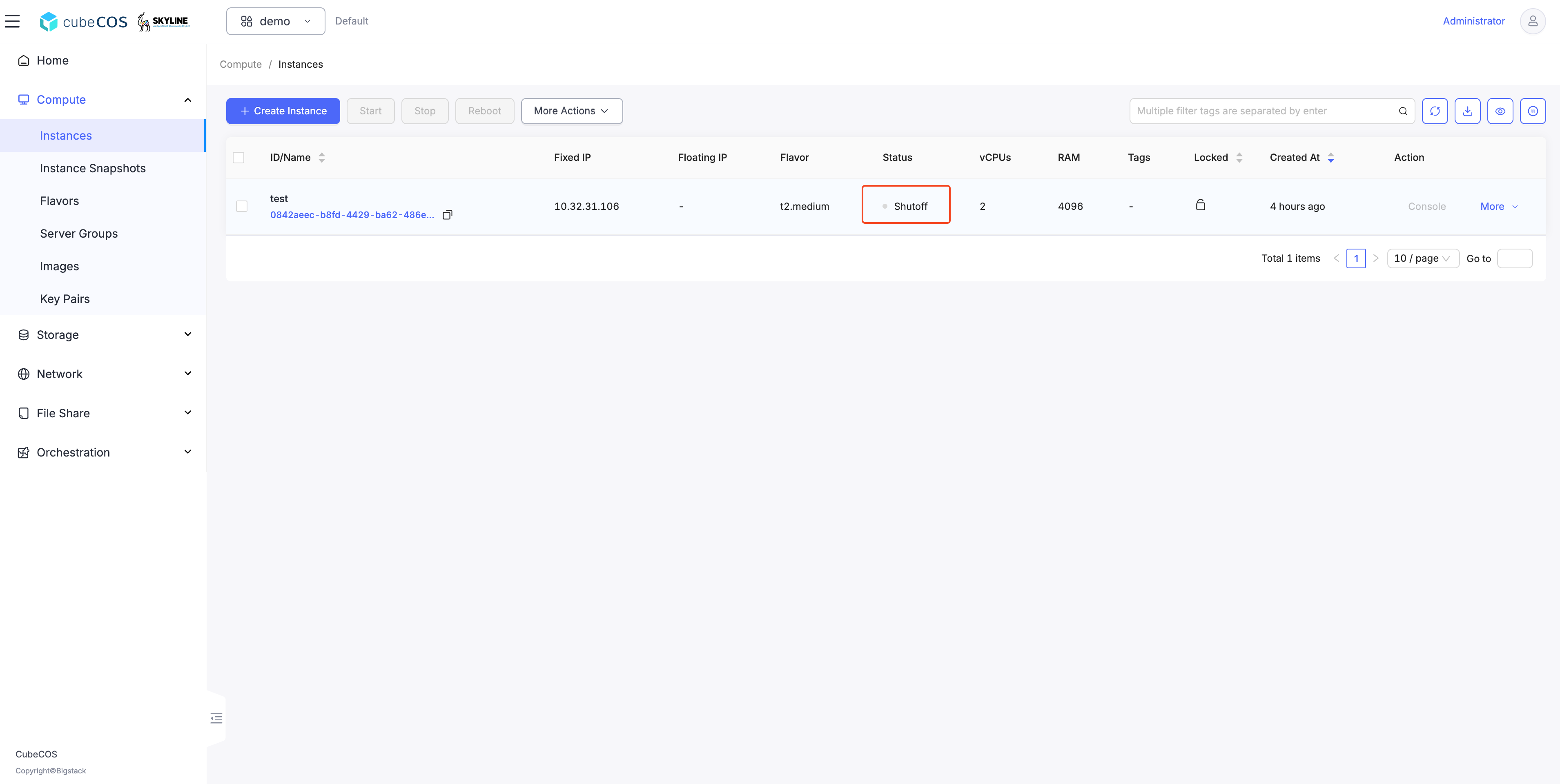
Verify the VM test is shut off on cluster1(switch to secondary)
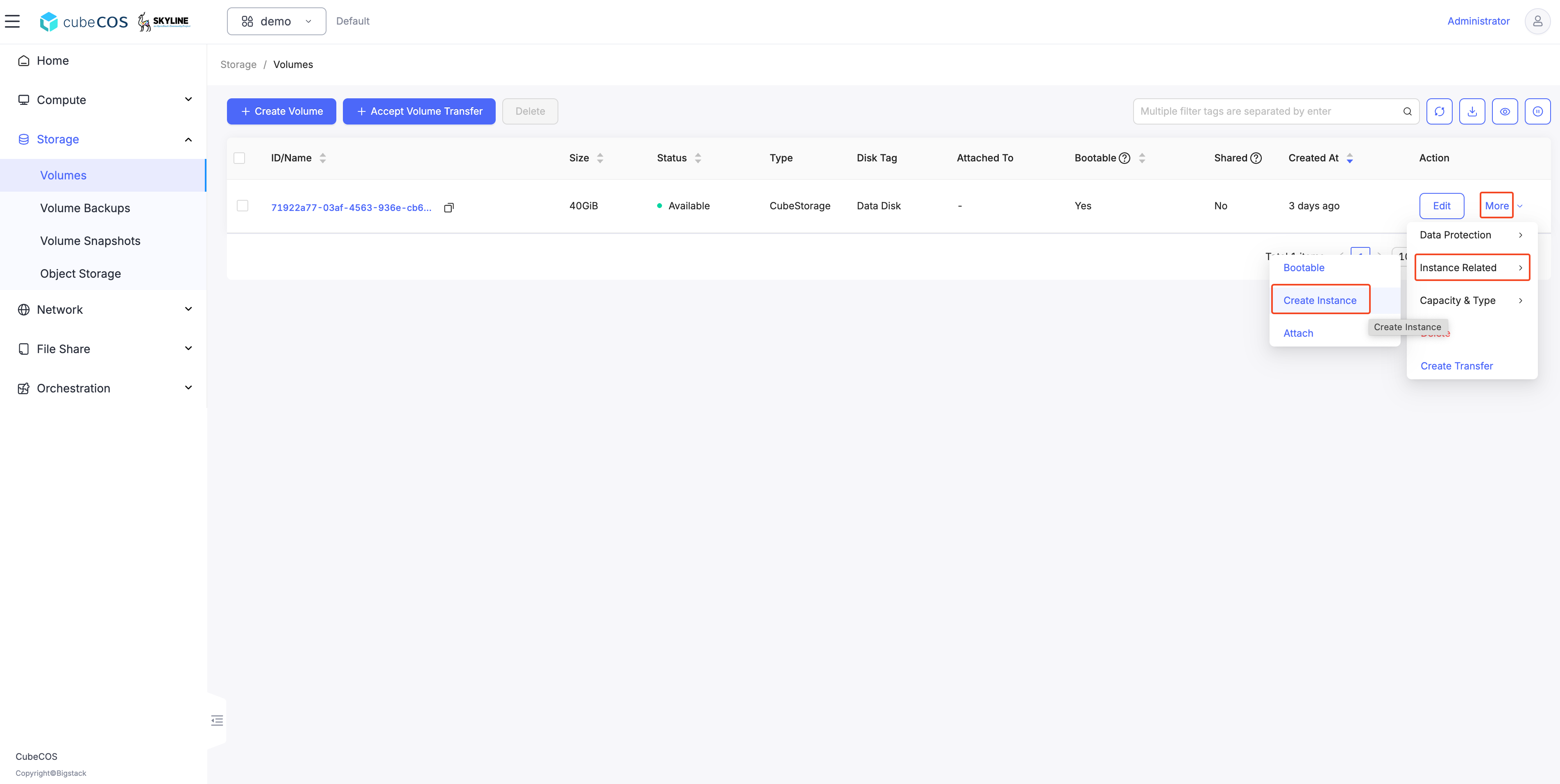
Call up a VM attached to the mirrored image on cluster2(switch to primary)
- 將游標懸停於「更多」選項上,接著點選「虛擬機相關」,最後點擊「建立虛擬機」。
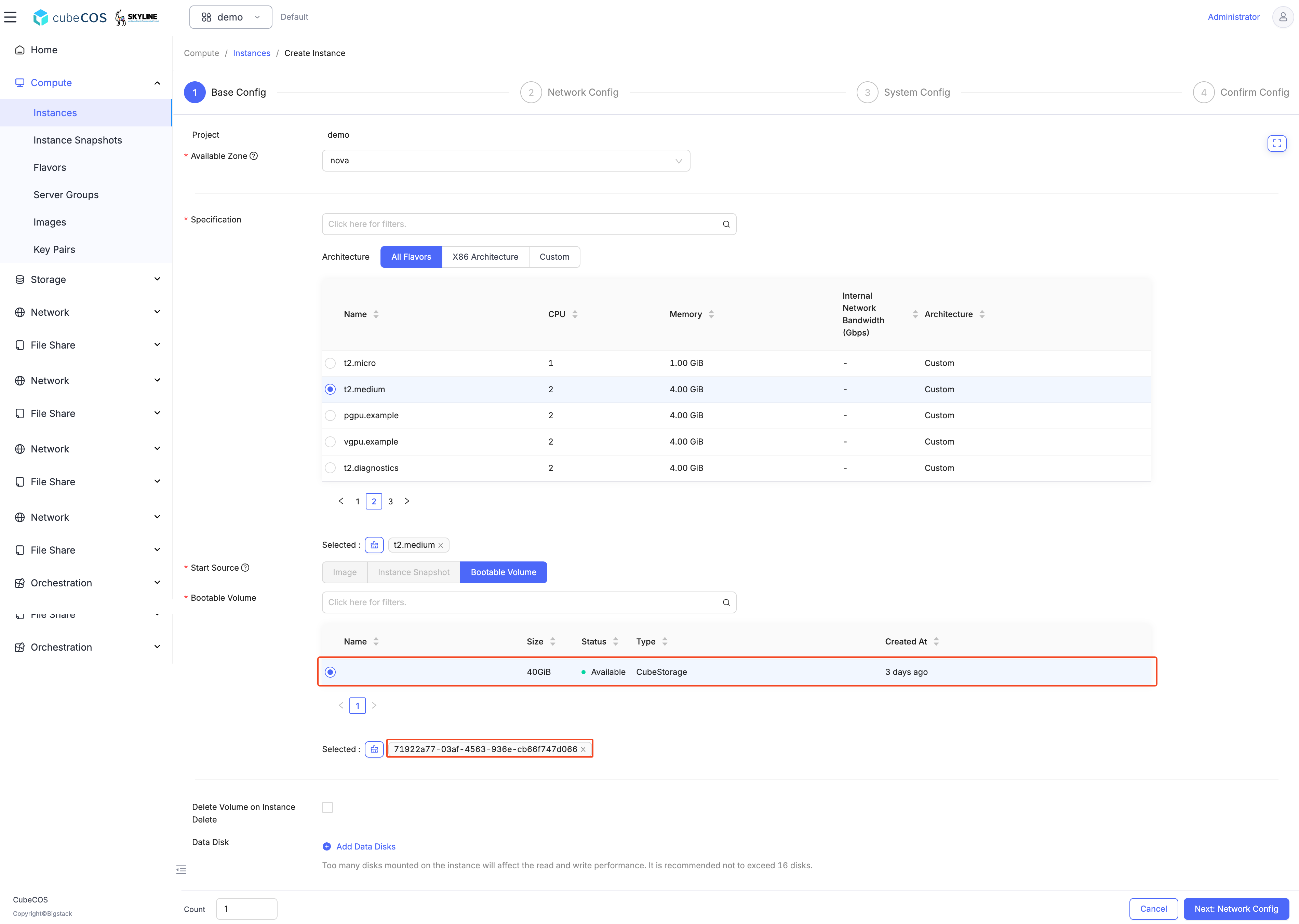
- 在建立虛擬機步驟中,請確保已選取
volume。
Call up a VM attached to the mirrored image on cluster2(switch to primary)